Compare commits
593 Commits
| Author | SHA1 | Date | |
|---|---|---|---|

|
f2988870d5 | ||
|
|
f0ea8d30ca | ||
|
|
c3909ccc70 | ||
|
|
01e88b3807 | ||
|
|
effb9d56d9 | ||
|
|
3bbbc80511 | ||
|
|
19128fb08e | ||
|
|
0945bbe5cf | ||
|
|
ced6975fc8 | ||
|
|
fb436996c0 | ||
|
|
50f1fe544e | ||
|
|
746643bf8e | ||
|
|
65a69ef1e4 | ||
|
|
6483182ef6 | ||
|
|
784a91709c | ||
|
|
82a52e065f | ||
|
|
a1f6738cf1 | ||
|
|
a231945842 | ||
|
|
a507d5963c | ||
|
|
92806d5257 | ||
|
|
9440df4445 | ||
|
|
4e0efb76cd | ||
|
|
4099a477d1 | ||
|
|
6542da7e30 | ||
|
|
8336611f54 | ||
|
|
819c6c96e8 | ||
|
|
e9ff358ac2 | ||
|
|
f79fd36c03 | ||
|
|
edd99cdeb2 | ||
|
|
9825754b32 | ||
|
|
6a18b40c97 | ||
|
|
d00f0bae1d | ||
|
|
fb042a36b6 | ||
|
|
6c27b04f83 | ||
|
|
9322b4ab4c | ||
|
|
5464d4c010 | ||
|
|
351622c4a2 | ||
|
|
44736ac461 | ||
|
|
a2da95b12b | ||
|
|
8ae5b68504 | ||
|
|
1a3c3af072 | ||
|
|
5dde542952 | ||
|
|
4922a13b68 | ||
|
|
a05860515e | ||
|
|
7399d6421e | ||
|
|
269dea70a1 | ||
|
|
46690fa72b | ||
|
|
8c9096b55b | ||
|
|
67cc3a6409 | ||
|
|
83ec6d69eb | ||
|
|
65a76b96c6 | ||
|
|
dd7f22e021 | ||
|
|
1a06d9906b | ||
|
|
6fb301970b | ||
|
|
3baf7060f7 | ||
|
|
0b82b85166 | ||
|
|
82dfd807c8 | ||
|
|
af9612968b | ||
|
|
70455f56a2 | ||
|
|
f839fd2bb4 | ||
|
|
1a79e0624c | ||
|
|
26e46ff06c | ||
|
|
71e67b50b2 | ||
|
|
174ed9f6d1 | ||
|
|
60146ed2c5 | ||
|
|
df7abdfc06 | ||
|
|
6ec2b20a23 | ||
|
|
09d0f68c4c | ||
|
|
d6b7311c66 | ||
|
|
f1a2239c97 | ||
|
|
977ad141ee | ||
|
|
06f88eb5a3 | ||
|
|
daf39a4095 | ||
|
|
0973d79c31 | ||
|
|
257481bad5 | ||
|
|
68e08f13a1 | ||
|
|
3234898892 | ||
|
|
82f7779a23 | ||
|
|
bd9b83540b | ||
|
|
4f0ee7b0b6 | ||
|
|
4437bfa840 | ||
|
|
b9e34c99ca | ||
|
|
71fa872d5c | ||
|
|
377857915f | ||
|
|
ec5020ca3d | ||
|
|
f1bed08c13 | ||
|
|
2cb663cd6a | ||
|
|
fa1ca5fba0 | ||
|
|
02b935bcde | ||
|
|
b8d5c53813 | ||
|
|
bb90fe0d4b | ||
|
|
ba283e3dc0 | ||
|
|
9ae8a48dcd | ||
|
|
774f707c9f | ||
|
|
a6417c5757 | ||
|
|
aebb610403 | ||
|
|
fdbfd759af | ||
|
|
0213f66eb6 | ||
|
|
1de385a410 | ||
|
|
6011b440a8 | ||
|
|
de4b3c186e | ||
|
|
4c8ff47ae7 | ||
|
|
54269ba0bf | ||
|
|
361579ba31 | ||
|
|
000785c29f | ||
|
|
2e6bc5e5b4 | ||
|
|
11f6972ec9 | ||
|
|
df801b4205 | ||
|
|
433f2bafd8 | ||
|
|
c5fc1a4648 | ||
|
|
33d486b160 | ||
|
|
7e57c192ee | ||
|
|
e4f7e26ad5 | ||
|
|
89b4acdfaf | ||
|
|
d856ef53a7 | ||
|
|
3256d601db | ||
|
|
938f4f2b4d | ||
|
|
6999ab09b6 | ||
|
|
c2d52bcfd2 | ||
|
|
d1c37f84aa | ||
|
|
83f9defc65 | ||
|
|
c4dbab2637 | ||
|
|
e76fafdccf | ||
|
|
73e3e4e226 | ||
|
|
6535d654d7 | ||
|
|
a224a46654 | ||
|
|
59c0784cd6 | ||
|
|
b544d5f781 | ||
|
|
ebf1373339 | ||
|
|
75a07f527e | ||
|
|
4b75bf7cce | ||
|
|
e260ba0e49 | ||
|
|
95dfb5b538 | ||
|
|
7d3f070e27 | ||
|
|
01fdbaa990 | ||
|
|
05acd26efe | ||
|
|
1421b9c0af | ||
|
|
6197ae25c6 | ||
|
|
de0883b14b | ||
|
|
acc6db901c | ||
|
|
7f463830bd | ||
|
|
6a27fb2959 | ||
|
|
21867c9cd4 | ||
|
|
276821e0b5 | ||
|
|
8028b1ddad | ||
|
|
5abbd818d3 | ||
|
|
43944a7d31 | ||
|
|
8bdc137917 | ||
|
|
02fb15228b | ||
|
|
59a1db9068 | ||
|
|
8e956893ca | ||
|
|
d960e03acf | ||
|
|
99666440cf | ||
|
|
f274c0bde3 | ||
|
|
d1082e55a4 | ||
|
|
af0d1980c6 | ||
|
|
a6183e0ccf | ||
|
|
eea40c69f7 | ||
|
|
13ae773868 | ||
|
|
6f0fcc9d1b | ||
|
|
7d98c0bb1c | ||
|
|
82d77dc10f | ||
|
|
ae1f35f515 | ||
|
|
66f3fd2e07 | ||
|
|
cf346f6aa3 | ||
|
|
34d3aac4b0 | ||
|
|
c22b6ca670 | ||
|
|
fa1b29a99f | ||
|
|
d61238c832 | ||
|
|
28b432058a | ||
|
|
4360ada3e4 | ||
|
|
5336bf3fe2 | ||
|
|
6d5db1cb3a | ||
|
|
9fffaa20a2 | ||
|
|
fd73a4ac92 | ||
|
|
29a6c70fc3 | ||
|
|
96f6c644bd | ||
|
|
7c12bb1e20 | ||
|
|
10e796f956 | ||
|
|
071077f2dc | ||
|
|
afe957674c | ||
|
|
307b098f83 | ||
|
|
95a793dd5a | ||
|
|
a0057911c1 | ||
|
|
93c75b5fef | ||
|
|
53d7e57142 | ||
|
|
2c4a891a89 | ||
|
|
8e0c7759be | ||
|
|
41dc01ea3c | ||
|
|
9c985edb6b | ||
|
|
69ef309cb5 | ||
|
|
f10bf38292 | ||
|
|
02f68b104b | ||
|
|
8bc5a75249 | ||
|
|
97e4cca252 | ||
|
|
18d41b52a2 | ||
|
|
26c0f82edf | ||
|
|
c12436afb0 | ||
|
|
fead885aa4 | ||
|
|
e680bb1548 | ||
|
|
6e82d38249 | ||
|
|
9f63299a1a | ||
|
|
702f31c935 | ||
|
|
08db282a07 | ||
|
|
080a394bb3 | ||
|
|
8fb429e073 | ||
|
|
00a3ff89e4 | ||
|
|
8f3b854559 | ||
|
|
05edb144b2 | ||
|
|
8c173c840b | ||
|
|
b540f44d6c | ||
|
|
7493093a1a | ||
|
|
cf68541520 | ||
|
|
b4ee4413cc | ||
|
|
f214830d0f | ||
|
|
c92070a5a2 | ||
|
|
102ca5403d | ||
|
|
7fd57b88dc | ||
|
|
5f57694148 | ||
|
|
73c97e85d4 | ||
|
|
ccde0c20ab | ||
|
|
d2d3c67144 | ||
|
|
6d5af81f68 | ||
|
|
2e9d4125ed | ||
|
|
56c32beebc | ||
|
|
faa67e0bb6 | ||
|
|
ffebe8e901 | ||
|
|
2cafe2d98e | ||
|
|
d03038d976 | ||
|
|
7e392da78a | ||
|
|
f8f3456b92 | ||
|
|
3b637eefaa | ||
|
|
46e1d28881 | ||
|
|
f23cc8b99f | ||
|
|
6843347dd7 | ||
|
|
063d40aa0a | ||
|
|
bee5c83eed | ||
|
|
8132b04a27 | ||
|
|
dabf5367bc | ||
|
|
33287d6944 | ||
|
|
f229bb6513 | ||
|
|
c16aabd9e8 | ||
|
|
c06d8164bc | ||
|
|
080f2bb845 | ||
|
|
25e4e28c2a | ||
|
|
5b90ace8cf | ||
|
|
ba73960a02 | ||
|
|
94f64f9730 | ||
|
|
21d183e661 | ||
|
|
699d910ab4 | ||
|
|
3c6ac395cc | ||
|
|
6bb4b2e938 | ||
|
|
d1b063d59d | ||
|
|
cfbf419f57 | ||
|
|
5fdc5078cc | ||
|
|
d91f667d0c | ||
|
|
9ed666a475 | ||
|
|
39935306fc | ||
|
|
ce476bf90f | ||
|
|
b0d8eac2a2 | ||
|
|
e1df207f5d | ||
|
|
75c2ccff96 | ||
|
|
9d86039987 | ||
|
|
cde131a351 | ||
|
|
31d1bde52a | ||
|
|
4c5ae567e4 | ||
|
|
a3e0d0aec9 | ||
|
|
95af0fb631 | ||
|
|
a5522c98a0 | ||
|
|
81f3e824ff | ||
|
|
61c60fc319 | ||
|
|
b6da0f0553 | ||
|
|
5e3da4d178 | ||
|
|
66aeadffbb | ||
|
|
399f4978f8 | ||
|
|
0b9f6124e9 | ||
|
|
df4a41127f | ||
|
|
eceba51020 | ||
|
|
01eee52849 | ||
|
|
385421d250 | ||
|
|
c63d81719b | ||
|
|
96f6294542 | ||
|
|
5e7d34b9c4 | ||
|
|
472b295c93 | ||
|
|
5577a60f26 | ||
|
|
fefc314d35 | ||
|
|
06df6c9e91 | ||
|
|
e6587efd27 | ||
|
|
a551919152 | ||
|
|
173e7846e8 | ||
|
|
63635fc110 | ||
|
|
31a8f25bb6 | ||
|
|
652b15c9e7 | ||
|
|
f9bd93197e | ||
|
|
0e93af912e | ||
|
|
d1ffd1edae | ||
|
|
d340ee62bb | ||
|
|
c07b9b96fe | ||
|
|
551892fa30 | ||
|
|
7fd65ceb8a | ||
|
|
4fc8e2a2ac | ||
|
|
eebc1bce1a | ||
|
|
02dbb88e6b | ||
|
|
41755c8c90 | ||
|
|
9d512e70c4 | ||
|
|
f8b7e17fda | ||
|
|
4d58281d6f | ||
|
|
6932d3600e | ||
|
|
d76b9b0d01 | ||
|
|
b3f9921dd8 | ||
|
|
1e071126fe | ||
|
|
d7ce4fb983 | ||
|
|
2d6cb1eb73 | ||
|
|
ffff59dd00 | ||
|
|
a7f5250b4a | ||
|
|
4ff21deb89 | ||
|
|
5138c676b1 | ||
|
|
7c08e946c6 | ||
|
|
5dbb60dc85 | ||
|
|
26e76df6c8 | ||
|
|
c094d05913 | ||
|
|
9bbaf1a7fa | ||
|
|
3fc49a8cee | ||
|
|
95aa5fe308 | ||
|
|
9948f9d854 | ||
|
|
279b4d57f1 | ||
|
|
966a5f30ec | ||
|
|
d997aef4f8 | ||
|
|
be6ca25f08 | ||
|
|
f2436d2a04 | ||
|
|
2d055327c2 | ||
|
|
b33a3d5652 | ||
|
|
f71c0ddfc3 | ||
|
|
f293f8b5c4 | ||
|
|
0494fccb8e | ||
|
|
4a58da62d6 | ||
|
|
4e9c3be598 | ||
|
|
6b32f03027 | ||
|
|
4e102d8b30 | ||
|
|
d89271759a | ||
|
|
63800492a9 | ||
|
|
c58e3791d1 | ||
|
|
ef97f4115d | ||
|
|
6b0e8db496 | ||
|
|
80af5dd236 | ||
|
|
0390ae9ee1 | ||
|
|
2d2df2d4db | ||
|
|
cc5537dd1f | ||
|
|
bd66ca183f | ||
|
|
4f1a380969 | ||
|
|
4ca5bd58ee | ||
|
|
b1d804405b | ||
|
|
14ba410352 | ||
|
|
b0bb894e1a | ||
|
|
83a395bf55 | ||
|
|
ec58a9dd70 | ||
|
|
2d7e1ccc05 | ||
|
|
7490f07a32 | ||
|
|
6c62918c1f | ||
|
|
897d255676 | ||
|
|
1b8132eb2f | ||
|
|
49bb80eeb4 | ||
|
|
2104624633 | ||
|
|
94006156d7 | ||
|
|
92534c7e6d | ||
|
|
296697370d | ||
|
|
37a10a9638 | ||
|
|
05a7babd56 | ||
|
|
3341074bb2 | ||
|
|
1a77e4046e | ||
|
|
367da36660 | ||
|
|
552751ffcf | ||
|
|
785b156f95 | ||
|
|
a15b93c276 | ||
|
|
767d1fb186 | ||
|
|
f7a2e1e7ac | ||
|
|
1a27edd462 | ||
|
|
87dcdec044 | ||
|
|
e1964553c4 | ||
|
|
f536d1040c | ||
|
|
caeb2412de | ||
|
|
77266535e5 | ||
|
|
7716b4c15f | ||
|
|
91f13122eb | ||
|
|
3c967ab280 | ||
|
|
9f2e71beae | ||
|
|
ab2542501a | ||
|
|
6ed945943a | ||
|
|
b8980ced8e | ||
|
|
8671255d5c | ||
|
|
94b210329b | ||
|
|
a8e137a55c | ||
|
|
91a6e199a1 | ||
|
|
46f515a19f | ||
|
|
47ce2feb3c | ||
|
|
ae27601405 | ||
|
|
94f6c80d57 | ||
|
|
3c845cb226 | ||
|
|
ea72ecc9e5 | ||
|
|
e59d29a429 | ||
|
|
c558c880f2 | ||
|
|
77879bc193 | ||
|
|
1b813b0ee3 | ||
|
|
55587e92c1 | ||
|
|
39d395bf62 | ||
|
|
95f92cac28 | ||
|
|
deffb77875 | ||
|
|
6a211dd5b3 | ||
|
|
bcbf8390e0 | ||
|
|
df64af2aba | ||
|
|
39ecf914ed | ||
|
|
82ab6f7a5b | ||
|
|
faa74dae39 | ||
|
|
558897fe53 | ||
|
|
f9f856d7ea | ||
|
|
6e4f8e67b6 | ||
|
|
c9484172a4 | ||
|
|
fdc99b346a | ||
|
|
06cec35522 | ||
|
|
18c21d9b97 | ||
|
|
e94594d0b1 | ||
|
|
e21813ba96 | ||
|
|
c8505cd71c | ||
|
|
9831845d27 | ||
|
|
04cd821a57 | ||
|
|
7f270649b4 | ||
|
|
fae714bceb | ||
|
|
47c2fc3d89 | ||
|
|
53b202790e | ||
|
|
9b1031d009 | ||
|
|
b25e6c25aa | ||
|
|
4083ebd591 | ||
|
|
f2e0f00f93 | ||
|
|
fd6b2c57cb | ||
|
|
3d685eb4ae | ||
|
|
c9fb82a7e6 | ||
|
|
eaf19d1d23 | ||
|
|
7e6e6b6d6b | ||
|
|
3a5522cf0e | ||
|
|
6377377c4d | ||
|
|
62be5b561e | ||
|
|
424482646f | ||
|
|
f0b1767b3c | ||
|
|
3e3e802b28 | ||
|
|
da9f49341f | ||
|
|
1ab9728fa0 | ||
|
|
5b4cebac16 | ||
|
|
788e2acaff | ||
|
|
ada3317ba5 | ||
|
|
bb73e30b17 | ||
|
|
006645b279 | ||
|
|
ec06f645bd | ||
|
|
21bc4f9386 | ||
|
|
45f8d2d230 | ||
|
|
d98731d50a | ||
|
|
ec97971e7d | ||
|
|
0b83133155 | ||
|
|
5625cf226b | ||
|
|
adbae64619 | ||
|
|
ecf352ce00 | ||
|
|
e53648d218 | ||
|
|
9da761b21c | ||
|
|
202db9315f | ||
|
|
89f86e2c84 | ||
|
|
0f27385c17 | ||
|
|
622d0fd0bc | ||
|
|
5908e5b14b | ||
|
|
4908b6fd01 | ||
|
|
b93f87af14 | ||
|
|
71c9a7b931 | ||
|
|
b143498393 | ||
|
|
322a845a17 | ||
|
|
3bcc4b86e5 | ||
|
|
3a67ae6d1f | ||
|
|
8c4eed2bbc | ||
|
|
ce0c8347fb | ||
|
|
91b732ff1c | ||
|
|
a311f6bf4b | ||
|
|
04f9b93ceb | ||
|
|
190cc8caf6 | ||
|
|
b6a20cc4d7 | ||
|
|
eeb0cd7e4d | ||
|
|
b77923fc65 | ||
|
|
6687544e66 | ||
|
|
7384675b6b | ||
|
|
87e3c8d4a5 | ||
|
|
e23f9330d3 | ||
|
|
759bb67077 | ||
|
|
0a8509d721 | ||
|
|
f4b6a16a9e | ||
|
|
6e8fbc280f | ||
|
|
52e6711d51 | ||
|
|
0fb44887e3 | ||
|
|
b376ebae25 | ||
|
|
49ddd6cb59 | ||
|
|
c437f15868 | ||
|
|
15052c8b48 | ||
|
|
800002222b | ||
|
|
e3283baa0e | ||
|
|
382d56ab54 | ||
|
|
c93e8774c9 | ||
|
|
71e74b8320 | ||
|
|
d338504856 | ||
|
|
af793e9e81 | ||
|
|
6caf09e3e7 | ||
|
|
b6742c4c4a | ||
|
|
fcdd2ab81b | ||
|
|
8fd976f5c7 | ||
|
|
521b63e732 | ||
|
|
4890e6b5b9 | ||
|
|
9851c8f526 | ||
|
|
7826a34b00 | ||
|
|
2559873b2c | ||
|
|
cc90cf0b72 | ||
|
|
8717d96d0a | ||
|
|
c8ba5e1aa1 | ||
|
|
eb59908c84 | ||
|
|
981fb9c5be | ||
|
|
ca29940ea5 | ||
|
|
cf186e58bd | ||
|
|
3bae13eea8 | ||
|
|
5d4cbe37eb | ||
|
|
48f969eae5 | ||
|
|
546f627177 | ||
|
|
c6169607ae | ||
|
|
795423ae55 | ||
|
|
00e3b970d6 | ||
|
|
9e786b9133 | ||
|
|
2941ad334c | ||
|
|
cefd0cfb16 | ||
|
|
f8aa274b07 | ||
|
|
3d2fd28214 | ||
|
|
fa66448f89 | ||
|
|
73cdf5dda5 | ||
|
|
eac2e4e53e | ||
|
|
d9d95ba17c | ||
|
|
3bca9687d0 | ||
|
|
b91dfe7595 | ||
|
|
9e89f954e8 | ||
|
|
b860a79d59 | ||
|
|
5eca42bb45 | ||
|
|
5cf67fdbaa | ||
|
|
ac0c3bdfb9 | ||
|
|
652c2e342f | ||
|
|
ecbdfea818 | ||
|
|
0846d0666b | ||
|
|
a704f1ed0a | ||
|
|
97550a39f3 | ||
|
|
e36428de5d | ||
|
|
373bc1660c | ||
|
|
9863178025 | ||
|
|
50c75da5e0 | ||
|
|
7585e9b32e | ||
|
|
95b3397e42 | ||
|
|
b3ada7c25c | ||
|
|
0142a1502f | ||
|
|
8996c168ca | ||
|
|
4d14809ecf | ||
|
|
6749b887dd | ||
|
|
08e6059c8d | ||
|
|
b9dd90b998 | ||
|
|
bced10eab1 | ||
|
|
deeafb21a5 | ||
|
|
81b4443fc2 | ||
|
|
4f89205dd4 | ||
|
|
75d19e0e7d | ||
|
|
c8ae414ecf | ||
|
|
e7dc2d3d7a | ||
|
|
5b66c1f986 | ||
|
|
0b4f771462 | ||
|
|
944a3c02ce | ||
|
|
5185704a38 | ||
|
|
152bb57bc1 | ||
|
|
15bfeb30d7 | ||
|
|
0bf3818b30 | ||
|
|
ede0e98e1f | ||
|
|
d702bcf0a3 | ||
|
|
2194b92fdf | ||
|
|
2c51fd77a0 | ||
|
|
f8b908500f | ||
|
|
ac0840c802 | ||
|
|
392aac2c6e | ||
|
|
4236288d32 | ||
|
|
4693cbba4f | ||
|
|
34c5360a4d | ||
|
|
228dea1308 | ||
|
|
69dd6fe7d4 | ||
|
|
7a1e250016 | ||
|
|
00d6495752 | ||
|
|
bebc119c13 | ||
|
|
717d9a512d | ||
|
|
9814914b83 | ||
|
|
693dc6d9ce |
89
.env.appStore.example
Normal file
89
.env.appStore.example
Normal file
@@ -0,0 +1,89 @@
|
||||
# ********** INDEX **********
|
||||
#
|
||||
# - APP STORE
|
||||
# - DAILY.CO VIDEO
|
||||
# - GOOGLE CALENDAR/MEET/LOGIN
|
||||
# - HUBSPOT
|
||||
# - OFFICE 365
|
||||
# - SLACK
|
||||
# - STRIPE
|
||||
# - TANDEM
|
||||
# - ZOOM
|
||||
# - GIPHY
|
||||
# - VITAL
|
||||
|
||||
# - APP STORE **********************************************************************************************
|
||||
# ⚠️ ⚠️ ⚠️ THESE WILL BE MIGRATED TO THE DATABASE TO PREVENT AWS's 4KB ENV QUOTA ⚠️ ⚠️ ⚠️
|
||||
# - DAILY.CO VIDEO
|
||||
DAILY_API_KEY=
|
||||
DAILY_SCALE_PLAN=''
|
||||
|
||||
# - GOOGLE CALENDAR/MEET/LOGIN
|
||||
# Needed to enable Google Calendar integration and Login with Google
|
||||
# @see https://github.com/calendso/calendso#obtaining-the-google-api-credentials
|
||||
GOOGLE_API_CREDENTIALS='{}'
|
||||
# To enable Login with Google you need to:
|
||||
# 1. Set `GOOGLE_API_CREDENTIALS` above
|
||||
# 2. Set `GOOGLE_LOGIN_ENABLED` to `true`
|
||||
# When self-hosting please ensure you configure the Google integration as an Internal app so no one else can login to your instance
|
||||
# @see https://support.google.com/cloud/answer/6158849#public-and-internal&zippy=%2Cpublic-and-internal-applications
|
||||
GOOGLE_LOGIN_ENABLED=false
|
||||
|
||||
# - HUBSPOT
|
||||
# Used for the HubSpot integration
|
||||
# @see https://github.com/calcom/cal.com/#obtaining-hubspot-client-id-and-secret
|
||||
HUBSPOT_CLIENT_ID=""
|
||||
HUBSPOT_CLIENT_SECRET=""
|
||||
|
||||
# - OFFICE 365
|
||||
# Used for the Office 365 / Outlook.com Calendar / MS Teams integration
|
||||
# @see https://github.com/calcom/cal.com/#Obtaining-Microsoft-Graph-Client-ID-and-Secret
|
||||
MS_GRAPH_CLIENT_ID=
|
||||
MS_GRAPH_CLIENT_SECRET=
|
||||
|
||||
# - SLACK
|
||||
# @see https://github.com/calcom/cal.com/#obtaining-slack-client-id-and-secret-and-signing-secret
|
||||
SLACK_SIGNING_SECRET=
|
||||
SLACK_CLIENT_ID=
|
||||
SLACK_CLIENT_SECRET=
|
||||
|
||||
# - STRIPE
|
||||
NEXT_PUBLIC_STRIPE_PUBLIC_KEY= # pk_test_...
|
||||
STRIPE_PRIVATE_KEY= # sk_test_...
|
||||
STRIPE_WEBHOOK_SECRET= # whsec_...
|
||||
STRIPE_CLIENT_ID= # ca_...
|
||||
PAYMENT_FEE_FIXED=10 # Take 10 additional cents commission
|
||||
PAYMENT_FEE_PERCENTAGE=0.005 # Take 0.5% commission
|
||||
|
||||
# - TANDEM
|
||||
# Used for the Tandem integration -- contact support@tandem.chat for API access.
|
||||
TANDEM_CLIENT_ID=""
|
||||
TANDEM_CLIENT_SECRET=""
|
||||
TANDEM_BASE_URL="https://tandem.chat"
|
||||
|
||||
# - ZOOM
|
||||
# Used for the Zoom integration
|
||||
# @see https://github.com/calcom/cal.com/#obtaining-zoom-client-id-and-secret
|
||||
ZOOM_CLIENT_ID=
|
||||
ZOOM_CLIENT_SECRET=
|
||||
|
||||
# - GIPHY
|
||||
# Used for the Giphy integration
|
||||
# @see https://support.giphy.com/hc/en-us/articles/360020283431-Request-A-GIPHY-API-Key
|
||||
GIPHY_API_KEY=
|
||||
|
||||
# - VITAL
|
||||
# Used for the vital integration
|
||||
# @see https://github.com/calcom/cal.com/#obtaining-vital-api-keys
|
||||
VITAL_API_KEY=
|
||||
VITAL_WEBHOOK_SECRET=
|
||||
# "sandbox" | "prod" | "production" | "development"
|
||||
VITAL_DEVELOPMENT_MODE="sandbox"
|
||||
# "us" | "eu"
|
||||
VITAL_REGION="us"
|
||||
|
||||
# - ZAPIER
|
||||
# Used for the Zapier integration
|
||||
# @see https://github.com/calcom/cal.com/blob/main/packages/app-store/zapier/README.md
|
||||
ZAPIER_INVITE_LINK=""
|
||||
# *********************************************************************************************************
|
||||
110
.env.example
110
.env.example
@@ -1,2 +1,108 @@
|
||||
# It now lives at `apps/web/.env.example`
|
||||
# DATABASE_URL got moved to `packages/prisma/.env.example`
|
||||
# ********** INDEX **********
|
||||
#
|
||||
# - LICENSE
|
||||
# - DATABASE
|
||||
# - SHARED
|
||||
# - NEXTAUTH
|
||||
# - E-MAIL SETTINGS
|
||||
|
||||
# - LICENSE *************************************************************************************************
|
||||
# Set this value to 'agree' to accept our license:
|
||||
# LICENSE: https://github.com/calendso/calendso/blob/main/LICENSE
|
||||
#
|
||||
# Summary of terms:
|
||||
# - The codebase has to stay open source, whether it was modified or not
|
||||
# - You can not repackage or sell the codebase
|
||||
# - Acquire a commercial license to remove these terms by visiting: cal.com/sales
|
||||
NEXT_PUBLIC_LICENSE_CONSENT=''
|
||||
# ***********************************************************************************************************
|
||||
|
||||
# - DATABASE ************************************************************************************************
|
||||
# ⚠️ ⚠️ ⚠️ DATABASE_URL got moved to `packages/prisma/.env.example` ⚠️ ⚠️ ⚠️
|
||||
# ***********************************************************************************************************
|
||||
|
||||
# - SHARED **************************************************************************************************
|
||||
NEXT_PUBLIC_WEBAPP_URL='http://localhost:3000'
|
||||
# Change to 'http://localhost:3001' if running the website simultaneously
|
||||
NEXT_PUBLIC_WEBSITE_URL='http://localhost:3000'
|
||||
NEXT_PUBLIC_EMBED_LIB_URL='http://localhost:3000/embed/embed.js'
|
||||
|
||||
# To enable SAML login, set both these variables
|
||||
# @see https://github.com/calcom/cal.com/tree/main/packages/ee#setting-up-saml-login
|
||||
# SAML_DATABASE_URL="postgresql://postgres:@localhost:5450/cal-saml"
|
||||
SAML_DATABASE_URL=
|
||||
# SAML_ADMINS='pro@example.com'
|
||||
SAML_ADMINS=
|
||||
# If you use Heroku to deploy Postgres (or use self-signed certs for Postgres) then uncomment the follow line.
|
||||
# @see https://devcenter.heroku.com/articles/connecting-heroku-postgres#connecting-in-node-js
|
||||
# PGSSLMODE='no-verify'
|
||||
PGSSLMODE=
|
||||
|
||||
# - NEXTAUTH
|
||||
# @see: https://github.com/calendso/calendso/issues/263
|
||||
# @see: https://next-auth.js.org/configuration/options#nextauth_url
|
||||
# Required for Vercel hosting - set NEXTAUTH_URL to equal your NEXT_PUBLIC_WEBAPP_URL
|
||||
# NEXTAUTH_URL='http://localhost:3000'
|
||||
NEXTAUTH_URL=
|
||||
# @see: https://next-auth.js.org/configuration/options#nextauth_secret
|
||||
# You can use: `openssl rand -base64 32` to generate one
|
||||
NEXTAUTH_SECRET=
|
||||
# Used for cross-domain cookie authentication
|
||||
NEXTAUTH_COOKIE_DOMAIN=.example.com
|
||||
|
||||
# Remove this var if you don't want Cal to collect anonymous usage
|
||||
NEXT_PUBLIC_TELEMETRY_KEY=js.2pvs2bbpqq1zxna97wcml.oi2jzirnbj1ev4tc57c5r
|
||||
|
||||
# ApiKey for cronjobs
|
||||
CRON_API_KEY='0cc0e6c35519bba620c9360cfe3e68d0'
|
||||
|
||||
# Application Key for symmetric encryption and decryption
|
||||
# must be 32 bytes for AES256 encryption algorithm
|
||||
# You can use: `openssl rand -base64 24` to generate one
|
||||
CALENDSO_ENCRYPTION_KEY=
|
||||
|
||||
# Intercom Config
|
||||
NEXT_PUBLIC_INTERCOM_APP_ID=
|
||||
|
||||
# Zendesk Config
|
||||
NEXT_PUBLIC_ZENDESK_KEY=
|
||||
|
||||
# Help Scout Config
|
||||
NEXT_PUBLIC_HELPSCOUT_KEY=
|
||||
|
||||
# This is used so we can bypass emails in auth flows for E2E testing
|
||||
# Set it to "1" if you need to run E2E tests locally
|
||||
NEXT_PUBLIC_IS_E2E=
|
||||
|
||||
# Used for internal billing system
|
||||
NEXT_PUBLIC_STRIPE_PRO_PLAN_PRODUCT=
|
||||
NEXT_PUBLIC_STRIPE_PRO_PLAN_PRICE=
|
||||
NEXT_PUBLIC_STRIPE_PREMIUM_PLAN_PRICE=
|
||||
NEXT_PUBLIC_STRIPE_FREE_PLAN_PRICE=
|
||||
|
||||
# Use for internal Public API Keys and optional
|
||||
API_KEY_PREFIX=cal_
|
||||
# ***********************************************************************************************************
|
||||
|
||||
# - E-MAIL SETTINGS *****************************************************************************************
|
||||
# Cal uses nodemailer (@see https://nodemailer.com/about/) to provide email sending. As such we are trying to
|
||||
# allow access to the nodemailer transports from the .env file. E-mail templates are accessible within lib/emails/
|
||||
# Configures the global From: header whilst sending emails.
|
||||
EMAIL_FROM='notifications@yourselfhostedcal.com'
|
||||
|
||||
# Configure SMTP settings (@see https://nodemailer.com/smtp/).
|
||||
# Note: The below configuration for Office 365 has been verified to work.
|
||||
EMAIL_SERVER_HOST='smtp.office365.com'
|
||||
EMAIL_SERVER_PORT=587
|
||||
EMAIL_SERVER_USER='<office365_emailAddress>'
|
||||
# Keep in mind that if you have 2FA enabled, you will need to provision an App Password.
|
||||
EMAIL_SERVER_PASSWORD='<office365_password>'
|
||||
|
||||
# The following configuration for Gmail has been verified to work.
|
||||
# EMAIL_SERVER_HOST='smtp.gmail.com'
|
||||
# EMAIL_SERVER_PORT=465
|
||||
# EMAIL_SERVER_USER='<gmail_emailAddress>'
|
||||
## You will need to provision an App Password.
|
||||
## @see https://support.google.com/accounts/answer/185833
|
||||
# EMAIL_SERVER_PASSWORD='<gmail_app_password>'
|
||||
# **********************************************************************************************************
|
||||
|
||||
@@ -1,2 +0,0 @@
|
||||
node_modules
|
||||
packages/prisma/zod
|
||||
1
.eslintrc.js
Normal file
1
.eslintrc.js
Normal file
@@ -0,0 +1 @@
|
||||
module.exports = require("./packages/config/eslint-preset");
|
||||
2
.github/ISSUE_TEMPLATE/bug_report.md
vendored
2
.github/ISSUE_TEMPLATE/bug_report.md
vendored
@@ -22,6 +22,6 @@ Any other relevant information. For example, why do you consider this a bug and
|
||||
|
||||
### Technical details
|
||||
|
||||
- Browser version: You can use https://www.whatsmybrowser.org/ to find this out.
|
||||
- Browser version, screen recording, console logs, network requests: You can make a recording with [Bird Eats Bug](https://birdeatsbug.com/).
|
||||
- Node.js version
|
||||
- Anything else that you think could be an issue.
|
||||
|
||||
@@ -2,4 +2,4 @@ blank_issues_enabled: false
|
||||
contact_links:
|
||||
- name: Questions
|
||||
url: https://cal.com/slack
|
||||
about: Ask a general question about the project on our Slack workspace
|
||||
about: Ask a general question about the project on our Slack workspace
|
||||
23
.github/PULL_REQUEST_TEMPLATE.md
vendored
23
.github/PULL_REQUEST_TEMPLATE.md
vendored
@@ -4,6 +4,10 @@
|
||||
|
||||
Fixes # (issue)
|
||||
|
||||
<!-- Please provide a loom video for visual changes to speed up reviews
|
||||
Loom Video: https://www.loom.com/
|
||||
-->
|
||||
|
||||
## Type of change
|
||||
|
||||
<!-- Please delete options that are not relevant. -->
|
||||
@@ -20,12 +24,15 @@ Fixes # (issue)
|
||||
- [ ] Test A
|
||||
- [ ] Test B
|
||||
|
||||
## Checklist:
|
||||
## Checklist
|
||||
|
||||
- [ ] My code follows the style guidelines of this project
|
||||
- [ ] I have performed a self-review of my own code and corrected any misspellings
|
||||
- [ ] I have commented my code, particularly in hard-to-understand areas
|
||||
- [ ] I have made corresponding changes to the documentation
|
||||
- [ ] My changes generate no new warnings
|
||||
- [ ] I have added tests that prove my fix is effective or that my feature works
|
||||
- [ ] New and existing unit tests pass locally with my changes
|
||||
<!-- Please remove all the irrelevant bullets to your PR -->
|
||||
|
||||
- I haven't read the [contributing guide](https://github.com/calcom/cal.com/blob/main/CONTRIBUTING.md)
|
||||
- My code doesn't follow the style guidelines of this project
|
||||
- I haven't performed a self-review of my own code and corrected any misspellings
|
||||
- I haven't commented my code, particularly in hard-to-understand areas
|
||||
- I haven't checked if my PR needs changes to the documentation
|
||||
- I haven't checked if my changes generate no new warnings
|
||||
- I haven't added tests that prove my fix is effective or that my feature works
|
||||
- I haven't checked if new and existing unit tests pass locally with my changes
|
||||
|
||||
1
.github/workflows/check-types.yml
vendored
1
.github/workflows/check-types.yml
vendored
@@ -6,7 +6,6 @@ on:
|
||||
jobs:
|
||||
types:
|
||||
name: Check types
|
||||
|
||||
strategy:
|
||||
matrix:
|
||||
node: ["14.x"]
|
||||
|
||||
39
.github/workflows/e2e.yml
vendored
39
.github/workflows/e2e.yml
vendored
@@ -1,19 +1,25 @@
|
||||
name: E2E test
|
||||
on:
|
||||
pull_request_target:
|
||||
pull_request_target: # So we can test on forks
|
||||
branches:
|
||||
- main
|
||||
paths-ignore:
|
||||
- public/static/locales/**
|
||||
jobs:
|
||||
test:
|
||||
timeout-minutes: 10
|
||||
timeout-minutes: 20
|
||||
name: Testing ${{ matrix.node }} and ${{ matrix.os }}
|
||||
strategy:
|
||||
matrix:
|
||||
node: ["14.x"]
|
||||
os: [ubuntu-latest]
|
||||
runs-on: ${{ matrix.os }}
|
||||
|
||||
env:
|
||||
DATABASE_URL: postgresql://postgres:@localhost:5432/calendso
|
||||
BASE_URL: http://localhost:3000
|
||||
JWT_SECRET: secret
|
||||
PLAYWRIGHT_SECRET: ${{ secrets.CI_PLAYWRIGHT_SECRET }}
|
||||
NEXT_PUBLIC_WEBAPP_URL: http://localhost:3000
|
||||
NEXT_PUBLIC_WEBSITE_URL: http://localhost:3000
|
||||
NEXTAUTH_SECRET: secret
|
||||
GOOGLE_API_CREDENTIALS: ${{ secrets.CI_GOOGLE_API_CREDENTIALS }}
|
||||
GOOGLE_LOGIN_ENABLED: true
|
||||
# CRON_API_KEY: xxx
|
||||
@@ -26,11 +32,13 @@ jobs:
|
||||
PAYMENT_FEE_FIXED: 10
|
||||
SAML_DATABASE_URL: postgresql://postgres:@localhost:5432/calendso
|
||||
SAML_ADMINS: pro@example.com
|
||||
# NEXTAUTH_URL: xxx
|
||||
# EMAIL_FROM: xxx
|
||||
# EMAIL_SERVER_HOST: xxx
|
||||
# EMAIL_SERVER_PORT: xxx
|
||||
# EMAIL_SERVER_USER: xxx
|
||||
NEXTAUTH_URL: http://localhost:3000/api/auth
|
||||
NEXT_PUBLIC_IS_E2E: 1
|
||||
# EMAIL_FROM: e2e@cal.com
|
||||
# EMAIL_SERVER_HOST: ${{ secrets.CI_EMAIL_SERVER_HOST }}
|
||||
# EMAIL_SERVER_PORT: ${{ secrets.CI_EMAIL_SERVER_PORT }}
|
||||
# EMAIL_SERVER_USER: ${{ secrets.CI_EMAIL_SERVER_USER }}
|
||||
# EMAIL_SERVER_PASSWORD: ${{ secrets.CI_EMAIL_SERVER_PASSWORD }}
|
||||
# MS_GRAPH_CLIENT_ID: xxx
|
||||
# MS_GRAPH_CLIENT_SECRET: xxx
|
||||
# ZOOM_CLIENT_ID: xxx
|
||||
@@ -43,25 +51,20 @@ jobs:
|
||||
POSTGRES_DB: calendso
|
||||
ports:
|
||||
- 5432:5432
|
||||
runs-on: ${{ matrix.os }}
|
||||
strategy:
|
||||
matrix:
|
||||
node: ["14.x"]
|
||||
os: [ubuntu-latest]
|
||||
|
||||
steps:
|
||||
- name: Checkout repo
|
||||
uses: actions/checkout@v2
|
||||
with:
|
||||
ref: ${{ github.event.pull_request.head.sha }}
|
||||
ref: ${{ github.event.pull_request.head.sha }} # So we can test on forks
|
||||
fetch-depth: 2
|
||||
|
||||
- name: Use Node ${{ matrix.node }}
|
||||
uses: actions/setup-node@v2
|
||||
with:
|
||||
cache: "yarn"
|
||||
cache-dependency-path: yarn.lock
|
||||
node-version: ${{ matrix.node }}
|
||||
# cache: "yarn"
|
||||
# cache-dependency-path: yarn.lock
|
||||
|
||||
- name: Turbo Cache
|
||||
id: turbo-cache
|
||||
|
||||
38
.github/workflows/lint.yml
vendored
38
.github/workflows/lint.yml
vendored
@@ -1,24 +1,50 @@
|
||||
name: Lint
|
||||
on:
|
||||
pull_request:
|
||||
pull_request_target:
|
||||
branches:
|
||||
- main
|
||||
jobs:
|
||||
lint:
|
||||
runs-on: ubuntu-latest
|
||||
strategy:
|
||||
matrix:
|
||||
node: ["14.x"]
|
||||
os: [ubuntu-latest]
|
||||
runs-on: ${{ matrix.os }}
|
||||
|
||||
steps:
|
||||
- uses: actions/checkout@v2
|
||||
- name: Checkout repo
|
||||
uses: actions/checkout@v2
|
||||
with:
|
||||
fetch-depth: 0
|
||||
ref: ${{ github.event.pull_request.head.sha }}
|
||||
fetch-depth: 2
|
||||
|
||||
- name: Use Node.js 14.x
|
||||
uses: actions/setup-node@v2
|
||||
with:
|
||||
version: 14.x
|
||||
node-version: ${{ matrix.node }}
|
||||
# cache: "yarn"
|
||||
# cache-dependency-path: yarn.lock
|
||||
|
||||
- name: Install deps
|
||||
if: steps.yarn-cache.outputs.cache-hit != 'true'
|
||||
run: yarn
|
||||
|
||||
- name: Lint
|
||||
run: yarn lint
|
||||
run: yarn lint:report
|
||||
continue-on-error: true
|
||||
|
||||
- name: Merge lint reports
|
||||
run: jq -s '[.[]]|flatten' lint-results/*.json &> lint-results/eslint_report.json
|
||||
|
||||
- name: Annotate Code Linting Results
|
||||
uses: ataylorme/eslint-annotate-action@1.2.0
|
||||
with:
|
||||
repo-token: "${{ secrets.GITHUB_TOKEN }}"
|
||||
report-json: "lint-results/eslint_report.json"
|
||||
|
||||
- name: Upload ESLint report
|
||||
if: ${{ always() }}
|
||||
uses: actions/upload-artifact@v2
|
||||
with:
|
||||
name: lint-results
|
||||
path: lint-results
|
||||
|
||||
21
.github/workflows/submodule-sync.yml
vendored
Normal file
21
.github/workflows/submodule-sync.yml
vendored
Normal file
@@ -0,0 +1,21 @@
|
||||
name: Submodule Sync
|
||||
on:
|
||||
schedule:
|
||||
- cron: "15 */4 * * *"
|
||||
workflow_dispatch: ~
|
||||
|
||||
jobs:
|
||||
submodule-sync:
|
||||
name: Submodule update
|
||||
runs-on: ubuntu-latest
|
||||
steps:
|
||||
- name: Checkout Code
|
||||
uses: actions/checkout@v2
|
||||
- name: run action
|
||||
uses: releasehub-com/github-action-create-pr-parent-submodule@v1
|
||||
with:
|
||||
github_token: ${{ secrets.GH_ACCESS_TOKEN }}
|
||||
parent_repository: "calcom/cal.com"
|
||||
checkout_branch: "main"
|
||||
pr_against_branch: "main"
|
||||
owner: "calcom"
|
||||
23
.gitignore
vendored
23
.gitignore
vendored
@@ -11,11 +11,11 @@ node_modules
|
||||
# testing
|
||||
coverage
|
||||
/test-results/
|
||||
playwright/videos
|
||||
playwright/screenshots
|
||||
playwright/artifacts
|
||||
playwright/results
|
||||
playwright/reports/*
|
||||
**/playwright/videos
|
||||
**/playwright/screenshots
|
||||
**/playwright/artifacts
|
||||
**/playwright/results
|
||||
**/playwright/reports/*
|
||||
|
||||
# next.js
|
||||
.next/
|
||||
@@ -39,6 +39,7 @@ yarn-error.log*
|
||||
.env.production.local
|
||||
.env.*
|
||||
!.env.example
|
||||
!.env.appStore.example
|
||||
|
||||
# vercel
|
||||
.vercel
|
||||
@@ -59,5 +60,15 @@ yarn-error.log*
|
||||
|
||||
# Typescript
|
||||
tsconfig.tsbuildinfo
|
||||
|
||||
# turbo
|
||||
.turbo
|
||||
.turbo
|
||||
|
||||
# Prisma-Zod
|
||||
packages/prisma/zod/*.ts
|
||||
|
||||
# Builds
|
||||
dist
|
||||
|
||||
# Linting
|
||||
lint-results
|
||||
|
||||
12
.gitmodules
vendored
Normal file
12
.gitmodules
vendored
Normal file
@@ -0,0 +1,12 @@
|
||||
[submodule "apps/admin"]
|
||||
path = apps/admin
|
||||
url = https://github.com/calcom/admin.git
|
||||
branch = main
|
||||
[submodule "apps/api"]
|
||||
path = apps/api
|
||||
url = https://github.com/calcom/api.git
|
||||
branch = main
|
||||
[submodule "apps/website"]
|
||||
path = apps/website
|
||||
url = https://github.com/calcom/website.git
|
||||
branch = main
|
||||
6
.husky/post-receive
Executable file
6
.husky/post-receive
Executable file
@@ -0,0 +1,6 @@
|
||||
#!/bin/sh
|
||||
. "$(dirname "$0")/_/husky.sh"
|
||||
|
||||
echo "Updating submodules recursively"
|
||||
pwd
|
||||
git submodule update --init --recursive
|
||||
@@ -4,5 +4,5 @@ version = 1
|
||||
autoupdate_label = "♻️ autoupdate"
|
||||
|
||||
[approve]
|
||||
auto_approve_usernames = ["dependabot", "PeerRich", "baileypumfleet"]
|
||||
auto_approve_usernames = ["dependabot"]
|
||||
|
||||
|
||||
@@ -1,13 +1 @@
|
||||
module.exports = {
|
||||
bracketSpacing: true,
|
||||
bracketSameLine: true,
|
||||
singleQuote: false,
|
||||
jsxSingleQuote: false,
|
||||
trailingComma: "es5",
|
||||
semi: true,
|
||||
printWidth: 110,
|
||||
arrowParens: "always",
|
||||
importOrder: ["^@(calcom|ee)/(.*)$", "^@lib/(.*)$", "^@components/(.*)$", "^@(server|trpc)/(.*)$", "^[./]"],
|
||||
importOrderSeparation: true,
|
||||
plugins: [require("./merged-prettier-plugin")],
|
||||
};
|
||||
module.exports = require("./packages/config/prettier-preset");
|
||||
|
||||
@@ -1 +0,0 @@
|
||||
.github
|
||||
2
.vscode/extensions.json
vendored
2
.vscode/extensions.json
vendored
@@ -7,6 +7,6 @@
|
||||
"bradlc.vscode-tailwindcss", // hinting / autocompletion for tailwind
|
||||
"ban.spellright", // Spell check for docs
|
||||
"stripe.vscode-stripe", // stripe VSCode extension
|
||||
"Prisma.prisma" // syntax|format|completion for prisma
|
||||
"Prisma.prisma" // syntax|format|completion for prisma
|
||||
]
|
||||
}
|
||||
|
||||
4
.vscode/settings.json
vendored
4
.vscode/settings.json
vendored
@@ -1,11 +1,9 @@
|
||||
{
|
||||
"typescript.tsdk": "node_modules/typescript/lib",
|
||||
"editor.formatOnSave": true,
|
||||
// Auto-fix issues with ESLint when you save code changes
|
||||
"editor.formatOnSave": false,
|
||||
"editor.codeActionsOnSave": {
|
||||
"source.fixAll.eslint": true
|
||||
},
|
||||
"eslint.run": "onSave",
|
||||
"typescript.preferences.importModuleSpecifier": "non-relative",
|
||||
"spellright.language": ["en"],
|
||||
"spellright.documentTypes": ["markdown"]
|
||||
|
||||
128
CODE_OF_CONDUCT.md
Normal file
128
CODE_OF_CONDUCT.md
Normal file
@@ -0,0 +1,128 @@
|
||||
# Contributor Covenant Code of Conduct
|
||||
|
||||
## Our Pledge
|
||||
|
||||
We as members, contributors, and leaders pledge to make participation in our
|
||||
community a harassment-free experience for everyone, regardless of age, body
|
||||
size, visible or invisible disability, ethnicity, sex characteristics, gender
|
||||
identity and expression, level of experience, education, socio-economic status,
|
||||
nationality, personal appearance, race, religion, or sexual identity
|
||||
and orientation.
|
||||
|
||||
We pledge to act and interact in ways that contribute to an open, welcoming,
|
||||
diverse, inclusive, and healthy community.
|
||||
|
||||
## Our Standards
|
||||
|
||||
Examples of behavior that contributes to a positive environment for our
|
||||
community include:
|
||||
|
||||
* Demonstrating empathy and kindness toward other people
|
||||
* Being respectful of differing opinions, viewpoints, and experiences
|
||||
* Giving and gracefully accepting constructive feedback
|
||||
* Accepting responsibility and apologizing to those affected by our mistakes,
|
||||
and learning from the experience
|
||||
* Focusing on what is best not just for us as individuals, but for the
|
||||
overall community
|
||||
|
||||
Examples of unacceptable behavior include:
|
||||
|
||||
* The use of sexualized language or imagery, and sexual attention or
|
||||
advances of any kind
|
||||
* Trolling, insulting or derogatory comments, and personal or political attacks
|
||||
* Public or private harassment
|
||||
* Publishing others' private information, such as a physical or email
|
||||
address, without their explicit permission
|
||||
* Other conduct which could reasonably be considered inappropriate in a
|
||||
professional setting
|
||||
|
||||
## Enforcement Responsibilities
|
||||
|
||||
Community leaders are responsible for clarifying and enforcing our standards of
|
||||
acceptable behavior and will take appropriate and fair corrective action in
|
||||
response to any behavior that they deem inappropriate, threatening, offensive,
|
||||
or harmful.
|
||||
|
||||
Community leaders have the right and responsibility to remove, edit, or reject
|
||||
comments, commits, code, wiki edits, issues, and other contributions that are
|
||||
not aligned to this Code of Conduct, and will communicate reasons for moderation
|
||||
decisions when appropriate.
|
||||
|
||||
## Scope
|
||||
|
||||
This Code of Conduct applies within all community spaces, and also applies when
|
||||
an individual is officially representing the community in public spaces.
|
||||
Examples of representing our community include using an official e-mail address,
|
||||
posting via an official social media account, or acting as an appointed
|
||||
representative at an online or offline event.
|
||||
|
||||
## Enforcement
|
||||
|
||||
Instances of abusive, harassing, or otherwise unacceptable behavior may be
|
||||
reported to the community leaders responsible for enforcement at
|
||||
bailey@cal.com.
|
||||
All complaints will be reviewed and investigated promptly and fairly.
|
||||
|
||||
All community leaders are obligated to respect the privacy and security of the
|
||||
reporter of any incident.
|
||||
|
||||
## Enforcement Guidelines
|
||||
|
||||
Community leaders will follow these Community Impact Guidelines in determining
|
||||
the consequences for any action they deem in violation of this Code of Conduct:
|
||||
|
||||
### 1. Correction
|
||||
|
||||
**Community Impact**: Use of inappropriate language or other behavior deemed
|
||||
unprofessional or unwelcome in the community.
|
||||
|
||||
**Consequence**: A private, written warning from community leaders, providing
|
||||
clarity around the nature of the violation and an explanation of why the
|
||||
behavior was inappropriate. A public apology may be requested.
|
||||
|
||||
### 2. Warning
|
||||
|
||||
**Community Impact**: A violation through a single incident or series
|
||||
of actions.
|
||||
|
||||
**Consequence**: A warning with consequences for continued behavior. No
|
||||
interaction with the people involved, including unsolicited interaction with
|
||||
those enforcing the Code of Conduct, for a specified period of time. This
|
||||
includes avoiding interactions in community spaces as well as external channels
|
||||
like social media. Violating these terms may lead to a temporary or
|
||||
permanent ban.
|
||||
|
||||
### 3. Temporary Ban
|
||||
|
||||
**Community Impact**: A serious violation of community standards, including
|
||||
sustained inappropriate behavior.
|
||||
|
||||
**Consequence**: A temporary ban from any sort of interaction or public
|
||||
communication with the community for a specified period of time. No public or
|
||||
private interaction with the people involved, including unsolicited interaction
|
||||
with those enforcing the Code of Conduct, is allowed during this period.
|
||||
Violating these terms may lead to a permanent ban.
|
||||
|
||||
### 4. Permanent Ban
|
||||
|
||||
**Community Impact**: Demonstrating a pattern of violation of community
|
||||
standards, including sustained inappropriate behavior, harassment of an
|
||||
individual, or aggression toward or disparagement of classes of individuals.
|
||||
|
||||
**Consequence**: A permanent ban from any sort of public interaction within
|
||||
the community.
|
||||
|
||||
## Attribution
|
||||
|
||||
This Code of Conduct is adapted from the [Contributor Covenant][homepage],
|
||||
version 2.0, available at
|
||||
https://www.contributor-covenant.org/version/2/0/code_of_conduct.html.
|
||||
|
||||
Community Impact Guidelines were inspired by [Mozilla's code of conduct
|
||||
enforcement ladder](https://github.com/mozilla/diversity).
|
||||
|
||||
[homepage]: https://www.contributor-covenant.org
|
||||
|
||||
For answers to common questions about this code of conduct, see the FAQ at
|
||||
https://www.contributor-covenant.org/faq. Translations are available at
|
||||
https://www.contributor-covenant.org/translations.
|
||||
79
CONTRIBUTING.md
Normal file
79
CONTRIBUTING.md
Normal file
@@ -0,0 +1,79 @@
|
||||
# Contributing to Cal.com
|
||||
|
||||
Contributions are what make the open source community such an amazing place to be learn, inspire, and create. Any contributions you make are **greatly appreciated**.
|
||||
|
||||
- Before jumping into a PR be sure to search [existing PRs](https://github.com/calcom/cal.com/pulls) or [issues](https://github.com/calcom/cal.com/issues) for an open or closed item that relates to your submission.
|
||||
|
||||
## Developing
|
||||
|
||||
The development branch is `main`. This is the branch that all pull
|
||||
requests should be made against. The changes on the `main`
|
||||
branch are tagged into a release monthly.
|
||||
|
||||
To develop locally:
|
||||
|
||||
1. [Fork](https://help.github.com/articles/fork-a-repo/) this repository to your
|
||||
own GitHub account and then
|
||||
[clone](https://help.github.com/articles/cloning-a-repository/) it to your local device.
|
||||
2. Create a new branch:
|
||||
|
||||
```sh
|
||||
git checkout -b MY_BRANCH_NAME
|
||||
```
|
||||
|
||||
3. Install yarn:
|
||||
|
||||
```sh
|
||||
npm install -g yarn
|
||||
```
|
||||
|
||||
4. Install the dependencies with:
|
||||
|
||||
```sh
|
||||
yarn
|
||||
```
|
||||
|
||||
5. Start developing and watch for code changes:
|
||||
|
||||
```sh
|
||||
yarn dev
|
||||
```
|
||||
|
||||
## Building
|
||||
|
||||
You can build the project with:
|
||||
|
||||
```bash
|
||||
yarn build
|
||||
```
|
||||
|
||||
Please be sure that you can make a full production build before pushing code.
|
||||
|
||||
## Testing
|
||||
|
||||
More info on how to add new tests coming soon.
|
||||
|
||||
### Running tests
|
||||
|
||||
This will run and test all flows in multiple Chromium windows to verify that no critical flow breaks:
|
||||
|
||||
```sh
|
||||
yarn test-e2e
|
||||
```
|
||||
|
||||
## Linting
|
||||
|
||||
To check the formatting of your code:
|
||||
|
||||
```sh
|
||||
yarn lint
|
||||
```
|
||||
|
||||
If you get errors, be sure to fix them before committing.
|
||||
|
||||
## Making a Pull Request
|
||||
|
||||
- Be sure to [check the "Allow edits from maintainers" option](https://docs.github.com/en/pull-requests/collaborating-with-pull-requests/working-with-forks/allowing-changes-to-a-pull-request-branch-created-from-a-fork) while creating you PR.
|
||||
- If your PR refers to or fixes an issue, be sure to add `refs #XXX` or `fixes #XXX` to the PR description. Replacing `XXX` with the respective issue number. Se more about [Linking a pull request to an issue
|
||||
](https://docs.github.com/en/issues/tracking-your-work-with-issues/linking-a-pull-request-to-an-issue).
|
||||
- Be sure to fill the PR Template accordingly.
|
||||
171
README.md
171
README.md
@@ -33,7 +33,7 @@
|
||||
<a href="https://hub.docker.com/r/calendso/calendso"><img src="https://img.shields.io/docker/pulls/calendso/calendso"></a>
|
||||
<a href="https://twitter.com/calcom"><img src="https://img.shields.io/twitter/follow/calcom?style=social"></a>
|
||||
<a href="https://calendso.slack.com/archives/C02BY67GMMW"><img src="https://img.shields.io/badge/translations-contribute-brightgreen" /></a>
|
||||
|
||||
<a href="https://www.contributor-covenant.org/version/1/4/code-of-conduct/ "><img src="https://img.shields.io/badge/Contributor%20Covenant-1.4-purple" /></a>
|
||||
</p>
|
||||
|
||||
<!-- ABOUT THE PROJECT -->
|
||||
@@ -68,7 +68,7 @@ That's where Cal.com comes in. Self-hosted or hosted by us. White-label by desig
|
||||
|
||||
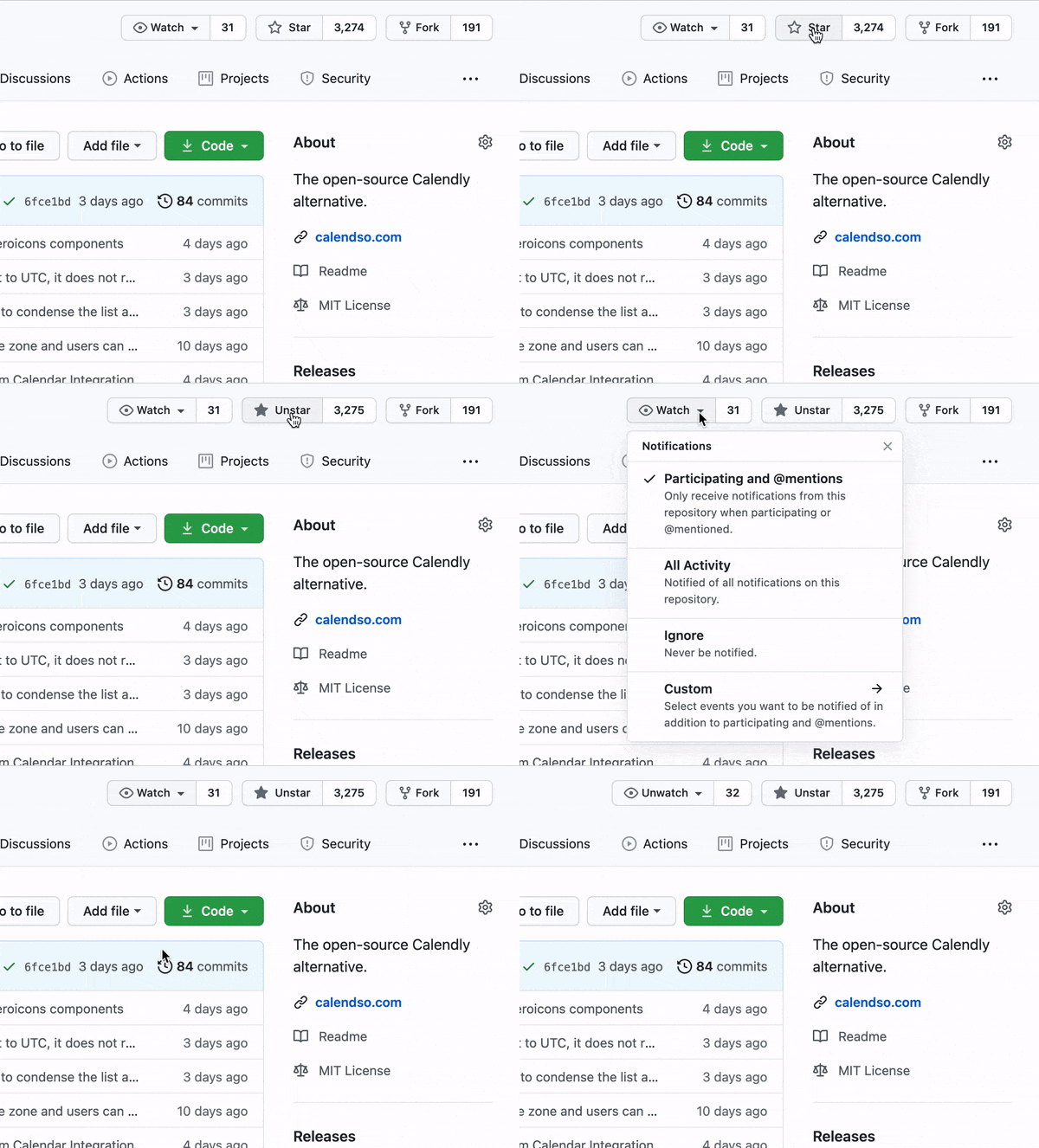
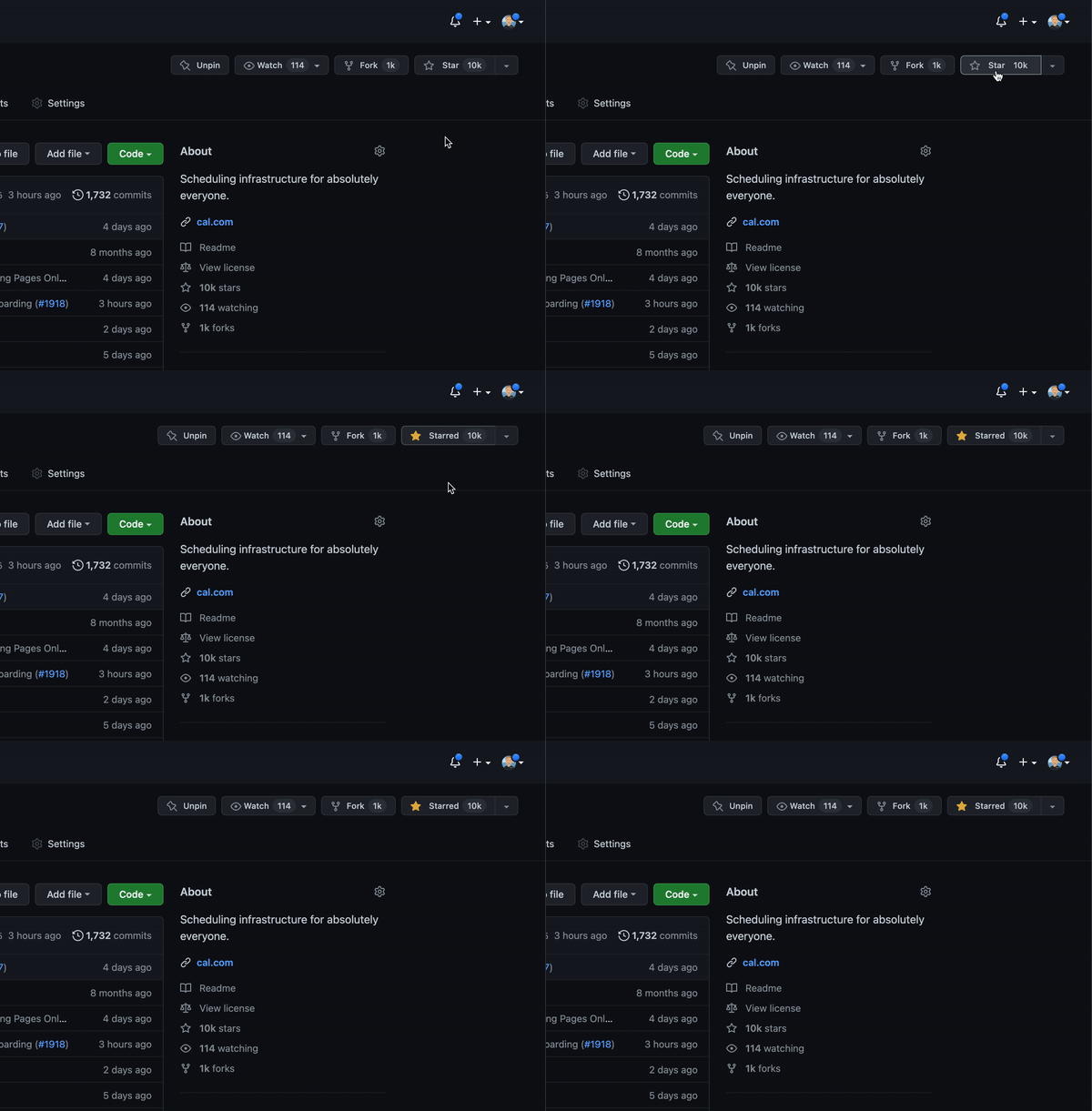
Cal officially launched as v.1.0 on 15th of September, however a lot of new features are coming. Watch **releases** of this repository to be notified for future updates:
|
||||
|
||||
|
||||
|
||||
|
||||
<!-- GETTING STARTED -->
|
||||
|
||||
@@ -80,7 +80,7 @@ To get a local copy up and running, please follow these simple steps.
|
||||
|
||||
Here is what you need to be able to run Cal.
|
||||
|
||||
- Node.js
|
||||
- Node.js (Version: >=14.x <15)
|
||||
- PostgreSQL
|
||||
- Yarn _(recommended)_
|
||||
|
||||
@@ -90,7 +90,7 @@ Here is what you need to be able to run Cal.
|
||||
|
||||
### Setup
|
||||
|
||||
1. Clone the repo
|
||||
1. Clone the repo into a public GitHub repository (to comply with AGPLv3. To clone in a private repository, [acquire a commercial license](https://cal.com/sales))
|
||||
|
||||
```sh
|
||||
git clone https://github.com/calcom/cal.com.git
|
||||
@@ -102,19 +102,14 @@ Here is what you need to be able to run Cal.
|
||||
cd cal.com
|
||||
```
|
||||
|
||||
1. Copy `apps/web/.env.example` to `apps/web/.env`
|
||||
|
||||
```sh
|
||||
cp apps/web/.env.example apps/web/.env
|
||||
cp packages/prisma/.env.example packages/prisma/.env
|
||||
```
|
||||
|
||||
1. Install packages with yarn
|
||||
|
||||
```sh
|
||||
yarn
|
||||
```
|
||||
|
||||
1. Use `openssl rand -base64 32` to generate a key and add it under `NEXTAUTH_SECRET` in the .env file.
|
||||
|
||||
#### Quick start with `yarn dx`
|
||||
|
||||
> - **Requires Docker and Docker Compose to be installed**
|
||||
@@ -124,6 +119,14 @@ Here is what you need to be able to run Cal.
|
||||
yarn dx
|
||||
```
|
||||
|
||||
#### Development tip
|
||||
|
||||
> Add `NEXT_PUBLIC_DEBUG=1` anywhere in your `.env` to get logging information for all the queries and mutations driven by **trpc**.
|
||||
|
||||
```sh
|
||||
echo 'NEXT_PUBLIC_DEBUG=1' >> .env
|
||||
```
|
||||
|
||||
#### Manual setup
|
||||
|
||||
1. Configure environment variables in the .env file. Replace `<user>`, `<pass>`, `<db-host>`, `<db-port>` with their applicable values
|
||||
@@ -163,13 +166,13 @@ yarn dx
|
||||
1. Set up the database using the Prisma schema (found in `apps/web/prisma/schema.prisma`)
|
||||
|
||||
```sh
|
||||
npx prisma migrate deploy
|
||||
yarn workspace @calcom/prisma db-deploy
|
||||
```
|
||||
|
||||
1. Run (in development mode)
|
||||
|
||||
```sh
|
||||
yarn dev --scope=@calcom/web
|
||||
yarn dev
|
||||
```
|
||||
|
||||
#### Setting up your first user
|
||||
@@ -177,21 +180,21 @@ yarn dx
|
||||
1. Open [Prisma Studio](https://www.prisma.io/studio) to look at or modify the database content:
|
||||
|
||||
```sh
|
||||
npx prisma studio
|
||||
yarn db-studio
|
||||
```
|
||||
|
||||
1. Click on the `User` model to add a new user record.
|
||||
1. Fill out the fields `email`, `username`, `password`, and set `metadata` to empty `{}` (remembering to encrypt your password with [BCrypt](https://bcrypt-generator.com/)) and click `Save 1 Record` to create your first user.
|
||||
> New users are set on a `TRIAL` plan by default. You might want to adjust this behavior to your needs in the `prisma/schema.prisma` file.
|
||||
> New users are set on a `TRIAL` plan by default. You might want to adjust this behavior to your needs in the `apps/web/prisma/schema.prisma` file.
|
||||
1. Open a browser to [http://localhost:3000](http://localhost:3000) and login with your just created, first user.
|
||||
|
||||
### E2E-Testing
|
||||
|
||||
Be sure to set the environment variable `NEXTAUTH_URL` to the correct value. If you are running locally, as the documentation within `.env.example` mentions, the value should be `http://localhost:3000`.
|
||||
|
||||
```sh
|
||||
# In first terminal
|
||||
yarn dx
|
||||
# In second terminal
|
||||
yarn workspace @calcom/web test-e2e
|
||||
# In a terminal just run:
|
||||
yarn test-e2e
|
||||
|
||||
# To open last HTML report run:
|
||||
yarn workspace @calcom/web playwright-report
|
||||
@@ -205,12 +208,18 @@ yarn workspace @calcom/web playwright-report
|
||||
git pull
|
||||
```
|
||||
|
||||
2. Apply database migrations by running <b>one of</b> the following commands:
|
||||
1. Check if dependencies got added/updated/removed
|
||||
|
||||
```sh
|
||||
yarn
|
||||
```
|
||||
|
||||
1. Apply database migrations by running <b>one of</b> the following commands:
|
||||
|
||||
In a development environment, run:
|
||||
|
||||
```sh
|
||||
npx prisma migrate dev
|
||||
yarn workspace @calcom/prisma db-migrate
|
||||
```
|
||||
|
||||
(this can clear your development database in some cases)
|
||||
@@ -218,32 +227,29 @@ yarn workspace @calcom/web playwright-report
|
||||
In a production environment, run:
|
||||
|
||||
```sh
|
||||
npx prisma migrate deploy
|
||||
yarn workspace @calcom/prisma db-deploy
|
||||
```
|
||||
|
||||
3. Check the `.env.example` and compare it to your current `.env` file. In case there are any fields not present
|
||||
in your current `.env`, add them there.
|
||||
|
||||
For the current version, especially check if the variable `BASE_URL` is present and properly set in your environment, for example:
|
||||
|
||||
```
|
||||
BASE_URL='https://yourdomain.com'
|
||||
```
|
||||
|
||||
4. Start the server. In a development environment, just do:
|
||||
1. Check for `.env` variables changes
|
||||
|
||||
```sh
|
||||
yarn dev --scope=@calcom/web
|
||||
yarn predev
|
||||
```
|
||||
|
||||
1. Start the server. In a development environment, just do:
|
||||
|
||||
```sh
|
||||
yarn dev
|
||||
```
|
||||
|
||||
For a production build, run for example:
|
||||
|
||||
```sh
|
||||
yarn build --scope=@calcom/web
|
||||
yarn start --scope=@calcom/web
|
||||
yarn build
|
||||
yarn start
|
||||
```
|
||||
|
||||
5. Enjoy the new version.
|
||||
1. Enjoy the new version.
|
||||
<!-- DEPLOYMENT -->
|
||||
|
||||
## Deployment
|
||||
@@ -272,20 +278,17 @@ You can deploy Cal on [Railway](https://railway.app/) using the button above. Th
|
||||
|
||||
## Roadmap
|
||||
|
||||
See the [open issues](https://github.com/calcom/cal.com/issues) for a list of proposed features (and known issues).
|
||||
See the [roadmap project](https://github.com/orgs/calcom/projects/1) for a list of proposed features (and known issues). You can change the view to see planned tagged releases.
|
||||
|
||||
<!-- CONTRIBUTING -->
|
||||
|
||||
## Contributing
|
||||
|
||||
Contributions are what make the open source community such an amazing place to be learn, inspire, and create. Any contributions you make are **greatly appreciated**.
|
||||
Please see our [contributing guide](/CONTRIBUTING.md).
|
||||
|
||||
1. Fork the project
|
||||
2. Create your feature branch (`git checkout -b feature/AmazingFeature`)
|
||||
3. Make your changes
|
||||
4. Commit your changes (`git commit -m 'Add some AmazingFeature'`)
|
||||
5. Push to the branch (`git push origin feature/AmazingFeature`)
|
||||
6. Open a pull request
|
||||
### Good First Issues
|
||||
|
||||
We have a list of [good first issues](https://github.com/calcom/cal.com/labels/✅%20good%20first%20issue) that contain bugs which have a relatively limited scope. This is a great place to get started, gain experience, and get familiar with our contribution process.
|
||||
|
||||
## Integrations
|
||||
|
||||
@@ -312,6 +315,57 @@ Contributions are what make the open source community such an amazing place to b
|
||||
5. Use **Application (client) ID** as the **MS_GRAPH_CLIENT_ID** attribute value in .env
|
||||
6. Click **Certificates & secrets** create a new client secret and use the value as the **MS_GRAPH_CLIENT_SECRET** attribute
|
||||
|
||||
### Obtaining Slack Client ID and Secret and Signing Secret
|
||||
|
||||
To test this you will need to create a Slack app for yourself on [their apps website](https://api.slack.com/apps).
|
||||
|
||||
Copy and paste the app manifest below into the setting on your slack app. Be sure to replace `YOUR_DOMAIN` with your own domain or your proxy host if you're testing locally.
|
||||
|
||||
<details>
|
||||
<summary>App Manifest</summary>
|
||||
|
||||
```yaml
|
||||
display_information:
|
||||
name: Cal.com Slack
|
||||
features:
|
||||
bot_user:
|
||||
display_name: Cal.com Slack
|
||||
always_online: false
|
||||
slash_commands:
|
||||
- command: /create-event
|
||||
url: https://YOUR_DOMAIN/api/integrations/slackmessaging/commandHandler
|
||||
description: Create an event within Cal!
|
||||
should_escape: false
|
||||
- command: /today
|
||||
url: https://YOUR_DOMAIN/api/integrations/slackmessaging/commandHandler
|
||||
description: View all your bookings for today
|
||||
should_escape: false
|
||||
oauth_config:
|
||||
redirect_urls:
|
||||
- https://YOUR_DOMAIN/api/integrations/slackmessaging/callback
|
||||
scopes:
|
||||
bot:
|
||||
- chat:write
|
||||
- commands
|
||||
- chat:write.public
|
||||
settings:
|
||||
interactivity:
|
||||
is_enabled: true
|
||||
request_url: https://YOUR_DOMAIN/api/integrations/slackmessaging/interactiveHandler
|
||||
message_menu_options_url: https://YOUR_DOMAIN/api/integrations/slackmessaging/interactiveHandler
|
||||
org_deploy_enabled: false
|
||||
socket_mode_enabled: false
|
||||
token_rotation_enabled: false
|
||||
```
|
||||
|
||||
</details>
|
||||
|
||||
Add the integration as normal - slack app - add. Follow the oauth flow to add it to a server.
|
||||
|
||||
Next make sure you have your app running `yarn dx`. Then in the slack chat type one of these commands: `/create-event` or `/today`
|
||||
|
||||
> NOTE: Next you will need to setup a proxy server like [ngrok](https://ngrok.com/) to allow your local host machine to be hosted on a public https server.
|
||||
|
||||
### Obtaining Zoom Client ID and Secret
|
||||
|
||||
1. Open [Zoom Marketplace](https://marketplace.zoom.us/) and sign in with your Zoom account.
|
||||
@@ -334,6 +388,31 @@ Contributions are what make the open source community such an amazing place to b
|
||||
2. From within your dashboard, go to the [developers](https://dashboard.daily.co/developers) tab.
|
||||
3. Copy your API key.
|
||||
4. Now paste the API key to your .env file into the `DAILY_API_KEY` field in your .env file.
|
||||
5. If you have the [Daily Scale Plan](https://www.daily.co/pricing) set the `DAILY_SCALE_PLAN` variable to `true` in order to use features like video recording.
|
||||
|
||||
### Obtaining HubSpot Client ID and Secret
|
||||
|
||||
1. Open [HubSpot Developer](https://developer.hubspot.com/) and sign into your account, or create a new one.
|
||||
2. From within the home of the Developer account page, go to "Manage apps".
|
||||
3. Click "Create app" button top right.
|
||||
4. Fill in any information you want in the "App info" tab
|
||||
5. Go to tab "Auth"
|
||||
6. Now copy the Client ID and Client Secret to your .env file into the `HUBSPOT_CLIENT_ID` and `HUBSPOT_CLIENT_SECRET` fields.
|
||||
7. Set the Redirect URL for OAuth `<Cal.com URL>/api/integrations/hubspot othercalendar/callback` replacing Cal.com URL with the URI at which your application runs.
|
||||
8. In the "Scopes" section at the bottom of the page, make sure you select "Read" and "Write" for scope called `crm.objects.contacts`
|
||||
9. Click the "Save" button at the bottom footer.
|
||||
10. You're good to go. Now you can see any booking in Cal.com created as a meeting in HubSpot for your contacts.
|
||||
|
||||
### Obtaining Vital API Keys
|
||||
|
||||
1. Open [Vital](https://tryvital.io/) and click Get API Keys.
|
||||
1. Create a team with the team name you desire
|
||||
1. Head to the configuration section on the sidebar of the dashboard
|
||||
1. Click on API keys and you'll find your sandbox `api_key`.
|
||||
1. Copy your `api_key` to `VITAL_API_KEY` in the .env.appStore file.
|
||||
1. Open [Vital Webhooks](https://app.tryvital.io/team/{team_id}/webhooks) and add `<CALCOM BASE URL>/api/integrations/vital/webhook` as webhook for connected applications.
|
||||
1. Select all events for the webhook you interested, e.g. `sleep_created`
|
||||
1. Copy the webhook secret (`sec...`) to `VITAL_WEBHOOK_SECRET` in the .env.appStore file.
|
||||
|
||||
<!-- LICENSE -->
|
||||
|
||||
@@ -354,7 +433,7 @@ Special thanks to these amazing projects which help power Cal.com:
|
||||
- [Day.js](https://day.js.org/)
|
||||
- [Tailwind CSS](https://tailwindcss.com/)
|
||||
- [Prisma](https://prisma.io/)
|
||||
|
||||
[<img src="https://jitsu.com/img/powered-by-jitsu.png?gh=true">](https://jitsu.com/?utm_source=cal.com-gihub)
|
||||
|
||||
<a href="https://jitsu.com/?utm_source=cal.com-gihub"><img height="40px" src="https://jitsu.com/img/powered-by-jitsu.png?gh=true" alt="Jitsu.com"></a>
|
||||
|
||||
Cal.com is an [open startup](https://jitsu.com) and [Jitsu](https://github.com/jitsucom/jitsu) (an open-source Segment alternative) helps us to track most of the usage metrics.
|
||||
|
||||
4
app.json
4
app.json
@@ -18,9 +18,9 @@
|
||||
"description": "Application Key for symmetric encryption and decryption. Must be 32 bytes for AES256 encryption algorithm.",
|
||||
"value": "secret"
|
||||
},
|
||||
"JWT_SECRET": "secret"
|
||||
"NEXTAUTH_SECRET": "secret"
|
||||
},
|
||||
"scripts": {
|
||||
"postdeploy": "cd apps/web && npx prisma migrate deploy"
|
||||
"postdeploy": "cd packages/prisma && npx prisma migrate deploy"
|
||||
}
|
||||
}
|
||||
|
||||
1
apps/admin
Submodule
1
apps/admin
Submodule
Submodule apps/admin added at 943cd10de1
1
apps/api
Submodule
1
apps/api
Submodule
Submodule apps/api added at be2d4338ee
@@ -1 +0,0 @@
|
||||
module.exports = require("@calcom/config/eslint-preset");
|
||||
@@ -5,7 +5,7 @@
|
||||
</a>
|
||||
<a href="https://cal.com">Website</a>
|
||||
·
|
||||
<a href="https://github.com/calcom/docs/issues">Community Support</a>
|
||||
<a href="https://github.com/calcom/cal.com/issues">Community Support</a>
|
||||
</div>
|
||||
|
||||
# Cal.com Documentation
|
||||
|
||||
21
apps/docs/components/Anchor.tsx
Normal file
21
apps/docs/components/Anchor.tsx
Normal file
@@ -0,0 +1,21 @@
|
||||
function getAnchor(text) {
|
||||
return text
|
||||
.toLowerCase()
|
||||
.replace(/[^a-z0-9 ]/g, "")
|
||||
.replace(/[ ]/g, "-")
|
||||
.replace(/ /g, "%20");
|
||||
}
|
||||
|
||||
export default function Anchor({ as, children }) {
|
||||
const anchor = getAnchor(children);
|
||||
const link = `#${anchor}`;
|
||||
const Component = as || "div";
|
||||
return (
|
||||
<Component id={anchor}>
|
||||
<a href={link} className="anchor-link">
|
||||
§
|
||||
</a>
|
||||
{children}
|
||||
</Component>
|
||||
);
|
||||
}
|
||||
33
apps/docs/lib/useWindowSize.ts
Normal file
33
apps/docs/lib/useWindowSize.ts
Normal file
@@ -0,0 +1,33 @@
|
||||
import { useState, useEffect } from "react";
|
||||
|
||||
// Define general type for useWindowSize hook, which includes width and height
|
||||
export interface Size {
|
||||
width: number | undefined;
|
||||
height: number | undefined;
|
||||
}
|
||||
// Hook from: https://usehooks.com/useWindowSize/
|
||||
export function useWindowSize(): Size {
|
||||
// Initialize state with undefined width/height so server and client renders match
|
||||
// Learn more here: https://joshwcomeau.com/react/the-perils-of-rehydration/
|
||||
const [windowSize, setWindowSize] = useState<Size>({
|
||||
width: undefined,
|
||||
height: undefined,
|
||||
});
|
||||
useEffect(() => {
|
||||
// Handler to call on window resize
|
||||
function handleResize() {
|
||||
// Set window width/height to state
|
||||
setWindowSize({
|
||||
width: window.innerWidth,
|
||||
height: window.innerHeight,
|
||||
});
|
||||
}
|
||||
// Add event listener
|
||||
window.addEventListener("resize", handleResize);
|
||||
// Call handler right away so state gets updated with initial window size
|
||||
handleResize();
|
||||
// Remove event listener on cleanup
|
||||
return () => window.removeEventListener("resize", handleResize);
|
||||
}, []); // Empty array ensures that effect is only run on mount
|
||||
return windowSize;
|
||||
}
|
||||
5
apps/docs/next-env.d.ts
vendored
Normal file
5
apps/docs/next-env.d.ts
vendored
Normal file
@@ -0,0 +1,5 @@
|
||||
/// <reference types="next" />
|
||||
/// <reference types="next/image-types/global" />
|
||||
|
||||
// NOTE: This file should not be edited
|
||||
// see https://nextjs.org/docs/basic-features/typescript for more information.
|
||||
@@ -1,7 +1,16 @@
|
||||
/* eslint-disable @typescript-eslint/no-var-requires */
|
||||
const withNextra = require("nextra")({
|
||||
theme: "nextra-theme-docs",
|
||||
themeConfig: "./theme.config.js",
|
||||
unstable_staticImage: true,
|
||||
});
|
||||
module.exports = withNextra();
|
||||
module.exports = withNextra({
|
||||
async rewrites() {
|
||||
return [
|
||||
// This redirects requests recieved at /api to /public-api to workaround nextjs default use of /api.
|
||||
{
|
||||
source: "/api",
|
||||
destination: "/public-api",
|
||||
},
|
||||
];
|
||||
},
|
||||
});
|
||||
|
||||
@@ -4,17 +4,26 @@
|
||||
"description": "",
|
||||
"main": "index.js",
|
||||
"scripts": {
|
||||
"dev": "next",
|
||||
"start": "next start",
|
||||
"clean": "rm -rf .turbo && rm -rf node_modules && rm -rf .next",
|
||||
"dev": "PORT=4000 next",
|
||||
"lint": "next lint",
|
||||
"type-check": "tsc --pretty --noEmit",
|
||||
"lint:report": "eslint . --format json --output-file ../../lint-results/docs.json",
|
||||
"start": "PORT=4000 next start",
|
||||
"build": "next build"
|
||||
},
|
||||
"author": "Cal.com, Inc.",
|
||||
"license": "MIT",
|
||||
"dependencies": {
|
||||
"next": "^12.0.9",
|
||||
"iframe-resizer-react": "^1.1.0",
|
||||
"next": "^12.1.0",
|
||||
"nextra": "^1.1.0",
|
||||
"nextra-theme-docs": "^1.2.2",
|
||||
"react": "^17.0.2",
|
||||
"react-dom": "^17.0.2"
|
||||
},
|
||||
"devDependencies": {
|
||||
"@calcom/config": "*",
|
||||
"eslint": "^8.10.0"
|
||||
}
|
||||
}
|
||||
|
||||
@@ -1,6 +0,0 @@
|
||||
import "nextra-theme-docs/style.css";
|
||||
import "./style.css";
|
||||
|
||||
export default function Nextra({ Component, pageProps }) {
|
||||
return <Component {...pageProps} />;
|
||||
}
|
||||
8
apps/docs/pages/_app.tsx
Normal file
8
apps/docs/pages/_app.tsx
Normal file
@@ -0,0 +1,8 @@
|
||||
import { AppProps } from "next/app";
|
||||
import "nextra-theme-docs/style.css";
|
||||
|
||||
import "./style.css";
|
||||
|
||||
export default function Nextra({ Component, pageProps }: AppProps) {
|
||||
return <Component {...pageProps} />;
|
||||
}
|
||||
@@ -1,3 +1,7 @@
|
||||
---
|
||||
title: Availability
|
||||
---
|
||||
|
||||
# Availability
|
||||
|
||||
## Setting your availability
|
||||
|
||||
@@ -1,3 +1,7 @@
|
||||
---
|
||||
title: Billing
|
||||
---
|
||||
|
||||
# Billing
|
||||
## How the trial works
|
||||
You are given FREE access for 14 days of our PRO subscription, you can use this to test and try out our product and see if it works for you. No credit card is required to sign up and you decide if you want to upgrade to a PRO subscription afterwards.
|
||||
@@ -26,7 +30,7 @@ We've reserved a ton of premium usernames, such as short handles or first names
|
||||
Some users may not be able to access Billing as their billing email is different to their account email. If this is the case, you can change the email associated with your account in [Profile Settings](https://app.cal.com/settings/profile).
|
||||
|
||||
## Subscription for each team member
|
||||
If your team requires multiple event types then each team member has to be subscribed to our paid plan. If that is something that isn’t necessary for your team, you can proceed with your FREE plan.
|
||||
If your team requires multiple event types then each team member has to be subscribed to our paid plan. If that is something that isn’t necessary for your team, you can proceed with your FREE plan.
|
||||
|
||||
## Discount for non-profits and students
|
||||
We offer 50% for non-profit organizations and students. Just raise a ticket with our support team and submit the necessary proof of status.
|
||||
|
||||
@@ -1,3 +1,7 @@
|
||||
---
|
||||
title: Bookings
|
||||
---
|
||||
|
||||
# Bookings
|
||||
|
||||
## What can you do on the bookings page?
|
||||
|
||||
83
apps/docs/pages/contributing.mdx
Normal file
83
apps/docs/pages/contributing.mdx
Normal file
@@ -0,0 +1,83 @@
|
||||
---
|
||||
title: Contributing
|
||||
---
|
||||
|
||||
# Contributing
|
||||
|
||||
Contributions are what make the open source community such an amazing place to be learn, inspire, and create. Any contributions you make are **greatly appreciated**.
|
||||
|
||||
- Before jumping into a PR be sure to search [existing PRs](https://github.com/calcom/cal.com/pulls) or [issues](https://github.com/calcom/cal.com/issues) for an open or closed item that relates to your submission.
|
||||
|
||||
## Developing
|
||||
|
||||
The development branch is `main`. This is the branch that all pull
|
||||
requests should be made against. The changes on the `main`
|
||||
branch are tagged into a release monthly.
|
||||
|
||||
To develop locally:
|
||||
|
||||
1. [Fork](https://help.github.com/articles/fork-a-repo/) this repository to your
|
||||
own GitHub account and then
|
||||
[clone](https://help.github.com/articles/cloning-a-repository/) it to your local device.
|
||||
2. Create a new branch:
|
||||
|
||||
```sh
|
||||
git checkout -b MY_BRANCH_NAME
|
||||
```
|
||||
|
||||
3. Install yarn:
|
||||
|
||||
```sh
|
||||
npm install -g yarn
|
||||
```
|
||||
|
||||
4. Install the dependencies with:
|
||||
|
||||
```sh
|
||||
yarn
|
||||
```
|
||||
|
||||
5. Start developing and watch for code changes:
|
||||
|
||||
```sh
|
||||
yarn dev
|
||||
```
|
||||
|
||||
## Building
|
||||
|
||||
You can build the project with:
|
||||
|
||||
```bash
|
||||
yarn build
|
||||
```
|
||||
|
||||
Please be sure that you can make a full production build before pushing code.
|
||||
|
||||
## Testing
|
||||
|
||||
More info on how to add new tests coming soon.
|
||||
|
||||
### Running tests
|
||||
|
||||
This will run and test all flows in multiple Chromium windows to verify that no critical flow breaks:
|
||||
|
||||
```sh
|
||||
yarn test-e2e
|
||||
```
|
||||
|
||||
## Linting
|
||||
|
||||
To check the formatting of your code:
|
||||
|
||||
```sh
|
||||
yarn lint
|
||||
```
|
||||
|
||||
If you get errors, be sure to fix them before comitting.
|
||||
|
||||
## Making a Pull Request
|
||||
|
||||
- Be sure to [check the "Allow edits from maintainers" option](https://docs.github.com/en/pull-requests/collaborating-with-pull-requests/working-with-forks/allowing-changes-to-a-pull-request-branch-created-from-a-fork) while creating you PR.
|
||||
- If your PR refers to or fixes an issue, be sure to add `refs #XXX` or `fixes #XXX` to the PR description. Replacing `XXX` with the respective issue number. Se more about [Linking a pull request to an issue
|
||||
](https://docs.github.com/en/issues/tracking-your-work-with-issues/linking-a-pull-request-to-an-issue).
|
||||
- Be sure to fill the PR Template accordingly.
|
||||
@@ -1,4 +1,8 @@
|
||||
import Callout from 'nextra-theme-docs/callout';
|
||||
---
|
||||
title: Adding CSS
|
||||
---
|
||||
|
||||
import Callout from "nextra-theme-docs/callout";
|
||||
|
||||
# Adding CSS
|
||||
|
||||
@@ -30,4 +34,4 @@ import "../styles/your-new-stylesheet.css";
|
||||
These styles will apply to all pages and components in your application.
|
||||
</Callout>
|
||||
|
||||
Due to the global nature of stylesheets, and to avoid conflicts, you may **only import them inside `pages/_app.tsx`**.
|
||||
Due to the global nature of stylesheets, and to avoid conflicts, you may **only import them inside `pages/_app.tsx`**.
|
||||
|
||||
60
apps/docs/pages/developer/app-store.mdx
Normal file
60
apps/docs/pages/developer/app-store.mdx
Normal file
@@ -0,0 +1,60 @@
|
||||
---
|
||||
title: Contributing to App Store
|
||||
---
|
||||
|
||||
# Contributing to the App Store
|
||||
|
||||
Since Cal.com is open source we encourage developers to create new apps for others to use. This guide is to help you get started.
|
||||
|
||||
## Structure
|
||||
|
||||
All apps can be found under `packages/app-store`. In this folder is `_example` which shows the general structure of an app.
|
||||
|
||||
```sh
|
||||
├──_example
|
||||
|
|
||||
| ├──api
|
||||
| | ├──example.ts
|
||||
| | ├──index.ts
|
||||
|
|
||||
| ├──components
|
||||
| | ├──InstallAppButton.tsx
|
||||
| | ├──index.ts
|
||||
|
|
||||
| ├──lib
|
||||
| | ├──adaptor.ts
|
||||
| | ├──index.ts
|
||||
|
|
||||
| ├──static
|
||||
| | ├──icon.svg
|
||||
|
|
||||
| ├──index.ts
|
||||
| ├──package.json
|
||||
| ├──.env.example
|
||||
| ├──README.mdx
|
||||
```
|
||||
|
||||
## Getting Started
|
||||
|
||||
In the `package.json` name your package appropriately and list the dependencies needed for the package.
|
||||
|
||||
Next in the `.env.example` specify the environmental variables (ex. auth token, API secrets) that your app will need. In a comment add a link to instructions on how to obtain the credentials. Create a `.env` with your the filled in environmental variables.
|
||||
|
||||
In `index.js` fill out the meta data that will be rendered on the app page. Under `packages/app-store/index.ts`, import your app and add it under `appStore`. Your app should now appear in the app store.
|
||||
|
||||
Under the `/api` folder, this is where any API calls that are associated with your app will be handled. Since cal.com uses Next.js we use dynamic API routes. In this example if we want to hit `/api/example.ts` the route would be `{BASE_URL}/api/integrations/_example/example`. Export your endpoints in an `index.ts` file under `/api` folder and import them in your main `index.ts` file.
|
||||
|
||||
Under the `/components` folder, this is where the install button for your app should live. Follow the template under `_example` to add your on click action (ex. Redirecting to a log in page or opening a modal).
|
||||
|
||||
The `/lib` folder is where the functions of your app live. For example, when creating a booking with a MS Teams link the function to make the call to grab the link lives in the `/lib` folder. Export your endpoints in an `index.ts` file under `/lib` folder and import them in your main `index.ts` file.
|
||||
|
||||
On the app store page you can customize your apps description by adding a markdown file called `README.mdx`. If you do not add one then the description from you `package.json` will be used instead.
|
||||
|
||||
The `/static` folder is where you can store your app icon and any images that your `README.mdx` may use.
|
||||
|
||||
## Adding Your App to the App Store
|
||||
To render your app on the app store page, go to `packages/app-store/index.ts`. Import your app into the file and add it to the `appStore` object.
|
||||
|
||||
Under `packages/app-store/components.tsx`, in the `InstallAppButtonMap` object dynamically import your install button. Your install button should live under `{your_app}/components`.
|
||||
|
||||
If you need any help feel free to join us on [Slack](https://cal.com/slack)
|
||||
@@ -1,3 +1,7 @@
|
||||
---
|
||||
title: Code styling
|
||||
---
|
||||
|
||||
# Code Styling
|
||||
Keeping our code styles consistent is key to making the repository easy to read and work with.
|
||||
|
||||
@@ -12,4 +16,4 @@ Calendso uses the ESLint and Prettier formatting tools, and the repository comes
|
||||
We use the [Airbnb JavaScript Style Guide](https://github.com/airbnb/javascript) for all JavaScript and Typescript code.
|
||||
|
||||
## HTML & CSS
|
||||
We use the [Google HTML/CSS Style Guide](https://google.github.io/styleguide/htmlcssguide.html) for any HTML and CSS markup. However, exceptions to the HTML guide apply where JSX differentiates from standard HTML.
|
||||
We use the [Google HTML/CSS Style Guide](https://google.github.io/styleguide/htmlcssguide.html) for any HTML and CSS markup. However, exceptions to the HTML guide apply where JSX differentiates from standard HTML.
|
||||
|
||||
@@ -1,9 +1,9 @@
|
||||
{
|
||||
"migrations": "Migrations",
|
||||
"pre-fill": "Pre-fill fields",
|
||||
"code-styling": "Code styling",
|
||||
"project-structure": "Project structure",
|
||||
"pull-requests": "Pull requests",
|
||||
"adding-css": "Adding CSS"
|
||||
}
|
||||
|
||||
"migrations": "Migrations",
|
||||
"pre-fill": "Pre-fill fields",
|
||||
"code-styling": "Code styling",
|
||||
"project-structure": "Project structure",
|
||||
"pull-requests": "Pull requests",
|
||||
"adding-css": "Adding CSS",
|
||||
"app-store": "Contributing to App Store"
|
||||
}
|
||||
|
||||
@@ -1,5 +1,9 @@
|
||||
---
|
||||
title: Migrations
|
||||
---
|
||||
|
||||
# Database Migrations
|
||||
As described in the [upgrade guide](https://docs.cal.com/self-hosting/upgrading.md), you should use the `npx prisma migrate dev` or `npx prisma migrate deploy` command to update the database.
|
||||
As described in the [upgrade guide](https://docs.cal.com/self-hosting/upgrade), you should use the `yarn workspace @calcom/prisma db-migrate` or `yarn workspace @calcom/prisma db-deploy` command to update the database.
|
||||
|
||||
We use database migrations in order to handle changes to the database schema in a more secure and stable way. This is actually very common. The thing is that when just changing the schema in `schema.prisma` without creating migrations, the update to the newer database schema can damage or delete all data in production mode, since the system sometimes doesn't know how to transform the data from A to B. Using migrations, each step is reproducable, transparent and can be undone in a simple way.
|
||||
|
||||
@@ -7,8 +11,8 @@ We use database migrations in order to handle changes to the database schema in
|
||||
If you are modifying the codebase and make a change to the `schema.prisma` file, you must create a migration.
|
||||
|
||||
To create a migration for your previously changed `schema.prisma`, simply run the following:
|
||||
```
|
||||
npx prisma migrate dev
|
||||
```sh
|
||||
yarn workspace @calcom/prisma db-migrate
|
||||
```
|
||||
|
||||
Now, you must create a short name for your migration to describe what changed (for example, "user_add_email_verified"). Then just add and commit it with the corresponding code that uses your new database schema.
|
||||
@@ -21,7 +25,7 @@ Always keep an eye on what migrations Prisma is generating. Prisma often happily
|
||||
|
||||
## Error: The database schema is not empty
|
||||
Prisma uses a database called `_prisma_migrations` to keep track of which migrations have been applied and which haven't. If your local migrations database doesn't match up with what's in the actual database, then Prisma will throw the following error:
|
||||
```
|
||||
```text
|
||||
Error: P3005
|
||||
|
||||
The database schema for `localhost:5432` is not empty. Read more about how to baseline an existing production database: https://pris.ly/d/migrate-baseline
|
||||
@@ -30,8 +34,8 @@ The database schema for `localhost:5432` is not empty. Read more about how to ba
|
||||
In order to fix this, we need to tell Prisma which migrations have already been applied.
|
||||
|
||||
This can be done by running the following command, replacing `migration_name` with each migration that you have already applied:
|
||||
```
|
||||
npx prisma migrate resolve --applied migration_name
|
||||
```sh
|
||||
yarn prisma migrate resolve --applied migration_name
|
||||
```
|
||||
|
||||
You will need to run the command for each migration that you want to mark as applied.
|
||||
You will need to run the command for each migration that you want to mark as applied.
|
||||
|
||||
@@ -1,3 +1,7 @@
|
||||
---
|
||||
title: Pre-fill fields
|
||||
---
|
||||
|
||||
# Pre-fill fields
|
||||
|
||||
You can pre-fill a number of fields on the booking form by using their corresponding URL parameters. This can include the user’s name, email, or guests to be added to the booking.
|
||||
@@ -17,4 +21,4 @@ Guests can also be added to the link, there is also no limit to the amount of gu
|
||||
These should be added to your link like this:
|
||||
```text
|
||||
guest=guest1@example.com&guest=guest2@example.com
|
||||
```
|
||||
```
|
||||
|
||||
@@ -1,3 +1,7 @@
|
||||
---
|
||||
title: Project structure
|
||||
---
|
||||
|
||||
# Project Structure
|
||||
|
||||
This page gives an overview of how the codebase is structured so you can easily dive into the Cal.com code.
|
||||
|
||||
@@ -1,3 +1,7 @@
|
||||
---
|
||||
title: Pull requests
|
||||
---
|
||||
|
||||
# Pull Requests
|
||||
|
||||
## Requirements
|
||||
|
||||
@@ -1,3 +1,7 @@
|
||||
---
|
||||
title: Event Types
|
||||
---
|
||||
|
||||
# Event Types
|
||||
Event types allow you to create different events for different occasions when booking a time with you in your calendar. These can be named differently, have different time durations and the choice of platform can change.
|
||||
|
||||
@@ -13,7 +17,7 @@ Event types allow you to create different events for different occasions when bo
|
||||
|
||||
## Editing event types
|
||||
1. Go to [Your Event Types](https://app.cal.com/event-types).
|
||||
2. Click anywhere within the box of the event you would like to edit.
|
||||
2. Click anywhere within the box of the event you would like to edit.
|
||||
(From here you can edit the basic settings of your event)
|
||||
3. To get the advanced options, at the bottom of your event setting click 'Show Advanced Settings'
|
||||
4. After you have finished editing the event type, scroll to the bottom of your page and select 'Update'
|
||||
@@ -27,7 +31,7 @@ Event types allow you to create different events for different occasions when bo
|
||||
## How to block a time slot before/after a meeting
|
||||
You can block out a time frame in your calendar only after the meeting. You can do this by selecting `Show advanced settings` of your Event Type. The setting is labeled `Time-slot intervals`.
|
||||
|
||||
## Setting up specific availability for each type of Event
|
||||
## Setting up specific availability for each type of Event
|
||||
Head to `Show advanced settings` of your event. At the bottom you can set up specific availability for different Event Types.
|
||||
|
||||
## Availability not showing on a certain day in your calendar
|
||||
|
||||
@@ -1,3 +1,7 @@
|
||||
---
|
||||
title: FAQs
|
||||
---
|
||||
|
||||
# Frequently asked questions
|
||||
|
||||
## Does Cal.com support a custom domain?
|
||||
@@ -7,7 +11,7 @@ This is possible with our self-hosted option.
|
||||
As it stands this is currently not possible. We always keep an eye on the limitations like these that our users point to us. We’ve had requests in the past for the multi-booking feature and this is on our priority list.
|
||||
|
||||
## How to quickly block further bookings?
|
||||
1. Click on the lower left corner of your dashboard where your username is displayed.
|
||||
1. Click on the lower left corner of your dashboard where your username is displayed.
|
||||
2. That initates a dropdown menu. Click on `Set youself as away`.
|
||||
|
||||
This is a method to disable your Cal.com account which won't allow any bookings once initiated. However, bookings made before turning on *away mode* will still be booked.
|
||||
@@ -1,4 +1,8 @@
|
||||
import Callout from 'nextra-theme-docs/callout';
|
||||
---
|
||||
title: Import
|
||||
---
|
||||
|
||||
import Callout from "nextra-theme-docs/callout";
|
||||
|
||||
# Import data from other scheduling tools
|
||||
|
||||
@@ -27,4 +31,4 @@ The following steps will help you retrieve your SavvyCal access token, which you
|
||||
4. Click to copy the token, and then paste the token into the Cal.com importer
|
||||
<Callout>
|
||||
Even though we don't store your access token, you can press the trash icon to revoke the access token from the **Developers** tab once the import is complete.
|
||||
</Callout>
|
||||
</Callout>
|
||||
|
||||
@@ -1,4 +1,8 @@
|
||||
import Bleed from 'nextra-theme-docs/bleed'
|
||||
---
|
||||
title: Home
|
||||
---
|
||||
|
||||
import Bleed from "nextra-theme-docs/bleed";
|
||||
|
||||
# Cal.com Documentation
|
||||
|
||||
@@ -8,6 +12,6 @@ This is also the home of our design system documentation and developer docs.
|
||||
|
||||
If you don't already know what Cal.com is about, please head over to [our website](https://cal.com), where you can learn more about the product before venturing into the documentation.
|
||||
|
||||
Want to help make these docs even better? This site is fully open source, and the source code is available on [GitHub](https://github.com/calcom/docs). You can also click the edit button at the bottom of any page to start editing the source code and start a pull request.
|
||||
Want to help make these docs even better? This site is fully open source, and the source code is available on [GitHub](https://github.com/calcom/cal.com/tree/main/apps/docs). You can also click the edit button at the bottom of any page to start editing the source code and start a pull request.
|
||||
|
||||
<Bleed>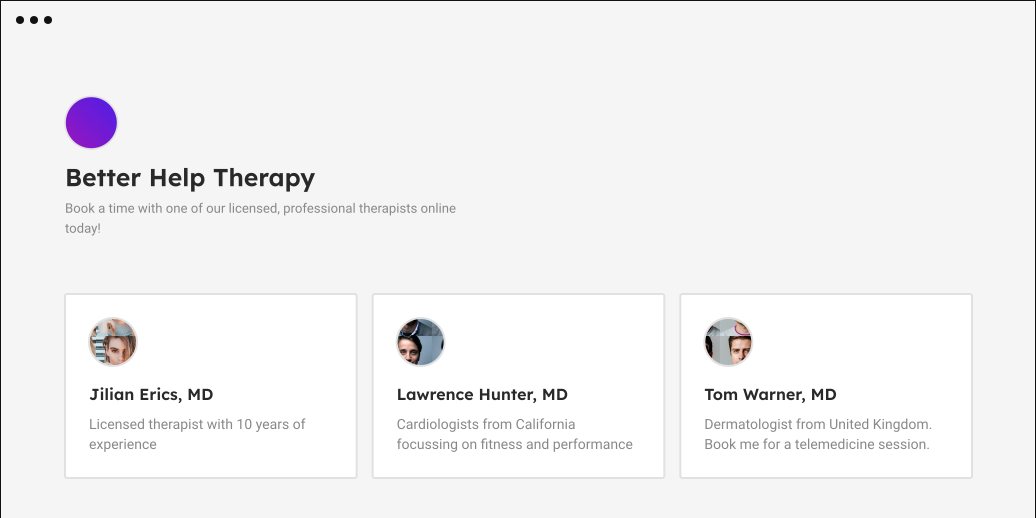</Bleed>
|
||||
|
||||
262
apps/docs/pages/integrations/embed.mdx
Normal file
262
apps/docs/pages/integrations/embed.mdx
Normal file
@@ -0,0 +1,262 @@
|
||||
---
|
||||
title: Embed
|
||||
---
|
||||
|
||||
import Anchor from "../../components/Anchor"
|
||||
|
||||
# Embed
|
||||
|
||||
The Embed allows your website visitors to book a meeting with you directly from your website.
|
||||
|
||||
## Install on any website
|
||||
|
||||
Install the following Vanilla JS Snippet to get embed to work on any website. After that you can <a href="#popular-ways-in-which-you-can-embed-on-your-website">choose any of the ways</a> to show your Cal Link embedded on your website.
|
||||
|
||||
```html
|
||||
<script>
|
||||
(function (C, A, L) {
|
||||
let p = function (a, ar) {
|
||||
a.q.push(ar);
|
||||
};
|
||||
let d = C.document;
|
||||
C.Cal =
|
||||
C.Cal ||
|
||||
function () {
|
||||
let cal = C.Cal;
|
||||
let ar = arguments;
|
||||
if (!cal.loaded) {
|
||||
cal.ns = {};
|
||||
cal.q = cal.q || [];
|
||||
d.head.appendChild(d.createElement("script")).src = A;
|
||||
cal.loaded = true;
|
||||
}
|
||||
if (ar[0] === L) {
|
||||
const api = function () {
|
||||
p(api, arguments);
|
||||
};
|
||||
const namespace = ar[1];
|
||||
api.q = api.q || [];
|
||||
typeof namespace === "string" ? (cal.ns[namespace] = api) && p(api, ar) : p(cal, ar);
|
||||
return;
|
||||
}
|
||||
p(cal, ar);
|
||||
};
|
||||
})(window, "https://cal.com/embed.js", "init");
|
||||
Cal("init")
|
||||
</script>
|
||||
```
|
||||
|
||||
## Install with a Framework
|
||||
|
||||
### embed-react
|
||||
|
||||
It provides a react component `<Cal>` that can be used to show the embed inline at that place.
|
||||
|
||||
```bash
|
||||
yarn add @calcom/embed-react
|
||||
```
|
||||
|
||||
### Any XYZ Framework
|
||||
|
||||
You can use Vanilla JS Snippet to install
|
||||
|
||||
<Anchor as="H2">Popular ways in which you can embed on your website</Anchor>
|
||||
|
||||
Assuming that you have followed the steps of installing and initializing the snippet, you can show the embed in following ways:
|
||||
|
||||
### Inline
|
||||
|
||||
Show the embed inline inside a container element. It would take the width and height of the container element.
|
||||
|
||||
<details>
|
||||
<summary>_Vanilla JS_</summary>
|
||||
|
||||
```html
|
||||
<script>
|
||||
Cal("inline", {
|
||||
elementOrSelector: "Your Embed Container Selector Path", // You can also provide an element directly
|
||||
calLink: "jane", // The link that you want to embed. It would open https://cal.com/jane in embed
|
||||
config: {
|
||||
name: "John Doe", // Prefill Name
|
||||
email: "johndoe@gmail.com", // Prefill Email
|
||||
notes: "Test Meeting", // Prefill Notes
|
||||
guests: ["janedoe@gmail.com", "test@gmail.com"], // Prefill Guests
|
||||
theme: "dark", // "dark" or "light" theme
|
||||
},
|
||||
});
|
||||
</script>
|
||||
|
||||
*Sample sandbox*
|
||||
```
|
||||
<iframe src="https://codesandbox.io/embed/vanilla-js-inline-embed-r27n67?fontsize=14&hidenavigation=1&theme=dark"
|
||||
style={{width:"100%", height:"500px", border:0, borderRadius: "4px", overflow:"hidden"}}
|
||||
title="Cal Component - Embed Inline Demo[React][TypeScript]"
|
||||
allow="accelerometer; ambient-light-sensor; camera; encrypted-media; geolocation; gyroscope; hid; microphone; midi; payment; usb; vr; xr-spatial-tracking"
|
||||
sandbox="allow-forms allow-modals allow-popups allow-presentation allow-same-origin allow-scripts"
|
||||
></iframe>
|
||||
</details>
|
||||
|
||||
####
|
||||
|
||||
<details>
|
||||
<summary>_React_</summary>
|
||||
|
||||
```jsx
|
||||
import Cal from "@calcom/embed-react";
|
||||
|
||||
const MyComponent = () => (
|
||||
<Cal
|
||||
calLink="pro"
|
||||
config={{
|
||||
name: "John Doe",
|
||||
email: "johndoe@gmail.com",
|
||||
notes: "Test Meeting",
|
||||
guests: ["janedoe@gmail.com"],
|
||||
theme: "dark",
|
||||
}}
|
||||
/>
|
||||
);
|
||||
```
|
||||
|
||||
*Sample sandbox*
|
||||
|
||||
<iframe src="https://codesandbox.io/embed/cal-component-embed-inline-demo-react-typescript-d1zlcn?fontsize=14&hidenavigation=1&theme=dark"
|
||||
style={{width:"100%", height:"500px", border:0, borderRadius: "4px", overflow:"hidden"}}
|
||||
title="Cal Component - Embed Inline Demo[React][TypeScript]"
|
||||
allow="accelerometer; ambient-light-sensor; camera; encrypted-media; geolocation; gyroscope; hid; microphone; midi; payment; usb; vr; xr-spatial-tracking"
|
||||
sandbox="allow-forms allow-modals allow-popups allow-presentation allow-same-origin allow-scripts"
|
||||
></iframe>
|
||||
</details>
|
||||
|
||||
### Popup on any existing element
|
||||
|
||||
To show the embed as a popup on clicking an element, add `data-cal-link` attribute to the element.
|
||||
|
||||
<details>
|
||||
|
||||
<summary>Vanilla JS</summary>
|
||||
|
||||
To show the embed as a popup on clicking an element, simply add `data-cal-link` attribute to the element.
|
||||
|
||||
*Sample sandbox*
|
||||
<iframe src="https://codesandbox.io/embed/popup-on-click-of-an-existing-element-y9lcuo?fontsize=14&hidenavigation=1&theme=dark"
|
||||
style={{width:"100%", height:"500px", border:0, borderRadius: "4px", overflow:"hidden"}}
|
||||
title="Cal Component - Embed Inline Demo[React][TypeScript]"
|
||||
allow="accelerometer; ambient-light-sensor; camera; encrypted-media; geolocation; gyroscope; hid; microphone; midi; payment; usb; vr; xr-spatial-tracking"
|
||||
sandbox="allow-forms allow-modals allow-popups allow-presentation allow-same-origin allow-scripts"
|
||||
></iframe>
|
||||
|
||||
<button data-cal-link="jane" data-cal-config="A valid config JSON"></button>
|
||||
</details>
|
||||
<details>
|
||||
<summary>React</summary>
|
||||
```jsx
|
||||
import "@calcom/embed-react";
|
||||
|
||||
const MyComponent = ()=> {
|
||||
return <button data-cal-link="jane" data-cal-config='A valid config JSON'></button>
|
||||
}
|
||||
```
|
||||
|
||||
*Sample sandbox*
|
||||
<iframe src="https://codesandbox.io/embed/embed-popup-on-click-of-an-existing-element-demo-react-sc967e?fontsize=14&hidenavigation=1&theme=dark"
|
||||
style={{width:"100%", height:"500px", border:0, borderRadius: "4px", overflow:"hidden"}}
|
||||
title="Cal Component - Embed Inline Demo[React][TypeScript]"
|
||||
allow="accelerometer; ambient-light-sensor; camera; encrypted-media; geolocation; gyroscope; hid; microphone; midi; payment; usb; vr; xr-spatial-tracking"
|
||||
sandbox="allow-forms allow-modals allow-popups allow-presentation allow-same-origin allow-scripts"
|
||||
></iframe>
|
||||
|
||||
</details>
|
||||
|
||||
### Floating pop-up button
|
||||
|
||||
```html
|
||||
<script>
|
||||
Cal("floatingButton", {
|
||||
// The link that you want to embed. It would open https://cal.com/jane in embed
|
||||
calLink: "jane",
|
||||
});
|
||||
</script>
|
||||
```
|
||||
|
||||
*Sample sandbox*
|
||||
<iframe src="https://codesandbox.io/embed/embed-floating-button-popup-all-websites-cg7pru?fontsize=14&hidenavigation=1&theme=dark"
|
||||
style={{width:"100%", height:"500px", border:0, borderRadius: "4px", overflow:"hidden"}}
|
||||
title="Cal Component - Embed Inline Demo[React][TypeScript]"
|
||||
allow="accelerometer; ambient-light-sensor; camera; encrypted-media; geolocation; gyroscope; hid; microphone; midi; payment; usb; vr; xr-spatial-tracking"
|
||||
sandbox="allow-forms allow-modals allow-popups allow-presentation allow-same-origin allow-scripts"
|
||||
></iframe>
|
||||
|
||||
## Supported Instructions
|
||||
|
||||
Consider an instruction as a function with that name and that would be called with the given arguments.
|
||||
|
||||
### `inline`
|
||||
|
||||
Appends embed inline as the child of the element.
|
||||
|
||||
```html
|
||||
<script>
|
||||
Cal("inline", { elementOrSelector, calLink });
|
||||
</script>
|
||||
````
|
||||
|
||||
- `elementOrSelector` - Give it either a valid CSS selector or an HTMLElement instance directly
|
||||
|
||||
- `calLink` - Cal Link that you want to embed e.g. john. Just give the username. No need to give the full URL [https://cal.com/john](). It makes it easy to configure the calendar host once and use as many links you want with just usernames
|
||||
|
||||
### `ui`
|
||||
|
||||
Configure UI for embed. Make it look part of your webpage.
|
||||
|
||||
```html
|
||||
<script>
|
||||
Cal("inline", { styles });
|
||||
</script>
|
||||
```
|
||||
|
||||
- `styles` - It supports styling for `body` and `eventTypeListItem`. Right now we support just background on these two.
|
||||
|
||||
### preload
|
||||
|
||||
Usage:
|
||||
|
||||
If you want to open cal link on some action. Make it pop open instantly by preloading it.
|
||||
|
||||
```html
|
||||
<script>
|
||||
Cal("preload", { calLink });
|
||||
</script>
|
||||
```
|
||||
|
||||
- `calLink` - Cal Link that you want to embed e.g. john. Just give the username. No need to give the full URL [https://cal.com/john]()
|
||||
|
||||
## Actions
|
||||
You can listen to an action that occurs in embedded cal link as follows. You can think of them as DOM events. We are avoiding the term "events" to not confuse it with Cal Events.
|
||||
```html
|
||||
<script>
|
||||
Cal("on", {
|
||||
action: "ANY_ACTION_NAME",
|
||||
callback: (e)=>{
|
||||
// `data` is properties for the event.
|
||||
// `type` is the name of the action(You can also call it type of the action.) This would be same as "ANY_ACTION_NAME" except when ANY_ACTION_NAME="*" which listens to all the events.
|
||||
// `namespace` tells you the Cal namespace for which the event is fired/
|
||||
const {data, type, namespace} = e.detail;
|
||||
}
|
||||
})
|
||||
</script>
|
||||
```
|
||||
|
||||
Following are the list of supported actions.
|
||||
-
|
||||
| Action | Description | Properties |
|
||||
|----------------------|------------------------------------------------------------------------------------------------------------------------------------|----------------------------------------------------------------------------------------------------------------------------------------------------------------------------------------------------------------------------------------------------------------------------------------|
|
||||
| eventTypeSelected | When user chooses an event-type from the listing. | eventType:object // Event Type that has been selected" |
|
||||
| bookingSuccessful | When the booking is successfully done. It might not be confirmed. | confirmed: boolean; //Whether confirmation from organizer is pending or not <br/><br/>eventType: "Object for Event Type that has been booked"; <br/><br/>date: string; // Date of Event <br/><br/>duration: number; //Duration of booked Event <br/><br/>organizer: object //Organizer details like name, timezone, email |
|
||||
| linkReady | Tells that the link is ready to be shown now. | None |
|
||||
| linkFailed | Fired if link fails to load | code: number; // Error Code <br/><br/>msg: string; //Human Readable msg <br/><br/>data: object // More details to debug the error |
|
||||
| __iframeReady | It is fired when the embedded iframe is ready to communicate with parent snippet. This is mostly for internal use by Embed Snippet | None |
|
||||
| __windowLoadComplete | Tells that window load for iframe is complete | None |
|
||||
| __dimensionChanged | Tells that dimensions of the content inside the iframe changed. | iframeWidth:number, iframeHeight:number |
|
||||
|
||||
_Actions that start with __ are internal._
|
||||
@@ -1,3 +1,7 @@
|
||||
---
|
||||
title: Google
|
||||
---
|
||||
|
||||
# Google Calendar
|
||||
The Google Calendar integration checks for availability in your Google Calendars and creates bookings for you.
|
||||
|
||||
@@ -27,10 +31,10 @@ To remove a product from your account that isn't listed in your Google Account,
|
||||
|
||||
## Where to find the Google Meet integration?
|
||||
|
||||
Google Meet is a part of the Google Calendar integration and it should be available once you've added your Google Calendar. Just select Google Meet as location for your Event Type:
|
||||
Google Meet is a part of the Google Calendar integration and it should be available once you've added your Google Calendar. Just select Google Meet as location for your Event Type:
|
||||
|
||||
1. Go to your `Event Types`.
|
||||
2. Click on the `Location` drop-down menu.
|
||||
3. Select Google Meet as the location of your meeting.
|
||||
3. Select Google Meet as the location of your meeting.
|
||||
|
||||
Once your Event Type slot is booked, it will automatically generate the Google Meet link for the meeting.
|
||||
Once your Event Type slot is booked, it will automatically generate the Google Meet link for the meeting.
|
||||
|
||||
@@ -1,17 +1,21 @@
|
||||
---
|
||||
title: Introduction
|
||||
---
|
||||
|
||||
# Integrations
|
||||
|
||||
## Connecting new calendars
|
||||
1. Go to the [Cal App Store](https://app.cal.com/integrations).
|
||||
1. Go to the [Cal App Store](https://app.cal.com/apps).
|
||||
2. Located at the top right of the screen, press the button saying '+ Connect A New App'
|
||||
3. Choose the account your calendar is connected too by clicking 'Add'. (e.g. Google, Office 365, Zoom)
|
||||
4. You will be redirected to the log in page of the chosen account.
|
||||
5. Allow Cal access to view and edit your calendars.
|
||||
6. You will be sent back to the [Cal App Store](https://app.cal.com/integrations). From here you will now be able to see your connected calendar!
|
||||
6. You will be sent back to the [Cal App Store](https://app.cal.com/apps/installed). From here you will now be able to see your connected calendar!
|
||||
|
||||
## How to choose the primary Calendar?
|
||||
|
||||
If you have two or more integrated calendars and you want your events to show in only one, you can define a primary calendar like this:
|
||||
|
||||
1. Go to your [Integrations](https://app.cal.com/integrations) page.
|
||||
2. Next to your `Calendars` you will see a dropdown that says `Create events on:`.
|
||||
3. Select your primary calendar.
|
||||
1. Go to your [Installed](https://app.cal.com/apps/installed) page.
|
||||
2. Next to your `Calendars` you will see a dropdown that says `Create events on:`.
|
||||
3. Select your primary calendar.
|
||||
|
||||
@@ -1,3 +1,7 @@
|
||||
---
|
||||
title: Microsoft
|
||||
---
|
||||
|
||||
# Outlook/Microsoft 365
|
||||
The Outlook integration enables you to use your outlook.com or Microsoft 365 account to use for conflict checking and event bookings.
|
||||
|
||||
@@ -17,4 +21,4 @@ The top part of permissions window shows what you personally consented to. Examp
|
||||
|
||||
You can revoke any of the permissions you consented to by selecting `Revoke Permissions`, however removing a permission may break some of the apps functionality. If you have problems after you remove permissions or accounts, contact your organization's Helpdesk for additional assistance.
|
||||
|
||||
If you require more help, head over the Microsoft Documentation Page about [Managing Applications](https://docs.microsoft.com/en-us/azure/active-directory/user-help/my-applications-portal-permissions-saved-accounts)
|
||||
If you require more help, head over the Microsoft Documentation Page about [Managing Applications](https://docs.microsoft.com/en-us/azure/active-directory/user-help/my-applications-portal-permissions-saved-accounts)
|
||||
|
||||
21
apps/docs/pages/integrations/slack.mdx
Normal file
21
apps/docs/pages/integrations/slack.mdx
Normal file
@@ -0,0 +1,21 @@
|
||||
---
|
||||
Title: Slack
|
||||
---
|
||||
|
||||
# Slack
|
||||
|
||||
## Connecting
|
||||
Connecting the bot is easy - If you are a workspace admin, the install button will add the bot to the workspace and also authorize your account with the bot. If you are a normal user, the install button will connect your Slack account with Cal.com. This will allow you to perform commands in Slack.
|
||||
|
||||
## Commands
|
||||
`/today` - This command will display all meetings you have in your Cal.com profile for the current day. This will send a hidden message (not visible to anyone other than you) to the channel you issued the command in.
|
||||
|
||||
`/create-event` - It will display a modal allowing you to simply create a meeting invite with anyone in Slack. Success/Error information will be displayed in a private direct message from the bot.
|
||||
|
||||
`/links` - This command will post all your Cal.com meeting links into the current Slack channel you are in. **Note**: The bot needs to have permission to talk in the channel you are sending the message in. Otherwise, you won't be able to send your links.
|
||||
|
||||
As this is the beggining stage of our Slack integration, we plan on adding more commands in the future that will further improve your Cal.com experience.
|
||||
|
||||
## Self-Hosted
|
||||
If you are using our self-hosted version, please refer to our documentation in
|
||||
[cal.com/README.md](https://github.com/calcom/cal.com/blob/main/README.md#obtaining-slack-client-id-and-secret-and-signing-secret)
|
||||
@@ -1,3 +1,7 @@
|
||||
---
|
||||
title: Stripe
|
||||
---
|
||||
|
||||
# Stripe Payments
|
||||
|
||||
The Stripe integration allows users to add payments to their bookings.
|
||||
|
||||
@@ -1,3 +1,7 @@
|
||||
## Do you have a Zapier integration?
|
||||
---
|
||||
title: Zapier
|
||||
---
|
||||
|
||||
We are currently working on it, but it isn’t live just yet. Until then, you can use our Webhooks integration and use Zapier's “Webhooks by Zapier”.
|
||||
## Do you have a Zapier integration?
|
||||
|
||||
We are currently working on it, but it isn’t live just yet. Until then, you can use our Webhooks integration and use Zapier's “Webhooks by Zapier”.
|
||||
|
||||
@@ -1,4 +1,5 @@
|
||||
---
|
||||
title: Zoom
|
||||
sidebar_position: 3
|
||||
---
|
||||
|
||||
|
||||
@@ -6,10 +6,12 @@
|
||||
"event-types": "Event Types",
|
||||
"teams": "Teams",
|
||||
"integrations": "Integrations",
|
||||
"public-api": "API",
|
||||
"webhooks": "Webhooks",
|
||||
"settings": "Settings",
|
||||
"import": "Import",
|
||||
"billing": "Billing",
|
||||
"developer": "Developer",
|
||||
"contributing": "Contributing",
|
||||
"faq": "FAQs"
|
||||
}
|
||||
|
||||
20
apps/docs/pages/public-api.mdx
Normal file
20
apps/docs/pages/public-api.mdx
Normal file
@@ -0,0 +1,20 @@
|
||||
import Bleed from 'nextra-theme-docs/bleed'
|
||||
import Head from "next/head";
|
||||
import IframeResizer from "iframe-resizer-react";
|
||||
import {useWindowSize} from "../lib/useWindowSize";
|
||||
|
||||
|
||||
<Bleed full>
|
||||
<Head><title>Public API | Cal.com</title></Head>
|
||||
<IframeResizer
|
||||
autoResize
|
||||
src={process.env.NEXT_PUBLIC_SWAGGER_DOCS_URL || "https://developer.cal.com"}
|
||||
frameBorder="0"
|
||||
style={{
|
||||
width: useWindowSize().width > 768 ? "calc(100vw - 16rem)": "100vw",
|
||||
minHeight: useWindowSize().width > 768 ? "100vh" : "200vh",
|
||||
height: "auto",
|
||||
border: 0,
|
||||
}}
|
||||
/>
|
||||
</Bleed>
|
||||
@@ -1,3 +1,7 @@
|
||||
---
|
||||
title: Docker
|
||||
---
|
||||
|
||||
# Docker
|
||||
|
||||
The Docker configuration for Cal is an effort powered by people within the community. Cal does not provide official support for Docker, but we will accept fixes and documentation. Use at your own risk.
|
||||
@@ -15,7 +19,7 @@ Make sure you have `docker` & `docker-compose` installed on the server / system.
|
||||
```bash
|
||||
docker pull calendso/calendso
|
||||
```
|
||||
|
||||
|
||||
or
|
||||
|
||||
### Option #2: Cloning
|
||||
@@ -23,20 +27,20 @@ or
|
||||
1. Clone calendso-docker
|
||||
|
||||
```bash
|
||||
git clone git@github.com:calendso/calendso-docker.git --recursive
|
||||
git clone --recursive https://github.com/calendso/docker.git calendso-docker
|
||||
```
|
||||
|
||||
2. Update `.env` if needed
|
||||
|
||||
3. Build and start calendso
|
||||
|
||||
```
|
||||
```bash
|
||||
docker-compose up --build
|
||||
```
|
||||
|
||||
4. Start prisma studio
|
||||
```
|
||||
docker-compose exec calendso -- npx prisma studio
|
||||
```bash
|
||||
docker-compose exec calendso npx prisma studio
|
||||
```
|
||||
5. Open a browser to [port 5555](http://localhost:5555) on your localhost to look at or modify the database content.
|
||||
|
||||
|
||||
@@ -1,3 +1,7 @@
|
||||
---
|
||||
title: Installation
|
||||
---
|
||||
|
||||
# Installation
|
||||
|
||||
To get a local copy up and running, please follow these simple steps.
|
||||
@@ -52,62 +56,63 @@ yarn dx
|
||||
|
||||
1. Configure database in the `packages/prisma/.env` file. Replace `<user>`, `<pass>`, `<db-host>`, `<db-port>` with their applicable values
|
||||
|
||||
```text
|
||||
DATABASE_URL='postgresql://<user>:<pass>@<db-host>:<db-port>'
|
||||
```
|
||||
```text
|
||||
DATABASE_URL='postgresql://<user>:<pass>@<db-host>:<db-port>'
|
||||
```
|
||||
|
||||
<details>
|
||||
<details>
|
||||
|
||||
<summary>
|
||||
If you don't know how to configure the DATABASE_URL, then follow the steps here to create a quick DB
|
||||
using Heroku
|
||||
</summary>
|
||||
<summary>
|
||||
If you don't know how to configure the DATABASE_URL, then follow the steps here to create a quick DB
|
||||
using Heroku
|
||||
</summary>
|
||||
|
||||
1. Create a free account with [Heroku](https://www.heroku.com/).
|
||||
1. Create a free account with [Heroku](https://www.heroku.com/).
|
||||
|
||||
2. Create a new app.
|
||||
2. Create a new app.
|
||||
|
||||
<img
|
||||
width="306"
|
||||
alt="Create an App"
|
||||
src="https://user-images.githubusercontent.com/16905768/115322780-b3d58c00-a17e-11eb-8a52-b758fb0ea942.png"
|
||||
/>
|
||||
<img
|
||||
width="306"
|
||||
alt="Create an App"
|
||||
src="https://user-images.githubusercontent.com/16905768/115322780-b3d58c00-a17e-11eb-8a52-b758fb0ea942.png"
|
||||
/>
|
||||
|
||||
3. In your new app, go to `Overview` and next to `Installed add-ons`, click `Configure Add-ons`. We need this to set up our database.
|
||||
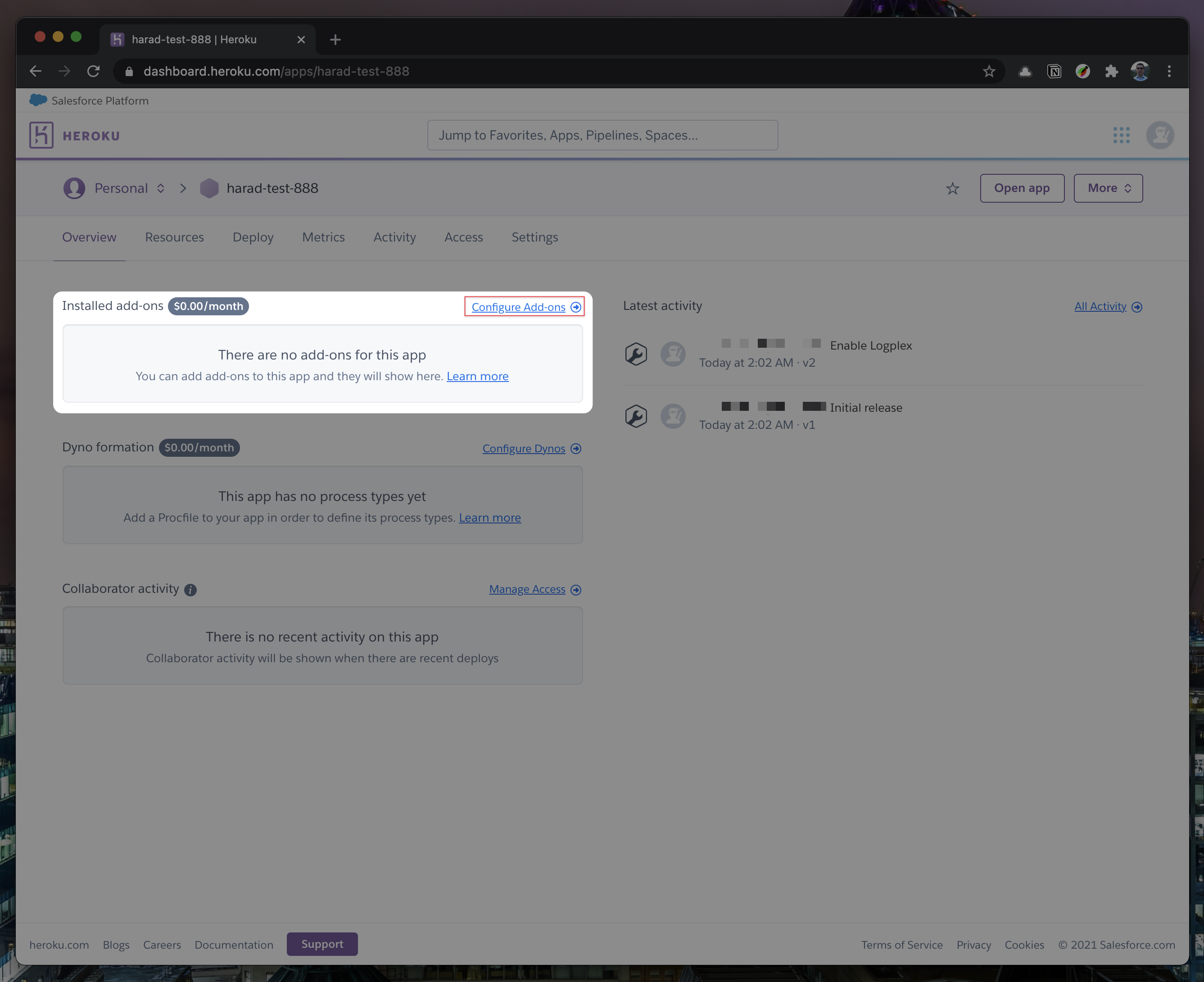
|
||||
3. In your new app, go to `Overview` and next to `Installed add-ons`, click `Configure Add-ons`. We need this to set up our database.
|
||||

|
||||
|
||||
4. Once you clicked on `Configure Add-ons`, click on `Find more add-ons` and search for `postgres`. One of the options will be `Heroku Postgres` - click on that option.
|
||||
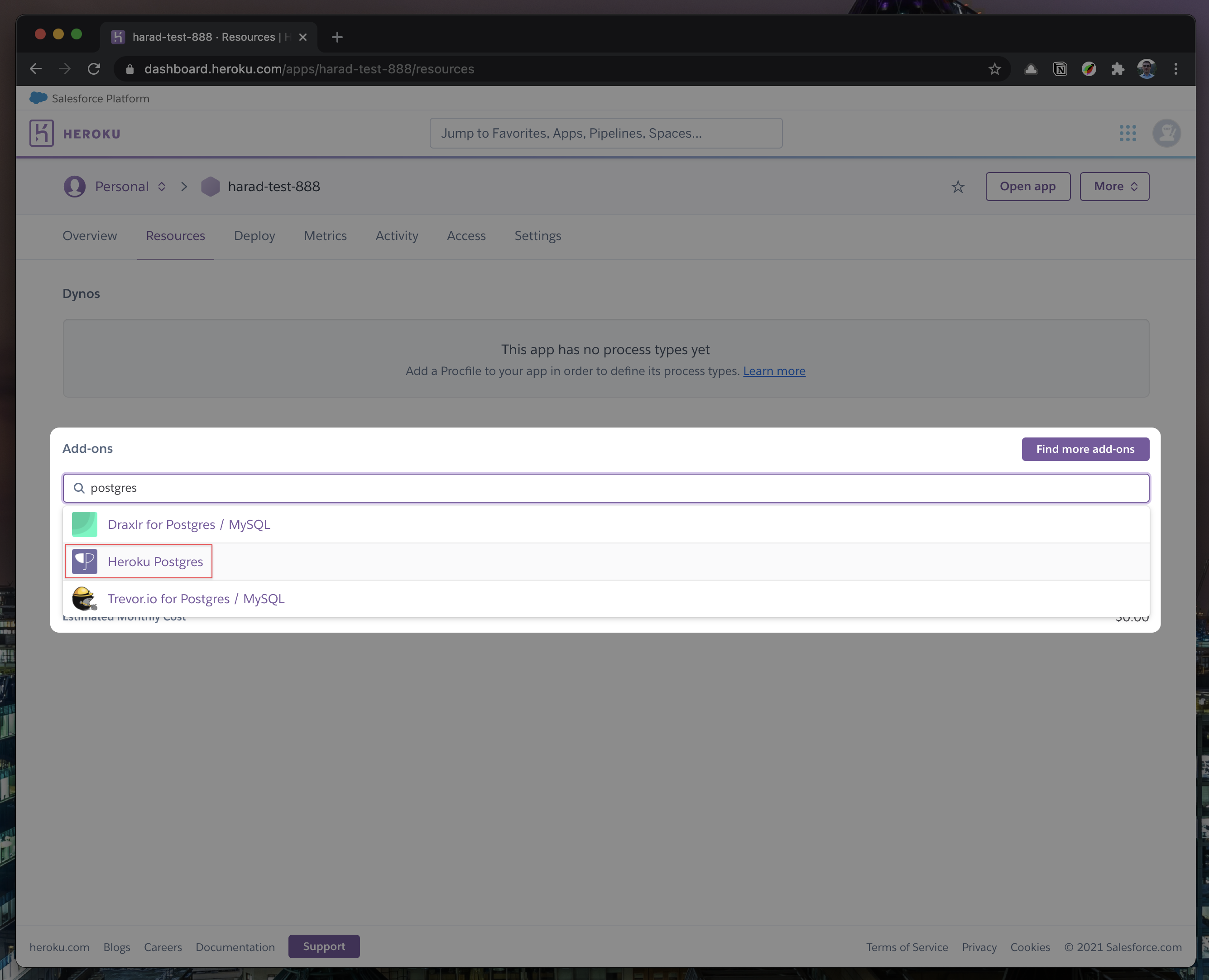
|
||||
4. Once you clicked on `Configure Add-ons`, click on `Find more add-ons` and search for `postgres`. One of the options will be `Heroku Postgres` - click on that option.
|
||||

|
||||
|
||||
5. Once the pop-up appears, click `Submit Order Form` - plan name should be `Hobby Dev - Free`.
|
||||
5. Once the pop-up appears, click `Submit Order Form` - plan name should be `Hobby Dev - Free`.
|
||||
|
||||
<img
|
||||
width="512"
|
||||
alt="Submit Order Form"
|
||||
src="https://user-images.githubusercontent.com/16905768/115323265-b4baed80-a17f-11eb-99f0-d67f019aa6df.png"
|
||||
/>
|
||||
<img
|
||||
width="512"
|
||||
alt="Submit Order Form"
|
||||
src="https://user-images.githubusercontent.com/16905768/115323265-b4baed80-a17f-11eb-99f0-d67f019aa6df.png"
|
||||
/>
|
||||
|
||||
6. Once you completed the above steps, click on your newly created `Heroku Postgres` and go to its `Settings`.
|
||||
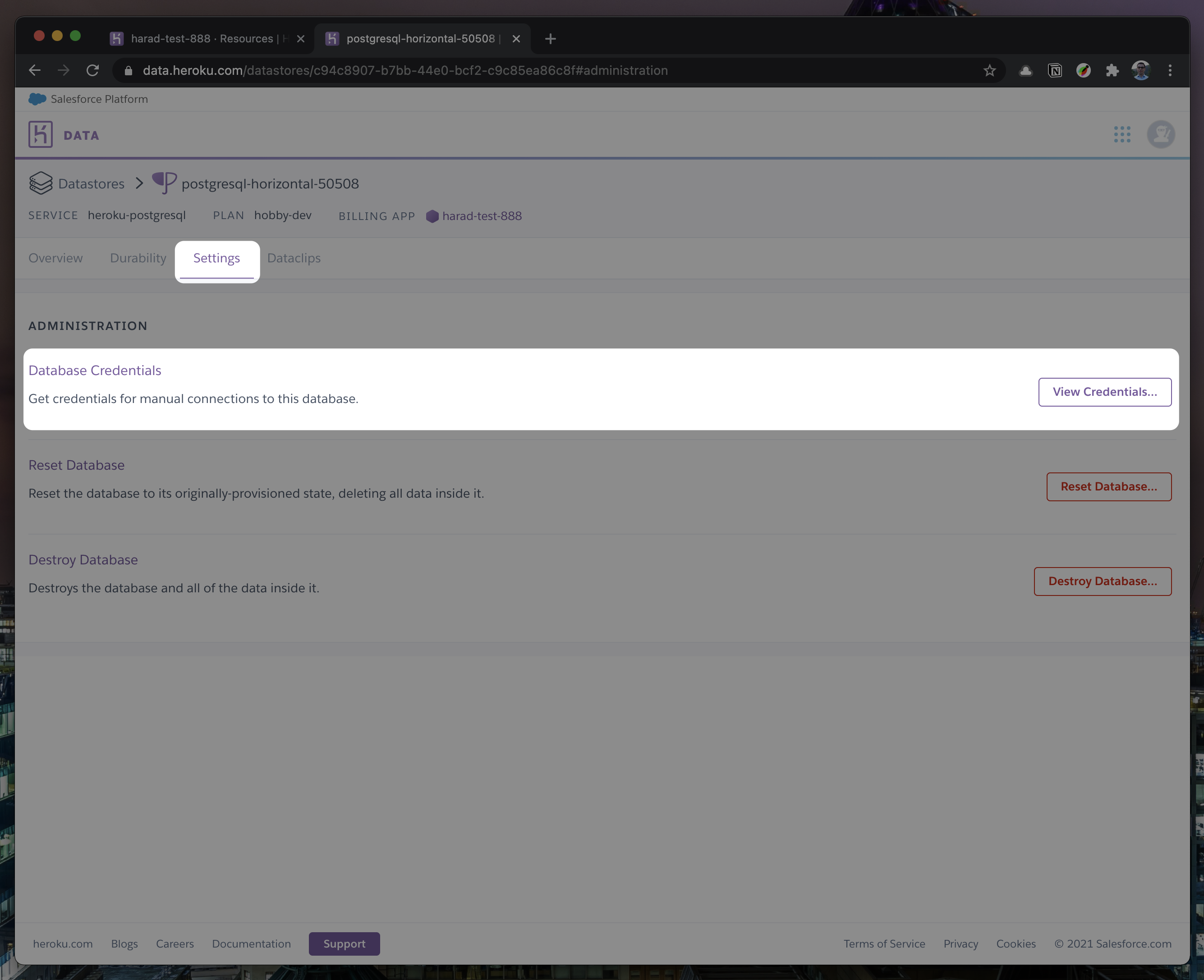
|
||||
6. Once you completed the above steps, click on your newly created `Heroku Postgres` and go to its `Settings`.
|
||||

|
||||
|
||||
7. In `Settings`, copy your URI to your Cal.com .env file and replace the `postgresql://<user>:<pass>@<db-host>:<db-port>` with it.
|
||||
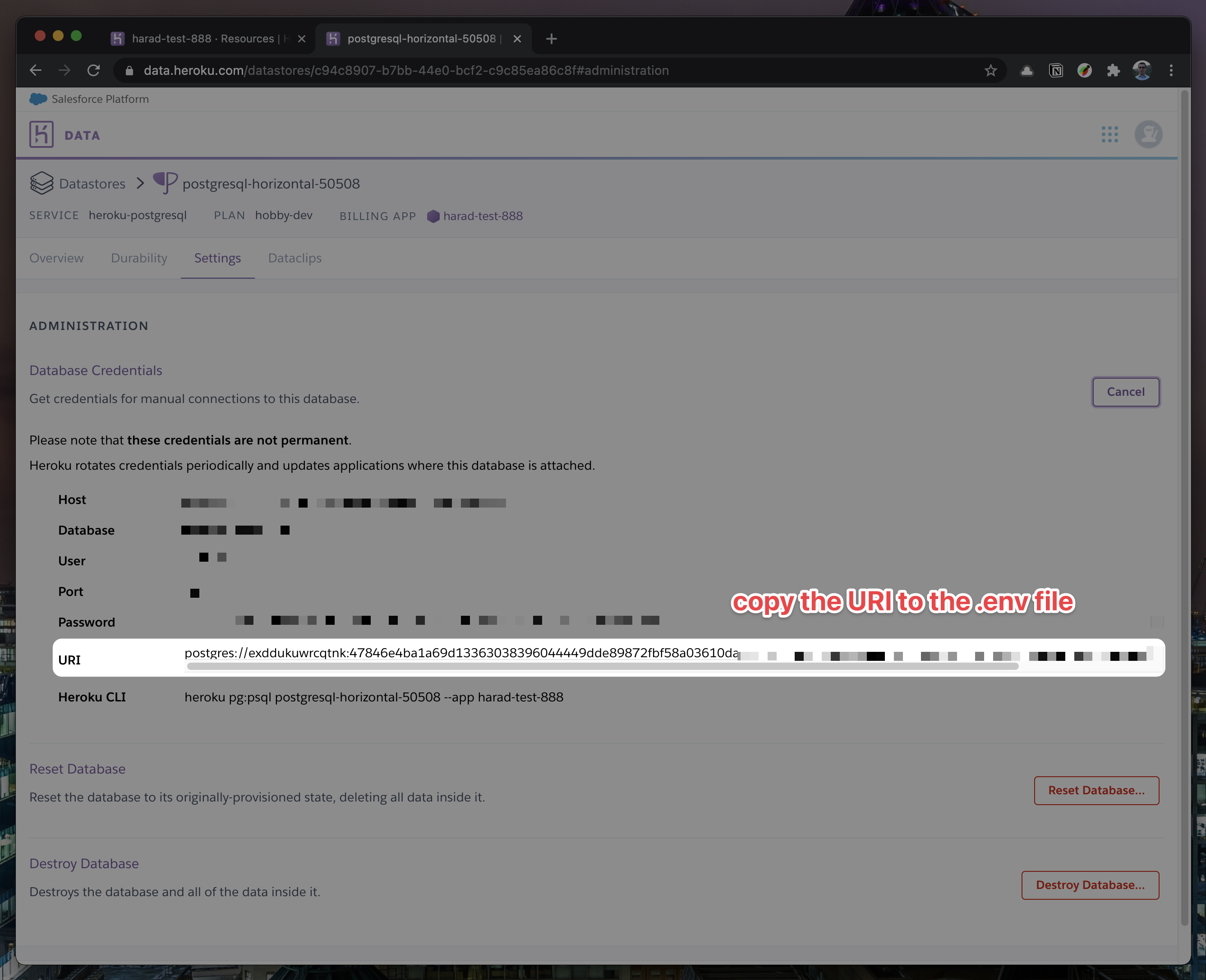
|
||||

|
||||
7. In `Settings`, copy your URI to your Cal.com .env file and replace the `postgresql://<user>:<pass>@<db-host>:<db-port>` with it.
|
||||

|
||||

|
||||
|
||||
8. To view your DB, once you add new data in Prisma, you can use [Heroku Data Explorer](https://heroku-data-explorer.herokuapp.com/).
|
||||
</details>
|
||||
8. To view your DB, once you add new data in Prisma, you can use [Heroku Data Explorer](https://heroku-data-explorer.herokuapp.com/).
|
||||
|
||||
</details>
|
||||
|
||||
1. Set a 32 character random string in your `apps/web/.env` file for the `CALENDSO_ENCRYPTION_KEY` (You can use a command like `openssl rand -base64 24` to generate one).
|
||||
1. Set up the database using the Prisma schema (found in `packages/prisma/schema.prisma`)
|
||||
|
||||
```sh
|
||||
npx prisma migrate deploy
|
||||
yarn workspace @calcom/prisma db-deploy
|
||||
```
|
||||
|
||||
1. Run (in development mode)
|
||||
|
||||
```sh
|
||||
yarn dev --scope=@calcom/web
|
||||
yarn dev
|
||||
```
|
||||
|
||||
### Setting up your first user
|
||||
@@ -115,7 +120,7 @@ yarn dx
|
||||
1. Open [Prisma Studio](https://www.prisma.io/studio) to look at or modify the database content:
|
||||
|
||||
```sh
|
||||
npx prisma studio
|
||||
yarn db-studio
|
||||
```
|
||||
|
||||
1. Click on the `User` model to add a new user record.
|
||||
|
||||
@@ -1,25 +1,29 @@
|
||||
---
|
||||
title: Upgrade
|
||||
---
|
||||
|
||||
# Upgrading
|
||||
|
||||
**Warning**: When performing database migrations, you may lose data if the migration is not done properly.
|
||||
|
||||
1. Pull the current version:
|
||||
```
|
||||
```sh
|
||||
git pull
|
||||
```
|
||||
2. Apply database migrations by running <b>one of</b> the following commands:
|
||||
|
||||
In a development environment, run:
|
||||
|
||||
```
|
||||
npx prisma migrate dev
|
||||
```sh
|
||||
yarn workspace @calcom/prisma db-migrate
|
||||
```
|
||||
|
||||
(this can clear your development database in some cases)
|
||||
|
||||
In a production environment, run:
|
||||
|
||||
```
|
||||
npx prisma migrate deploy
|
||||
```sh
|
||||
yarn workspace @calcom/prisma db-deploy
|
||||
```
|
||||
|
||||
3. Check the `.env.example` and compare it to your current `.env` file. In case there are any fields not present
|
||||
@@ -27,17 +31,17 @@
|
||||
|
||||
For the current version, especially check if the variable `BASE_URL` is present and properly set in your environment, for example:
|
||||
|
||||
```
|
||||
```text
|
||||
BASE_URL='https://yourdomain.com'
|
||||
```
|
||||
|
||||
4. Start the server. In a development environment, just do:
|
||||
```
|
||||
```sh
|
||||
yarn dev
|
||||
```
|
||||
For a production build, run for example:
|
||||
```
|
||||
```sh
|
||||
yarn build
|
||||
yarn start
|
||||
```
|
||||
5. Enjoy the new version.
|
||||
5. Enjoy the new version.
|
||||
|
||||
@@ -1,3 +1,7 @@
|
||||
---
|
||||
title: Vercel
|
||||
---
|
||||
|
||||
# Vercel
|
||||
|
||||
## Requirements
|
||||
@@ -22,15 +26,15 @@ You need a PostgresDB database hosted somewhere. [Heroku](https://www.heroku.com
|
||||
yarn install
|
||||
```
|
||||
|
||||
4. Set up the database using the Prisma schema (found in `prisma/schema.prisma`)
|
||||
4. Set up the database using the Prisma schema (found in `packages/prisma/schema.prisma`)
|
||||
|
||||
```sh
|
||||
npx prisma migrate deploy
|
||||
yarn workspace @calcom/prisma db-deploy
|
||||
```
|
||||
|
||||
5. Open [Prisma Studio](https://www.prisma.io/studio) to look at or modify the database content:
|
||||
```
|
||||
npx prisma studio
|
||||
yarn db-studio
|
||||
```
|
||||
6. Click on the `User` model to add a new user record.
|
||||
7. Fill out the fields (remembering to encrypt your password with [BCrypt](https://bcrypt-generator.com/)) and click `Save 1 Record` to create your first user.
|
||||
@@ -42,5 +46,5 @@ You need a PostgresDB database hosted somewhere. [Heroku](https://www.heroku.com
|
||||
1. Import from your forked repository
|
||||
1. Set the Environment Variables
|
||||
1. Set the root directory to `apps/web`
|
||||
1. Override the build command to `cd ../.. && npx turbo run build --scope=@calcom/web --include-dependencies --no-deps`
|
||||
1. Override the build command to `cd ../.. && yarn build`
|
||||
1. Hit Deploy
|
||||
|
||||
@@ -1,3 +1,7 @@
|
||||
---
|
||||
title: Settings
|
||||
---
|
||||
|
||||
# Settings
|
||||
## Setting up or making changes to your Profile
|
||||
|
||||
@@ -21,7 +25,7 @@
|
||||
4. Click the button 'Save' located to the bottom right of your new password.
|
||||
5. You have now successfully changed your password!
|
||||
|
||||
## Change your email
|
||||
## Change your email
|
||||
|
||||
Go to [Profile Settings](https://app.cal.com/settings/profile). There, you will see the email associated with your account which you can then update. You’d just need to log out and back in to see the change take effect.
|
||||
|
||||
@@ -49,4 +53,4 @@ You can delete your account from within the [Settings](https://app.cal.com/setti
|
||||
|
||||
## How to change the language
|
||||
|
||||
Go to your [Profile Settings](https://app.cal.com/settings/profile). Under `Language` you will see the dropdown menu and you can use it to select your desired language.
|
||||
Go to your [Profile Settings](https://app.cal.com/settings/profile). Under `Language` you will see the dropdown menu and you can use it to select your desired language.
|
||||
|
||||
@@ -1,3 +1,7 @@
|
||||
---
|
||||
title: Teams
|
||||
---
|
||||
|
||||
# Teams
|
||||
|
||||
## How do I create a new team?
|
||||
@@ -25,7 +29,7 @@ Creating a team will allow you to create new event types for the team, invite te
|
||||
## How do I add and remove a description of my team?
|
||||
|
||||
1. Go to [Your Teams Settings](https://app.cal.com/settings/teams) and select the team you wish to edit.
|
||||
2. Located below your team name entry box is a large text box labeled 'About',
|
||||
2. Located below your team name entry box is a large text box labeled 'About',
|
||||
|
||||
## How do I upload my team logo?
|
||||
|
||||
@@ -50,4 +54,4 @@ Your team has now successfully been deleted.
|
||||
|
||||
## Where can I find my team's Event Types?
|
||||
|
||||
Once you open `Event Types` on your dashboard, you will find your team's Event Types below your individual ones.
|
||||
Once you open `Event Types` on your dashboard, you will find your team's Event Types below your individual ones.
|
||||
|
||||
@@ -1,4 +1,9 @@
|
||||
---
|
||||
title: Webhooks
|
||||
---
|
||||
|
||||
# Webhooks
|
||||
|
||||
## Create a new Webhook
|
||||
|
||||
1. Go to [Your Integrations](https://app.cal.com/integrations).
|
||||
@@ -19,22 +24,75 @@
|
||||
3. Press the button and from here your webhook will no longer work and be deleted.
|
||||
|
||||
## Webhook metadata
|
||||
|
||||
Metadata is a way to pass extra information to Cal.com about a booking that is returned through a webhook.
|
||||
|
||||
### Example
|
||||
|
||||
The best way to explain this is with an example. Let's say you're a bank, and people register an account on your website, but you want them to book an onboarding call with your team to get set up. You could send them to your Cal.com booking link as part of your onboarding process, but when the webhook is returned, it may be difficult to match up which user booked a meeting with the user's account in your own database. Hence, you can pass a `user_id` value for instance as a URL parameter, which makes no difference to the booking process, but when the webhook is returned, you will receive the metadata as part of the webhook payload.
|
||||
|
||||
Metadata is passed as a URL parameter on top of your booking link and follows the following syntax:
|
||||
|
||||
```text
|
||||
metadata[key_name]=value
|
||||
```
|
||||
|
||||
For example, if your booking link is `cal.com/rick/quick-chat`, you can pass a user ID of 123 like so:
|
||||
|
||||
```text
|
||||
cal.com/rick/quick-chat?metadata[user_id]=123
|
||||
```
|
||||
|
||||
As a result, the webhook will be returned in this format:
|
||||
|
||||
```text
|
||||
{ <other event details>, metadata: { user_id: 123 } }
|
||||
```
|
||||
\{ <other event details>, metadata: \{ user_id: 123 \} \}
|
||||
```
|
||||
|
||||
## Custom Webhooks template variable list
|
||||
|
||||
Customizable webhooks are a great way reduce the development effort and in many cases remove the need for a developer to build an additional integration service. Using a custom template you can easily decide what data you receive in your webhook endpoint, manage the payload and setup related workflows accordingly. Here’s a breakdown of the payload that you would receive via an incoming webhook.
|
||||
|
||||
### Webhook structure
|
||||
|
||||
| Variable | Type | Description |
|
||||
| ------------------- | -------- | -------------------------------------------------------------------------------------- |
|
||||
| triggerEvent | String | The name of the trigger event [BOOKING_CREATED, BOOKING_RESHEDULED, BOOKING_CANCELLED] |
|
||||
| createdAt | String | The time of the webhook trigger |
|
||||
| type | String | The event-type slug |
|
||||
| title | String | The event-type name |
|
||||
| startTime | String | The event's start time |
|
||||
| endTime | String | The event's end time |
|
||||
| description? | String | The event's description as described in the event type |
|
||||
| location? | String | Location of the event |
|
||||
| organizer | Person | The organizer of the event |
|
||||
| attendees | Person[] | The event booker & any guests |
|
||||
| uid? | String | The UID of the booking |
|
||||
| resheduleUid? | String | The UID for the rescheduling |
|
||||
| cancellationReason? | String | Reason for cancellation |
|
||||
| rejectionReason? | String | Reason for rejection |
|
||||
| team?.name | String | Name of the team booked |
|
||||
| team?.members | String[] | Members of the team booked |
|
||||
|
||||
### Person structure
|
||||
|
||||
| Variable | Type | Description |
|
||||
| --------------- | ------ | --------------------------------------------------------------------- |
|
||||
| name | String | Name of the individual |
|
||||
| email | String | Email of the individual |
|
||||
| timeZone | String | Timezone of the individual ("America/New_York", "Asia/Kolkata", etc.) |
|
||||
| language.locale | String | Locale of the individual ("en", "fr", etc.) |
|
||||
|
||||
### Example usage of variables for custom template:
|
||||
|
||||
```sh
|
||||
\{
|
||||
|
||||
"content": "A new event has been scheduled",
|
||||
"type": "\{\{type\}\}",
|
||||
"name": "\{\{title\}\}",
|
||||
"organizer": "\{\{organizer.name\}\}",
|
||||
"booker": "\{\{attendees.0.name\}\}"
|
||||
|
||||
\}
|
||||
```
|
||||
|
||||
@@ -1,12 +1,8 @@
|
||||
export default {
|
||||
github: 'https://github.com/calcom/docs',
|
||||
docsRepositoryBase: 'https://github.com/calcom/docs/blob/master',
|
||||
titleSuffix: ' | Cal.com',
|
||||
logo: (
|
||||
<h4 className="m-0">
|
||||
Cal.com
|
||||
</h4>
|
||||
),
|
||||
const themeConfig = {
|
||||
github: "https://github.com/calcom/cal.com",
|
||||
docsRepositoryBase: "https://github.com/calcom/cal.com/blob/main/apps/docs/pages",
|
||||
titleSuffix: " | Cal.com",
|
||||
logo: <h4 className="m-0">Cal.com</h4>,
|
||||
head: (
|
||||
<>
|
||||
<meta name="msapplication-TileColor" content="#ffffff" />
|
||||
@@ -29,23 +25,9 @@ export default {
|
||||
<meta name="og:image" content="https://cal.com/og-image.png" />
|
||||
<meta name="apple-mobile-web-app-title" content="Cal.com Docs" />
|
||||
|
||||
<link
|
||||
rel="apple-touch-icon"
|
||||
sizes="180x180"
|
||||
href="/apple-touch-icon.png"
|
||||
/>
|
||||
<link
|
||||
rel="icon"
|
||||
type="image/png"
|
||||
sizes="32x32"
|
||||
href="/favicon-32x32.png"
|
||||
/>
|
||||
<link
|
||||
rel="icon"
|
||||
type="image/png"
|
||||
sizes="16x16"
|
||||
href="/favicon-16x16.png"
|
||||
/>
|
||||
<link rel="apple-touch-icon" sizes="180x180" href="/apple-touch-icon.png" />
|
||||
<link rel="icon" type="image/png" sizes="32x32" href="/favicon-32x32.png" />
|
||||
<link rel="icon" type="image/png" sizes="16x16" href="/favicon-16x16.png" />
|
||||
<link rel="manifest" href="/site.webmanifest" />
|
||||
<link rel="mask-icon" href="/safari-pinned-tab.svg" color="#000000" />
|
||||
<meta name="msapplication-TileColor" content="#ff0000" />
|
||||
@@ -56,8 +38,8 @@ export default {
|
||||
prevLinks: true,
|
||||
nextLinks: true,
|
||||
footer: true,
|
||||
footerEditLink: 'Edit this page on GitHub',
|
||||
footerText: (
|
||||
<>© {new Date().getFullYear()} Cal.com, Inc. All rights reserved.</>
|
||||
),
|
||||
}
|
||||
footerEditLink: "Edit this page on GitHub",
|
||||
footerText: <>© {new Date().getFullYear()} Cal.com, Inc. All rights reserved.</>,
|
||||
};
|
||||
|
||||
export default themeConfig;
|
||||
|
||||
8
apps/docs/tsconfig.json
Normal file
8
apps/docs/tsconfig.json
Normal file
@@ -0,0 +1,8 @@
|
||||
{
|
||||
"extends": "@calcom/tsconfig/nextjs.json",
|
||||
"include": ["next-env.d.ts", "**/*.ts", "**/*.tsx"],
|
||||
"exclude": ["node_modules"],
|
||||
"compilerOptions": {
|
||||
"noImplicitAny": false
|
||||
}
|
||||
}
|
||||
1
apps/swagger/.env.example
Normal file
1
apps/swagger/.env.example
Normal file
@@ -0,0 +1 @@
|
||||
NEXT_PUBLIC_SWAGGER_DOCS_URL=http://localhost:3002/api/docs
|
||||
34
apps/swagger/.gitignore
vendored
Normal file
34
apps/swagger/.gitignore
vendored
Normal file
@@ -0,0 +1,34 @@
|
||||
# See https://help.github.com/articles/ignoring-files/ for more about ignoring files.
|
||||
|
||||
# dependencies
|
||||
/node_modules
|
||||
/.pnp
|
||||
.pnp.js
|
||||
|
||||
# testing
|
||||
/coverage
|
||||
|
||||
# next.js
|
||||
/.next/
|
||||
/out/
|
||||
|
||||
# production
|
||||
/build
|
||||
|
||||
# misc
|
||||
.DS_Store
|
||||
*.pem
|
||||
|
||||
# debug
|
||||
npm-debug.log*
|
||||
yarn-debug.log*
|
||||
yarn-error.log*
|
||||
|
||||
# local env files
|
||||
.env.local
|
||||
.env.development.local
|
||||
.env.test.local
|
||||
.env.production.local
|
||||
|
||||
# vercel
|
||||
.vercel
|
||||
34
apps/swagger/README.md
Normal file
34
apps/swagger/README.md
Normal file
@@ -0,0 +1,34 @@
|
||||
This is a [Next.js](https://nextjs.org/) project bootstrapped with [`create-next-app`](https://github.com/vercel/next.js/tree/canary/packages/create-next-app).
|
||||
|
||||
## Getting Started
|
||||
|
||||
First, run the development server:
|
||||
|
||||
```bash
|
||||
npm run dev
|
||||
# or
|
||||
yarn dev
|
||||
```
|
||||
|
||||
Open [http://localhost:3000](http://localhost:3000) with your browser to see the result.
|
||||
|
||||
You can start editing the page by modifying `pages/index.js`. The page auto-updates as you edit the file.
|
||||
|
||||
[API routes](https://nextjs.org/docs/api-routes/introduction) can be accessed on [http://localhost:3000/api/hello](http://localhost:3000/api/hello). This endpoint can be edited in `pages/api/hello.js`.
|
||||
|
||||
The `pages/api` directory is mapped to `/api/*`. Files in this directory are treated as [API routes](https://nextjs.org/docs/api-routes/introduction) instead of React pages.
|
||||
|
||||
## Learn More
|
||||
|
||||
To learn more about Next.js, take a look at the following resources:
|
||||
|
||||
- [Next.js Documentation](https://nextjs.org/docs) - learn about Next.js features and API.
|
||||
- [Learn Next.js](https://nextjs.org/learn) - an interactive Next.js tutorial.
|
||||
|
||||
You can check out [the Next.js GitHub repository](https://github.com/vercel/next.js/) - your feedback and contributions are welcome!
|
||||
|
||||
## Deploy on Vercel
|
||||
|
||||
The easiest way to deploy your Next.js app is to use the [Vercel Platform](https://vercel.com/new?utm_medium=default-template&filter=next.js&utm_source=create-next-app&utm_campaign=create-next-app-readme) from the creators of Next.js.
|
||||
|
||||
Check out our [Next.js deployment documentation](https://nextjs.org/docs/deployment) for more details.
|
||||
353
apps/swagger/lib/snippets.ts
Normal file
353
apps/swagger/lib/snippets.ts
Normal file
@@ -0,0 +1,353 @@
|
||||
import * as OpenAPISnippet from "openapi-snippet";
|
||||
|
||||
export const requestSnippets = {
|
||||
generators: {
|
||||
curl_bash: {
|
||||
title: "cURL (bash)",
|
||||
syntax: "bash",
|
||||
},
|
||||
curl_powershell: {
|
||||
title: "cURL (PowerShell)",
|
||||
syntax: "powershell",
|
||||
},
|
||||
curl_cmd: {
|
||||
title: "cURL (CMD)",
|
||||
syntax: "bash",
|
||||
},
|
||||
node: {
|
||||
title: "Node",
|
||||
syntax: "node",
|
||||
},
|
||||
},
|
||||
defaultExpanded: true,
|
||||
languages: ["node", "curl_bash"],
|
||||
};
|
||||
// Since swagger-ui-react was not configured to change the request snippets some workarounds required
|
||||
// configuration will be added programatically
|
||||
// Custom Plugin
|
||||
export const SnippedGenerator = {
|
||||
statePlugins: {
|
||||
// extend some internals to gain information about current path, method and spec in the generator function metioned later
|
||||
spec: {
|
||||
wrapSelectors: {
|
||||
requestFor: (ori, system) => (state, path, method) => {
|
||||
return ori(path, method)
|
||||
?.set("spec", state.get("json", {}))
|
||||
?.setIn(["oasPathMethod", "path"], path)
|
||||
?.setIn(["oasPathMethod", "method"], method);
|
||||
},
|
||||
mutatedRequestFor: (ori) => (state, path, method) => {
|
||||
return ori(path, method)
|
||||
?.set("spec", state.get("json", {}))
|
||||
?.setIn(["oasPathMethod", "path"], path)
|
||||
?.setIn(["oasPathMethod", "method"], method);
|
||||
},
|
||||
},
|
||||
},
|
||||
// extend the request snippets core plugin
|
||||
requestSnippets: {
|
||||
wrapSelectors: {
|
||||
// add additional snippet generators here
|
||||
getSnippetGenerators:
|
||||
(ori, system) =>
|
||||
(state, ...args) =>
|
||||
ori(state, ...args)
|
||||
// add node native snippet generator
|
||||
// .set(
|
||||
// // key
|
||||
// "node_native",
|
||||
// // config and generator function
|
||||
// system.Im.fromJS({
|
||||
// title: "NodeJs Native",
|
||||
// syntax: "javascript",
|
||||
// hostname: "test",
|
||||
// fn: (req) => {
|
||||
// // get extended info about request
|
||||
// const { spec, oasPathMethod } = req.toJS();
|
||||
// const { path, method } = oasPathMethod;
|
||||
|
||||
// // run OpenAPISnippet for target node
|
||||
// const targets = ["node_native"];
|
||||
// let snippet;
|
||||
// try {
|
||||
// // set request snippet content
|
||||
// snippet = OpenAPISnippet.getEndpointSnippets(
|
||||
// spec,
|
||||
// path,
|
||||
// method,
|
||||
// targets
|
||||
// // Since I don't know why hostname was undefinedundefined, I harcoded it here
|
||||
// ).snippets[0].content;
|
||||
// } catch (err) {
|
||||
// // set to error in case it happens the npm package has some flaws
|
||||
// snippet = JSON.stringify(snippet);
|
||||
// }
|
||||
// // return stringified snipped
|
||||
// return snippet;
|
||||
// },
|
||||
// })
|
||||
// )
|
||||
.set(
|
||||
// key
|
||||
"node_fetch",
|
||||
// config and generator function
|
||||
system.Im.fromJS({
|
||||
title: "NodeJS",
|
||||
syntax: "javascript",
|
||||
fn: (req) => {
|
||||
// get extended info about request
|
||||
const { spec, oasPathMethod } = req.toJS();
|
||||
const { path, method } = oasPathMethod;
|
||||
|
||||
// run OpenAPISnippet for target node
|
||||
const targets = ["node_fetch"];
|
||||
let snippet;
|
||||
try {
|
||||
// set request snippet content
|
||||
snippet = OpenAPISnippet.getEndpointSnippets(spec, path, method, targets).snippets[0]
|
||||
.content;
|
||||
} catch (err) {
|
||||
// set to error in case it happens the npm package has some flaws
|
||||
snippet = JSON.stringify(snippet);
|
||||
}
|
||||
// return stringified snipped
|
||||
return snippet;
|
||||
},
|
||||
})
|
||||
)
|
||||
.set(
|
||||
// key
|
||||
"shell_httpie",
|
||||
// config and generator function
|
||||
system.Im.fromJS({
|
||||
title: "HTTPie",
|
||||
syntax: "bash",
|
||||
fn: (req) => {
|
||||
// get extended info about request
|
||||
const { spec, oasPathMethod } = req.toJS();
|
||||
const { path, method } = oasPathMethod;
|
||||
|
||||
// run OpenAPISnippet for target node
|
||||
const targets = ["shell_httpie"];
|
||||
let snippet;
|
||||
try {
|
||||
// set request snippet content
|
||||
snippet = OpenAPISnippet.getEndpointSnippets(spec, path, method, targets).snippets[0]
|
||||
.content;
|
||||
} catch (err) {
|
||||
// set to error in case it happens the npm package has some flaws
|
||||
snippet = JSON.stringify(snippet);
|
||||
}
|
||||
// return stringified snipped
|
||||
return snippet;
|
||||
},
|
||||
})
|
||||
)
|
||||
.set(
|
||||
// key
|
||||
"php_curl",
|
||||
// config and generator function
|
||||
system.Im.fromJS({
|
||||
title: "PHP",
|
||||
syntax: "php",
|
||||
fn: (req) => {
|
||||
// get extended info about request
|
||||
const { spec, oasPathMethod } = req.toJS();
|
||||
const { path, method } = oasPathMethod;
|
||||
|
||||
// run OpenAPISnippet for target node
|
||||
const targets = ["php_curl"];
|
||||
let snippet;
|
||||
try {
|
||||
// set request snippet content
|
||||
snippet = OpenAPISnippet.getEndpointSnippets(spec, path, method, targets).snippets[0]
|
||||
.content;
|
||||
} catch (err) {
|
||||
// set to error in case it happens the npm package has some flaws
|
||||
snippet = JSON.stringify(snippet);
|
||||
}
|
||||
// return stringified snipped
|
||||
return snippet;
|
||||
},
|
||||
})
|
||||
)
|
||||
.set(
|
||||
// key
|
||||
"java_okhttp",
|
||||
// config and generator function
|
||||
system.Im.fromJS({
|
||||
title: "Java",
|
||||
syntax: "java",
|
||||
fn: (req) => {
|
||||
// get extended info about request
|
||||
const { spec, oasPathMethod } = req.toJS();
|
||||
const { path, method } = oasPathMethod;
|
||||
console.log(spec, oasPathMethod, path, method);
|
||||
// run OpenAPISnippet for target node
|
||||
const targets = ["java_okhttp"];
|
||||
let snippet;
|
||||
try {
|
||||
// set request snippet content
|
||||
snippet = OpenAPISnippet.getEndpointSnippets(spec, path, method, targets).snippets[0]
|
||||
.content;
|
||||
} catch (err) {
|
||||
// set to error in case it happens the npm package has some flaws
|
||||
snippet = JSON.stringify(snippet);
|
||||
}
|
||||
// return stringified snipped
|
||||
return snippet;
|
||||
},
|
||||
})
|
||||
)
|
||||
// .set(
|
||||
// // key
|
||||
// "java",
|
||||
// // config and generator function
|
||||
// system.Im.fromJS({
|
||||
// title: "Java (Unirest)",
|
||||
// syntax: "java",
|
||||
// fn: (req) => {
|
||||
// // get extended info about request
|
||||
// const { spec, oasPathMethod } = req.toJS();
|
||||
// const { path, method } = oasPathMethod;
|
||||
|
||||
// // run OpenAPISnippet for target node
|
||||
// const targets = ["java"];
|
||||
// let snippet;
|
||||
// try {
|
||||
// // set request snippet content
|
||||
// snippet = OpenAPISnippet.getEndpointSnippets(
|
||||
// spec,
|
||||
// path,
|
||||
// method,
|
||||
// targets
|
||||
// ).snippets[0].content;
|
||||
// } catch (err) {
|
||||
// // set to error in case it happens the npm package has some flaws
|
||||
// snippet = JSON.stringify(snippet);
|
||||
// }
|
||||
// // return stringified snipped
|
||||
// return snippet;
|
||||
// },
|
||||
// })
|
||||
// )
|
||||
// .set(
|
||||
// // key
|
||||
// "c_libcurl",
|
||||
// // config and generator function
|
||||
// system.Im.fromJS({
|
||||
// title: "C (libcurl) ",
|
||||
// syntax: "bash",
|
||||
// fn: (req) => {
|
||||
// // get extended info about request
|
||||
// const { spec, oasPathMethod } = req.toJS();
|
||||
// const { path, method } = oasPathMethod;
|
||||
|
||||
// // run OpenAPISnippet for target node
|
||||
// const targets = ["c_libcurl"];
|
||||
// let snippet;
|
||||
// try {
|
||||
// // set request snippet content
|
||||
// snippet = OpenAPISnippet.getEndpointSnippets(
|
||||
// spec,
|
||||
// path,
|
||||
// method,
|
||||
// targets
|
||||
// ).snippets[0].content;
|
||||
// } catch (err) {
|
||||
// // set to error in case it happens the npm package has some flaws
|
||||
// snippet = JSON.stringify(snippet);
|
||||
// }
|
||||
// // return stringified snipped
|
||||
// return snippet;
|
||||
// },
|
||||
// })
|
||||
// )
|
||||
.set(
|
||||
// key
|
||||
"go_native",
|
||||
// config and generator function
|
||||
system.Im.fromJS({
|
||||
title: "Go",
|
||||
syntax: "bash",
|
||||
fn: (req) => {
|
||||
// get extended info about request
|
||||
const { spec, oasPathMethod } = req.toJS();
|
||||
const { path, method } = oasPathMethod;
|
||||
|
||||
// run OpenAPISnippet for target node
|
||||
const targets = ["go_native"];
|
||||
let snippet;
|
||||
try {
|
||||
// set request snippet content
|
||||
snippet = OpenAPISnippet.getEndpointSnippets(spec, path, method, targets).snippets[0]
|
||||
.content;
|
||||
} catch (err) {
|
||||
// set to error in case it happens the npm package has some flaws
|
||||
snippet = JSON.stringify(snippet);
|
||||
}
|
||||
// return stringified snipped
|
||||
return snippet;
|
||||
},
|
||||
})
|
||||
)
|
||||
.set(
|
||||
// key
|
||||
"ruby",
|
||||
// config and generator function
|
||||
system.Im.fromJS({
|
||||
title: "Ruby",
|
||||
syntax: "ruby",
|
||||
fn: (req) => {
|
||||
// get extended info about request
|
||||
const { spec, oasPathMethod } = req.toJS();
|
||||
const { path, method } = oasPathMethod;
|
||||
|
||||
// run OpenAPISnippet for target node
|
||||
const targets = ["ruby"];
|
||||
let snippet;
|
||||
try {
|
||||
// set request snippet content
|
||||
snippet = OpenAPISnippet.getEndpointSnippets(spec, path, method, targets).snippets[0]
|
||||
.content;
|
||||
} catch (err) {
|
||||
// set to error in case it happens the npm package has some flaws
|
||||
snippet = JSON.stringify(snippet);
|
||||
}
|
||||
// return stringified snipped
|
||||
return snippet;
|
||||
},
|
||||
})
|
||||
)
|
||||
.set(
|
||||
// key
|
||||
"python",
|
||||
// config and generator function
|
||||
system.Im.fromJS({
|
||||
title: "Python",
|
||||
syntax: "python",
|
||||
fn: (req) => {
|
||||
// get extended info about request
|
||||
const { spec, oasPathMethod } = req.toJS();
|
||||
const { path, method } = oasPathMethod;
|
||||
|
||||
// run OpenAPISnippet for target node
|
||||
const targets = ["python"];
|
||||
let snippet;
|
||||
try {
|
||||
// set request snippet content
|
||||
snippet = OpenAPISnippet.getEndpointSnippets(spec, path, method, targets).snippets[0]
|
||||
.content;
|
||||
} catch (err) {
|
||||
// set to error in case it happens the npm package has some flaws
|
||||
snippet = JSON.stringify(snippet);
|
||||
}
|
||||
// return stringified snipped
|
||||
return snippet;
|
||||
},
|
||||
})
|
||||
),
|
||||
},
|
||||
},
|
||||
},
|
||||
};
|
||||
5
apps/swagger/next-env.d.ts
vendored
Normal file
5
apps/swagger/next-env.d.ts
vendored
Normal file
@@ -0,0 +1,5 @@
|
||||
/// <reference types="next" />
|
||||
/// <reference types="next/image-types/global" />
|
||||
|
||||
// NOTE: This file should not be edited
|
||||
// see https://nextjs.org/docs/basic-features/typescript for more information.
|
||||
25
apps/swagger/package.json
Normal file
25
apps/swagger/package.json
Normal file
@@ -0,0 +1,25 @@
|
||||
{
|
||||
"name": "@calcom/swagger",
|
||||
"version": "1.0.0",
|
||||
"private": true,
|
||||
"scripts": {
|
||||
"dev": "PORT=4200 next dev",
|
||||
"build": "next build",
|
||||
"start": "PORT=4200 next start"
|
||||
},
|
||||
"dependencies": {
|
||||
"highlight.js": "^11.5.1",
|
||||
"isarray": "2.0.5",
|
||||
"next": "12.1.5",
|
||||
"openapi-snippet": "^0.13.0",
|
||||
"react": "17.0.2",
|
||||
"react-dom": "17.0.2",
|
||||
"swagger-ui-react": "4.10.3"
|
||||
},
|
||||
"devDependencies": {
|
||||
"@types/node": "17.0.27",
|
||||
"@types/react": "17.0.43",
|
||||
"@types/react-dom": "17.0.14",
|
||||
"typescript": "4.6.3"
|
||||
}
|
||||
}
|
||||
10
apps/swagger/pages/_app.tsx
Normal file
10
apps/swagger/pages/_app.tsx
Normal file
@@ -0,0 +1,10 @@
|
||||
import "highlight.js/styles/default.css";
|
||||
import "swagger-ui-react/swagger-ui.css";
|
||||
|
||||
import "../styles/globals.css";
|
||||
|
||||
function MyApp({ Component, pageProps }) {
|
||||
return <Component {...pageProps} />;
|
||||
}
|
||||
|
||||
export default MyApp;
|
||||
26
apps/swagger/pages/index.tsx
Normal file
26
apps/swagger/pages/index.tsx
Normal file
@@ -0,0 +1,26 @@
|
||||
import dynamic from "next/dynamic";
|
||||
import { SwaggerUI } from "swagger-ui-react";
|
||||
|
||||
import { SnippedGenerator, requestSnippets } from "@lib/snippets";
|
||||
|
||||
const SwaggerUIDynamic: SwaggerUI & { url: string } = dynamic(() => import("swagger-ui-react"), {
|
||||
ssr: false,
|
||||
});
|
||||
|
||||
export default function APIDocs() {
|
||||
return (
|
||||
<SwaggerUIDynamic
|
||||
url={process.env.NEXT_PUBLIC_SWAGGER_DOCS_URL || "https://api.cal.com/docs"}
|
||||
persistAuthorization={true}
|
||||
supportedSubmitMethods={["get", "post", "delete", "put", "options", "patch"]}
|
||||
requestSnippetsEnabled={true}
|
||||
requestSnippets={requestSnippets}
|
||||
plugins={[SnippedGenerator]}
|
||||
tryItOutEnabled={true}
|
||||
syntaxHighlight={true}
|
||||
enableCORS={false} // Doesn't seem to work either
|
||||
docExpansion="list"
|
||||
filter={true}
|
||||
/>
|
||||
);
|
||||
}
|
||||
BIN
apps/swagger/public/favicon.ico
Normal file
BIN
apps/swagger/public/favicon.ico
Normal file
Binary file not shown.
|
After Width: | Height: | Size: 15 KiB |
102
apps/swagger/styles/globals.css
Normal file
102
apps/swagger/styles/globals.css
Normal file
@@ -0,0 +1,102 @@
|
||||
html,
|
||||
body {
|
||||
padding: 0;
|
||||
margin: 0;
|
||||
font-family: -apple-system, BlinkMacSystemFont, Segoe UI, Roboto, Oxygen,
|
||||
Ubuntu, Cantarell, Fira Sans, Droid Sans, Helvetica Neue, sans-serif;
|
||||
}
|
||||
|
||||
a {
|
||||
color: inherit;
|
||||
text-decoration: none;
|
||||
}
|
||||
|
||||
* {
|
||||
box-sizing: border-box;
|
||||
}
|
||||
|
||||
@media (max-width: 768px) {
|
||||
.swagger-ui .opblock-tag {
|
||||
font-size: 90% !important;
|
||||
}
|
||||
.swagger-ui .opblock .opblock-summary {
|
||||
display: grid;
|
||||
flex-direction: column;
|
||||
}
|
||||
.opblock-summary-path {
|
||||
flex-shrink: 0;
|
||||
max-width: 100% !important;
|
||||
padding: 10px 5px !important;
|
||||
}
|
||||
.opblock-summary-description {
|
||||
font-size: 16px !important;
|
||||
padding: 0px 5px;
|
||||
}
|
||||
.swagger-ui .scheme-container .schemes {
|
||||
align-items: center;
|
||||
display: flex;
|
||||
flex-direction: column;
|
||||
}
|
||||
.swagger-ui .info .title {
|
||||
color: #3b4151;
|
||||
font-family: sans-serif;
|
||||
font-size: 22px;
|
||||
}
|
||||
.swagger-ui .scheme-container {
|
||||
padding: 14px 0;
|
||||
}
|
||||
.swagger-ui .info {
|
||||
margin: 10px 0;
|
||||
}
|
||||
.swagger-ui .auth-wrapper {
|
||||
margin: 10px 0;
|
||||
}
|
||||
.swagger-ui .authorization__btn {
|
||||
display: none;
|
||||
}
|
||||
.swagger-ui .opblock {
|
||||
margin: 0 0 5px;
|
||||
}
|
||||
button.opblock-summary-control > svg {
|
||||
display: none;
|
||||
}
|
||||
.swagger-ui .filter .operation-filter-input {
|
||||
border: 2px solid #d8dde7;
|
||||
margin: 5px 5px;
|
||||
padding: 5px;
|
||||
width: 100vw;
|
||||
}
|
||||
.swagger-ui .wrapper {
|
||||
padding: 0 4px;
|
||||
width: 100%;
|
||||
}
|
||||
.swagger-ui .info .title small {
|
||||
top: 5px;
|
||||
}
|
||||
.swagger-ui a.nostyle, .swagger-ui a.nostyle:visited {
|
||||
width: 100%;
|
||||
}
|
||||
div.request-snippets > div.curl-command > div:nth-child(1) {
|
||||
overscroll-behavior: contain;
|
||||
overflow-x: scroll;
|
||||
}
|
||||
.swagger-ui .opblock-body pre.microlight {
|
||||
font-size: 9px;
|
||||
}
|
||||
.swagger-ui table tbody tr td {
|
||||
padding: 0px 0 0;
|
||||
vertical-align: none;
|
||||
}
|
||||
td.response-col_description > div > div > p {
|
||||
font-size: 12px;
|
||||
}
|
||||
div.no-margin > div > div.responses-wrapper > div.responses-inner > div > div > table > tbody > tr {
|
||||
display: flex;
|
||||
width: 100vw;
|
||||
flex-direction: column;
|
||||
font-size: 60%;
|
||||
}
|
||||
div.no-margin > div > div.responses-wrapper > div.responses-inner > div > div > table > thead > tr {
|
||||
display: none;
|
||||
}
|
||||
}
|
||||
24
apps/swagger/tsconfig.json
Normal file
24
apps/swagger/tsconfig.json
Normal file
@@ -0,0 +1,24 @@
|
||||
{
|
||||
"compilerOptions": {
|
||||
"target": "es5",
|
||||
"lib": ["dom", "dom.iterable", "esnext"],
|
||||
"allowJs": true,
|
||||
"skipLibCheck": true,
|
||||
"strict": false,
|
||||
"forceConsistentCasingInFileNames": true,
|
||||
"noEmit": true,
|
||||
"esModuleInterop": true,
|
||||
"module": "esnext",
|
||||
"moduleResolution": "node",
|
||||
"resolveJsonModule": true,
|
||||
"isolatedModules": true,
|
||||
"jsx": "preserve",
|
||||
"incremental": true,
|
||||
"baseUrl": ".",
|
||||
"paths": {
|
||||
"@lib/*": ["lib/*"]
|
||||
}
|
||||
},
|
||||
"include": ["next-env.d.ts", "**/*.ts", "**/*.tsx"],
|
||||
"exclude": ["node_modules"]
|
||||
}
|
||||
2583
apps/swagger/yarn.lock
Normal file
2583
apps/swagger/yarn.lock
Normal file
File diff suppressed because it is too large
Load Diff
@@ -1,101 +0,0 @@
|
||||
# Set this value to 'agree' to accept our license:
|
||||
# LICENSE: https://github.com/calendso/calendso/blob/main/LICENSE
|
||||
#
|
||||
# Summary of terms:
|
||||
# - The codebase has to stay open source, whether it was modified or not
|
||||
# - You can not repackage or sell the codebase
|
||||
# - Acquire a commercial license to remove these terms by visiting: cal.com/sales
|
||||
NEXT_PUBLIC_LICENSE_CONSENT=''
|
||||
|
||||
# ⚠️ ⚠️ ⚠️ DATABASE_URL got moved to `packages/prisma/.env.example` ⚠️ ⚠️ ⚠️
|
||||
|
||||
# Needed to enable Google Calendar integration and Login with Google
|
||||
# @see https://github.com/calendso/calendso#obtaining-the-google-api-credentials
|
||||
GOOGLE_API_CREDENTIALS='{}'
|
||||
|
||||
# To enable Login with Google you need to:
|
||||
# 1. Set `GOOGLE_API_CREDENTIALS` above
|
||||
# 2. Set `GOOGLE_LOGIN_ENABLED` to `true`
|
||||
# When self-hosting please ensure you configure the Google integration as an Internal app so no one else can login to your instance
|
||||
# @see https://support.google.com/cloud/answer/6158849#public-and-internal&zippy=%2Cpublic-and-internal-applications
|
||||
GOOGLE_LOGIN_ENABLED=false
|
||||
|
||||
BASE_URL='http://localhost:3000'
|
||||
NEXT_PUBLIC_APP_URL='http://localhost:3000'
|
||||
|
||||
JWT_SECRET='secret'
|
||||
# This is used so we can bypass emails in auth flows for E2E testing
|
||||
PLAYWRIGHT_SECRET=
|
||||
|
||||
# To enable SAML login, set both these variables
|
||||
# @see https://github.com/calendso/calendso/tree/main/ee#setting-up-saml-login
|
||||
# SAML_DATABASE_URL="postgresql://postgres:@localhost:5450/cal-saml"
|
||||
# SAML_ADMINS='pro@example.com'
|
||||
# If you use Heroku to deploy Postgres (or use self-signed certs for Postgres) then uncomment the follow line.
|
||||
# @see https://devcenter.heroku.com/articles/connecting-heroku-postgres#connecting-in-node-js
|
||||
##PGSSLMODE='no-verify'
|
||||
|
||||
# @see: https://github.com/calendso/calendso/issues/263
|
||||
# Required for Vercel hosting - set NEXTAUTH_URL to equal your BASE_URL
|
||||
# NEXTAUTH_URL='http://localhost:3000'
|
||||
|
||||
# Remove this var if you don't want Cal to collect anonymous usage
|
||||
NEXT_PUBLIC_TELEMETRY_KEY=js.2pvs2bbpqq1zxna97wcml.oi2jzirnbj1ev4tc57c5r
|
||||
|
||||
# Used for the Office 365 / Outlook.com Calendar integration
|
||||
MS_GRAPH_CLIENT_ID=
|
||||
MS_GRAPH_CLIENT_SECRET=
|
||||
|
||||
# Used for the Zoom integration
|
||||
ZOOM_CLIENT_ID=
|
||||
ZOOM_CLIENT_SECRET=
|
||||
|
||||
#Used for the Daily integration
|
||||
DAILY_API_KEY=
|
||||
DAILY_SCALE_PLAN=''
|
||||
|
||||
# Used for the Tandem integration -- contact support@tandem.chat to for API access.
|
||||
TANDEM_CLIENT_ID=""
|
||||
TANDEM_CLIENT_SECRET=""
|
||||
TANDEM_BASE_URL="https://tandem.chat"
|
||||
|
||||
# E-mail settings
|
||||
|
||||
# Cal uses nodemailer (@see https://nodemailer.com/about/) to provide email sending. As such we are trying to
|
||||
# allow access to the nodemailer transports from the .env file. E-mail templates are accessible within lib/emails/
|
||||
|
||||
# Configures the global From: header whilst sending emails.
|
||||
EMAIL_FROM='notifications@yourselfhostedcal.com'
|
||||
|
||||
# Configure SMTP settings (@see https://nodemailer.com/smtp/).
|
||||
# Note: The below configuration for Office 365 has been verified to work.
|
||||
EMAIL_SERVER_HOST='smtp.office365.com'
|
||||
EMAIL_SERVER_PORT=587
|
||||
EMAIL_SERVER_USER='<office365_emailAddress>'
|
||||
# Keep in mind that if you have 2FA enabled, you will need to provision an App Password.
|
||||
EMAIL_SERVER_PASSWORD='<office365_password>'
|
||||
# The following configuration for Gmail has been verified to work.
|
||||
# EMAIL_SERVER_HOST='smtp.gmail.com'
|
||||
# EMAIL_SERVER_PORT=465
|
||||
# EMAIL_SERVER_USER='<gmail_emailAddress>'
|
||||
## You will need to provision an App Password.
|
||||
## @see https://support.google.com/accounts/answer/185833
|
||||
# EMAIL_SERVER_PASSWORD='<gmail_app_password>'
|
||||
|
||||
# ApiKey for cronjobs
|
||||
CRON_API_KEY='0cc0e6c35519bba620c9360cfe3e68d0'
|
||||
|
||||
# Stripe Config
|
||||
NEXT_PUBLIC_STRIPE_PUBLIC_KEY= # pk_test_...
|
||||
STRIPE_PRIVATE_KEY= # sk_test_...
|
||||
STRIPE_CLIENT_ID= # ca_...
|
||||
STRIPE_WEBHOOK_SECRET= # whsec_...
|
||||
PAYMENT_FEE_PERCENTAGE=0.005 # Take 0.5% commission
|
||||
PAYMENT_FEE_FIXED=10 # Take 10 additional cents commission
|
||||
|
||||
# Application Key for symmetric encryption and decryption
|
||||
# must be 32 bytes for AES256 encryption algorithm
|
||||
CALENDSO_ENCRYPTION_KEY=
|
||||
|
||||
# Intercom Config
|
||||
NEXT_PUBLIC_INTERCOM_APP_ID=
|
||||
@@ -1 +0,0 @@
|
||||
module.exports = require("@calcom/config/eslint-preset");
|
||||
3
apps/web/.gitignore
vendored
3
apps/web/.gitignore
vendored
@@ -61,3 +61,6 @@ yarn-error.log*
|
||||
|
||||
# Typescript
|
||||
tsconfig.tsbuildinfo
|
||||
|
||||
# Autogenerated embed content
|
||||
public/embed
|
||||
|
||||
@@ -1 +0,0 @@
|
||||
export * from "@calcom/prisma/client";
|
||||
@@ -18,7 +18,7 @@ export default function AddToHomescreen() {
|
||||
<div className="rounded-lg p-2 shadow-lg sm:p-3" style={{ background: "#2F333D" }}>
|
||||
<div className="flex flex-wrap items-center justify-between">
|
||||
<div className="flex w-0 flex-1 items-center">
|
||||
<span className="bg-brand text-brandcontrast flex rounded-lg bg-opacity-30 p-2">
|
||||
<span className="bg-brand text-brandcontrast dark:bg-darkmodebrand dark:text-darkmodebrandcontrast flex rounded-lg bg-opacity-30 p-2">
|
||||
<svg
|
||||
className="h-7 w-7 fill-current text-indigo-500"
|
||||
xmlns="http://www.w3.org/2000/svg"
|
||||
|
||||
241
apps/web/components/App.tsx
Normal file
241
apps/web/components/App.tsx
Normal file
@@ -0,0 +1,241 @@
|
||||
import {
|
||||
BookOpenIcon,
|
||||
DocumentTextIcon,
|
||||
ExternalLinkIcon,
|
||||
FlagIcon,
|
||||
MailIcon,
|
||||
ShieldCheckIcon,
|
||||
} from "@heroicons/react/outline";
|
||||
import { ChevronLeftIcon } from "@heroicons/react/solid";
|
||||
import Link from "next/link";
|
||||
import React, { useEffect, useState } from "react";
|
||||
|
||||
import { InstallAppButton } from "@calcom/app-store/components";
|
||||
import { useLocale } from "@calcom/lib/hooks/useLocale";
|
||||
import { App as AppType } from "@calcom/types/App";
|
||||
import { Button } from "@calcom/ui";
|
||||
|
||||
import Shell from "@components/Shell";
|
||||
import Badge from "@components/ui/Badge";
|
||||
|
||||
export default function App({
|
||||
name,
|
||||
type,
|
||||
logo,
|
||||
body,
|
||||
categories,
|
||||
author,
|
||||
price = 0,
|
||||
commission,
|
||||
isGlobal = false,
|
||||
feeType,
|
||||
docs,
|
||||
website,
|
||||
email,
|
||||
tos,
|
||||
privacy,
|
||||
}: {
|
||||
name: string;
|
||||
type: AppType["type"];
|
||||
isGlobal?: AppType["isGlobal"];
|
||||
logo: string;
|
||||
body: React.ReactNode;
|
||||
categories: string[];
|
||||
author: string;
|
||||
pro?: boolean;
|
||||
price?: number;
|
||||
commission?: number;
|
||||
feeType?: AppType["feeType"];
|
||||
docs?: string;
|
||||
website?: string;
|
||||
email: string; // required
|
||||
tos?: string;
|
||||
privacy?: string;
|
||||
}) {
|
||||
const { t } = useLocale();
|
||||
|
||||
const priceInDollar = Intl.NumberFormat("en-US", {
|
||||
style: "currency",
|
||||
currency: "USD",
|
||||
useGrouping: false,
|
||||
}).format(price);
|
||||
const [installedApp, setInstalledApp] = useState(false);
|
||||
useEffect(() => {
|
||||
async function getInstalledApp(appCredentialType: string) {
|
||||
const queryParam = new URLSearchParams();
|
||||
queryParam.set("app-credential-type", appCredentialType);
|
||||
try {
|
||||
const result = await fetch(`/api/app-store/installed?${queryParam.toString()}`, {
|
||||
method: "GET",
|
||||
headers: {
|
||||
"Content-Type": "application/json",
|
||||
},
|
||||
});
|
||||
if (result.status === 200) {
|
||||
setInstalledApp(true);
|
||||
}
|
||||
} catch (error) {
|
||||
if (error instanceof Error) {
|
||||
console.log(error.message);
|
||||
}
|
||||
}
|
||||
}
|
||||
getInstalledApp(type);
|
||||
}, []);
|
||||
return (
|
||||
<>
|
||||
<Shell large isPublic>
|
||||
<div className="-mx-4 md:-mx-8">
|
||||
<div className="bg-gray-50 px-4">
|
||||
<Link href="/apps">
|
||||
<a className="mt-2 inline-flex px-1 py-2 text-sm text-gray-500 hover:bg-gray-100 hover:text-gray-800">
|
||||
<ChevronLeftIcon className="h-5 w-5" /> {t("browse_apps")}
|
||||
</a>
|
||||
</Link>
|
||||
<div className="items-center justify-between py-4 sm:flex sm:py-8">
|
||||
<div className="flex">
|
||||
<img className="h-16 w-16" src={logo} alt={name} />
|
||||
<header className="px-4 py-2">
|
||||
<h1 className="font-cal text-xl text-gray-900">{name}</h1>
|
||||
<h2 className="text-sm text-gray-500">
|
||||
<span className="capitalize">{categories[0]}</span> • {t("published_by", { author })}
|
||||
</h2>
|
||||
</header>
|
||||
</div>
|
||||
|
||||
<div className="mt-4 sm:mt-0 sm:text-right">
|
||||
{isGlobal || installedApp ? (
|
||||
<Button color="secondary" disabled title="This app is globally installed">
|
||||
{t("installed")}
|
||||
</Button>
|
||||
) : (
|
||||
<InstallAppButton
|
||||
type={type}
|
||||
render={(buttonProps) => (
|
||||
<Button data-testid="install-app-button" {...buttonProps}>
|
||||
{t("install_app")}
|
||||
</Button>
|
||||
)}
|
||||
/>
|
||||
)}
|
||||
{price !== 0 && (
|
||||
<small className="block text-right">
|
||||
{feeType === "usage-based"
|
||||
? commission + "% + " + priceInDollar + "/booking"
|
||||
: priceInDollar}
|
||||
{feeType === "monthly" && "/" + t("month")}
|
||||
</small>
|
||||
)}
|
||||
</div>
|
||||
</div>
|
||||
{/* reintroduce once we show permissions and features
|
||||
<NavTabs tabs={tabs} linkProps={{ shallow: true }} /> */}
|
||||
</div>
|
||||
|
||||
<div className="justify-between px-4 py-10 md:flex">
|
||||
<div className="prose-sm prose mb-6">{body}</div>
|
||||
<div className="md:max-w-80 flex-1 md:ml-8">
|
||||
<h4 className="font-medium text-gray-900 ">{t("categories")}</h4>
|
||||
<div className="space-x-2">
|
||||
{categories.map((category) => (
|
||||
<Link href={"/apps/categories/" + category} key={category}>
|
||||
<a>
|
||||
<Badge variant="success">{category}</Badge>
|
||||
</a>
|
||||
</Link>
|
||||
))}
|
||||
</div>
|
||||
<h4 className="mt-8 font-medium text-gray-900 ">{t("pricing")}</h4>
|
||||
<small>
|
||||
{price === 0 ? (
|
||||
"Free"
|
||||
) : (
|
||||
<>
|
||||
{Intl.NumberFormat("en-US", {
|
||||
style: "currency",
|
||||
currency: "USD",
|
||||
useGrouping: false,
|
||||
}).format(price)}
|
||||
{feeType === "monthly" && "/" + t("month")}
|
||||
</>
|
||||
)}
|
||||
</small>
|
||||
<h4 className="mt-8 mb-2 font-medium text-gray-900 ">{t("learn_more")}</h4>
|
||||
<ul className="prose -ml-1 -mr-1 text-xs leading-5">
|
||||
{docs && (
|
||||
<li>
|
||||
<a
|
||||
target="_blank"
|
||||
rel="noreferrer"
|
||||
className="text-blue-500 no-underline hover:underline"
|
||||
href={docs}>
|
||||
<BookOpenIcon className="mr-1 -mt-1 inline h-4 w-4" />
|
||||
{t("documentation")}
|
||||
</a>
|
||||
</li>
|
||||
)}
|
||||
{website && (
|
||||
<li>
|
||||
<a
|
||||
target="_blank"
|
||||
rel="noreferrer"
|
||||
className="text-blue-500 no-underline hover:underline"
|
||||
href={website}>
|
||||
<ExternalLinkIcon className="mr-1 -mt-px inline h-4 w-4" />
|
||||
{website.replace("https://", "")}
|
||||
</a>
|
||||
</li>
|
||||
)}
|
||||
{email && (
|
||||
<li>
|
||||
<a
|
||||
target="_blank"
|
||||
rel="noreferrer"
|
||||
className="text-blue-500 no-underline hover:underline"
|
||||
href={"mailto:" + email}>
|
||||
<MailIcon className="mr-1 -mt-px inline h-4 w-4" />
|
||||
{email}
|
||||
</a>
|
||||
</li>
|
||||
)}
|
||||
{tos && (
|
||||
<li>
|
||||
<a
|
||||
target="_blank"
|
||||
rel="noreferrer"
|
||||
className="text-blue-500 no-underline hover:underline"
|
||||
href={tos}>
|
||||
<DocumentTextIcon className="mr-1 -mt-px inline h-4 w-4" />
|
||||
{t("terms_of_service")}
|
||||
</a>
|
||||
</li>
|
||||
)}
|
||||
{privacy && (
|
||||
<li>
|
||||
<a
|
||||
target="_blank"
|
||||
rel="noreferrer"
|
||||
className="text-blue-500 no-underline hover:underline"
|
||||
href={privacy}>
|
||||
<ShieldCheckIcon className="mr-1 -mt-px inline h-4 w-4" />
|
||||
{t("privacy_policy")}
|
||||
</a>
|
||||
</li>
|
||||
)}
|
||||
</ul>
|
||||
<hr className="my-6" />
|
||||
<small className="leading-1 block text-gray-500">
|
||||
Every app published on the Cal.com App Store is open source and thoroughly tested via peer
|
||||
reviews. Nevertheless, Cal.com, Inc. does not endorse or certify these apps unless they are
|
||||
published by Cal.com. If you encounter inappropriate content or behaviour please report it.
|
||||
</small>
|
||||
<a className="mt-2 block text-xs text-red-500" href="mailto:help@cal.com">
|
||||
<FlagIcon className="inline h-3 w-3" /> Report App
|
||||
</a>
|
||||
</div>
|
||||
</div>
|
||||
</div>
|
||||
</Shell>
|
||||
</>
|
||||
);
|
||||
}
|
||||
30
apps/web/components/AppsShell.tsx
Normal file
30
apps/web/components/AppsShell.tsx
Normal file
@@ -0,0 +1,30 @@
|
||||
import { useSession } from "next-auth/react";
|
||||
import React from "react";
|
||||
|
||||
import { useLocale } from "@calcom/lib/hooks/useLocale";
|
||||
|
||||
import NavTabs from "./NavTabs";
|
||||
|
||||
export default function AppsShell({ children }: { children: React.ReactNode }) {
|
||||
const { t } = useLocale();
|
||||
const { status } = useSession();
|
||||
const tabs = [
|
||||
{
|
||||
name: t("app_store"),
|
||||
href: "/apps",
|
||||
},
|
||||
{
|
||||
name: t("installed_apps"),
|
||||
href: "/apps/installed",
|
||||
},
|
||||
];
|
||||
|
||||
return (
|
||||
<>
|
||||
<div className="mb-12 block lg:hidden">
|
||||
{status === "authenticated" && <NavTabs tabs={tabs} linkProps={{ shallow: true }} />}
|
||||
</div>
|
||||
<main className="pb-6">{children}</main>
|
||||
</>
|
||||
);
|
||||
}
|
||||
@@ -11,6 +11,10 @@ export default function BookingsShell({ children }: { children: React.ReactNode
|
||||
name: t("upcoming"),
|
||||
href: "/bookings/upcoming",
|
||||
},
|
||||
{
|
||||
name: t("recurring"),
|
||||
href: "/bookings/recurring",
|
||||
},
|
||||
{
|
||||
name: t("past"),
|
||||
href: "/bookings/past",
|
||||
|
||||
@@ -1,7 +1,10 @@
|
||||
import { useEffect } from "react";
|
||||
|
||||
import { useBrandColors } from "@calcom/embed-core";
|
||||
|
||||
const brandColor = "#292929";
|
||||
const brandTextColor = "#ffffff";
|
||||
const darkBrandColor = "#fafafa";
|
||||
|
||||
export function colorNameToHex(color: string) {
|
||||
const colors = {
|
||||
@@ -174,8 +177,24 @@ function hexToRGB(hex: string) {
|
||||
return [parseInt(color.slice(0, 2), 16), parseInt(color.slice(2, 4), 16), parseInt(color.slice(4, 6), 16)];
|
||||
}
|
||||
|
||||
function getContrastingTextColor(bgColor: string | null): string {
|
||||
bgColor = bgColor == "" || bgColor == null ? brandColor : bgColor;
|
||||
function normalizeHexCode(hex: string | null, dark: boolean) {
|
||||
if (!hex) {
|
||||
return !dark ? brandColor : darkBrandColor;
|
||||
}
|
||||
hex = hex.replace("#", "");
|
||||
if (hex.length === 3) {
|
||||
hex = hex
|
||||
.split("")
|
||||
.map(function (hex) {
|
||||
return hex + hex;
|
||||
})
|
||||
.join("");
|
||||
}
|
||||
return hex;
|
||||
}
|
||||
|
||||
function getContrastingTextColor(bgColor: string | null, dark: boolean): string {
|
||||
bgColor = bgColor == "" || bgColor == null ? (dark ? darkBrandColor : brandColor) : bgColor;
|
||||
const rgb = hexToRGB(bgColor);
|
||||
const whiteContrastRatio = computeContrastRatio(rgb, [255, 255, 255]);
|
||||
const blackContrastRatio = computeContrastRatio(rgb, [41, 41, 41]); //#292929
|
||||
@@ -191,18 +210,71 @@ export function isValidHexCode(val: string | null) {
|
||||
return false;
|
||||
}
|
||||
|
||||
export function fallBackHex(val: string | null): string {
|
||||
export function fallBackHex(val: string | null, dark: boolean): string {
|
||||
if (val) if (colorNameToHex(val)) return colorNameToHex(val) as string;
|
||||
return brandColor;
|
||||
return dark ? darkBrandColor : brandColor;
|
||||
}
|
||||
|
||||
const BrandColor = ({ val = brandColor }: { val: string | undefined | null }) => {
|
||||
const BrandColor = ({
|
||||
lightVal = brandColor,
|
||||
darkVal = darkBrandColor,
|
||||
}: {
|
||||
lightVal: string | undefined | null;
|
||||
darkVal: string | undefined | null;
|
||||
}) => {
|
||||
const embedBrandingColors = useBrandColors();
|
||||
lightVal = embedBrandingColors.brandColor || lightVal;
|
||||
// convert to 6 digit equivalent if 3 digit code is entered
|
||||
lightVal = normalizeHexCode(lightVal, false);
|
||||
darkVal = normalizeHexCode(darkVal, true);
|
||||
// ensure acceptable hex-code
|
||||
val = isValidHexCode(val) ? (val?.indexOf("#") === 0 ? val : "#" + val) : fallBackHex(val);
|
||||
lightVal = isValidHexCode(lightVal)
|
||||
? lightVal?.indexOf("#") === 0
|
||||
? lightVal
|
||||
: "#" + lightVal
|
||||
: fallBackHex(lightVal, false);
|
||||
darkVal = isValidHexCode(darkVal)
|
||||
? darkVal?.indexOf("#") === 0
|
||||
? darkVal
|
||||
: "#" + darkVal
|
||||
: fallBackHex(darkVal, true);
|
||||
useEffect(() => {
|
||||
document.documentElement.style.setProperty("--brand-color", val);
|
||||
document.documentElement.style.setProperty("--brand-text-color", getContrastingTextColor(val));
|
||||
}, [val]);
|
||||
document.documentElement.style.setProperty(
|
||||
"--booking-highlight-color",
|
||||
embedBrandingColors.highlightColor || "#10B981" // green--500
|
||||
);
|
||||
document.documentElement.style.setProperty(
|
||||
"--booking-lightest-color",
|
||||
embedBrandingColors.lightestColor || "#E1E1E1" // gray--200
|
||||
);
|
||||
document.documentElement.style.setProperty(
|
||||
"--booking-lighter-color",
|
||||
embedBrandingColors.lighterColor || "#ACACAC" // gray--400
|
||||
);
|
||||
document.documentElement.style.setProperty(
|
||||
"--booking-light-color",
|
||||
embedBrandingColors.lightColor || "#888888" // gray--500
|
||||
);
|
||||
document.documentElement.style.setProperty(
|
||||
"--booking-median-color",
|
||||
embedBrandingColors.medianColor || "#494949" // gray--600
|
||||
);
|
||||
document.documentElement.style.setProperty(
|
||||
"--booking-dark-color",
|
||||
embedBrandingColors.darkColor || "#313131" // gray--800
|
||||
);
|
||||
document.documentElement.style.setProperty(
|
||||
"--booking-darker-color",
|
||||
embedBrandingColors.darkerColor || "#292929" // gray--900
|
||||
);
|
||||
document.documentElement.style.setProperty("--brand-color", lightVal);
|
||||
document.documentElement.style.setProperty("--brand-text-color", getContrastingTextColor(lightVal, true));
|
||||
document.documentElement.style.setProperty("--brand-color-dark-mode", darkVal);
|
||||
document.documentElement.style.setProperty(
|
||||
"--brand-text-color-dark-mode",
|
||||
getContrastingTextColor(darkVal, true)
|
||||
);
|
||||
}, [lightVal, darkVal]);
|
||||
return null;
|
||||
};
|
||||
|
||||
|
||||
@@ -1,11 +1,11 @@
|
||||
import React, { useEffect, useState } from "react";
|
||||
import Select from "react-select";
|
||||
|
||||
import Button from "@calcom/ui/Button";
|
||||
|
||||
import { useLocale } from "@lib/hooks/useLocale";
|
||||
import { trpc } from "@lib/trpc";
|
||||
|
||||
import Button from "@components/ui/Button";
|
||||
|
||||
interface Props {
|
||||
onChange: (value: { externalId: string; integration: string }) => void;
|
||||
isLoading?: boolean;
|
||||
@@ -25,20 +25,18 @@ const DestinationCalendarSelector = ({
|
||||
const [selectedOption, setSelectedOption] = useState<{ value: string; label: string } | null>(null);
|
||||
|
||||
useEffect(() => {
|
||||
if (!selectedOption) {
|
||||
const selected = query.data?.connectedCalendars
|
||||
.map((connected) => connected.calendars ?? [])
|
||||
.flat()
|
||||
.find((cal) => cal.externalId === value);
|
||||
const selected = query.data?.connectedCalendars
|
||||
.map((connected) => connected.calendars ?? [])
|
||||
.flat()
|
||||
.find((cal) => cal.externalId === value);
|
||||
|
||||
if (selected) {
|
||||
setSelectedOption({
|
||||
value: `${selected.integration}:${selected.externalId}`,
|
||||
label: selected.name || "",
|
||||
});
|
||||
}
|
||||
if (selected) {
|
||||
setSelectedOption({
|
||||
value: `${selected.integration}:${selected.externalId}`,
|
||||
label: selected.name || "",
|
||||
});
|
||||
}
|
||||
}, [query.data?.connectedCalendars, selectedOption, value]);
|
||||
}, [query.data?.connectedCalendars, value]);
|
||||
|
||||
if (!query.data?.connectedCalendars.length) {
|
||||
return null;
|
||||
@@ -53,11 +51,14 @@ const DestinationCalendarSelector = ({
|
||||
})),
|
||||
})) ?? [];
|
||||
return (
|
||||
<div className="relative">
|
||||
<div className="relative" title={`${t("select_destination_calendar")}: ${selectedOption?.label || ""}`}>
|
||||
{/* There's no easy way to customize the displayed value for a Select, so we fake it. */}
|
||||
{!hidePlaceholder && (
|
||||
<div className="pointer-events-none absolute z-10">
|
||||
<Button size="sm" color="secondary" className="m-[1px] rounded-sm border-transparent">
|
||||
<div className="pointer-events-none absolute z-10 w-full">
|
||||
<Button
|
||||
size="sm"
|
||||
color="secondary"
|
||||
className="m-[1px] w-[calc(100%_-_40px)] overflow-hidden overflow-ellipsis whitespace-nowrap rounded-sm border-none leading-5">
|
||||
{t("select_destination_calendar")}: {selectedOption?.label || ""}
|
||||
</Button>
|
||||
</div>
|
||||
@@ -67,7 +68,7 @@ const DestinationCalendarSelector = ({
|
||||
placeholder={!hidePlaceholder ? `${t("select_destination_calendar")}:` : undefined}
|
||||
options={options}
|
||||
isSearchable={false}
|
||||
className="focus:border-primary-500 focus:ring-primary-500 mt-1 mb-2 block w-full min-w-0 flex-1 rounded-none rounded-r-md border-gray-300 sm:text-sm"
|
||||
className="mt-1 mb-2 block w-full min-w-0 flex-1 rounded-none rounded-r-md border-gray-300 sm:text-sm"
|
||||
onChange={(option) => {
|
||||
setSelectedOption(option);
|
||||
if (!option) {
|
||||
|
||||
@@ -1,54 +0,0 @@
|
||||
import * as DialogPrimitive from "@radix-ui/react-dialog";
|
||||
import React, { ReactNode } from "react";
|
||||
|
||||
export type DialogProps = React.ComponentProps<typeof DialogPrimitive["Root"]>;
|
||||
export function Dialog(props: DialogProps) {
|
||||
const { children, ...other } = props;
|
||||
return (
|
||||
<DialogPrimitive.Root {...other}>
|
||||
<DialogPrimitive.Overlay className="fixed inset-0 z-40 bg-gray-500 bg-opacity-75 transition-opacity" />
|
||||
{children}
|
||||
</DialogPrimitive.Root>
|
||||
);
|
||||
}
|
||||
type DialogContentProps = React.ComponentProps<typeof DialogPrimitive["Content"]>;
|
||||
|
||||
export const DialogContent = React.forwardRef<HTMLDivElement, DialogContentProps>(
|
||||
({ children, ...props }, forwardedRef) => (
|
||||
<DialogPrimitive.Content
|
||||
{...props}
|
||||
className="fixed left-1/2 top-1/2 z-50 min-w-[360px] -translate-x-1/2 -translate-y-1/2 rounded bg-white p-6 text-left shadow-xl sm:w-full sm:max-w-lg sm:align-middle"
|
||||
ref={forwardedRef}>
|
||||
{children}
|
||||
</DialogPrimitive.Content>
|
||||
)
|
||||
);
|
||||
|
||||
type DialogHeaderProps = {
|
||||
title: React.ReactNode;
|
||||
subtitle?: React.ReactNode;
|
||||
};
|
||||
|
||||
export function DialogHeader(props: DialogHeaderProps) {
|
||||
return (
|
||||
<div className="mb-8">
|
||||
<h3 className="leading-16 font-cal text-xl text-gray-900" id="modal-title">
|
||||
{props.title}
|
||||
</h3>
|
||||
{props.subtitle && <div className="text-sm text-gray-400">{props.subtitle}</div>}
|
||||
</div>
|
||||
);
|
||||
}
|
||||
|
||||
export function DialogFooter(props: { children: ReactNode }) {
|
||||
return (
|
||||
<div>
|
||||
<div className="mt-5 flex justify-end space-x-2 rtl:space-x-reverse">{props.children}</div>
|
||||
</div>
|
||||
);
|
||||
}
|
||||
|
||||
DialogContent.displayName = "DialogContent";
|
||||
|
||||
export const DialogTrigger = DialogPrimitive.Trigger;
|
||||
export const DialogClose = DialogPrimitive.Close;
|
||||
900
apps/web/components/Embed.tsx
Normal file
900
apps/web/components/Embed.tsx
Normal file
@@ -0,0 +1,900 @@
|
||||
import { CodeIcon, EyeIcon, SunIcon, ChevronRightIcon, ArrowLeftIcon } from "@heroicons/react/solid";
|
||||
import { Collapsible, CollapsibleContent, CollapsibleTrigger } from "@radix-ui/react-collapsible";
|
||||
import classNames from "classnames";
|
||||
import { useRouter } from "next/router";
|
||||
import { useRef, useState } from "react";
|
||||
import { components, ControlProps, SingleValue } from "react-select";
|
||||
|
||||
import { useLocale } from "@calcom/lib/hooks/useLocale";
|
||||
import showToast from "@calcom/lib/notification";
|
||||
import { EventType } from "@calcom/prisma/client";
|
||||
import { Button, Switch } from "@calcom/ui";
|
||||
import { Dialog, DialogContent, DialogClose } from "@calcom/ui/Dialog";
|
||||
import { InputLeading, Label, TextArea, TextField } from "@calcom/ui/form/fields";
|
||||
|
||||
import { WEBAPP_URL, EMBED_LIB_URL } from "@lib/config/constants";
|
||||
import { trpc } from "@lib/trpc";
|
||||
|
||||
import NavTabs from "@components/NavTabs";
|
||||
import ColorPicker from "@components/ui/colorpicker";
|
||||
import Select from "@components/ui/form/Select";
|
||||
|
||||
type EmbedType = "inline" | "floating-popup" | "element-click";
|
||||
const queryParamsForDialog = ["embedType", "tabName", "eventTypeId"];
|
||||
|
||||
const embeds: {
|
||||
illustration: React.ReactElement;
|
||||
title: string;
|
||||
subtitle: string;
|
||||
type: EmbedType;
|
||||
}[] = [
|
||||
{
|
||||
title: "Inline Embed",
|
||||
subtitle: "Loads your Cal scheduling page directly inline with your other website content",
|
||||
type: "inline",
|
||||
illustration: (
|
||||
<svg
|
||||
width="100%"
|
||||
height="100%"
|
||||
className="rounded-md"
|
||||
viewBox="0 0 308 265"
|
||||
fill="none"
|
||||
xmlns="http://www.w3.org/2000/svg">
|
||||
<path
|
||||
d="M0 1.99999C0 0.895423 0.895431 0 2 0H306C307.105 0 308 0.895431 308 2V263C308 264.105 307.105 265 306 265H2C0.895431 265 0 264.105 0 263V1.99999Z"
|
||||
fill="white"
|
||||
/>
|
||||
<rect x="24" width="260" height="38.5" rx="2" fill="#E1E1E1" />
|
||||
<rect x="24.5" y="51" width="139" height="163" rx="1.5" fill="#F8F8F8" />
|
||||
<rect opacity="0.8" x="48" y="74.5" width="80" height="8" rx="2" fill="#E1E1E1" />
|
||||
<rect x="48" y="86.5" width="48" height="4" rx="1" fill="#E1E1E1" />
|
||||
<rect x="49" y="99.5" width="6" height="6" rx="1" fill="#C6C6C6" />
|
||||
<rect x="61" y="99.5" width="6" height="6" rx="1" fill="#3E3E3E" />
|
||||
<rect x="73" y="99.5" width="6" height="6" rx="1" fill="#C6C6C6" />
|
||||
<rect x="85" y="99.5" width="6" height="6" rx="1" fill="#C6C6C6" />
|
||||
<rect x="97" y="99.5" width="6" height="6" rx="1" fill="#C6C6C6" />
|
||||
<rect x="109" y="99.5" width="6" height="6" rx="1" fill="#C6C6C6" />
|
||||
<rect x="121" y="99.5" width="6" height="6" rx="1" fill="#C6C6C6" />
|
||||
<rect x="133" y="99.5" width="6" height="6" rx="1" fill="#C6C6C6" />
|
||||
<rect x="85" y="113.5" width="6" height="6" rx="1" fill="#C6C6C6" />
|
||||
<rect x="97" y="113.5" width="6" height="6" rx="1" fill="#C6C6C6" />
|
||||
<rect x="109" y="113.5" width="6" height="6" rx="1" fill="#C6C6C6" />
|
||||
<rect x="121" y="113.5" width="6" height="6" rx="1" fill="#C6C6C6" />
|
||||
<rect x="133" y="113.5" width="6" height="6" rx="1" fill="#C6C6C6" />
|
||||
<rect x="49" y="125.5" width="6" height="6" rx="1" fill="#C6C6C6" />
|
||||
<rect x="61" y="125.5" width="6" height="6" rx="1" fill="#3E3E3E" />
|
||||
<path
|
||||
d="M61 124.5H67V122.5H61V124.5ZM68 125.5V131.5H70V125.5H68ZM67 132.5H61V134.5H67V132.5ZM60 131.5V125.5H58V131.5H60ZM61 132.5C60.4477 132.5 60 132.052 60 131.5H58C58 133.157 59.3431 134.5 61 134.5V132.5ZM68 131.5C68 132.052 67.5523 132.5 67 132.5V134.5C68.6569 134.5 70 133.157 70 131.5H68ZM67 124.5C67.5523 124.5 68 124.948 68 125.5H70C70 123.843 68.6569 122.5 67 122.5V124.5ZM61 122.5C59.3431 122.5 58 123.843 58 125.5H60C60 124.948 60.4477 124.5 61 124.5V122.5Z"
|
||||
fill="#3E3E3E"
|
||||
/>
|
||||
<rect x="73" y="125.5" width="6" height="6" rx="1" fill="#C6C6C6" />
|
||||
<rect x="85" y="125.5" width="6" height="6" rx="1" fill="#C6C6C6" />
|
||||
<rect x="97" y="125.5" width="6" height="6" rx="1" fill="#C6C6C6" />
|
||||
<rect x="109" y="125.5" width="6" height="6" rx="1" fill="#C6C6C6" />
|
||||
<rect x="121" y="125.5" width="6" height="6" rx="1" fill="#C6C6C6" />
|
||||
<rect x="133" y="125.5" width="6" height="6" rx="1" fill="#C6C6C6" />
|
||||
<rect x="49" y="137.5" width="6" height="6" rx="1" fill="#C6C6C6" />
|
||||
<rect x="61" y="137.5" width="6" height="6" rx="1" fill="#C6C6C6" />
|
||||
<rect x="73" y="137.5" width="6" height="6" rx="1" fill="#C6C6C6" />
|
||||
<rect x="85" y="137.5" width="6" height="6" rx="1" fill="#C6C6C6" />
|
||||
<rect x="97" y="137.5" width="6" height="6" rx="1" fill="#3E3E3E" />
|
||||
<rect x="109" y="137.5" width="6" height="6" rx="1" fill="#3E3E3E" />
|
||||
<rect x="121" y="137.5" width="6" height="6" rx="1" fill="#C6C6C6" />
|
||||
<rect x="133" y="137.5" width="6" height="6" rx="1" fill="#C6C6C6" />
|
||||
<rect x="49" y="149.5" width="6" height="6" rx="1" fill="#C6C6C6" />
|
||||
<rect x="61" y="149.5" width="6" height="6" rx="1" fill="#C6C6C6" />
|
||||
<rect x="73" y="149.5" width="6" height="6" rx="1" fill="#C6C6C6" />
|
||||
<rect x="85" y="149.5" width="6" height="6" rx="1" fill="#C6C6C6" />
|
||||
<rect x="97" y="149.5" width="6" height="6" rx="1" fill="#3E3E3E" />
|
||||
<rect x="109" y="149.5" width="6" height="6" rx="1" fill="#3E3E3E" />
|
||||
<rect x="121" y="149.5" width="6" height="6" rx="1" fill="#C6C6C6" />
|
||||
<rect x="133" y="149.5" width="6" height="6" rx="1" fill="#C6C6C6" />
|
||||
<rect x="49" y="161.5" width="6" height="6" rx="1" fill="#C6C6C6" />
|
||||
<rect x="61" y="161.5" width="6" height="6" rx="1" fill="#C6C6C6" />
|
||||
<rect x="73" y="161.5" width="6" height="6" rx="1" fill="#C6C6C6" />
|
||||
<rect x="85" y="161.5" width="6" height="6" rx="1" fill="#C6C6C6" />
|
||||
<rect x="97" y="161.5" width="6" height="6" rx="1" fill="#3E3E3E" />
|
||||
<rect x="109" y="161.5" width="6" height="6" rx="1" fill="#C6C6C6" />
|
||||
<rect x="24.5" y="51" width="139" height="163" rx="1.5" stroke="#292929" />
|
||||
<rect x="176" y="50.5" width="108" height="164" rx="2" fill="#E1E1E1" />
|
||||
<rect x="24" y="226.5" width="260" height="38.5" rx="2" fill="#E1E1E1" />
|
||||
{/* <path
|
||||
d="M2 1H306V-1H2V1ZM307 2V263H309V2H307ZM306 264H2V266H306V264ZM1 263V1.99999H-1V263H1ZM2 264C1.44772 264 1 263.552 1 263H-1C-1 264.657 0.343147 266 2 266V264ZM307 263C307 263.552 306.552 264 306 264V266C307.657 266 309 264.657 309 263H307ZM306 1C306.552 1 307 1.44772 307 2H309C309 0.343145 307.657 -1 306 -1V1ZM2 -1C0.343151 -1 -1 0.343133 -1 1.99999H1C1 1.44771 1.44771 1 2 1V-1Z"
|
||||
fill="#CFCFCF"
|
||||
/> */}
|
||||
</svg>
|
||||
),
|
||||
},
|
||||
{
|
||||
title: "Floating pop-up button",
|
||||
subtitle: "Adds a floating button on your site that launches Cal in a dialog.",
|
||||
type: "floating-popup",
|
||||
illustration: (
|
||||
<svg
|
||||
width="100%"
|
||||
height="100%"
|
||||
className="rounded-md"
|
||||
viewBox="0 0 308 265"
|
||||
fill="none"
|
||||
xmlns="http://www.w3.org/2000/svg">
|
||||
<path
|
||||
d="M0 1.99999C0 0.895423 0.895431 0 2 0H306C307.105 0 308 0.895431 308 2V263C308 264.105 307.105 265 306 265H2C0.895431 265 0 264.105 0 263V1.99999Z"
|
||||
fill="white"
|
||||
/>
|
||||
<rect x="24" width="260" height="38.5" rx="2" fill="#E1E1E1" />
|
||||
<rect x="24" y="50.5" width="120" height="76" rx="2" fill="#E1E1E1" />
|
||||
<rect x="24" y="138.5" width="120" height="76" rx="2" fill="#E1E1E1" />
|
||||
<rect x="156" y="50.5" width="128" height="164" rx="2" fill="#E1E1E1" />
|
||||
<rect x="24" y="226.5" width="260" height="38.5" rx="2" fill="#E1E1E1" />
|
||||
<rect x="226" y="223.5" width="66" height="26" rx="2" fill="#292929" />
|
||||
<rect x="242" y="235.5" width="34" height="2" rx="1" fill="white" />
|
||||
{/* <path
|
||||
d="M2 1H306V-1H2V1ZM307 2V263H309V2H307ZM306 264H2V266H306V264ZM1 263V1.99999H-1V263H1ZM2 264C1.44772 264 1 263.552 1 263H-1C-1 264.657 0.343147 266 2 266V264ZM307 263C307 263.552 306.552 264 306 264V266C307.657 266 309 264.657 309 263H307ZM306 1C306.552 1 307 1.44772 307 2H309C309 0.343145 307.657 -1 306 -1V1ZM2 -1C0.343151 -1 -1 0.343133 -1 1.99999H1C1 1.44771 1.44771 1 2 1V-1Z"
|
||||
fill="#CFCFCF"
|
||||
/> */}
|
||||
</svg>
|
||||
),
|
||||
},
|
||||
{
|
||||
title: "Pop up via element click",
|
||||
subtitle: "Open your Cal dialog when someone clicks an element.",
|
||||
type: "element-click",
|
||||
illustration: (
|
||||
<svg
|
||||
width="100%"
|
||||
height="100%"
|
||||
className="rounded-md"
|
||||
viewBox="0 0 308 265"
|
||||
fill="none"
|
||||
xmlns="http://www.w3.org/2000/svg">
|
||||
<path
|
||||
d="M0 1.99999C0 0.895423 0.895431 0 2 0H306C307.105 0 308 0.895431 308 2V263C308 264.105 307.105 265 306 265H2C0.895431 265 0 264.105 0 263V1.99999Z"
|
||||
fill="white"
|
||||
/>
|
||||
<rect x="24" width="260" height="38.5" rx="2" fill="#E1E1E1" />
|
||||
<rect x="24" y="50.5" width="120" height="76" rx="2" fill="#E1E1E1" />
|
||||
<rect x="24" y="138.5" width="120" height="76" rx="2" fill="#E1E1E1" />
|
||||
<rect x="156" y="50.5" width="128" height="164" rx="2" fill="#E1E1E1" />
|
||||
<rect x="24" y="226.5" width="260" height="38.5" rx="2" fill="#E1E1E1" />
|
||||
<rect x="84.5" y="61.5" width="139" height="141" rx="1.5" fill="#F8F8F8" />
|
||||
<rect opacity="0.8" x="108" y="85" width="80" height="8" rx="2" fill="#E1E1E1" />
|
||||
<rect x="108" y="97" width="48" height="4" rx="1" fill="#E1E1E1" />
|
||||
<rect x="109" y="110" width="6" height="6" rx="1" fill="#C6C6C6" />
|
||||
<rect x="121" y="110" width="6" height="6" rx="1" fill="#3E3E3E" />
|
||||
<rect x="133" y="110" width="6" height="6" rx="1" fill="#C6C6C6" />
|
||||
<rect x="145" y="110" width="6" height="6" rx="1" fill="#C6C6C6" />
|
||||
<rect x="157" y="110" width="6" height="6" rx="1" fill="#C6C6C6" />
|
||||
<rect x="169" y="110" width="6" height="6" rx="1" fill="#C6C6C6" />
|
||||
<rect x="181" y="110" width="6" height="6" rx="1" fill="#C6C6C6" />
|
||||
<rect x="193" y="110" width="6" height="6" rx="1" fill="#C6C6C6" />
|
||||
<rect x="145" y="124" width="6" height="6" rx="1" fill="#C6C6C6" />
|
||||
<rect x="157" y="124" width="6" height="6" rx="1" fill="#C6C6C6" />
|
||||
<rect x="169" y="124" width="6" height="6" rx="1" fill="#C6C6C6" />
|
||||
<rect x="181" y="124" width="6" height="6" rx="1" fill="#C6C6C6" />
|
||||
<rect x="193" y="124" width="6" height="6" rx="1" fill="#C6C6C6" />
|
||||
<rect x="109" y="136" width="6" height="6" rx="1" fill="#C6C6C6" />
|
||||
<rect x="121" y="136" width="6" height="6" rx="1" fill="#3E3E3E" />
|
||||
<path
|
||||
d="M121 135H127V133H121V135ZM128 136V142H130V136H128ZM127 143H121V145H127V143ZM120 142V136H118V142H120ZM121 143C120.448 143 120 142.552 120 142H118C118 143.657 119.343 145 121 145V143ZM128 142C128 142.552 127.552 143 127 143V145C128.657 145 130 143.657 130 142H128ZM127 135C127.552 135 128 135.448 128 136H130C130 134.343 128.657 133 127 133V135ZM121 133C119.343 133 118 134.343 118 136H120C120 135.448 120.448 135 121 135V133Z"
|
||||
fill="#3E3E3E"
|
||||
/>
|
||||
<rect x="133" y="136" width="6" height="6" rx="1" fill="#C6C6C6" />
|
||||
<rect x="145" y="136" width="6" height="6" rx="1" fill="#C6C6C6" />
|
||||
<rect x="157" y="136" width="6" height="6" rx="1" fill="#C6C6C6" />
|
||||
<rect x="169" y="136" width="6" height="6" rx="1" fill="#C6C6C6" />
|
||||
<rect x="181" y="136" width="6" height="6" rx="1" fill="#C6C6C6" />
|
||||
<rect x="193" y="136" width="6" height="6" rx="1" fill="#C6C6C6" />
|
||||
<rect x="109" y="148" width="6" height="6" rx="1" fill="#C6C6C6" />
|
||||
<rect x="121" y="148" width="6" height="6" rx="1" fill="#C6C6C6" />
|
||||
<rect x="133" y="148" width="6" height="6" rx="1" fill="#C6C6C6" />
|
||||
<rect x="145" y="148" width="6" height="6" rx="1" fill="#C6C6C6" />
|
||||
<rect x="157" y="148" width="6" height="6" rx="1" fill="#3E3E3E" />
|
||||
<rect x="169" y="148" width="6" height="6" rx="1" fill="#3E3E3E" />
|
||||
<rect x="181" y="148" width="6" height="6" rx="1" fill="#C6C6C6" />
|
||||
<rect x="193" y="148" width="6" height="6" rx="1" fill="#C6C6C6" />
|
||||
<rect x="109" y="160" width="6" height="6" rx="1" fill="#C6C6C6" />
|
||||
<rect x="121" y="160" width="6" height="6" rx="1" fill="#C6C6C6" />
|
||||
<rect x="133" y="160" width="6" height="6" rx="1" fill="#C6C6C6" />
|
||||
<rect x="145" y="160" width="6" height="6" rx="1" fill="#C6C6C6" />
|
||||
<rect x="157" y="160" width="6" height="6" rx="1" fill="#3E3E3E" />
|
||||
<rect x="169" y="160" width="6" height="6" rx="1" fill="#3E3E3E" />
|
||||
<rect x="181" y="160" width="6" height="6" rx="1" fill="#C6C6C6" />
|
||||
<rect x="193" y="160" width="6" height="6" rx="1" fill="#C6C6C6" />
|
||||
<rect x="109" y="172" width="6" height="6" rx="1" fill="#C6C6C6" />
|
||||
<rect x="121" y="172" width="6" height="6" rx="1" fill="#C6C6C6" />
|
||||
<rect x="133" y="172" width="6" height="6" rx="1" fill="#C6C6C6" />
|
||||
<rect x="145" y="172" width="6" height="6" rx="1" fill="#C6C6C6" />
|
||||
<rect x="157" y="172" width="6" height="6" rx="1" fill="#3E3E3E" />
|
||||
<rect x="169" y="172" width="6" height="6" rx="1" fill="#C6C6C6" />
|
||||
<rect x="84.5" y="61.5" width="139" height="141" rx="1.5" stroke="#292929" />
|
||||
{/* <path
|
||||
d="M2 1H306V-1H2V1ZM307 2V263H309V2H307ZM306 264H2V266H306V264ZM1 263V1.99999H-1V263H1ZM2 264C1.44772 264 1 263.552 1 263H-1C-1 264.657 0.343147 266 2 266V264ZM307 263C307 263.552 306.552 264 306 264V266C307.657 266 309 264.657 309 263H307ZM306 1C306.552 1 307 1.44772 307 2H309C309 0.343145 307.657 -1 306 -1V1ZM2 -1C0.343151 -1 -1 0.343133 -1 1.99999H1C1 1.44771 1.44771 1 2 1V-1Z"
|
||||
fill="#CFCFCF"
|
||||
/> */}
|
||||
</svg>
|
||||
),
|
||||
},
|
||||
];
|
||||
|
||||
function getEmbedSnippetString() {
|
||||
// TODO: Import this string from @calcom/embed-snippet
|
||||
return `
|
||||
(function (C, A, L) { let p = function (a, ar) { a.q.push(ar); }; let d = C.document; C.Cal = C.Cal || function () { let cal = C.Cal; let ar = arguments; if (!cal.loaded) { cal.ns = {}; cal.q = cal.q || []; d.head.appendChild(d.createElement("script")).src = A; cal.loaded = true; } if (ar[0] === L) { const api = function () { p(api, arguments); }; const namespace = ar[1]; api.q = api.q || []; typeof namespace === "string" ? (cal.ns[namespace] = api) && p(api, ar) : p(cal, ar); return; } p(cal, ar); }; })(window, "${EMBED_LIB_URL}", "init");
|
||||
Cal("init", {origin:"${WEBAPP_URL}"});
|
||||
`;
|
||||
}
|
||||
|
||||
const EmbedNavBar = () => {
|
||||
const { t } = useLocale();
|
||||
const tabs = [
|
||||
{
|
||||
name: t("Embed"),
|
||||
tabName: "embed-code",
|
||||
icon: CodeIcon,
|
||||
},
|
||||
{
|
||||
name: t("Preview"),
|
||||
tabName: "embed-preview",
|
||||
icon: EyeIcon,
|
||||
},
|
||||
];
|
||||
|
||||
return <NavTabs data-testid="embed-tabs" tabs={tabs} linkProps={{ shallow: true }} />;
|
||||
};
|
||||
const ThemeSelectControl = ({ children, ...props }: ControlProps<any, false>) => {
|
||||
return (
|
||||
<components.Control {...props}>
|
||||
<SunIcon className="h-[32px] w-[32px] text-gray-500" />
|
||||
{children}
|
||||
</components.Control>
|
||||
);
|
||||
};
|
||||
|
||||
const ChooseEmbedTypesDialogContent = () => {
|
||||
const { t } = useLocale();
|
||||
const router = useRouter();
|
||||
return (
|
||||
<DialogContent size="lg">
|
||||
<div className="mb-4">
|
||||
<h3 className="text-lg font-bold leading-6 text-gray-900" id="modal-title">
|
||||
{t("how_you_want_add_cal_site")}
|
||||
</h3>
|
||||
<div>
|
||||
<p className="text-sm text-gray-500">{t("choose_ways_put_cal_site")}</p>
|
||||
</div>
|
||||
</div>
|
||||
<div className="flex">
|
||||
{embeds.map((embed, index) => (
|
||||
<button
|
||||
className="mr-2 w-1/3 p-3 text-left hover:rounded-md hover:border hover:bg-neutral-100"
|
||||
key={index}
|
||||
data-testid={embed.type}
|
||||
onClick={() => {
|
||||
router.push({
|
||||
query: {
|
||||
...router.query,
|
||||
embedType: embed.type,
|
||||
},
|
||||
});
|
||||
}}>
|
||||
<div className="order-none box-border flex-none rounded-sm border border-solid bg-white">
|
||||
{embed.illustration}
|
||||
</div>
|
||||
<div className="mt-2 font-medium text-neutral-900">{embed.title}</div>
|
||||
<p className="text-sm text-gray-500">{embed.subtitle}</p>
|
||||
</button>
|
||||
))}
|
||||
</div>
|
||||
</DialogContent>
|
||||
);
|
||||
};
|
||||
|
||||
const EmbedTypeCodeAndPreviewDialogContent = ({
|
||||
eventTypeId,
|
||||
embedType,
|
||||
}: {
|
||||
eventTypeId: EventType["id"];
|
||||
embedType: EmbedType;
|
||||
}) => {
|
||||
const { t } = useLocale();
|
||||
const router = useRouter();
|
||||
const iframeRef = useRef<HTMLIFrameElement>(null);
|
||||
const embedCode = useRef<HTMLTextAreaElement>(null);
|
||||
const embed = embeds.find((embed) => embed.type === embedType);
|
||||
|
||||
const { data: eventType, isLoading } = trpc.useQuery([
|
||||
"viewer.eventTypes.get",
|
||||
{
|
||||
id: +eventTypeId,
|
||||
},
|
||||
]);
|
||||
|
||||
const [isEmbedCustomizationOpen, setIsEmbedCustomizationOpen] = useState(true);
|
||||
const [isBookingCustomizationOpen, setIsBookingCustomizationOpen] = useState(true);
|
||||
const [previewState, setPreviewState] = useState({
|
||||
inline: {
|
||||
width: "100%",
|
||||
height: "100%",
|
||||
},
|
||||
theme: "auto",
|
||||
floatingPopup: {},
|
||||
elementClick: {},
|
||||
palette: {
|
||||
brandColor: "#000000",
|
||||
},
|
||||
});
|
||||
|
||||
const close = () => {
|
||||
const noPopupQuery = {
|
||||
...router.query,
|
||||
};
|
||||
|
||||
delete noPopupQuery.dialog;
|
||||
|
||||
queryParamsForDialog.forEach((queryParam) => {
|
||||
delete noPopupQuery[queryParam];
|
||||
});
|
||||
|
||||
router.push({
|
||||
query: noPopupQuery,
|
||||
});
|
||||
};
|
||||
|
||||
// Use embed-code as default tab
|
||||
if (!router.query.tabName) {
|
||||
router.query.tabName = "embed-code";
|
||||
router.push({
|
||||
query: {
|
||||
...router.query,
|
||||
},
|
||||
});
|
||||
}
|
||||
|
||||
if (isLoading) {
|
||||
return null;
|
||||
}
|
||||
|
||||
if (!embed || !eventType) {
|
||||
close();
|
||||
return null;
|
||||
}
|
||||
|
||||
const calLink = `${eventType.team ? `team/${eventType.team.slug}` : eventType.users[0].username}/${
|
||||
eventType.slug
|
||||
}`;
|
||||
|
||||
// TODO: Not sure how to make these template strings look better formatted.
|
||||
// This exact formatting is required to make the code look nicely formatted together.
|
||||
const getEmbedUIInstructionString = () =>
|
||||
`Cal("ui", {
|
||||
${getThemeForSnippet() ? 'theme: "' + previewState.theme + '",\n ' : ""}styles: {
|
||||
branding: ${JSON.stringify(previewState.palette)}
|
||||
}
|
||||
})`;
|
||||
|
||||
const getEmbedTypeSpecificString = () => {
|
||||
if (embedType === "inline") {
|
||||
return `
|
||||
Cal("inline", {
|
||||
elementOrSelector:"#my-cal-inline",
|
||||
calLink: "${calLink}"
|
||||
});
|
||||
${getEmbedUIInstructionString().trim()}`;
|
||||
} else if (embedType === "floating-popup") {
|
||||
let floatingButtonArg = {
|
||||
calLink,
|
||||
...previewState.floatingPopup,
|
||||
};
|
||||
return `
|
||||
Cal("floatingButton", ${JSON.stringify(floatingButtonArg)});
|
||||
${getEmbedUIInstructionString().trim()}`;
|
||||
} else if (embedType === "element-click") {
|
||||
return `//Important: Also, add data-cal-link="${calLink}" attribute to the element you want to open Cal on click
|
||||
${getEmbedUIInstructionString().trim()}`;
|
||||
}
|
||||
return "";
|
||||
};
|
||||
|
||||
const getThemeForSnippet = () => {
|
||||
return previewState.theme !== "auto" ? previewState.theme : null;
|
||||
};
|
||||
|
||||
const getDimension = (dimension: string) => {
|
||||
if (dimension.match(/^\d+$/)) {
|
||||
dimension = `${dimension}%`;
|
||||
}
|
||||
return dimension;
|
||||
};
|
||||
|
||||
const addToPalette = (update: typeof previewState["palette"]) => {
|
||||
setPreviewState((previewState) => {
|
||||
return {
|
||||
...previewState,
|
||||
palette: {
|
||||
...previewState.palette,
|
||||
...update,
|
||||
},
|
||||
};
|
||||
});
|
||||
};
|
||||
|
||||
const previewInstruction = (instruction: { name: string; arg: any }) => {
|
||||
iframeRef.current?.contentWindow?.postMessage(
|
||||
{
|
||||
mode: "cal:preview",
|
||||
type: "instruction",
|
||||
instruction,
|
||||
},
|
||||
"*"
|
||||
);
|
||||
};
|
||||
|
||||
const inlineEmbedDimensionUpdate = ({ width, height }: { width: string; height: string }) => {
|
||||
iframeRef.current?.contentWindow?.postMessage(
|
||||
{
|
||||
mode: "cal:preview",
|
||||
type: "inlineEmbedDimensionUpdate",
|
||||
data: {
|
||||
width: getDimension(width),
|
||||
height: getDimension(height),
|
||||
},
|
||||
},
|
||||
"*"
|
||||
);
|
||||
};
|
||||
|
||||
previewInstruction({
|
||||
name: "ui",
|
||||
arg: {
|
||||
theme: previewState.theme,
|
||||
styles: {
|
||||
branding: {
|
||||
...previewState.palette,
|
||||
},
|
||||
},
|
||||
},
|
||||
});
|
||||
|
||||
if (embedType === "floating-popup") {
|
||||
previewInstruction({
|
||||
name: "floatingButton",
|
||||
arg: {
|
||||
attributes: {
|
||||
id: "my-floating-button",
|
||||
},
|
||||
...previewState.floatingPopup,
|
||||
},
|
||||
});
|
||||
}
|
||||
|
||||
if (embedType === "inline") {
|
||||
inlineEmbedDimensionUpdate({
|
||||
width: previewState.inline.width,
|
||||
height: previewState.inline.height,
|
||||
});
|
||||
}
|
||||
|
||||
const ThemeOptions = [
|
||||
{ value: "auto", label: "Auto Theme" },
|
||||
{ value: "dark", label: "Dark Theme" },
|
||||
{ value: "light", label: "Light Theme" },
|
||||
];
|
||||
|
||||
const FloatingPopupPositionOptions = [
|
||||
{
|
||||
value: "bottom-right",
|
||||
label: "Bottom Right",
|
||||
},
|
||||
{
|
||||
value: "bottom-left",
|
||||
label: "Bottom Left",
|
||||
},
|
||||
];
|
||||
|
||||
return (
|
||||
<DialogContent size="xl">
|
||||
<div className="flex">
|
||||
<div className="flex w-1/3 flex-col bg-white p-6">
|
||||
<h3 className="mb-2 flex text-xl font-bold leading-6 text-gray-900" id="modal-title">
|
||||
<button
|
||||
onClick={() => {
|
||||
const newQuery = { ...router.query };
|
||||
delete newQuery.embedType;
|
||||
delete newQuery.tabName;
|
||||
router.push({
|
||||
query: {
|
||||
...newQuery,
|
||||
},
|
||||
});
|
||||
}}>
|
||||
<ArrowLeftIcon className="mr-4 w-4"></ArrowLeftIcon>
|
||||
</button>
|
||||
{embed.title}
|
||||
</h3>
|
||||
<hr className={classNames("mt-4", embedType === "element-click" ? "hidden" : "")}></hr>
|
||||
<div className={classNames("mt-4 font-medium", embedType === "element-click" ? "hidden" : "")}>
|
||||
<Collapsible
|
||||
open={isEmbedCustomizationOpen}
|
||||
onOpenChange={() => setIsEmbedCustomizationOpen((val) => !val)}>
|
||||
<CollapsibleTrigger
|
||||
type="button"
|
||||
className="flex w-full items-center text-base font-medium text-neutral-900">
|
||||
<div>
|
||||
{embedType === "inline"
|
||||
? "Inline Embed Customization"
|
||||
: embedType === "floating-popup"
|
||||
? "Floating Popup Customization"
|
||||
: "Element Click Customization"}
|
||||
</div>
|
||||
<ChevronRightIcon
|
||||
className={`${
|
||||
isEmbedCustomizationOpen ? "rotate-90 transform" : ""
|
||||
} ml-auto h-5 w-5 text-neutral-500`}
|
||||
/>
|
||||
</CollapsibleTrigger>
|
||||
<CollapsibleContent className="text-sm">
|
||||
<div className={classNames("mt-6", embedType === "inline" ? "block" : "hidden")}>
|
||||
{/*TODO: Add Auto/Fixed toggle from Figma */}
|
||||
<div className="text-sm">Embed Window Sizing</div>
|
||||
<div className="justify-left flex items-center">
|
||||
<TextField
|
||||
name="width"
|
||||
labelProps={{ className: "hidden" }}
|
||||
required
|
||||
value={previewState.inline.width}
|
||||
onChange={(e) => {
|
||||
setPreviewState((previewState) => {
|
||||
let width = e.target.value || "100%";
|
||||
|
||||
return {
|
||||
...previewState,
|
||||
inline: {
|
||||
...previewState.inline,
|
||||
width,
|
||||
},
|
||||
};
|
||||
});
|
||||
}}
|
||||
addOnLeading={<InputLeading>W</InputLeading>}
|
||||
/>
|
||||
<span className="p-2">x</span>
|
||||
<TextField
|
||||
labelProps={{ className: "hidden" }}
|
||||
name="height"
|
||||
value={previewState.inline.height}
|
||||
required
|
||||
onChange={(e) => {
|
||||
const height = e.target.value || "100%";
|
||||
|
||||
setPreviewState((previewState) => {
|
||||
return {
|
||||
...previewState,
|
||||
inline: {
|
||||
...previewState.inline,
|
||||
height,
|
||||
},
|
||||
};
|
||||
});
|
||||
}}
|
||||
addOnLeading={<InputLeading>H</InputLeading>}
|
||||
/>
|
||||
</div>
|
||||
</div>
|
||||
<div
|
||||
className={classNames(
|
||||
"mt-4 items-center justify-between",
|
||||
embedType === "floating-popup" ? "flex" : "hidden"
|
||||
)}>
|
||||
<div className="text-sm">Button Text</div>
|
||||
{/* Default Values should come from preview iframe */}
|
||||
<TextField
|
||||
name="buttonText"
|
||||
labelProps={{ className: "hidden" }}
|
||||
onChange={(e) => {
|
||||
setPreviewState((previewState) => {
|
||||
return {
|
||||
...previewState,
|
||||
floatingPopup: {
|
||||
...previewState.floatingPopup,
|
||||
buttonText: e.target.value,
|
||||
},
|
||||
};
|
||||
});
|
||||
}}
|
||||
defaultValue="Book my Cal"
|
||||
required
|
||||
/>
|
||||
</div>
|
||||
<div
|
||||
className={classNames(
|
||||
"mt-4 flex items-center justify-between",
|
||||
embedType === "floating-popup" ? "flex" : "hidden"
|
||||
)}>
|
||||
<div className="text-sm">Display Calendar Icon Button</div>
|
||||
<Switch
|
||||
defaultChecked={true}
|
||||
onCheckedChange={(checked) => {
|
||||
setPreviewState((previewState) => {
|
||||
return {
|
||||
...previewState,
|
||||
floatingPopup: {
|
||||
...previewState.floatingPopup,
|
||||
hideButtonIcon: !checked,
|
||||
},
|
||||
};
|
||||
});
|
||||
}}></Switch>
|
||||
</div>
|
||||
<div
|
||||
className={classNames(
|
||||
"mt-4 flex items-center justify-between",
|
||||
embedType === "floating-popup" ? "flex" : "hidden"
|
||||
)}>
|
||||
<div>Position of Button</div>
|
||||
<Select
|
||||
onChange={(position) => {
|
||||
setPreviewState((previewState) => {
|
||||
return {
|
||||
...previewState,
|
||||
floatingPopup: {
|
||||
...previewState.floatingPopup,
|
||||
buttonPosition: position?.value,
|
||||
},
|
||||
};
|
||||
});
|
||||
}}
|
||||
defaultValue={FloatingPopupPositionOptions[0]}
|
||||
options={FloatingPopupPositionOptions}></Select>
|
||||
</div>
|
||||
<div
|
||||
className={classNames(
|
||||
"mt-4 flex items-center justify-between",
|
||||
embedType === "floating-popup" ? "flex" : "hidden"
|
||||
)}>
|
||||
<div>Button Color</div>
|
||||
<div className="w-36">
|
||||
<ColorPicker
|
||||
defaultValue="#000000"
|
||||
onChange={(color) => {
|
||||
setPreviewState((previewState) => {
|
||||
return {
|
||||
...previewState,
|
||||
floatingPopup: {
|
||||
...previewState.floatingPopup,
|
||||
buttonColor: color,
|
||||
},
|
||||
};
|
||||
});
|
||||
}}></ColorPicker>
|
||||
</div>
|
||||
</div>
|
||||
<div
|
||||
className={classNames(
|
||||
"mt-4 flex items-center justify-between",
|
||||
embedType === "floating-popup" ? "flex" : "hidden"
|
||||
)}>
|
||||
<div>Text Color</div>
|
||||
<div className="w-36">
|
||||
<ColorPicker
|
||||
defaultValue="#000000"
|
||||
onChange={(color) => {
|
||||
setPreviewState((previewState) => {
|
||||
return {
|
||||
...previewState,
|
||||
floatingPopup: {
|
||||
...previewState.floatingPopup,
|
||||
buttonTextColor: color,
|
||||
},
|
||||
};
|
||||
});
|
||||
}}></ColorPicker>
|
||||
</div>
|
||||
</div>
|
||||
{/* <div
|
||||
className={classNames(
|
||||
"mt-4 items-center justify-between",
|
||||
embedType === "floating-popup" ? "flex" : "hidden"
|
||||
)}>
|
||||
<div>Button Color on Hover</div>
|
||||
<div className="w-36">
|
||||
<ColorPicker
|
||||
defaultValue="#000000"
|
||||
onChange={(color) => {
|
||||
addToPalette({
|
||||
"floating-popup-button-color-hover": color,
|
||||
});
|
||||
}}></ColorPicker>
|
||||
</div>
|
||||
</div> */}
|
||||
</CollapsibleContent>
|
||||
</Collapsible>
|
||||
</div>
|
||||
<hr className="mt-4"></hr>
|
||||
<div className="mt-4 font-medium">
|
||||
<Collapsible
|
||||
open={isBookingCustomizationOpen}
|
||||
onOpenChange={() => setIsBookingCustomizationOpen((val) => !val)}>
|
||||
<CollapsibleTrigger className="flex w-full" type="button">
|
||||
<div className="text-base font-medium text-neutral-900">Cal Booking Customization</div>
|
||||
<ChevronRightIcon
|
||||
className={`${
|
||||
isBookingCustomizationOpen ? "rotate-90 transform" : ""
|
||||
} ml-auto h-5 w-5 text-neutral-500`}
|
||||
/>
|
||||
</CollapsibleTrigger>
|
||||
<CollapsibleContent>
|
||||
<div className="mt-6 text-sm">
|
||||
<Label className="flex items-center justify-between">
|
||||
<div>Theme</div>
|
||||
<Select
|
||||
className="w-36"
|
||||
defaultValue={ThemeOptions[0]}
|
||||
components={{
|
||||
Control: ThemeSelectControl,
|
||||
}}
|
||||
onChange={(option) => {
|
||||
if (!option) {
|
||||
return;
|
||||
}
|
||||
setPreviewState((previewState) => {
|
||||
return {
|
||||
...previewState,
|
||||
theme: option.value,
|
||||
};
|
||||
});
|
||||
}}
|
||||
options={ThemeOptions}></Select>
|
||||
</Label>
|
||||
{[
|
||||
{ name: "brandColor", title: "Brand Color" },
|
||||
// { name: "lightColor", title: "Light Color" },
|
||||
// { name: "lighterColor", title: "Lighter Color" },
|
||||
// { name: "lightestColor", title: "Lightest Color" },
|
||||
// { name: "highlightColor", title: "Highlight Color" },
|
||||
// { name: "medianColor", title: "Median Color" },
|
||||
].map((palette) => (
|
||||
<Label key={palette.name} className="flex items-center justify-between">
|
||||
<div>{palette.title}</div>
|
||||
<div className="w-36">
|
||||
<ColorPicker
|
||||
defaultValue="#000000"
|
||||
onChange={(color) => {
|
||||
//@ts-ignore - How to support dynamic palette names?
|
||||
addToPalette({
|
||||
[palette.name]: color,
|
||||
});
|
||||
}}></ColorPicker>
|
||||
</div>
|
||||
</Label>
|
||||
))}
|
||||
</div>
|
||||
</CollapsibleContent>
|
||||
</Collapsible>
|
||||
</div>
|
||||
</div>
|
||||
<div className="w-2/3 bg-gray-50 p-6">
|
||||
<EmbedNavBar />
|
||||
<div>
|
||||
<div
|
||||
className={classNames(router.query.tabName === "embed-code" ? "block" : "hidden", "h-[75vh]")}>
|
||||
<small className="flex py-4 text-neutral-500">{t("place_where_cal_widget_appear")}</small>
|
||||
<TextArea
|
||||
data-testid="embed-code"
|
||||
ref={embedCode}
|
||||
name="embed-code"
|
||||
className="h-[36rem]"
|
||||
readOnly
|
||||
value={
|
||||
`<!-- Cal ${embedType} embed code begins -->\n` +
|
||||
(embedType === "inline"
|
||||
? `<div style="width:${getDimension(previewState.inline.width)};height:${getDimension(
|
||||
previewState.inline.height
|
||||
)};overflow:scroll" id="my-cal-inline"></div>\n`
|
||||
: "") +
|
||||
`<script type="text/javascript">
|
||||
${getEmbedSnippetString().trim()}
|
||||
${getEmbedTypeSpecificString().trim()}
|
||||
</script>
|
||||
<!-- Cal ${embedType} embed code ends -->`
|
||||
}></TextArea>
|
||||
<p className="hidden text-sm text-gray-500">
|
||||
{t(
|
||||
"Need help? See our guides for embedding Cal on Wix, Squarespace, or WordPress, check our common questions, or explore advanced embed options."
|
||||
)}
|
||||
</p>
|
||||
</div>
|
||||
<div className={router.query.tabName == "embed-preview" ? "block" : "hidden"}>
|
||||
<iframe
|
||||
ref={iframeRef}
|
||||
data-testid="embed-preview"
|
||||
className="border-1 h-[75vh] border"
|
||||
width="100%"
|
||||
height="100%"
|
||||
src={`${WEBAPP_URL}/embed/preview.html?embedType=${embedType}&calLink=${calLink}`}
|
||||
/>
|
||||
</div>
|
||||
</div>
|
||||
<div className="mt-8 flex flex-row-reverse gap-x-2">
|
||||
<Button
|
||||
type="submit"
|
||||
onClick={() => {
|
||||
if (!embedCode.current) {
|
||||
return;
|
||||
}
|
||||
navigator.clipboard.writeText(embedCode.current.value);
|
||||
showToast(t("code_copied"), "success");
|
||||
}}>
|
||||
{t("copy_code")}
|
||||
</Button>
|
||||
<DialogClose asChild>
|
||||
<Button color="secondary">{t("Close")}</Button>
|
||||
</DialogClose>
|
||||
</div>
|
||||
</div>
|
||||
</div>
|
||||
</DialogContent>
|
||||
);
|
||||
};
|
||||
|
||||
export const EmbedDialog = () => {
|
||||
const router = useRouter();
|
||||
const eventTypeId: EventType["id"] = +(router.query.eventTypeId as string);
|
||||
return (
|
||||
<Dialog name="embed" clearQueryParamsOnClose={queryParamsForDialog}>
|
||||
{!router.query.embedType ? (
|
||||
<ChooseEmbedTypesDialogContent />
|
||||
) : (
|
||||
<EmbedTypeCodeAndPreviewDialogContent
|
||||
eventTypeId={eventTypeId}
|
||||
embedType={router.query.embedType as EmbedType}
|
||||
/>
|
||||
)}
|
||||
</Dialog>
|
||||
);
|
||||
};
|
||||
|
||||
export const EmbedButton = ({
|
||||
eventTypeId,
|
||||
className = "",
|
||||
dark,
|
||||
...props
|
||||
}: {
|
||||
eventTypeId: EventType["id"];
|
||||
className: string;
|
||||
dark?: boolean;
|
||||
}) => {
|
||||
const { t } = useLocale();
|
||||
const router = useRouter();
|
||||
className = classNames(className, "hidden lg:flex");
|
||||
const openEmbedModal = () => {
|
||||
const query = {
|
||||
...router.query,
|
||||
dialog: "embed",
|
||||
eventTypeId,
|
||||
};
|
||||
router.push(
|
||||
{
|
||||
pathname: router.pathname,
|
||||
query,
|
||||
},
|
||||
undefined,
|
||||
{ shallow: true }
|
||||
);
|
||||
};
|
||||
|
||||
return (
|
||||
<Button
|
||||
type="button"
|
||||
color="minimal"
|
||||
size="sm"
|
||||
className={className}
|
||||
{...props}
|
||||
data-test-eventtype-id={eventTypeId}
|
||||
data-testid={"event-type-embed"}
|
||||
onClick={() => openEmbedModal()}>
|
||||
<CodeIcon
|
||||
className={classNames("h-4 w-4 ltr:mr-2 rtl:ml-2", dark ? "" : "text-neutral-500")}></CodeIcon>
|
||||
{t("Embed")}
|
||||
</Button>
|
||||
);
|
||||
};
|
||||
@@ -1,13 +1,14 @@
|
||||
import { FormEvent, useCallback, useEffect, useState } from "react";
|
||||
import Cropper from "react-easy-crop";
|
||||
|
||||
import Button from "@calcom/ui/Button";
|
||||
import { DialogClose, DialogTrigger, Dialog, DialogContent } from "@calcom/ui/Dialog";
|
||||
|
||||
import { Area, getCroppedImg } from "@lib/cropImage";
|
||||
import { useFileReader } from "@lib/hooks/useFileReader";
|
||||
import { useLocale } from "@lib/hooks/useLocale";
|
||||
|
||||
import { DialogClose, DialogTrigger, Dialog, DialogContent } from "@components/Dialog";
|
||||
import Slider from "@components/Slider";
|
||||
import Button from "@components/ui/Button";
|
||||
|
||||
type ImageUploaderProps = {
|
||||
id: string;
|
||||
@@ -119,7 +120,7 @@ export default function ImageUploader({
|
||||
<DialogContent>
|
||||
<div className="mb-4 sm:flex sm:items-start">
|
||||
<div className="mt-3 text-center sm:mt-0 sm:text-left">
|
||||
<h3 className="font-cal text-lg font-bold leading-6 text-gray-900" id="modal-title">
|
||||
<h3 className="font-cal text-lg leading-6 text-gray-900" id="modal-title">
|
||||
{t("upload_target", { target })}
|
||||
</h3>
|
||||
</div>
|
||||
|
||||
@@ -1,7 +1 @@
|
||||
export default function Loader() {
|
||||
return (
|
||||
<div className="loader border-brand dark:border-white">
|
||||
<span className="loader-inner bg-brand dark:bg-white"></span>
|
||||
</div>
|
||||
);
|
||||
}
|
||||
export { default } from "@calcom/ui/Loader";
|
||||
|
||||
@@ -1,49 +1,82 @@
|
||||
import { AdminRequired } from "components/ui/AdminRequired";
|
||||
import Link, { LinkProps } from "next/link";
|
||||
import { useRouter } from "next/router";
|
||||
import React, { ElementType, FC } from "react";
|
||||
import React, { ElementType, FC, Fragment, MouseEventHandler } from "react";
|
||||
|
||||
import classNames from "@lib/classNames";
|
||||
|
||||
interface Props {
|
||||
export interface NavTabProps {
|
||||
tabs: {
|
||||
name: string;
|
||||
href: string;
|
||||
/** If you want to change the path as per current tab */
|
||||
href?: string;
|
||||
/** If you want to change query param tabName as per current tab */
|
||||
tabName?: string;
|
||||
icon?: ElementType;
|
||||
adminRequired?: boolean;
|
||||
}[];
|
||||
linkProps?: Omit<LinkProps, "href">;
|
||||
}
|
||||
|
||||
const NavTabs: FC<Props> = ({ tabs, linkProps }) => {
|
||||
const NavTabs: FC<NavTabProps> = ({ tabs, linkProps, ...props }) => {
|
||||
const router = useRouter();
|
||||
return (
|
||||
<>
|
||||
<nav
|
||||
className="-mb-px flex space-x-2 space-x-5 rtl:space-x-reverse sm:rtl:space-x-reverse"
|
||||
aria-label="Tabs">
|
||||
className="-mb-px flex space-x-5 rtl:space-x-reverse sm:rtl:space-x-reverse"
|
||||
aria-label="Tabs"
|
||||
{...props}>
|
||||
{tabs.map((tab) => {
|
||||
const isCurrent = router.asPath === tab.href;
|
||||
let href: string;
|
||||
let isCurrent;
|
||||
if ((tab.tabName && tab.href) || (!tab.tabName && !tab.href)) {
|
||||
throw new Error("Use either tabName or href");
|
||||
}
|
||||
if (tab.href) {
|
||||
href = tab.href;
|
||||
isCurrent = router.asPath === tab.href;
|
||||
} else if (tab.tabName) {
|
||||
href = "";
|
||||
isCurrent = router.query.tabName === tab.tabName;
|
||||
}
|
||||
const onClick: MouseEventHandler = tab.tabName
|
||||
? (e) => {
|
||||
e.preventDefault();
|
||||
router.push({
|
||||
query: {
|
||||
...router.query,
|
||||
tabName: tab.tabName,
|
||||
},
|
||||
});
|
||||
}
|
||||
: () => {};
|
||||
|
||||
const Component = tab.adminRequired ? AdminRequired : Fragment;
|
||||
return (
|
||||
<Link key={tab.name} href={tab.href} {...linkProps}>
|
||||
<a
|
||||
className={classNames(
|
||||
isCurrent
|
||||
? "border-neutral-900 text-neutral-900"
|
||||
: "border-transparent text-gray-500 hover:border-gray-300 hover:text-gray-700",
|
||||
"group inline-flex items-center border-b-2 py-4 px-1 text-sm font-medium"
|
||||
)}
|
||||
aria-current={isCurrent ? "page" : undefined}>
|
||||
{tab.icon && (
|
||||
<tab.icon
|
||||
className={classNames(
|
||||
isCurrent ? "text-neutral-900" : "text-gray-400 group-hover:text-gray-500",
|
||||
"-ml-0.5 hidden h-5 w-5 ltr:mr-2 rtl:ml-2 sm:inline-block"
|
||||
)}
|
||||
aria-hidden="true"
|
||||
/>
|
||||
)}
|
||||
<span>{tab.name}</span>
|
||||
</a>
|
||||
</Link>
|
||||
<Component key={tab.name}>
|
||||
<Link key={tab.name} href={href!} {...linkProps}>
|
||||
<a
|
||||
onClick={onClick}
|
||||
className={classNames(
|
||||
isCurrent
|
||||
? "border-neutral-900 text-neutral-900"
|
||||
: "border-transparent text-gray-500 hover:border-gray-300 hover:text-gray-700",
|
||||
"group inline-flex items-center border-b-2 py-4 px-1 text-sm font-medium"
|
||||
)}
|
||||
aria-current={isCurrent ? "page" : undefined}>
|
||||
{tab.icon && (
|
||||
<tab.icon
|
||||
className={classNames(
|
||||
isCurrent ? "text-neutral-900" : "text-gray-400 group-hover:text-gray-500",
|
||||
"-ml-0.5 hidden h-5 w-5 ltr:mr-2 rtl:ml-2 sm:inline-block"
|
||||
)}
|
||||
aria-hidden="true"
|
||||
/>
|
||||
)}
|
||||
<span>{tab.name}</span>
|
||||
</a>
|
||||
</Link>
|
||||
</Component>
|
||||
);
|
||||
})}
|
||||
</nav>
|
||||
|
||||
@@ -1,9 +1,9 @@
|
||||
import { CreditCardIcon, KeyIcon, UserGroupIcon, UserIcon } from "@heroicons/react/solid";
|
||||
import { CreditCardIcon, KeyIcon, LockClosedIcon, UserGroupIcon, UserIcon } from "@heroicons/react/solid";
|
||||
import React from "react";
|
||||
|
||||
import { useLocale } from "@lib/hooks/useLocale";
|
||||
import { useLocale } from "@calcom/lib/hooks/useLocale";
|
||||
|
||||
import NavTabs from "./NavTabs";
|
||||
import NavTabs, { NavTabProps } from "./NavTabs";
|
||||
|
||||
export default function SettingsShell({ children }: { children: React.ReactNode }) {
|
||||
const { t } = useLocale();
|
||||
@@ -29,6 +29,12 @@ export default function SettingsShell({ children }: { children: React.ReactNode
|
||||
href: "/settings/billing",
|
||||
icon: CreditCardIcon,
|
||||
},
|
||||
{
|
||||
name: t("admin"),
|
||||
href: "/settings/admin",
|
||||
icon: LockClosedIcon,
|
||||
adminRequired: true,
|
||||
},
|
||||
];
|
||||
|
||||
return (
|
||||
|
||||
@@ -1,75 +1,76 @@
|
||||
import { SelectorIcon } from "@heroicons/react/outline";
|
||||
import {
|
||||
CalendarIcon,
|
||||
ArrowLeftIcon,
|
||||
CalendarIcon,
|
||||
ClockIcon,
|
||||
CogIcon,
|
||||
ExternalLinkIcon,
|
||||
LinkIcon,
|
||||
LogoutIcon,
|
||||
PuzzleIcon,
|
||||
MoonIcon,
|
||||
MapIcon,
|
||||
MoonIcon,
|
||||
ViewGridIcon,
|
||||
} from "@heroicons/react/solid";
|
||||
import { signOut, useSession } from "next-auth/react";
|
||||
import { UserPlan } from "@prisma/client";
|
||||
import { SessionContextValue, signOut, useSession } from "next-auth/react";
|
||||
import Link from "next/link";
|
||||
import { useRouter } from "next/router";
|
||||
import React, { ReactNode, useEffect, useState } from "react";
|
||||
import React, { Fragment, ReactNode, useEffect } from "react";
|
||||
import { Toaster } from "react-hot-toast";
|
||||
|
||||
import { useIsEmbed } from "@calcom/embed-core";
|
||||
import { useLocale } from "@calcom/lib/hooks/useLocale";
|
||||
import Button from "@calcom/ui/Button";
|
||||
import Dropdown, {
|
||||
DropdownMenuContent,
|
||||
DropdownMenuItem,
|
||||
DropdownMenuSeparator,
|
||||
DropdownMenuTrigger,
|
||||
} from "@calcom/ui/Dropdown";
|
||||
import LicenseBanner from "@ee/components/LicenseBanner";
|
||||
import TrialBanner from "@ee/components/TrialBanner";
|
||||
import HelpMenuItemDynamic from "@ee/lib/intercom/HelpMenuItemDynamic";
|
||||
import HelpMenuItem from "@ee/components/support/HelpMenuItem";
|
||||
|
||||
import classNames from "@lib/classNames";
|
||||
import { WEBAPP_URL } from "@lib/config/constants";
|
||||
import { shouldShowOnboarding } from "@lib/getting-started";
|
||||
import { useLocale } from "@lib/hooks/useLocale";
|
||||
import useMeQuery from "@lib/hooks/useMeQuery";
|
||||
import { collectPageParameters, telemetryEventTypes, useTelemetry } from "@lib/telemetry";
|
||||
import { trpc } from "@lib/trpc";
|
||||
|
||||
import CustomBranding from "@components/CustomBranding";
|
||||
import Loader from "@components/Loader";
|
||||
import { HeadSeo } from "@components/seo/head-seo";
|
||||
import Dropdown, {
|
||||
DropdownMenuContent,
|
||||
DropdownMenuItem,
|
||||
DropdownMenuSeparator,
|
||||
DropdownMenuTrigger,
|
||||
} from "@components/ui/Dropdown";
|
||||
import ImpersonatingBanner from "@components/ui/ImpersonatingBanner";
|
||||
|
||||
import pkg from "../package.json";
|
||||
import { useViewerI18n } from "./I18nLanguageHandler";
|
||||
import Logo from "./Logo";
|
||||
import Button from "./ui/Button";
|
||||
|
||||
export function useMeQuery() {
|
||||
const meQuery = trpc.useQuery(["viewer.me"], {
|
||||
retry(failureCount) {
|
||||
return failureCount > 3;
|
||||
},
|
||||
});
|
||||
|
||||
return meQuery;
|
||||
}
|
||||
|
||||
function useRedirectToLoginIfUnauthenticated() {
|
||||
function useRedirectToLoginIfUnauthenticated(isPublic = false) {
|
||||
const { data: session, status } = useSession();
|
||||
const loading = status === "loading";
|
||||
const router = useRouter();
|
||||
|
||||
useEffect(() => {
|
||||
if (isPublic) {
|
||||
return;
|
||||
}
|
||||
|
||||
if (!loading && !session) {
|
||||
router.replace({
|
||||
pathname: "/auth/login",
|
||||
query: {
|
||||
callbackUrl: `${location.pathname}${location.search}`,
|
||||
callbackUrl: `${WEBAPP_URL}${location.pathname}${location.search}`,
|
||||
},
|
||||
});
|
||||
}
|
||||
// eslint-disable-next-line react-hooks/exhaustive-deps
|
||||
}, [loading, session]);
|
||||
}, [loading, session, isPublic]);
|
||||
|
||||
return {
|
||||
loading: loading && !session,
|
||||
session,
|
||||
};
|
||||
}
|
||||
|
||||
@@ -78,12 +79,8 @@ function useRedirectToOnboardingIfNeeded() {
|
||||
const query = useMeQuery();
|
||||
const user = query.data;
|
||||
|
||||
const [isRedirectingToOnboarding, setRedirecting] = useState(false);
|
||||
useEffect(() => {
|
||||
if (user && shouldShowOnboarding(user)) {
|
||||
setRedirecting(true);
|
||||
}
|
||||
}, [router, user]);
|
||||
const isRedirectingToOnboarding = user && shouldShowOnboarding(user);
|
||||
|
||||
useEffect(() => {
|
||||
if (isRedirectingToOnboarding) {
|
||||
router.replace({
|
||||
@@ -116,25 +113,15 @@ export function ShellSubHeading(props: {
|
||||
);
|
||||
}
|
||||
|
||||
export default function Shell(props: {
|
||||
centered?: boolean;
|
||||
title?: string;
|
||||
heading: ReactNode;
|
||||
subtitle?: ReactNode;
|
||||
children: ReactNode;
|
||||
CTA?: ReactNode;
|
||||
HeadingLeftIcon?: ReactNode;
|
||||
backPath?: string; // renders back button to specified path
|
||||
// use when content needs to expand with flex
|
||||
flexChildrenContainer?: boolean;
|
||||
}) {
|
||||
const { t } = useLocale();
|
||||
const Layout = ({
|
||||
status,
|
||||
plan,
|
||||
...props
|
||||
}: LayoutProps & { status: SessionContextValue["status"]; plan?: UserPlan; isLoading: boolean }) => {
|
||||
const isEmbed = useIsEmbed();
|
||||
const router = useRouter();
|
||||
const { loading } = useRedirectToLoginIfUnauthenticated();
|
||||
const { isRedirectingToOnboarding } = useRedirectToOnboardingIfNeeded();
|
||||
|
||||
const telemetry = useTelemetry();
|
||||
|
||||
const { t } = useLocale();
|
||||
const navigation = [
|
||||
{
|
||||
name: t("event_types_page_title"),
|
||||
@@ -155,10 +142,22 @@ export default function Shell(props: {
|
||||
current: router.asPath.startsWith("/availability"),
|
||||
},
|
||||
{
|
||||
name: t("integrations"),
|
||||
href: "/integrations",
|
||||
icon: PuzzleIcon,
|
||||
current: router.asPath.startsWith("/integrations"),
|
||||
name: t("apps"),
|
||||
href: "/apps",
|
||||
icon: ViewGridIcon,
|
||||
current: router.asPath.startsWith("/apps"),
|
||||
child: [
|
||||
{
|
||||
name: t("app_store"),
|
||||
href: "/apps",
|
||||
current: router.asPath === "/apps",
|
||||
},
|
||||
{
|
||||
name: t("installed_apps"),
|
||||
href: "/apps/installed",
|
||||
current: router.asPath === "/apps/installed",
|
||||
},
|
||||
],
|
||||
},
|
||||
{
|
||||
name: t("settings"),
|
||||
@@ -167,31 +166,10 @@ export default function Shell(props: {
|
||||
current: router.asPath.startsWith("/settings"),
|
||||
},
|
||||
];
|
||||
|
||||
useEffect(() => {
|
||||
telemetry.withJitsu((jitsu) => {
|
||||
return jitsu.track(telemetryEventTypes.pageView, collectPageParameters(router.asPath));
|
||||
});
|
||||
}, [telemetry, router.asPath]);
|
||||
|
||||
const pageTitle = typeof props.heading === "string" ? props.heading : props.title;
|
||||
|
||||
const query = useMeQuery();
|
||||
const user = query.data;
|
||||
|
||||
const i18n = useViewerI18n();
|
||||
|
||||
if (i18n.status === "loading" || isRedirectingToOnboarding || loading) {
|
||||
// show spinner whilst i18n is loading to avoid language flicker
|
||||
return (
|
||||
<div className="absolute z-50 flex h-screen w-full items-center bg-gray-50">
|
||||
<Loader />
|
||||
</div>
|
||||
);
|
||||
}
|
||||
return (
|
||||
<>
|
||||
<CustomBranding val={user?.brandColor} />
|
||||
<HeadSeo
|
||||
title={pageTitle ?? "Cal.com"}
|
||||
description={props.subtitle ? props.subtitle?.toString() : ""}
|
||||
@@ -204,91 +182,129 @@ export default function Shell(props: {
|
||||
<Toaster position="bottom-right" />
|
||||
</div>
|
||||
|
||||
<div className="flex h-screen overflow-hidden bg-gray-100" data-testid="dashboard-shell">
|
||||
<div className="hidden md:flex lg:flex-shrink-0">
|
||||
<div className="flex w-14 flex-col lg:w-56">
|
||||
<div className="flex h-0 flex-1 flex-col border-r border-gray-200 bg-white">
|
||||
<div className="flex flex-1 flex-col overflow-y-auto pt-3 pb-4 lg:pt-5">
|
||||
<Link href="/event-types">
|
||||
<a className="px-4 md:hidden lg:inline">
|
||||
<Logo small />
|
||||
</a>
|
||||
</Link>
|
||||
{/* logo icon for tablet */}
|
||||
<Link href="/event-types">
|
||||
<a className="md:inline lg:hidden">
|
||||
<Logo small icon />
|
||||
</a>
|
||||
</Link>
|
||||
<nav className="mt-2 flex-1 space-y-1 bg-white px-2 lg:mt-5">
|
||||
{navigation.map((item) => (
|
||||
<Link key={item.name} href={item.href}>
|
||||
<a
|
||||
className={classNames(
|
||||
item.current
|
||||
? "bg-neutral-100 text-neutral-900"
|
||||
: "text-neutral-500 hover:bg-gray-50 hover:text-neutral-900",
|
||||
"group flex items-center rounded-sm px-2 py-2 text-sm font-medium"
|
||||
)}>
|
||||
<item.icon
|
||||
className={classNames(
|
||||
item.current
|
||||
? "text-neutral-500"
|
||||
: "text-neutral-400 group-hover:text-neutral-500",
|
||||
"h-5 w-5 flex-shrink-0 ltr:mr-3 rtl:ml-3"
|
||||
)}
|
||||
aria-hidden="true"
|
||||
/>
|
||||
<span className="hidden lg:inline">{item.name}</span>
|
||||
</a>
|
||||
</Link>
|
||||
))}
|
||||
</nav>
|
||||
</div>
|
||||
<TrialBanner />
|
||||
<div className="m-2 rounded-sm p-2 pt-2 pr-2 hover:bg-gray-100">
|
||||
<span className="hidden lg:inline">
|
||||
<UserDropdown />
|
||||
</span>
|
||||
<span className="hidden md:inline lg:hidden">
|
||||
<UserDropdown small />
|
||||
</span>
|
||||
<div
|
||||
className={classNames("flex h-screen overflow-hidden", props.large ? "bg-white" : "bg-gray-100")}
|
||||
data-testid="dashboard-shell">
|
||||
{status === "authenticated" && (
|
||||
<div style={isEmbed ? { display: "none" } : {}} className="hidden md:flex lg:flex-shrink-0">
|
||||
<div className="flex w-14 flex-col lg:w-56">
|
||||
<div className="flex h-0 flex-1 flex-col border-r border-gray-200 bg-white">
|
||||
<div className="flex flex-1 flex-col overflow-y-auto pt-3 pb-4 lg:pt-5">
|
||||
<Link href="/event-types">
|
||||
<a className="px-4 md:hidden lg:inline">
|
||||
<Logo small />
|
||||
</a>
|
||||
</Link>
|
||||
{/* logo icon for tablet */}
|
||||
<Link href="/event-types">
|
||||
<a className="md:inline lg:hidden">
|
||||
<Logo small icon />
|
||||
</a>
|
||||
</Link>
|
||||
<nav className="mt-2 flex-1 space-y-1 bg-white px-2 lg:mt-5">
|
||||
{navigation.map((item) => (
|
||||
<Fragment key={item.name}>
|
||||
<Link href={item.href}>
|
||||
<a
|
||||
className={classNames(
|
||||
item.current
|
||||
? "bg-neutral-100 text-neutral-900"
|
||||
: "text-neutral-500 hover:bg-gray-50 hover:text-neutral-900",
|
||||
"group flex items-center rounded-sm px-2 py-2 text-sm font-medium"
|
||||
)}>
|
||||
<item.icon
|
||||
className={classNames(
|
||||
item.current
|
||||
? "text-neutral-500"
|
||||
: "text-neutral-400 group-hover:text-neutral-500",
|
||||
"h-5 w-5 flex-shrink-0 ltr:mr-3 rtl:ml-3"
|
||||
)}
|
||||
aria-hidden="true"
|
||||
/>
|
||||
<span className="hidden lg:inline">{item.name}</span>
|
||||
</a>
|
||||
</Link>
|
||||
{item.child &&
|
||||
router.asPath.startsWith(item.href) &&
|
||||
item.child.map((item) => {
|
||||
return (
|
||||
<Link key={item.name} href={item.href}>
|
||||
<a
|
||||
className={classNames(
|
||||
item.current
|
||||
? "text-neutral-900"
|
||||
: "text-neutral-500 hover:text-neutral-900",
|
||||
"group hidden items-center rounded-sm px-2 py-2 pl-10 text-sm font-medium lg:flex"
|
||||
)}>
|
||||
<span className="hidden lg:inline">{item.name}</span>
|
||||
</a>
|
||||
</Link>
|
||||
);
|
||||
})}
|
||||
</Fragment>
|
||||
))}
|
||||
</nav>
|
||||
</div>
|
||||
<TrialBanner />
|
||||
<div
|
||||
className="rounded-sm pb-2 pl-3 pt-2 pr-2 hover:bg-gray-100 lg:mx-2 lg:pl-2"
|
||||
data-testid="user-dropdown-trigger">
|
||||
<span className="hidden lg:inline">
|
||||
<UserDropdown />
|
||||
</span>
|
||||
<span className="hidden md:inline lg:hidden">
|
||||
<UserDropdown small />
|
||||
</span>
|
||||
</div>
|
||||
<small style={{ fontSize: "0.5rem" }} className="mx-3 mt-1 mb-2 hidden opacity-50 lg:block">
|
||||
© {new Date().getFullYear()} Cal.com, Inc. v.{pkg.version + "-"}
|
||||
{process.env.NEXT_PUBLIC_WEBSITE_URL === "https://cal.com" ? "h" : "sh"}
|
||||
<span className="lowercase" data-testid={`plan-${plan?.toLowerCase()}`}>
|
||||
-{plan}
|
||||
</span>
|
||||
</small>
|
||||
</div>
|
||||
</div>
|
||||
</div>
|
||||
</div>
|
||||
)}
|
||||
|
||||
<div className="flex w-0 flex-1 flex-col overflow-hidden">
|
||||
<main
|
||||
className={classNames(
|
||||
"relative z-0 max-w-[1700px] flex-1 overflow-y-auto focus:outline-none",
|
||||
"relative z-0 flex-1 overflow-y-auto focus:outline-none",
|
||||
status === "authenticated" && "max-w-[1700px]",
|
||||
props.flexChildrenContainer && "flex flex-col"
|
||||
)}>
|
||||
{/* show top navigation for md and smaller (tablet and phones) */}
|
||||
<nav className="flex items-center justify-between border-b border-gray-200 bg-white p-4 md:hidden">
|
||||
<Link href="/event-types">
|
||||
<a>
|
||||
<Logo />
|
||||
</a>
|
||||
</Link>
|
||||
<div className="flex items-center gap-3 self-center">
|
||||
<button className="rounded-full bg-white p-2 text-gray-400 hover:bg-gray-50 hover:text-gray-500 focus:outline-none focus:ring-2 focus:ring-black focus:ring-offset-2">
|
||||
<span className="sr-only">{t("view_notifications")}</span>
|
||||
<Link href="/settings/profile">
|
||||
<a>
|
||||
<CogIcon className="h-6 w-6" aria-hidden="true" />
|
||||
</a>
|
||||
</Link>
|
||||
</button>
|
||||
<UserDropdown small />
|
||||
</div>
|
||||
</nav>
|
||||
{status === "authenticated" && (
|
||||
<nav
|
||||
style={isEmbed ? { display: "none" } : {}}
|
||||
className="flex items-center justify-between border-b border-gray-200 bg-white p-4 md:hidden">
|
||||
<Link href="/event-types">
|
||||
<a>
|
||||
<Logo />
|
||||
</a>
|
||||
</Link>
|
||||
<div className="flex items-center gap-3 self-center">
|
||||
<button className="rounded-full bg-white p-2 text-gray-400 hover:bg-gray-50 hover:text-gray-500 focus:outline-none focus:ring-2 focus:ring-black focus:ring-offset-2">
|
||||
<span className="sr-only">{t("view_notifications")}</span>
|
||||
<Link href="/settings/profile">
|
||||
<a>
|
||||
<CogIcon className="h-6 w-6" aria-hidden="true" />
|
||||
</a>
|
||||
</Link>
|
||||
</button>
|
||||
<UserDropdown small />
|
||||
</div>
|
||||
</nav>
|
||||
)}
|
||||
<div
|
||||
className={classNames(
|
||||
props.centered && "mx-auto md:max-w-5xl",
|
||||
props.flexChildrenContainer && "flex flex-1 flex-col",
|
||||
"py-8"
|
||||
!props.large && "py-8"
|
||||
)}>
|
||||
<ImpersonatingBanner />
|
||||
{!!props.backPath && (
|
||||
<div className="mx-3 mb-8 sm:mx-8">
|
||||
<Button
|
||||
@@ -299,52 +315,73 @@ export default function Shell(props: {
|
||||
</Button>
|
||||
</div>
|
||||
)}
|
||||
<div className="block min-h-[80px] justify-between px-4 sm:flex sm:px-6 md:px-8">
|
||||
{props.HeadingLeftIcon && <div className="ltr:mr-4">{props.HeadingLeftIcon}</div>}
|
||||
<div className="mb-8 w-full">
|
||||
<h1 className="font-cal mb-1 text-xl font-bold tracking-wide text-gray-900">
|
||||
{props.heading}
|
||||
</h1>
|
||||
<p className="text-sm text-neutral-500 ltr:mr-4 rtl:ml-4">{props.subtitle}</p>
|
||||
{props.heading && (
|
||||
<div
|
||||
className={classNames(
|
||||
props.large && "bg-gray-100 py-8 lg:mb-8 lg:pt-16 lg:pb-7",
|
||||
"block min-h-[80px] justify-between px-4 sm:flex sm:px-6 md:px-8"
|
||||
)}>
|
||||
{props.HeadingLeftIcon && <div className="ltr:mr-4">{props.HeadingLeftIcon}</div>}
|
||||
<div className="mb-8 w-full">
|
||||
{props.isLoading ? (
|
||||
<>
|
||||
<div className="mb-1 h-6 w-24 animate-pulse rounded-md bg-gray-200"></div>
|
||||
<div className="mb-1 h-6 w-32 animate-pulse rounded-md bg-gray-200"></div>
|
||||
</>
|
||||
) : (
|
||||
<>
|
||||
<h1 className="font-cal mb-1 text-xl font-bold capitalize tracking-wide text-gray-900">
|
||||
{props.heading}
|
||||
</h1>
|
||||
<p className="min-h-10 text-sm text-neutral-500 ltr:mr-4 rtl:ml-4">
|
||||
{props.subtitle}
|
||||
</p>
|
||||
</>
|
||||
)}
|
||||
</div>
|
||||
{props.CTA && <div className="mb-4 flex-shrink-0">{props.CTA}</div>}
|
||||
</div>
|
||||
<div className="mb-4 flex-shrink-0">{props.CTA}</div>
|
||||
</div>
|
||||
)}
|
||||
<div
|
||||
className={classNames(
|
||||
"px-4 sm:px-6 md:px-8",
|
||||
props.flexChildrenContainer && "flex flex-1 flex-col"
|
||||
)}>
|
||||
{props.children}
|
||||
{!props.isLoading ? props.children : props.customLoader}
|
||||
</div>
|
||||
{/* show bottom navigation for md and smaller (tablet and phones) */}
|
||||
<nav className="bottom-nav fixed bottom-0 z-30 flex w-full bg-white shadow md:hidden">
|
||||
{/* note(PeerRich): using flatMap instead of map to remove settings from bottom nav */}
|
||||
{navigation.flatMap((item, itemIdx) =>
|
||||
item.href === "/settings/profile" ? (
|
||||
[]
|
||||
) : (
|
||||
<Link key={item.name} href={item.href}>
|
||||
<a
|
||||
className={classNames(
|
||||
item.current ? "text-gray-900" : "text-neutral-400 hover:text-gray-700",
|
||||
itemIdx === 0 ? "rounded-l-lg" : "",
|
||||
itemIdx === navigation.length - 1 ? "rounded-r-lg" : "",
|
||||
"group relative min-w-0 flex-1 overflow-hidden bg-white py-2 px-2 text-center text-xs font-medium hover:bg-gray-50 focus:z-10 sm:text-sm"
|
||||
)}
|
||||
aria-current={item.current ? "page" : undefined}>
|
||||
<item.icon
|
||||
{status === "authenticated" && (
|
||||
<nav
|
||||
style={isEmbed ? { display: "none" } : {}}
|
||||
className="bottom-nav fixed bottom-0 z-30 flex w-full bg-white shadow md:hidden">
|
||||
{/* note(PeerRich): using flatMap instead of map to remove settings from bottom nav */}
|
||||
{navigation.flatMap((item, itemIdx) =>
|
||||
item.href === "/settings/profile" ? (
|
||||
[]
|
||||
) : (
|
||||
<Link key={item.name} href={item.href}>
|
||||
<a
|
||||
className={classNames(
|
||||
item.current ? "text-gray-900" : "text-gray-400 group-hover:text-gray-500",
|
||||
"mx-auto mb-1 block h-5 w-5 flex-shrink-0 text-center"
|
||||
item.current ? "text-gray-900" : "text-neutral-400 hover:text-gray-700",
|
||||
itemIdx === 0 ? "rounded-l-lg" : "",
|
||||
itemIdx === navigation.length - 1 ? "rounded-r-lg" : "",
|
||||
"group relative min-w-0 flex-1 overflow-hidden bg-white py-2 px-2 text-center text-xs font-medium hover:bg-gray-50 focus:z-10 sm:text-sm"
|
||||
)}
|
||||
aria-hidden="true"
|
||||
/>
|
||||
<span className="truncate">{item.name}</span>
|
||||
</a>
|
||||
</Link>
|
||||
)
|
||||
)}
|
||||
</nav>
|
||||
aria-current={item.current ? "page" : undefined}>
|
||||
<item.icon
|
||||
className={classNames(
|
||||
item.current ? "text-gray-900" : "text-gray-400 group-hover:text-gray-500",
|
||||
"mx-auto mb-1 block h-5 w-5 flex-shrink-0 text-center"
|
||||
)}
|
||||
aria-hidden="true"
|
||||
/>
|
||||
<span className="truncate">{item.name}</span>
|
||||
</a>
|
||||
</Link>
|
||||
)
|
||||
)}
|
||||
</nav>
|
||||
)}
|
||||
{/* add padding to content for mobile navigation*/}
|
||||
<div className="block pt-12 md:hidden" />
|
||||
</div>
|
||||
@@ -354,6 +391,63 @@ export default function Shell(props: {
|
||||
</div>
|
||||
</>
|
||||
);
|
||||
};
|
||||
|
||||
const MemoizedLayout = React.memo(Layout);
|
||||
|
||||
type LayoutProps = {
|
||||
centered?: boolean;
|
||||
title?: string;
|
||||
heading?: ReactNode;
|
||||
subtitle?: ReactNode;
|
||||
children: ReactNode;
|
||||
CTA?: ReactNode;
|
||||
large?: boolean;
|
||||
HeadingLeftIcon?: ReactNode;
|
||||
backPath?: string; // renders back button to specified path
|
||||
// use when content needs to expand with flex
|
||||
flexChildrenContainer?: boolean;
|
||||
isPublic?: boolean;
|
||||
customLoader?: ReactNode;
|
||||
};
|
||||
|
||||
export default function Shell(props: LayoutProps) {
|
||||
const router = useRouter();
|
||||
const { loading, session } = useRedirectToLoginIfUnauthenticated(props.isPublic);
|
||||
const { isRedirectingToOnboarding } = useRedirectToOnboardingIfNeeded();
|
||||
const telemetry = useTelemetry();
|
||||
|
||||
useEffect(() => {
|
||||
telemetry.withJitsu((jitsu) => {
|
||||
return jitsu.track(telemetryEventTypes.pageView, collectPageParameters(router.asPath));
|
||||
});
|
||||
}, [telemetry, router.asPath]);
|
||||
|
||||
const query = useMeQuery();
|
||||
const user = query.data;
|
||||
|
||||
const i18n = useViewerI18n();
|
||||
const { status } = useSession();
|
||||
|
||||
const isLoading =
|
||||
i18n.status === "loading" || query.status === "loading" || isRedirectingToOnboarding || loading;
|
||||
|
||||
if (isLoading) {
|
||||
return (
|
||||
<div className="absolute z-50 flex h-screen w-full items-center bg-gray-50">
|
||||
<Loader />
|
||||
</div>
|
||||
);
|
||||
}
|
||||
|
||||
if (!session && !props.isPublic) return null;
|
||||
|
||||
return (
|
||||
<>
|
||||
<CustomBranding lightVal={user?.brandColor} darkVal={user?.darkBrandColor} />
|
||||
<MemoizedLayout plan={user?.plan} status={status} {...props} isLoading={isLoading} />
|
||||
</>
|
||||
);
|
||||
}
|
||||
|
||||
function UserDropdown({ small }: { small?: boolean }) {
|
||||
@@ -370,7 +464,7 @@ function UserDropdown({ small }: { small?: boolean }) {
|
||||
return (
|
||||
<Dropdown>
|
||||
<DropdownMenuTrigger asChild>
|
||||
<div className="group flex w-full cursor-pointer appearance-none items-center">
|
||||
<button className="group flex w-full cursor-pointer appearance-none items-center text-left">
|
||||
<span
|
||||
className={classNames(
|
||||
small ? "h-8 w-8" : "h-10 w-10",
|
||||
@@ -378,12 +472,7 @@ function UserDropdown({ small }: { small?: boolean }) {
|
||||
)}>
|
||||
<img
|
||||
className="rounded-full"
|
||||
src={
|
||||
(process.env.NEXT_PUBLIC_APP_URL || process.env.BASE_URL) +
|
||||
"/" +
|
||||
user?.username +
|
||||
"/avatar.png"
|
||||
}
|
||||
src={process.env.NEXT_PUBLIC_WEBSITE_URL + "/" + user?.username + "/avatar.png"}
|
||||
alt={user?.username || "Nameless User"}
|
||||
/>
|
||||
{!user?.away && (
|
||||
@@ -409,16 +498,16 @@ function UserDropdown({ small }: { small?: boolean }) {
|
||||
/>
|
||||
</span>
|
||||
)}
|
||||
</div>
|
||||
</button>
|
||||
</DropdownMenuTrigger>
|
||||
<DropdownMenuContent>
|
||||
<DropdownMenuContent portalled={true}>
|
||||
<DropdownMenuItem>
|
||||
<a
|
||||
onClick={() => {
|
||||
mutation.mutate({ away: !user?.away });
|
||||
utils.invalidateQueries("viewer.me");
|
||||
}}
|
||||
className="flex cursor-pointer px-4 py-2 text-sm hover:bg-gray-100 hover:text-gray-900">
|
||||
className="flex min-w-max cursor-pointer px-4 py-2 text-sm hover:bg-gray-100 hover:text-gray-900">
|
||||
<MoonIcon
|
||||
className={classNames(
|
||||
user?.away
|
||||
@@ -437,7 +526,7 @@ function UserDropdown({ small }: { small?: boolean }) {
|
||||
<a
|
||||
target="_blank"
|
||||
rel="noopener noreferrer"
|
||||
href={`${process.env.NEXT_PUBLIC_APP_URL}/${user.username}`}
|
||||
href={`${process.env.NEXT_PUBLIC_WEBSITE_URL}/${user.username}`}
|
||||
className="flex items-center px-4 py-2 text-sm text-gray-700">
|
||||
<ExternalLinkIcon className="h-5 w-5 text-gray-500 ltr:mr-3 rtl:ml-3" /> {t("view_public_page")}
|
||||
</a>
|
||||
@@ -454,7 +543,7 @@ function UserDropdown({ small }: { small?: boolean }) {
|
||||
viewBox="0 0 2447.6 2452.5"
|
||||
className={classNames(
|
||||
"text-gray-500 group-hover:text-gray-700",
|
||||
"mt-0.5 h-4 w-4 flex-shrink-0 ltr:mr-2 rtl:ml-2"
|
||||
"mt-0.5 h-4 w-4 flex-shrink-0 ltr:mr-4 rtl:ml-4"
|
||||
)}
|
||||
xmlns="http://www.w3.org/2000/svg">
|
||||
<g clipRule="evenodd" fillRule="evenodd">
|
||||
@@ -484,7 +573,9 @@ function UserDropdown({ small }: { small?: boolean }) {
|
||||
<MapIcon className="h-5 w-5 text-gray-500 ltr:mr-3 rtl:ml-3" /> {t("visit_roadmap")}
|
||||
</a>
|
||||
</DropdownMenuItem>
|
||||
<HelpMenuItemDynamic />
|
||||
|
||||
<HelpMenuItem />
|
||||
|
||||
<DropdownMenuSeparator className="h-px bg-gray-200" />
|
||||
<DropdownMenuItem>
|
||||
<a
|
||||
|
||||
54
apps/web/components/UpgradeToProDialog.tsx
Normal file
54
apps/web/components/UpgradeToProDialog.tsx
Normal file
@@ -0,0 +1,54 @@
|
||||
import { InformationCircleIcon } from "@heroicons/react/outline";
|
||||
import { Trans } from "next-i18next";
|
||||
|
||||
import Button from "@calcom/ui/Button";
|
||||
import { Dialog, DialogClose, DialogContent } from "@calcom/ui/Dialog";
|
||||
|
||||
import { useLocale } from "@lib/hooks/useLocale";
|
||||
|
||||
export function UpgradeToProDialog({
|
||||
modalOpen,
|
||||
setModalOpen,
|
||||
children,
|
||||
}: {
|
||||
modalOpen: boolean;
|
||||
setModalOpen: (open: boolean) => void;
|
||||
children: React.ReactNode;
|
||||
}) {
|
||||
const { t } = useLocale();
|
||||
return (
|
||||
<Dialog open={modalOpen}>
|
||||
<DialogContent>
|
||||
<div className="mx-auto mb-4 flex h-12 w-12 items-center justify-center rounded-full bg-yellow-100">
|
||||
<InformationCircleIcon className="h-6 w-6 text-yellow-400" aria-hidden="true" />
|
||||
</div>
|
||||
<div className="mb-4 sm:flex sm:items-start">
|
||||
<div className="mt-3 sm:mt-0 sm:text-left">
|
||||
<h3 className="font-cal text-lg font-bold leading-6 text-gray-900" id="modal-title">
|
||||
{t("only_available_on_pro_plan")}
|
||||
</h3>
|
||||
</div>
|
||||
</div>
|
||||
<div className="flex flex-col space-y-3">
|
||||
<p>{children}</p>
|
||||
<p>
|
||||
<Trans i18nKey="plan_upgrade_instructions">
|
||||
You can
|
||||
<a href="/api/upgrade" className="underline">
|
||||
upgrade here
|
||||
</a>
|
||||
.
|
||||
</Trans>
|
||||
</p>
|
||||
</div>
|
||||
<div className="mt-5 gap-x-2 sm:mt-4 sm:flex sm:flex-row-reverse">
|
||||
<DialogClose asChild>
|
||||
<Button className="btn-wide table-cell text-center" onClick={() => setModalOpen(false)}>
|
||||
{t("dismiss")}
|
||||
</Button>
|
||||
</DialogClose>
|
||||
</div>
|
||||
</DialogContent>
|
||||
</Dialog>
|
||||
);
|
||||
}
|
||||
27
apps/web/components/apps/AllApps.tsx
Normal file
27
apps/web/components/apps/AllApps.tsx
Normal file
@@ -0,0 +1,27 @@
|
||||
import { useLocale } from "@calcom/lib/hooks/useLocale";
|
||||
import type { App } from "@calcom/types/App";
|
||||
|
||||
import AppCard from "./AppCard";
|
||||
|
||||
export default function AllApps({ apps }: { apps: App[] }) {
|
||||
const { t } = useLocale();
|
||||
|
||||
return (
|
||||
<div className="mb-16">
|
||||
<h2 className="mb-2 text-lg font-semibold text-gray-900">{t("all_apps")}</h2>
|
||||
<div className="grid-col-1 grid grid-cols-1 gap-3 md:grid-cols-3">
|
||||
{apps.map((app) => (
|
||||
<AppCard
|
||||
key={app.name}
|
||||
name={app.name}
|
||||
slug={app.slug}
|
||||
description={app.description}
|
||||
logo={app.logo}
|
||||
rating={app.rating}
|
||||
reviews={app.reviews}
|
||||
/>
|
||||
))}
|
||||
</div>
|
||||
</div>
|
||||
);
|
||||
}
|
||||
Some files were not shown because too many files have changed in this diff Show More
Reference in New Issue
Block a user