Compare commits
9 Commits
rowa97-pat
...
articles/t
| Author | SHA1 | Date | |
|---|---|---|---|

|
48c02506d8 | ||
|
|
b0c55eaf17 | ||
|
|
7f51276404 | ||
|
|
0ab7dbbe1c | ||
|
|
88a7f677f2 | ||
|
|
dc1d63fe5d | ||
|
|
c0b0c1045c | ||
|
|
a57f88662c | ||
|
|
5e9b978b9e |
@@ -1,21 +1,13 @@
|
||||
# Change your Email Address
|
||||
|
||||

|
||||

|
||||
|
||||
## What
|
||||
Changing your email address is easy as pie.
|
||||
Changing your email address is easy as pie
|
||||
|
||||
## How
|
||||
1. Hover over your **username** in the top right
|
||||
2. Click on your **Username** in the dropdown menu
|
||||
1. Click on your **username** in the top right
|
||||
2. Click on the **Account** button.
|
||||
3. In the **Basic Info** section, replace the email listed with one you would like to change to
|
||||
4. Click **Save** and you’re all done
|
||||
|
||||
---
|
||||
**Related Articles**
|
||||
- [Sign In to Stoplight](/platform/getting-started/account-basics/sign-in)
|
||||
- [Edit Your Profile](/platform/getting-started/account-basics/edit-profile)
|
||||
- [Manage Your Password](/platform/getting-started/account-basics/manage-password)
|
||||
- [Change Your Username](/platform/getting-started/account-basics/change-username)
|
||||
- [Sign Out of Stoplight](/platform/getting-started/account-basics/sign-out)
|
||||
- [Deactivate Your Stoplight Account](/platform/getting-started/account-basics/deactivate)
|
||||
|
||||
@@ -1,21 +1,12 @@
|
||||
# Change Your Username
|
||||
|
||||

|
||||

|
||||
|
||||
## What
|
||||
You can change your username at any time
|
||||
|
||||
## How
|
||||
1. Hover over your current **username** in the top right
|
||||
2. Click on your **username** in the dropdown menu
|
||||
3. Under **Basic Info**, input a new username
|
||||
1. Click on your current **username** in the top right
|
||||
2. Click on **Account**
|
||||
3. Under **Basic Info** input a new username
|
||||
4. Click **Save**
|
||||
|
||||
---
|
||||
**Related Articles**
|
||||
- [Sign In to Stoplight](/platform/getting-started/account-basics/sign-in)
|
||||
- [Edit Your Profile](/platform/getting-started/account-basics/edit-profile)
|
||||
- [Manage Your Password](/platform/getting-started/account-basics/manage-password)
|
||||
- [Change Your Email Address](/platform/getting-started/account-basics/change-email)
|
||||
- [Sign Out of Stoplight](/platform/getting-started/account-basics/sign-out)
|
||||
- [Deactivate Your Stoplight Account](/platform/getting-started/account-basics/deactivate)
|
||||
|
||||
@@ -1,29 +1,22 @@
|
||||
# Edit your Profile
|
||||
|
||||

|
||||

|
||||
|
||||
## What
|
||||
In your profile you can edit things like:
|
||||
* Basic Info
|
||||
* Username
|
||||
* Name
|
||||
* Email
|
||||
* Upload a profile image
|
||||
* Change Password
|
||||
* In your profile you can edit things like:
|
||||
* Basic Info
|
||||
* Username
|
||||
* Name
|
||||
* Email
|
||||
* Upload a profile image
|
||||
* Change Password
|
||||
|
||||
## How
|
||||
1. Hover over your **Username** in the top right corner
|
||||
2. Click on your **username** in the dropdown menu
|
||||
3. Make your edits in **Basic Info**, then click **Save**
|
||||
1. Select your **Username** in the top right corner
|
||||
2. Click **Account**
|
||||
3. Make your edits in **Basic Info** then click **Save**
|
||||
* You can also click **Reset** if you would like to start from scratch
|
||||
4. Upload a profile image
|
||||
5. Make your edits in Change Password then click **Change Password**
|
||||
* Password must be at least 6 characters
|
||||
|
||||
---
|
||||
**Related Articles**
|
||||
- [Sign In to Stoplight](/platform/getting-started/account-basics/sign-in)
|
||||
- [Manage Your Password](/platform/getting-started/account-basics/manage-password)
|
||||
- [Change Your Username](/platform/getting-started/account-basics/change-username)
|
||||
- [Change Your Email Address](/platform/getting-started/account-basics/change-email)
|
||||
- [Sign Out of Stoplight](/platform/getting-started/account-basics/sign-out)
|
||||
|
||||
|
||||
@@ -1,20 +1,14 @@
|
||||
# Manage Your Password
|
||||
|
||||

|
||||
|
||||
## What
|
||||
If you’ve forgotten the password you use to sign in to Stoplight, you can easily reset it at any time.
|
||||
* If you’ve forgotten the password you use to sign in to Stoplight; you can easily reset it at any time
|
||||
|
||||
## What
|
||||
1. At the login page, select **Forgot Password?**
|
||||
1. At the login page select **Forgot Password?**
|
||||
2. Input your email in the space provided
|
||||
3. Click **Send Email Link**
|
||||
4. An email will be sent with a link to your email address
|
||||
5. Click on the link and you will be sent to an email reset page
|
||||
6. Choose a new password and Voila
|
||||
|
||||
---
|
||||
**Related Articles**
|
||||
- [Sign In to Stoplight](/platform/getting-started/account-basics/sign-in)
|
||||
- [Edit Your Profile](/platform/getting-started/account-basics/edit-profile)
|
||||
- [Change Your Username](/platform/getting-started/account-basics/change-username)
|
||||
- [Change Your Email Address](/platform/getting-started/account-basics/change-email)
|
||||
- [Sign Out of Stoplight](/platform/getting-started/account-basics/sign-out)
|
||||
|
||||
@@ -1,9 +1,9 @@
|
||||
# Sign In To Stoplight
|
||||
|
||||
## What
|
||||
There are two separate options for creating your snazzy new Stoplight account:
|
||||
* Login with GitHub
|
||||
* Create a new account
|
||||
* There are two separate options for creating your snazzy new Stoplight account:
|
||||
* Login with GitHub
|
||||
* Create a new account
|
||||
|
||||
## How
|
||||
|
||||
@@ -23,10 +23,3 @@ There are two separate options for creating your snazzy new Stoplight account:
|
||||
* Password must be more than 6 characters
|
||||
6. Click **Join Stoplight**
|
||||
|
||||
---
|
||||
**Related Articles**
|
||||
- [Edit Your Profile](/platform/getting-started/account-basics/edit-profile)
|
||||
- [Manage Your Password](/platform/getting-started/account-basics/manage-password)
|
||||
- [Change Your Username](/platform/getting-started/account-basics/change-username)
|
||||
- [Change Your Email Address](/platform/getting-started/account-basics/change-email)
|
||||
- [Sign Out of Stoplight](/platform/getting-started/account-basics/sign-out)
|
||||
|
||||
@@ -1,20 +1,11 @@
|
||||
# Sign Out of Stoplight
|
||||
|
||||

|
||||

|
||||
|
||||
## What
|
||||
* By default, Stoplight remains open. If you wish to sign out follow these quick and easy steps
|
||||
|
||||
## How
|
||||
1. Hover over your **username** in the top right corner
|
||||
1. Click on your **username** in the top right corner
|
||||
2. In the dropdown menu select **Sign Out**
|
||||
3. All set, come back soon!
|
||||
|
||||
---
|
||||
**Related Articles**
|
||||
- [Sign In to Stoplight](/platform/getting-started/account-basics/sign-in)
|
||||
- [Edit Your Profile](/platform/getting-started/account-basics/edit-profile)
|
||||
- [Manage Your Password](/platform/getting-started/account-basics/manage-password)
|
||||
- [Change Your Username](/platform/getting-started/account-basics/change-username)
|
||||
- [Change Your Email Address](/platform/getting-started/account-basics/change-email)
|
||||
|
||||
|
||||
@@ -1,11 +0,0 @@
|
||||
# Fair Billing Policy
|
||||
|
||||
Stoplight's Fair Billing Policy means you will only be charged for active users in any given billing cycle. We adopted the Fair Billing Policy because we believe you should only pay for what you use. We also wanted to avoid setting strict user limits because it can lead to workflow bottlenecks and promotes poor engineering practices.
|
||||
|
||||
## Active User
|
||||
To be considered an active user, you must perform one of the following actions:
|
||||
- Push a commit
|
||||
- Write or modify a file
|
||||
- Publish documentation
|
||||
|
||||
> If you do not perform on of these actions durign a billing cycle, you will be considered inactive, and will not count towards your user count for that billing cycle.
|
||||
@@ -1,90 +0,0 @@
|
||||
# FAQs
|
||||
|
||||
## Personal Billing
|
||||
|
||||
Is my credit card information secure?
|
||||
|
||||
- Yes. All credit card processing is handled through Stripe, and your card information is never sent to, or stored on, our servers.
|
||||
|
||||
What kind of payments do you accept?
|
||||
|
||||
- Through Stripe, we accept any major credit card including American Express, Discover, Mastercard, and Visa.
|
||||
|
||||
Is there a free trial?
|
||||
|
||||
- Yes. Every new account has 14 days to try out the platform.
|
||||
|
||||
When will I be charged?
|
||||
|
||||
- After entering your card details, your card will be charged for the initial 30-day billing cycle.
|
||||
|
||||
Can I upgrade / downgrade anytime?
|
||||
|
||||
- Yes. You can easily adjust your plan and update through the Billing settings.
|
||||
|
||||
How do I cancel my account?
|
||||
|
||||
- To cancel, send an email to support@stoplight.io and we will take care of the rest.
|
||||
|
||||
Do you accept payments other than credit card?
|
||||
|
||||
- Yes. For certain business plans, we can set up a custom net terms plan. Please send an email to support@stoplight.io.
|
||||
|
||||
## Organization Billing
|
||||
|
||||
Is my credit card information secure?
|
||||
|
||||
- Yes. All credit card processing is handled through Stripe, and your card information is never sent to, or stored on, our servers.
|
||||
|
||||
What kind of payments do you accept?
|
||||
|
||||
- Through Stripe, we accept any major credit card including American Express, Discover, Mastercard, and Visa.
|
||||
|
||||
Is there a free trial?
|
||||
|
||||
- Yes. Every new account has 14 days to try out the platform.
|
||||
|
||||
When will I be charged?
|
||||
|
||||
- After entering your card details, your card will be charged for the initial 30-day billing cycle.
|
||||
|
||||
Who counts as a team member vs. a guest?
|
||||
|
||||
- Team members have full functionality while guests only have read-only access.
|
||||
|
||||
Can I upgrade / downgrade anytime?
|
||||
|
||||
- Yes. You can easily adjust your plan and update through the Billing settings.
|
||||
|
||||
How do I cancel my account?
|
||||
|
||||
- To cancel, send an email to support@stoplight.io and we will take care of the rest.
|
||||
|
||||
Do you accept payments other than credit card?
|
||||
|
||||
- Yes. For certain business plans, we can set up a custom net terms plan. Please send an email to support@stoplight.io.
|
||||
|
||||
As I add team members, will my billing automatically adjust?
|
||||
|
||||
- Yes. Once you go past the minimum number of members allotted for your plan, each new member will be added to your monthly bill at a prorated rate.
|
||||
|
||||
Do you have annual pricing?
|
||||
|
||||
- Yes. If you are interested in annual pricing, which comes with a 10% discount, please send an email to support@stoplight.io for more info.
|
||||
|
||||
Can I buy a multi-year subscription?
|
||||
|
||||
- Yes. Please send an email to support@stoplight.io for more info and we can quote a custom plan.
|
||||
|
||||
Do you have any discounts for open source, non-profits. or educational institutions?
|
||||
|
||||
- Yes. Please send an email to support@stoplight.io for more info. To provide the discount, we will ask for more information based on the type of discount.
|
||||
|
||||
|
||||
|
||||
|
||||
|
||||
|
||||
|
||||
|
||||
|
||||
@@ -1,64 +0,0 @@
|
||||
# Organization Plan Overview
|
||||
|
||||

|
||||
## Platform Plans
|
||||
|
||||
### Open Source
|
||||
- Price: Free
|
||||
- Member Max: 5 members
|
||||
- Features:
|
||||
- API Modeling
|
||||
- Documentation
|
||||
- Mocking
|
||||
- Testing
|
||||
- Unlimited Public Projects
|
||||
|
||||
### Team
|
||||
- Price: $29/member/month
|
||||
- Member Minimum: 5 members
|
||||
- Features:
|
||||
- Open Source Plan features + 20 guests
|
||||
- Unlimited Private Projects
|
||||
- Coming Soon: GitHub Integration
|
||||
|
||||
### Business
|
||||
- Price: $59/member/month
|
||||
- Member Minimum: 10 members
|
||||
- Features:
|
||||
- Team features + unlimited guests
|
||||
- SAML single sign-on
|
||||
- Private Slack channel for priority support
|
||||
|
||||
## Documentation Plans
|
||||
|
||||
### Basic
|
||||
- Price: Free
|
||||
- Features:
|
||||
- Unlimited Visits
|
||||
- Publish to .docs.stoplight.io
|
||||
|
||||
|
||||
### Essential
|
||||
- Price: $79/month
|
||||
- Features:
|
||||
- Publish to your domain (1 domain limit)
|
||||
- Theming
|
||||
- Build History & Instant Rollbacks
|
||||
|
||||
### Standard
|
||||
- Price: $179/month
|
||||
- Features:
|
||||
- Publish to your domain (10 domain limit)
|
||||
- Custom CSS
|
||||
- White Label
|
||||
- Basic Auth & Auth0 Integration
|
||||
|
||||
### Pro
|
||||
- Price: $399/month
|
||||
- Features:
|
||||
- Publish to your domain (unlimited domains)
|
||||
- Download static version of docs
|
||||
- SAML single sign-on
|
||||
- OAuth token generation
|
||||
|
||||
|
||||
@@ -1,43 +0,0 @@
|
||||
# Personal Billing Overview
|
||||
|
||||

|
||||
|
||||
## Platform Plans
|
||||
|
||||
### Open Source
|
||||
- Price: Free
|
||||
- Features:
|
||||
- API Modeling
|
||||
- Documentation
|
||||
- Mocking
|
||||
- Testing
|
||||
|
||||
### Developer
|
||||
- Price: $9/month
|
||||
- Features:
|
||||
- Unlimited Private Projects
|
||||
- Coming Soon: Github Integration
|
||||
|
||||
## Documentation Plans
|
||||
|
||||
### Basic
|
||||
- Price: Free
|
||||
- Features:
|
||||
- Unlimited Visits
|
||||
- Publish to .docs.stoplight.io
|
||||
- Docs & OpenAPI Editors
|
||||
|
||||
### Essential
|
||||
- Price: $79/month
|
||||
- Features:
|
||||
- Publish to your Domain (1 domain)
|
||||
- Theming
|
||||
- Build History & Instant Rollbacks
|
||||
|
||||
### Standard
|
||||
- Price: $179/month
|
||||
- Features:
|
||||
- Publish to your Domain (10 domains)
|
||||
- Custom CSS
|
||||
- White Label
|
||||
- Basic Auth & Auth0 Integration
|
||||
|
||||
@@ -1,7 +1,7 @@
|
||||
# Web & Desktop App
|
||||
|
||||
|
||||
Stoplight has a desktop app! Download the appropriate version [here](https://github.com/stoplightio/desktop/releases/latest).
|
||||
Stoplight has a desktop app! Download the appropriate version [here](https://stoplight.io/download) .
|
||||
|
||||
|
||||
## Web or Local?
|
||||
@@ -22,6 +22,12 @@ When you start the Stoplight desktop app, it will start an instance of Prism on
|
||||
* The Stoplight desktop app can read/write specification files on your local file system. This is perfect for generating specification outside of Stoplight (like from code), want to use version control systems like Git, or want to use your favorite IDE to work on a spec.
|
||||
* This feature is **NOT** available in the web app
|
||||
|
||||
---
|
||||
**Related Articles**
|
||||
- [Mocking Introduction](/mocking/introduction)
|
||||
|
||||
|
||||
|
||||
the web app
|
||||
|
||||
|
||||
<!--stackedit_data:
|
||||
eyJoaXN0b3J5IjpbMTU3NDc5MjY0XX0=
|
||||
-->
|
||||
@@ -6,7 +6,7 @@ It is placed in the root of your project and allows you to configure editor sett
|
||||
|
||||
You can make changes to the `.stoplight.yml` file by opening it:
|
||||
|
||||

|
||||

|
||||
|
||||
### Editor Configuration
|
||||
|
||||
@@ -14,9 +14,9 @@ You can make changes to the `.stoplight.yml` file by opening it:
|
||||
|
||||
### Environments
|
||||
|
||||

|
||||

|
||||
|
||||
Environments make it easy to auto-populate variables (hostnames, ports, passwords, etc.) used by specifications and scenarios. Read more about them [here](/testing/using-variables/environment).
|
||||
Environments make it easy to auto-populate variables (hostnames, ports, passwords, etc.) used by specifications and scenarios. Read more about them [here](../testing/variables-environment.md).
|
||||
|
||||
The environments and variables defined in the `.stoplight.yml` are shared amongst all users, which makes this a good place to define common or shared variables, such as the url host for a particular API + environment.
|
||||
|
||||
@@ -30,6 +30,6 @@ These environments can be customized by editing the `environments` key of the `.
|
||||
|
||||
***
|
||||
|
||||
**Related Articles**
|
||||
**Related**
|
||||
|
||||
* [Testing Environment Variables](/testing/using-variables/environment)
|
||||
* [Testing Environment Variables](../testing/variables-environment.md)
|
||||
|
||||
@@ -1,20 +1,20 @@
|
||||
# Environments
|
||||
|
||||
<!--(FIXME - SHOW CLICKING BETWEEN DIFFERENT ENVIRONMENTS)-->
|
||||
|
||||
An environment is simply a container for data, represented as a list of key-value pairs (behind the scenes, this is a JSON object). Every Stoplight project has one or more environments associated with it. The data stored in an environment can be used in many places within the Stoplight editor.
|
||||
|
||||

|
||||
Environments, and their default data, are defined in the [Stoplight configuration file](./editor-configuration.md#environments).
|
||||
|
||||
Environments, and their default data, are defined in the [Stoplight configuration file](/platform/editor-basics/editor-configuration).
|
||||
- __Do__ create an environment for each development environment associated with the project. For example, `development`, `staging`, and `production`.
|
||||
- __Don't__ create environments for individual users. Instead, use private variables (below) to customize existing environments.
|
||||
- __Do__ use environment default data to store shared information like hostnames, ports, passwords, etc.
|
||||
- __Don't__ use environments to store fixture/seed/temporary data.
|
||||
|
||||
* **Do** create an environment for each development environment associated with the project. For example, `development`, `staging`, and `production`.
|
||||
* **Don't** create environments for individual users. Instead, use private variables (below) to customize existing environments.
|
||||
* **Do** use environment default data to store shared information like hostnames, ports, passwords, etc.
|
||||
* **Don't** use environments to store fixture/seed/temporary data.
|
||||
|
||||

|
||||
<!--(FIXME - SHOW SCREENSHOT OF THE ENVIRONMENTS WINDOW)-->
|
||||
|
||||
For more information on environment variables and how they can be used during API testing, please
|
||||
see [here](/testing/using-variables/environment).
|
||||
see [here](../testing/variables-environment.md).
|
||||
|
||||
## Private Variables
|
||||
|
||||
@@ -26,7 +26,7 @@ API keys, and other pieces of sensitive and/or individually specific data.
|
||||
Edit private variables by clicking on the environment button in the top right of the Stoplight editor.
|
||||
|
||||
> Since private variables are only stored on your computer, make sure they are
|
||||
> backed up in a secure location.
|
||||
backed up in a secure location.
|
||||
|
||||
## Resolved Variables
|
||||
|
||||
@@ -41,13 +41,11 @@ Private variables are merged over default variables that share the same name. Th
|
||||
for individual team members to customize and extend environments without affecting the rest of the team.
|
||||
|
||||
For more information on updating and customizing environment variables, please
|
||||
see [here](/platform/editor-basics/editor-configuration).
|
||||
see [here](./editor-configuration.md#environments).
|
||||
|
||||
---
|
||||
***
|
||||
|
||||
**Related Articles**
|
||||
**Results**
|
||||
|
||||
* [Working with Files](/platform/editor-basics/working-with-files)
|
||||
* [Change History](/platform/editor-basics/change-history)
|
||||
* [Editor Configuration](/platform/editor-basics/editor-configuration)
|
||||
* [File Validation](/platform/editor-basics/file-validation)
|
||||
* [Using Environment Variables in Testing](../testing/variables-environment.md)
|
||||
* [Configuration with the `.stoplight.yml` File](./editor-configuration.md#environments)
|
||||
|
||||
@@ -1,22 +0,0 @@
|
||||
# Exporting Files
|
||||
|
||||

|
||||
|
||||
## What
|
||||
|
||||
You can export any files in Stoplight to use as you see fit. Exported files are served up in a unique domain in its raw format. Current exported file formats include:
|
||||
|
||||
### YAML
|
||||
- Documentation
|
||||
- Modeling
|
||||
- Testing
|
||||
- Prism
|
||||
- Config
|
||||
|
||||
### Markdown
|
||||
- Markdown
|
||||
|
||||
## How
|
||||
1. Select the **project** that contains the file you wish to export
|
||||
2. Hover over the file you wish to export and click on the **right facing arrow**
|
||||
3. A new tab will open containing your exported file
|
||||
@@ -1,25 +1,27 @@
|
||||
# File Validation
|
||||
|
||||

|
||||
|
||||
File validation is the process of checking a file's syntax and structure to make sure it meets specific requirements. Stoplight's validation ensures file edits are in the correct format. This is especially helpful while editing structured file formats (e.g. OpenAPI documents) so that any errors can be resolved quickly and efficiently.
|
||||
|
||||

|
||||
|
||||
File validation is run after every file edit to make sure no errors were introduced. A notification will appear if validation errors were introduced so that they can be resolved before attempting to save. If a validation error is detected, an alert will appear with an explanation of the issue and where it occurred.
|
||||
|
||||

|
||||
|
||||
Validation failures come in two levels:
|
||||
|
||||
* **Warnings** - A warning is generated if the validation process found a non-critical issue that did not interrupt the processing of the document. As an example, inclusion of non-standard fields in an OpenAPI document will display as a warning.
|
||||
* __Warnings__ - A warning is generated if the validation process found a non-critical issue that did not interrupt the processing of the document. As an example, inclusion of non-standard fields in an OpenAPI document will display as a warning.
|
||||
|
||||
* **Errors** - An error is generated if the validation process found a critical issue that prevented the processing of the document. As an example, not including the correct fields in an OpenAPI document will display as an error.
|
||||
* __Errors__ - An error is generated if the validation process found a critical issue that prevented the processing of the document. As an example, not including the correct fields in an OpenAPI document will display as an error.
|
||||
|
||||
Different types of file validations are used throughout the Stoplight platform. At a high level, file validations aim to identify the following two groups of errors:
|
||||
|
||||
* **Syntax** - Most files stored in Stoplight are either JSON or YAML format, so they must always adhere to the JSON/YAML formatting standards. If anything typed into the editor does not meet the format criteria, it will be rejected with a notification pointing to where the syntax error occurred. _Syntax errors will prevent the file from being saved until all errors are resolved._
|
||||
* __Syntax__ - Most files stored in Stoplight are either JSON or YAML format, so they must always adhere to the JSON/YAML formatting standards. If anything typed into the editor does not meet the format criteria, it will be rejected with a notification pointing to where the syntax error occurred. _Syntax errors will prevent the file from being saved until all errors are resolved._
|
||||
|
||||
* **Correctness** - Certain files stored within Stoplight must adhere to high-level specifications to ensure they are able to be read and processed correctly. The OAS/Swagger specification is one such standard. It is critical that every OAS document stored in Stoplight meet these standards. If an error is detected in any document, either an error or warning will be generated with a description of the issue.
|
||||
* __Correctness__ - Certain files stored within Stoplight must adhere to high-level specifications to ensure they are able to be read and processed correctly. The OAS/Swagger specification is one such standard. It is critical that every OAS document stored in Stoplight meet these standards. If an error is detected in any document, either an error or warning will be generated with a description of the issue.
|
||||
|
||||
---
|
||||
***
|
||||
|
||||
**Related Articles**
|
||||
**Related**
|
||||
|
||||
* [Validating Your API Spec](/modeling/modeling-with-openapi/validating-your-api-spec)
|
||||
* [OpenAPI Validation](../modeling/openapi-validation.md)
|
||||
|
||||
@@ -1,25 +0,0 @@
|
||||
# Import Files
|
||||
|
||||

|
||||
|
||||
## What
|
||||
|
||||
If you already have existing JSON and markdown, you can import these files into Stoplight.
|
||||
|
||||
### JSON
|
||||
Copy and paste your JSON directly into Stoplight’s Modeling and Testing platforms and it will auto-populate the GUI. Easy peasy lemon squeezy.
|
||||
|
||||
### Markdown
|
||||
Copy and paste your markdown into Stoplight’s Modeling platform to add descriptions to your spec or paste it into Hubs to enhance your documentation.
|
||||
|
||||
## How
|
||||
|
||||
### JSON
|
||||
1. Create a new file or choose an existing one
|
||||
2. Select the **Code View**
|
||||
3. Copy and paste your JSON into the **Code editor**
|
||||
|
||||
### Markdown
|
||||
1. Create a new file or choose an existing one
|
||||
2. Select the **Design View**
|
||||
3. Copy and paste your Markdown into **Text Blocks**
|
||||
@@ -1,30 +1 @@
|
||||
# Viewing Changes
|
||||
|
||||
As more users edit files within the same project, tracking changes over time
|
||||
becomes increasingly difficult. To mitigate these effects, Stoplight provides the full history of changes, which allows you to view and track any changes made.
|
||||
|
||||
To see the history of changes for a project, use the 'History' button on the
|
||||
navigation bar to the left of the project window (shown below). When the history
|
||||
is being viewed, you will see a series of changes for the project, listed in
|
||||
descending order by date.
|
||||
|
||||

|
||||
|
||||
Each change event includes:
|
||||
|
||||
* The date when the change was made
|
||||
|
||||
* The user who made the change
|
||||
|
||||
* The files updated by the change
|
||||
|
||||
* The differences (known as the 'diff') between each file before and after the
|
||||
change occurred
|
||||
|
||||
See the image below for an overview of the contents of the change view.
|
||||
|
||||

|
||||
|
||||
---
|
||||
**Related Articles**
|
||||
- [Working with Files](/platform/editor-basics/working-with-files)
|
||||
|
||||
@@ -1,15 +1,7 @@
|
||||
# Read, Design, & Code Views
|
||||
# Visual & Code Views
|
||||
|
||||

|
||||

|
||||
|
||||
Stoplight Next has a toggle for switching between Read, Design, and Code views. If you prefer working with code, need to paste in some OAS, or just want to make changes manually, switch over to the code view. This new feature is included in all our editors including Hubs, Modeling, and Scenarios.
|
||||
Stoplight NEXT now has a toggle for switching between our visual editor and our code editor. If you prefer working with code, need to paste in some OAS, or just want to make changes manually, switch over to the code editor. This new feature is included in all our editors including Hubs, Modeling, and Scenarios.
|
||||
|
||||
>New Feature! Any changes made in the code editor will automatically populate the visual editor
|
||||
|
||||
---
|
||||
**Related Articles**
|
||||
- [Working with Files](/platform/editor-basics/working-with-files)
|
||||
- [Change History](/platform/editor-basics/change-history)
|
||||
- [Editor Configuration](/platform/editor-basics/editor-configuration)
|
||||
- [Environments](/platform/editor-basics/environments)
|
||||
- [File Validation](/platform/editor-basics/file-validation)
|
||||
<callout> New Feature! Any changes made in the code editor will automatically populate the visual editor. </>
|
||||
|
||||
@@ -1,8 +1,8 @@
|
||||
# Working with Files
|
||||
|
||||

|
||||

|
||||
|
||||
As part of our effort to make the Stoplight platform more flexible and familiar we added a file explorer to Stoplight Next. You can now see all your files sorted by filetype in one central location within Projects. File types include:
|
||||
As part of our effort to make the Stoplight platform more flexible and familiar we added a file explorer to Stoplight NEXT. You can now see all your files sorted by filetype in one central location within Projects. File types include:
|
||||
|
||||
* .hub (Hub/Docs Files)
|
||||
* .oas2 (Modeling Files)
|
||||
@@ -22,10 +22,3 @@ Within the file explorer you can:
|
||||
* Hover to the right of a file and click the **arrow** to export files into OAS
|
||||
* **Delete Files**
|
||||
* Hover to the right of a file and click the **trash can** to delete files
|
||||
|
||||
---
|
||||
**Related Articles**
|
||||
- [Change History](/platform/editor-basics/change-history)
|
||||
- [Editor Configuration](/platform/editor-basics/editor-configuration)
|
||||
- [Environments](/platform/editor-basics/environments)
|
||||
- [File Validation](/platform/editor-basics/file-validation)
|
||||
|
||||
@@ -1,21 +1,24 @@
|
||||
# Welcome to Stoplight Next!
|
||||
# Welcome to Stoplight NEXT!
|
||||
|
||||
Now that you have the basics on what the [Stoplight Next Platform](/platform/what-is-stoplight) is, we can go over how to get started.
|
||||

|
||||
|
||||
First things first, are you using Stoplight for Personal Projects or as part of an Organization?
|
||||
Now that you have the basics on what the [Stoplight NEXT Platform](../what-is-stoplight.md) is, we can go over how to get started.
|
||||
|
||||
First things first, are you using it for Personal Projects or as part of an Organization?
|
||||
|
||||
## Personal Projects
|
||||
1. [Sign In](/platform/getting-started/account-basics/sign-in)
|
||||
2. [Create a Project](/platform/projects/creating-a-project)
|
||||
1. Create an Account (link)
|
||||
2. Create a Project (link)
|
||||
|
||||
## Organization
|
||||
1. [Sign In](/platform/getting-started/account-basics/sign-in)
|
||||
2. [Create an Organization](/platform/organizations/create-org)
|
||||
3. [Invite Members](/platform/organizations/invite-people)
|
||||
4. [Create a Project](/platform/projects/creating-a-project)
|
||||
1. Create an Account (link)
|
||||
2. Create an Organization (link)
|
||||
3. Invite Members (link)
|
||||
4. Accept an Organization Invite
|
||||
5. Create a Project (link)
|
||||
|
||||
## Web App or Download
|
||||
* You can log in to the Web App at [next.stoplight.io](http://next.stoplight.io) or
|
||||
* You can download the platform [here](https://github.com/stoplightio/desktop/releases/latest)
|
||||
* You can download the platform here (link)
|
||||
|
||||
If you have any questions you can reach out to us through Intercom or email us at [support@stoplight.io](support@stoplight.io) otherwise... **Full Steam Ahead!**
|
||||
|
||||
@@ -1,38 +1,37 @@
|
||||
# Organization Owner Introduction
|
||||
|
||||
## Welcome to Stoplight Next!
|
||||

|
||||
|
||||
If you are trying to create a new Organization then you are in the right place. Stoplight Next was designed with large scale collaboration and governance as a central principle. The following guide will take you through the process of creating and populating an Organization, and offer an overview of the governance tools within Stoplight Next.
|
||||
## Welcome to Stoplight NEXT!
|
||||
|
||||
If you are trying to create a new Organization then you are in the right place. Stoplight NEXT was designed with large scale collaboration and governance as a central principle. The following guide will take you through the process of creating and populating an Organization, and offer an overview of the governance tools within Stoplight NEXT.
|
||||
|
||||
## Organization
|
||||
Organizations function as a shared space for you and your co-workers. Members of an Organization have access to a centralized Activity Feed, Project Repository, and an Issues discussion tool. Organization Owners can also assign varying levels of Permissions to other members of the Organization.
|
||||
Organizations function as a shared space for you and your co-workers. Members of an Organization have access to a centralized Activity Feed, Project Repository, and an Issues (link) discussion tool. Organization Owners can also assign varying levels of Permissions to other members of the Organization.
|
||||
|
||||
- [Create an Organization](/platform/organizations/create-org)
|
||||
- [Invite People to Organization](/platform/organizations/invite-people)
|
||||
- [Remove People from Your Organizations](/platform/organizations/remove-members)
|
||||
- [Organization Member Roles and Permissions](/platform/organizations/roles)
|
||||
- [Customize Your Organization](/platform/organizations/customize)
|
||||
- [Transfer Primary Ownership of an Organization](/platform/organizations/transfer-ownership)
|
||||
- [Delete an Organization](/platform/organizations/delete-org)
|
||||
|
||||
* Create an Organization (link)
|
||||
* Invite People to Organization (link)
|
||||
* Remove People from your Organization (link)
|
||||
* Member Roles and Permissions (link)
|
||||
* Customize your Organization (link)
|
||||
* Transfer Primary Ownership (link)
|
||||
* Delete an Organization (link)
|
||||
|
||||
## Teams
|
||||
If you are managing a large Organization with multiple teams you can use Teams to group Organization members together.
|
||||
|
||||
- [Create a Team](/platform/organizations/teams/create-team)
|
||||
- [Add People to a Team](/platform/organizations/teams/add-people)
|
||||
- [Remove People for a Team](/platform/organizations/teams/remove-people)
|
||||
- [Team Member Roles and Permissions](/platform/organizations/teams/roles)
|
||||
- [Customize a Team](/platform/organizations/teams/create-team)
|
||||
- [Transfer Ownership of a Team](/platform/organizations/teams/transfer-ownership)
|
||||
- [Delete a Team](/platform/organizations/teams/delete)
|
||||
|
||||
* Create a Team (link)
|
||||
* Add People to a Team (link)
|
||||
* Remove People from a Team (link)
|
||||
* Member Roles and Permissions (link)
|
||||
* Customize a Team (link)
|
||||
* Transfer Primary Ownership (link)
|
||||
* Delete a Team (link)
|
||||
|
||||
## Projects
|
||||
Projects are the workspaces you can create for your Organization.
|
||||
|
||||
- [Creating a Project](/platform/projects/creating-a-project)
|
||||
- [Invite People & Teams](/platform/projects/invite-people)
|
||||
- [Change a Project Member's Role](/platform/projects/change-a-members-role)
|
||||
- [Make Your Project Private/Public](/platform/projects/visibility)
|
||||
Projects are the workspaces you can create for your Organization.
|
||||
|
||||
* Creating a Project (link)
|
||||
* Invite People & Teams to a Project (link)
|
||||
* Change a Project Member’s Role (link)
|
||||
* Make Your Project Private/Public (link)
|
||||
|
||||
@@ -1,36 +0,0 @@
|
||||
# Permissions & Governance Overview
|
||||
|
||||
## Organizations
|
||||
|
||||
| **Organization Actions** | **Guest** | **Member** | **Administrator** | **Owner** |
|
||||
|---------------------------------|:-----------:|:------------:|:-------------------:|:-----------:|
|
||||
| Read Public Projects | X | X | X | X |
|
||||
| View Organization Collaborators | | X | X | X |
|
||||
| View Organization Teams | | X | X | X |
|
||||
| Create Projects | | X | X | X |
|
||||
| Read Private Projects | | X | X | X |
|
||||
| Write Projects | | | X | X |
|
||||
| Manage Collaborators | | | X | X |
|
||||
| Manage Teams | | | X | X |
|
||||
| Manage Organization Settings | | | | X |
|
||||
| Manage Organization Billing | | | | X |
|
||||
| Delete Organization | | | | X |
|
||||
|
||||
## Teams
|
||||
|
||||
| **Team Actions** | **Member** | **Administrator** | **Owner** |
|
||||
|-------------------------|:------------:|:-------------------:|:-----------:|
|
||||
| View Team Collaborators | X | X | X |
|
||||
| Add Team to Projects | X | X | X |
|
||||
| Manage Team Collaborators | | X | X |
|
||||
| Manage Team Settings | | X | X |
|
||||
| Delete Team | | | X |
|
||||
|
||||
## Projects
|
||||
|
||||
| **Project Actions** | **Read** | **Write** | **Administrator** |
|
||||
|------------------------------|:--------:|:---------:|:-----------------:|
|
||||
| Read Project | X | X | X |
|
||||
| Write Project | | X | X |
|
||||
| Manage Project Collaborators | | | X |
|
||||
| Delete Project | | | X |
|
||||
@@ -1,30 +1,36 @@
|
||||
# The Stoplight Platform
|
||||
The Stoplight platform provides a suite of products that cover the entire pre-production API lifecycle. Here is an overview of the platform:
|
||||
|
||||

|
||||

|
||||
|
||||
Stoplight promotes a design-first philosophy. Developing good design-first practices at your organization will minimize future cost, speed up your time to market, and lead to more consistent, higher quality APIs.
|
||||
|
||||
## API Modeling & Design
|
||||
At Stoplight, everything starts with design. Our visual designer makes it easy for anybody in your organization to model and document APIs, no matter the complexity.
|
||||
|
||||
Whether you have an existing OpenAPI Specification (fka Swagger) or are creating a new API design from scratch, we've got you covered.
|
||||
Whether you have an existing OpenAPI (Swagger) or are creating a new API design from scratch, we've got you covered.
|
||||
|
||||

|
||||

|
||||
|
||||
## API Testing
|
||||
Once you have your API design / documentation, how do you make sure that it remains accurate over time? Stoplight contract testing, powered by Prism, makes it seamless to create a full suite of tests that apply your API documentation (your contract) to your API. Run these tests from the Stoplight app, and standalone in your CI process or elsewhere.
|
||||
Once you have your API design / documentation, how do you make sure that it remains accurate over time? Stoplight contract testing, powered by Prism, makes it trivial to create a full suite of tests that apply your API documentation (your contract) to your API. Run these tests from the Stoplight app, and standalone in your CI process or elsewhere.
|
||||
|
||||

|
||||

|
||||
|
||||
## Documentation
|
||||
## Hosted Documentation
|
||||
|
||||
You have your API designed and documented privately in the Stoplight app, and now you want to share all or part of it with 3rd parties (developers, customers, clients, etc). Stoplight makes it easy to publish your documentation to the world, with a single click.
|
||||
|
||||
|
||||

|
||||

|
||||
|
||||
## Mock Server
|
||||
Stoplight provides a complete mock server for every API described in the app. Run tests against this mock server, build consumers (like mobile apps, SDKS, etc) before the final API is ready, and more.
|
||||
|
||||

|
||||
Spinning up your own mock server is as simple as:
|
||||
|
||||
# install prism on macOS
|
||||
curl https://raw.githubusercontent.com/stoplightio/prism/master/install.sh | sh
|
||||
|
||||
# run a fake petstore api on http://localhost:4010
|
||||
prism run --mock --list --spec http://petstore.swagger.io/v2/swagger.json
|
||||
|
||||
@@ -1,11 +1,11 @@
|
||||
# Blocks
|
||||
|
||||

|
||||

|
||||
|
||||
## What
|
||||
Blocks are the micro-level building blocks of Hubs. They house multiple forms of content and allow for simple restructuring and modification.
|
||||
|
||||
>Hovering over a Block reveals additional tooling including: Preview, Cut, Copy, Reference External Source, and Delete
|
||||
<callout> Hovering over a Block reveals additional tooling including: Preview, Cut, Copy, Reference External Source, and Delete </>
|
||||
|
||||
## Block Types
|
||||
### Text Block
|
||||
@@ -22,16 +22,12 @@ Blocks are the micro-level building blocks of Hubs. They house multiple forms of
|
||||
* An upper level block for organizing text within tabs
|
||||
### Callout
|
||||
* A text block with color for emphasis
|
||||
### Hero
|
||||
* A large stylized text block with additional functionality typically found on landing pages
|
||||
### Bar List
|
||||
* A navigational block composed of bars with buttons
|
||||
### Card List
|
||||
* A navigational block composed of cards with text, buttons, and optional images
|
||||
### HTML
|
||||
* Include arbitrary HTML in your hubs when the other base block types don't quite do the trick
|
||||
|
||||
---
|
||||
**Related Articles**
|
||||
- [Documentation with Hubs](/documentation/introduction)
|
||||
- [Routing](/documentation/getting-started/routing)
|
||||
- [Headers](/documentation/getting-started/header-footer)
|
||||
- [Pages](/documentation/getting-started/pages)
|
||||
- [Subpages](/documentation/getting-started/subpages)
|
||||
- [Referencing Other Data Sources](/documentation/referencing-other-data-sources)
|
||||
- [Publishing](/documentation/publishing)
|
||||
|
||||
|
||||
@@ -1,46 +0,0 @@
|
||||
# Custom CSS
|
||||
|
||||

|
||||
|
||||
## What
|
||||
|
||||
Want to add some style and flair to your documentation? Add your own custom CSS to enhance your Hub’s look and feel. Below are some of the classes you can modify:
|
||||
|
||||
```
|
||||
.Hub
|
||||
.HubHeader
|
||||
.HubHeader-section
|
||||
.HubHeaderItem.is-active
|
||||
.HubHeaderItem-name
|
||||
.HubMain
|
||||
.HubSidebar-overlay
|
||||
.HubSidebar-wrapper
|
||||
.HubSidebar
|
||||
.HubSidebar-inner
|
||||
.HubBranding
|
||||
.HubPage-wrapper
|
||||
.HubPage
|
||||
.HubPage-inner
|
||||
.HubPage-content
|
||||
.HubPageCrumbs
|
||||
.HubPageCrumb
|
||||
.HubPageBody
|
||||
.HubBlock
|
||||
.HubPageFooter
|
||||
```
|
||||
|
||||
## How
|
||||
|
||||
1. Select the Hub you wish to modify
|
||||
2. Select the **Design View**
|
||||
3. Click on **Theme** in the top toolbar
|
||||
4. Select **Custom CSS** in the bottom left
|
||||
5. Input CSS in the text area at the bottom of the page
|
||||
6. Input CSS in the generated **theme** file (optional)
|
||||
7. In publishing, check the **Custom CSS** box under **Advanced** to apply the Custom CSS to that Hub when published
|
||||
|
||||
>After accessing Custom CSS, a **theme** file will be generated under Documentation in the file explorer. After making changes to your CSS, make sure to save the **theme** file.
|
||||
|
||||
---
|
||||
**Related Articles**
|
||||
- [Theming](/documentation/design/theming)
|
||||
@@ -1,33 +1 @@
|
||||
# Documentation with Hubs
|
||||
|
||||

|
||||
|
||||
Documenting your API is critical to its success. The methods of creation and languages and libraries utilized to create APIs differ dramatically across the API landscape. To ensure that consumers of your API are successful, you must provide robust documentation. To that end, Stoplight has created Hubs, our new documentation editor and generator.
|
||||
|
||||
Hubs allows users to:
|
||||
- Expedite the process of documenting your API
|
||||
- Focus on content instead of design
|
||||
- Host documentation anywhere
|
||||
- Connect your API specification to your documentation
|
||||
- Create non-reference documentation, guides, and tutorials
|
||||
|
||||
## Optimized for Speed
|
||||
- Hubs generates static documentation that gives you near instant load times and can be cached in the browser
|
||||
- Makes it easy to add textual elements to your docs through a UI/UX designed for non-technical users
|
||||
- Focuses on content instead of design
|
||||
- Can be served from anywhere or hosted by us
|
||||
|
||||
## Ensures Documentation Accuracy
|
||||
|
||||
One of the most common issues we wanted to solve with Hubs was outdated and incorrect documentation. This occurs because most solutions treat documentation as separate from the API design process. This ultimately leads to out of date documentation due to changes in API specifications not being reflected in documentation. Hubs connects your documentation to your API specification. Whenever you make changes to your API spec, it immediately gets pushed to your documentation, so you never have out of date docs again.
|
||||
|
||||
|
||||
---
|
||||
**Related Articles**
|
||||
- [Routing](/documentation/getting-started/routing)
|
||||
- [Headers](/documentation/getting-started/header-footer)
|
||||
- [Pages](/documentation/getting-started/pages)
|
||||
- [Subpages](/documentation/getting-started/subpages)
|
||||
- [Blocks](/documentation/blocks)
|
||||
- [Referencing Other Data Sources](/documentation/referencing-other-data-sources)
|
||||
- [Publishing](/documentation/publishing)
|
||||
|
||||
@@ -1,50 +1,32 @@
|
||||
|
||||
# Managing Headers
|
||||
# Managing Headers and Footers
|
||||
|
||||

|
||||

|
||||
|
||||
## What
|
||||
You can customize the headers of your Hub to add additional navigation to your documentation. You can modify a header's:
|
||||
You can customize the headers and footers of your Hub to add additional navigation to your documentation. You can modify a header and footer:
|
||||
|
||||
- **Location on Page**
|
||||
- **Location on Page**: Drag and drop along the header and footer to the desired location
|
||||
- **Type**: Page, External Link, Image
|
||||
- **Title**: What text is displayed on page
|
||||
- **Path to Page**: Specify path to page
|
||||
- **Image URL**: If you want to display an image within the header
|
||||
- **Image URL**: If you want to display an image instead of text for the link input image URL
|
||||
|
||||
|
||||
## How
|
||||
|
||||
### Modify Existing Header
|
||||
### Modify Existing Header and Footer
|
||||
|
||||
1. Select the Hub you wish to modify
|
||||
2. Click on the **Design toggle** at the top of the page
|
||||
2. Click on the **Editing toggle**
|
||||
3. By default, there will already be three headers (Home, API Reference, Help) and a footer (Home)
|
||||
4. Hover over **Settings** in the top right and select **Hub**
|
||||
5. Select **Header** in the left had sidebar of the modal
|
||||
6. Input new text under **Title** to modify text
|
||||
7. Input an image URL under **Image** to add an image
|
||||
8. Input a new **Path** to modify the header's destination
|
||||
1. Hover over one of the headers or footers and click on the **gear icon** to modify
|
||||
2. Drag the header or footer to another location to change its location
|
||||
|
||||
> The location of the header is determined by the order of the list in **Settings**. The first header item in either category will be displayed at the left extreme.
|
||||
|
||||
### Create New Header
|
||||
### Create New Header and Footer
|
||||
|
||||
1. Select the Hub you wish to modify
|
||||
2. Click on the **Design toggle** at the top of the page
|
||||
3. By default, there will already be three headers (Home, API Reference, Help) and a footer (Home)
|
||||
4. Hover over **Settings** in the top right and select **Hub**
|
||||
5. Select **Header** in the left had sidebar of the modal
|
||||
6. Click **+ Add** to add a new header in either the left or right navigation
|
||||
7. Input new text under **Title** to modify text
|
||||
8. Input an image URL under **Image** to add an image
|
||||
9. Input a new **Path** to modify the header's destination
|
||||
|
||||
---
|
||||
**Related Articles**
|
||||
- [Documentation with Hubs](/documentation/introduction)
|
||||
- [Routing](/documentation/getting-started/routing)
|
||||
- [Pages](/documentation/getting-started/pages)
|
||||
- [Subpages](/documentation/getting-started/subpages)
|
||||
- [Blocks](/documentation/blocks)
|
||||
- [Referencing Other Data Sources](/documentation/referencing-other-data-sources)
|
||||
- [Publishing](/documentation/publishing)
|
||||
2. Click on the **Editing toggle**
|
||||
3. Hover over the left or right edge of the header or footer
|
||||
1. Click on the **+** button
|
||||
|
||||
@@ -1,56 +0,0 @@
|
||||
# OAuth for Hubs
|
||||
|
||||
## What
|
||||
|
||||
OAuth provides a level of security to your documentation to restrict access to it. Enabling OAuth in Hubs can be accomplished through two different methods: via Modeling or directly into the Hubs code.
|
||||
|
||||
> Stoplight supports OAuth 1.0 and 2.0
|
||||
|
||||
## How
|
||||
|
||||
### Modeling
|
||||
|
||||

|
||||
|
||||
1. Create a new Modeling file or select an existing one referenced by the Hub you wish to modify
|
||||
|
||||
> If you are creating a new Modeling file, make sure to reference it in your Hub
|
||||
|
||||
2. Next to **Security** in the left-middle toolbar, Add a Security Scheme by clicking the **+**
|
||||
3. Input a **key**
|
||||
4. Select oauth2 under **type**
|
||||
5. Select **accessCode** under OAuth **flow**
|
||||
6. Select an **authorization url**
|
||||
7. Select a **token url**
|
||||
8. **Add Scope** (optional)
|
||||
9. Add a **Security scheme description** (optional)
|
||||
|
||||
### Hubs
|
||||
|
||||

|
||||
|
||||
1. Select the Hub you wish to modify
|
||||
2. Select **Code View**
|
||||
3. Add the following lines of code to your Hub:
|
||||
|
||||
```
|
||||
|
||||
"config": {
|
||||
"http": {
|
||||
"oauth2": {
|
||||
"credentials": {
|
||||
"authorize_url": "insert authorize url here",
|
||||
"access_token_url": "insert access token url here",
|
||||
}
|
||||
}
|
||||
}
|
||||
}
|
||||
|
||||
```
|
||||
|
||||
---
|
||||
**Related Articles**
|
||||
|
||||
- [Digital Oceans: Introduction to OAuth2](https://www.digitalocean.com/community/tutorials/an-introduction-to-oauth-2)
|
||||
- [Security Schemes](/modeling/modeling-with-openapi/security-schemes)
|
||||
|
||||
@@ -1,6 +1,6 @@
|
||||
# Pages
|
||||
|
||||

|
||||

|
||||
|
||||
## What
|
||||
Pages are the macro level building blocks of a Hub. They function as the canvas on which all other Hubs objects reside. They are commonly used as a way to separate information based on the broadest topics.
|
||||
@@ -10,7 +10,7 @@ Pages are the macro level building blocks of a Hub. They function as the canvas
|
||||
- Pages
|
||||
- Subpages
|
||||
- Blocks
|
||||
- Header
|
||||
- Header and Footer
|
||||
- Blocks
|
||||
|
||||
## How
|
||||
@@ -18,20 +18,13 @@ Pages are the macro level building blocks of a Hub. They function as the canvas
|
||||
### Create a New Page
|
||||
|
||||
1. Select the Hub you wish to modify
|
||||
2. Click on the **Design** toggle at the top of the page
|
||||
3. Hover over **+ Add** at the top of the page
|
||||
4. Click on **Page**
|
||||
1. Input a **Page Title**
|
||||
2. Click on **Toggle Editor**
|
||||
3. Select **+** Page in the editor toolbar
|
||||
1. Input a **Page Title**
|
||||
2. Input a **Page Route** (optional)
|
||||
3. **Power the Page** with an External Data Source (optional)
|
||||
|
||||
<callout> Did you know? After creating a new page; a header link will automatically be generated </>
|
||||
|
||||
|
||||
---
|
||||
**Related Articles**
|
||||
- [Pages](/documentation/getting-started/pages)
|
||||
- [Subpages](/documentation/getting-started/subpages)
|
||||
- [Blocks](/documentation/blocks)
|
||||
|
||||
|
||||
<callout> To add content to a page you must add a subpage or a content block </>
|
||||
|
||||
|
||||
@@ -1,43 +1 @@
|
||||
# Publishing
|
||||
|
||||

|
||||
|
||||
## What
|
||||
|
||||
Publishing your documentation has never been easier. Stoplight has added:
|
||||
- New **Integrations** for Segment, Intercom, and Google Analytics to allow for traffic monitoring and additional analytics
|
||||
- New **Authorizations** to make sure your documentation is secure at all times. This includes basic user/password authentication and SSO provider integration, powered by Auth0, SAML, and more.
|
||||
- New **Builds** section for tracking published Hubs, including when a Hub was published, who published it, and under what domain.
|
||||
|
||||
>Take that Gutenberg!
|
||||
|
||||
## Who
|
||||
|
||||
- **Organization Owners**, **Account Owners**, and **Administrators** can publish Hubs
|
||||
|
||||
## How
|
||||
|
||||
1. From the Stoplight editor, click on **Publish** in the far left-hand toolbar
|
||||
2. Input a **subdomain** under Stoplight's tech-docs.io domain
|
||||
- Or input a **custom domain** (optional)
|
||||
3. Once completed, click **Next ->**
|
||||
4. Select the Hub you wish to publish under **Hub File**
|
||||
5. Add Integrations to **Segment**, **Intercom**, and **Google Analytics** under Integrations (optional)
|
||||
6. Add security via **Username/Passwords Login**, **Auth0**, or **SAML** (optional)
|
||||
7. Once completed, click **Publish** in the top left
|
||||
8. A confirmation window will ask you to confirm your selection, click **Okay**
|
||||
9. Once confirmed, **Build Logs** will display your current progress
|
||||
- The process usually takes 2-5 minutes
|
||||
10. Once the process has completed, a **green success message** will display at the bottom of the screen, letting you know that the Hub was published succesfully
|
||||
11. Once a Hub is published, it will appear under **Builds**
|
||||
12. To unpublish a Hub, select **Unpublish** in the **Danger Zone** underneath **Builds**
|
||||
- If you wish to delete all builds and release the domain you are currently using, select **Remove Domain**
|
||||
|
||||
---
|
||||
**Related Articles**
|
||||
- [Documentation with Hubs](/documentation/introduction)
|
||||
- [Routing](/documentation/getting-started/routing)
|
||||
- [Headers](/documentation/getting-started/header-footer)
|
||||
- [Pages](/documentation/getting-started/pages)
|
||||
- [Subpages](/documentation/getting-started/subpages)
|
||||
- [Blocks](/documentation/blocks)
|
||||
|
||||
@@ -1,36 +1,29 @@
|
||||
# Reference Other Sources
|
||||
|
||||

|
||||

|
||||
|
||||
## What
|
||||
Hubs allows you to reference other sources to automatically populate your Hub with content. We call this “powering” a page, subpage, or block. You can power a page, subpage, or block with a markdown or specification file from the current file, a file from the current project, a file from another project, or a file from an external source.
|
||||
Hubs allows you to reference other sources to automatically populate your Hub with content. We call this “powering” a building block. You can power a building block with a file from the current file, a file from the current project, a file from another project, or a file from an external source.
|
||||
|
||||
### What Can I Power
|
||||
|
||||
- Pages
|
||||
- Subpages
|
||||
- Blocks
|
||||
- Text Blocks
|
||||
|
||||
## How
|
||||
|
||||
### Power a Subpage
|
||||
|
||||
1. Select the Hub you wish to modify
|
||||
2. Select **Design** view
|
||||
3. Click on **Page Settings & TOC** at the top of the page
|
||||
1. Select the **page** or **subpage** you wish to power
|
||||
2. Under Page Type, select **Markdown**(for markdown files) or **OpenAPI** (for JSON or YAML files)
|
||||
2. Select (or create a new) **Subpage**
|
||||
3. Click on the **gear icon** in the center of the editor toolbar (If new, this window automatically opens)
|
||||
1. Select **Power this Subpage with an External Data Source**
|
||||
2. Select the data source from the drop-down menu
|
||||
3. Input the specific data source or select from the drop-down menu
|
||||
4. Input an inner data source (optional)
|
||||
4. Click **Confirm**
|
||||
|
||||
<!-- theme: info -->
|
||||
>Try it Out! Power a Subpage with an API Spec from the same project.
|
||||
|
||||
---
|
||||
**Related Articles**
|
||||
- [Documentation with Hubs](/documentation/introduction)
|
||||
- [Routing](/documentation/getting-started/routing)
|
||||
- [Headers & Footers](/documentation/getting-started/header-footer)
|
||||
- [Pages](/documentation/getting-started/pages)
|
||||
- [Subpages](/documentation/getting-started/subpages)
|
||||
- [Blocks](/documentation/blocks)
|
||||
|
||||
@@ -1,43 +1,37 @@
|
||||
|
||||
# Routing
|
||||
|
||||

|
||||

|
||||
|
||||
## What
|
||||
Stoplight’s Hubs features an easy to use routing system to make sure your docs have identifiable and friendly URL’s. The routing system allows customization of the following objects:
|
||||
|
||||
- Your Hub
|
||||
- [Pages within a Hub](/documentation/getting-started/pages)
|
||||
- [Subpages within a Hub](/documentation/getting-started/subpages)
|
||||
- [Headers](/documentation/getting-started/header-footer)
|
||||
- Pages within a Hub (link)
|
||||
- Subpages within a Hub (link)
|
||||
- Headers + Footers (link)
|
||||
- Links
|
||||
|
||||
<callout>Tips for Friendly URL’s
|
||||
|
||||
>Friendly URLs are links that are easily readable, rememberable, and relevant to the content.
|
||||
|
||||
Friendly URLs are links that are easily readable, rememberable, and relevant to the content.
|
||||
Take a look at the URL for this page. Instead of something like https://help.stoplight.io/docs/fnIenof/123, it is https://help.stoplight.io/docs/hosted-documentation/create-friendly-urls, which is much nicer. </>
|
||||
|
||||
## How
|
||||
|
||||
### Pages & Subpages
|
||||
|
||||
1. Select the **Hub** you wish to modify
|
||||
2. Add a new **page** or **subpage**
|
||||
1. Select a **page title** to auto-fill the **Page Route** or
|
||||
2. Input a **custom page route**
|
||||
3. Select an **existing page** or **subpage**
|
||||
4. Select the **Page Settings & TOC** at the top of the Hub in the center of the page or subpage you wish to modify
|
||||
1. Input a **new URL** under the page path
|
||||
1. Select the Hub you wish to modify
|
||||
2. Add a new page or subpage (link)
|
||||
a. Select a page title to auto-fill the Page Route or
|
||||
b. Input a custom page route
|
||||
3. Select an existing page or subpage
|
||||
4. Select the gear icon at the top of the Hub in the center of the page or subpage you wish to modify
|
||||
a. Input a new URL under Page Route
|
||||
|
||||
### Headers
|
||||
|
||||
1. Select the **Hub** you wish to modify
|
||||
2. Click on **Hub Settings** in the top right
|
||||
3. Find the header you wish to modify and input a new route under **Page or Link**
|
||||
|
||||
|
||||
---
|
||||
**Related Articles**
|
||||
- [Headers](/documentation/getting-started/header-footer)
|
||||
- [Pages](/documentation/getting-started/pages)
|
||||
- [Subpages](/documentation/getting-started/subpages)
|
||||
### Headers & Footers
|
||||
|
||||
1. Select the Hub you wish to modify
|
||||
2. Add a new header or footer (link) or
|
||||
3. Hover over an existing header or footer and click the gear icon
|
||||
a. Input a Path to Page or image URL
|
||||
|
||||
@@ -1,16 +1,15 @@
|
||||
# Subpages
|
||||
|
||||

|
||||

|
||||
|
||||
## What
|
||||
Subpages are the second tier macro building blocks of Hubs. They function as a canvas for blocks and the backbone of navigation. They are commonly used to house content based on a specific topic. Subpages can have more subpages nested underneath them, which gives you lots of flexibility to organize your Hub as you see fit. If a subpage has subpages nested inside of it, it will be displayed as a collapsible group (if it contains content) or a header (if it does not contain content) in the left navigational sidebar.
|
||||
|
||||
>Subpages populate the navigational sidebar of a page.
|
||||
Subpages are the second tier macro building blocks of Hubs. They function as a canvas for blocks. They are commonly used to house content based on a specific topic. Subpages can have more subpages nested underneath them, which gives you lots of flexibility to organize your Hub as you see fit. If a subpage has subpages nested inside of it, it will be displayed as a collapsible group in the left sidebar.
|
||||
|
||||
### Hubs Architecture Top Down
|
||||
- Pages
|
||||
- Subpages
|
||||
- Blocks
|
||||
- Header and Footer
|
||||
- Blocks
|
||||
|
||||
## How
|
||||
@@ -18,18 +17,14 @@ Subpages are the second tier macro building blocks of Hubs. They function as a c
|
||||
### Create a New Subpage
|
||||
|
||||
1. Select the Hub you wish to modify
|
||||
2. Select the **design** view
|
||||
3. Hover over **+ Add** and select **Subpage**
|
||||
2. Click on **Toggle Editor**
|
||||
3. Select **+ Subpage** in the editor toolbar
|
||||
1. Input a **Subpage Name**
|
||||
2. Modify the **Subpage Route** (optional)
|
||||
3. **Power the Subpage** with an External Data Source (optional)
|
||||
3. Give the Subpage a **Sidebar Token** (optional)
|
||||
4. **Power the Subpage** with an External Data Source (optional)
|
||||
|
||||
<callout> Subpages populate the navigational sidebar of a page. </>
|
||||
|
||||
>Just like pages, subpages can have blocks. Any blocks added to a subpage will be displayed when a reader navigates to that subpage in your Hub
|
||||
<callout> Just like pages, subpages can have blocks. Any blocks added to a subpage will be displayed when a reader navigates to that subpage in your hub</>
|
||||
|
||||
---
|
||||
**Related Articles**
|
||||
- [Routing](/documentation/getting-started/routing)
|
||||
- [Headers](/documentation/getting-started/header-footer)
|
||||
- [Pages](/documentation/getting-started/pages)
|
||||
- [Publishing](/documentation/publishing)
|
||||
|
||||
@@ -1,33 +1 @@
|
||||
# Theming
|
||||
|
||||

|
||||
|
||||
## What
|
||||
|
||||
Theming brings your API documentation to life. It allows you to easily modify color schemes and add textures to your documentation. There are four different theme settings that can be modified: Primary Color, Secondary Color, Background, and Texture.
|
||||
|
||||
### Primary Color
|
||||
Primary Color applies any color to primary actions and appears only once per page. It modifies objects that you want to draw attention to like buttons.
|
||||
|
||||
### Secondary Color
|
||||
Secondary Color applies any color to other secondary actions. This includes links and active items.
|
||||
|
||||
### Background
|
||||
Background Color applies any color to your header.
|
||||
|
||||
### Texture
|
||||
Texture applies a texture to your header.
|
||||
|
||||
## How
|
||||
1. Select the **Hub** you wish to modify
|
||||
2. Select the **Design View**
|
||||
3. Click on **Theme** at the top of the screen
|
||||
4. Select a pre-selected color or choose your own color with the eyedropper
|
||||
5. Select a texture
|
||||
|
||||
---
|
||||
|
||||
**Related Links**
|
||||
- [Custom CSS](/documentation/design/custom-css)
|
||||
|
||||
|
||||
|
||||
@@ -1,40 +0,0 @@
|
||||
# Variables in Hubs
|
||||
|
||||
## What
|
||||
|
||||
Inputting variables in API documentation whenever you consume them can quickly become a tedious time sink. The same pain point applies to people consuming your documentation. Inputting an API key everytime you want to send HTTP Requests to test endpoints is time better spent elsewhere. Stoplight removes this obstacle by storing variables in your local browser. Once you input a variable, it populates the rest of your docs, no duplication, no problems.
|
||||
|
||||
## How
|
||||
|
||||
You can specify variables in your docs by adding them at the specification level or directly into Hubs.
|
||||
|
||||
### Modeling Method
|
||||
|
||||

|
||||
|
||||
1. Select the modeling file you wish to modify
|
||||
2. Create a new **security scheme**
|
||||
1. Input a **key** (required, must be unique in this specification)
|
||||
2. Select a **type** of security scheme
|
||||
3. Select a location for the security scheme under **in**
|
||||
4. Input a **name**
|
||||
3. Reference the specification in your Hub
|
||||
|
||||
---
|
||||
|
||||
### Hubs Method
|
||||
|
||||

|
||||
|
||||
1. Select the Hub you wish to modify
|
||||
2. Create a **HTTP Request Maker** block
|
||||
3. Select the **Headers** tab
|
||||
4. Click **Add Header**
|
||||
5. Input a **header name**
|
||||
6. Input a **header value**
|
||||
|
||||
***
|
||||
|
||||
**Related**
|
||||
|
||||
* [Security Schemes Overview](/modeling/modeling-with-openapi/security-schemes)
|
||||
@@ -1,54 +0,0 @@
|
||||
# Stoplight Classic to Stoplight Next Migration Notes
|
||||
|
||||
## Platform
|
||||
|
||||
| | **Stoplight Classic (v2)** | **Stoplight Next (v3)** |
|
||||
| :---------------------- | :---------------------------------------------: | :-------------------------------------------------------------------------------------------------------------------------------------------------------------------------------------------------------------------------------------: |
|
||||
| **File Types** | RAML and YAML | YAML |
|
||||
| **Commits** | Basic Commit System | [Platform backed by Git, all files are Git Repos and have full Git commit support](/platform/projects/git-repo) |
|
||||
| **Collaborative Space** | Workspaces | [Projects](/platform/projects/creating-a-project), [Organizations](/platform/organizations/create-org), and [Teams](/platform/organizations/teams/create-team) |
|
||||
| **Billing** | Individual Billing | [Individual Billing](/platform/getting-started/billing/plans-overview), [Organization Billing](/platform/getting-started/billing/organization-plan-overview), and [Fair Billing Policy](/platform/getting-started/billing/fair-billing) |
|
||||
| **Swagger Extensions** | Not supported | Supported |
|
||||
| **Change History** | Basic Commit History | [Full Commit History Backed by Git](/platform/editor-basics/change-history) |
|
||||
| **Project Visibility** | Private Projects | [Private and Public Organizations and Projects](/platform/projects/visibility) |
|
||||
| **Guest Role** | Guests (read-only) count towards your team size | [50 Guest limit that doesn't count towards your team size](/platform/getting-started/billing/fair-billing) |
|
||||
| **Ref Builder** | Not supported | [Supported](/documentation/referencing-other-data-sources) |
|
||||
| **Access Tokens** | Not supported | Supported |
|
||||
| **Code View** | Not supported | [Supported](/platform/editor-basics/read-design-code-view) |
|
||||
|
||||
## Modeling
|
||||
|
||||
| | **Stoplight Classic (v2)** | **Stoplight Next (v3)** |
|
||||
| :----------------------- | :------------------------: | :---------------------------------------------------------------------------------------------: |
|
||||
| **Shared Specification** | Traits | [Shared Models and Parameters](/modeling/modeling-with-openapi/shared-parameters-and-responses) |
|
||||
| **Grouping** | Grouping | [Hubs Ref Builder](/documentation/referencing-other-data-sources) |
|
||||
| **Documentation Design** | Modeling | [Hub](/documentation/introduction) |
|
||||
| **API Discovery** | Supported | Coming Soon |
|
||||
| **Bulk Editing** | Supported | [Code View Editor](/platform/editor-basics/read-design-code-view) |
|
||||
|
||||
## Hubs
|
||||
|
||||
| | **Stoplight Classic (v2)** | **Stoplight Next (v3)** |
|
||||
| :------------------------- | :------------------------: | :------------------------------------------------------------------------------------------------------------------------------: |
|
||||
| **Documentation Produced** | API Reference | API Reference, Supplementary Documentation, and Auxillary Documentation |
|
||||
| **Linking** | SRN | Markdown |
|
||||
| **Routes** | Slug | [Markdown](/documentation/getting-started/routing) |
|
||||
| **Hiding Models** | Supported | Coming Soon |
|
||||
| **Authentication** | Basic Auth and OAuth 2.0 | [Basic Auth, Auth0, OAuth 2.0, and SAML with multiple security scheme support](/modeling/modeling-with-openapi/security-schemes) |
|
||||
| **Workflow** | Creation through Modeling | [Standalone Documentation Tool](/documentation/introduction) (Hubs) |
|
||||
| **Custom Domain** | Email Support | Automated |
|
||||
|
||||
## Prism
|
||||
|
||||
| | **Stoplight Classic (v2)** | **Stoplight Next (v3)** |
|
||||
| :--------------------- | :------------------------------------------------------------------: | :----------------------------------------------------------: |
|
||||
| **HTTP Requests** | Logs HTTP Requests | Coming Soon |
|
||||
| **Prism Instances** | Every version supported by Mock Server and Proxy Server | [Unlimited amount of Prism Instances](/mocking/introduction) |
|
||||
| **Javascript Runtime** | [API](https://help.stoplight.io/prism/runtime-reference/api) | [API](/mocking/javascript-runtime) |
|
||||
| **Prism Command Line** | [Commands](https://help.stoplight.io/prism/getting-started/commands) | Commands Changed |
|
||||
|
||||
## Scenarios
|
||||
|
||||
| | **Stoplight Classic (v2)** | **Stoplight Next (v3)** |
|
||||
| :---------- | :------------------------: | :---------------------------------------------------: |
|
||||
| **Testing** | Not Available | [Integrated into the platform](/testing/introduction) |
|
||||
@@ -1,89 +1,37 @@
|
||||
# API Models
|
||||
An API model is a blueprint that identifies the requirements and proposed solution for an API development project. A well crafted API model indicates you understand the problem you are trying to solve. The following steps can help you get started with creating an excellent API model.
|
||||
|
||||

|
||||
## Identify Needs
|
||||
During interactive sessions with stakeholders, outline all the requirements you want your API to meet . Some important questions to ask:
|
||||
- What goal(s) do we want to achieve with the API?
|
||||
- Who are the principal users that will consume or interact with the API?
|
||||
- What activities will the users execute?
|
||||
- How can we group the activities into steps?
|
||||
- What are the API methods that are required for these steps? (Place the methods into common resource groups.)
|
||||
- What resources will the API expose?
|
||||
- What permissions will we need?
|
||||
This process may need to be repeated until the API development team is sure that all requirements are covered.
|
||||
|
||||
Models are used to describe common structures in your API design. Use models to
|
||||
describe common structures in your API design. Models help reduce duplication in
|
||||
your API definitions, and increase future maintainability.
|
||||
## Build a Common Vocabulary
|
||||
Vocabulary is used in your API artifacts such as your data fields, resource names, identifiers, and documentation. Creating a standard vocabulary helps you:
|
||||
- Communicate well with different audiences.
|
||||
- Establish a standard or style guide that can be adopted by members of the API development team.
|
||||
- Easily update your documentation.
|
||||
|
||||
While designing your APIs, you will often find yourself repeating structures in
|
||||
your endpoint request and response bodies. Models allow you to describe these
|
||||
common structures, and then reference the object from endpoint definitions and
|
||||
other models (with references).
|
||||
## Identify Resource Relationships
|
||||
If your resources contain references to other resources or contain child resources, it is important to understand and define the types of relationships between resources because this will help you to show the link between the resources to the API user making the API more readable. Relationships can be:
|
||||
- **Dependent**: the resource cannot exist without a parent resource.
|
||||
- **Independent**: the resource can stand on its own and can reference another resource but does not need another resource to exist or function.
|
||||
- **Associative**: the resources are independent but the relationship includes or needs further properties to describe it.
|
||||
|
||||
## Effective API Model Design
|
||||
## Create a Test Plan
|
||||
Ensuring that your API meets predefined criteria requires testing. Design test plans early. Feasible tests you can execute include:
|
||||
- **Functional Testing**: Test the API calls to ensure that it delivers or behaves as expected. For example, you can test to see that the API delivers the expected data based on your model.
|
||||
- **Mocking** (service simulation): Mocking allows you to execute tests on an API deployment without calling it through a defined API key. Effective API tools will allow you to test your API before implementation.
|
||||
- **Load Testing**: How will your API perform when deployed on a production server? A load test is one way to simulate the effect of traffic on your servers and observe the performance of your API when it is available to users. Doing a load test will help you understand your API threshold and if the users exceed the threshold.
|
||||
|
||||
An API model can be viewed as a blueprint that identifies the requirements for
|
||||
an API development project. A well crafted API model indicates you understand
|
||||
the problem you are trying to solve.
|
||||
## Additional Notes
|
||||
- Create tests that match your use case.
|
||||
- Discuss security issues during your modelling meetings with your team.
|
||||
- Ensure the test case is executed to see if the security issues are addressed before deployment. Click here to know more about security schemes and how to secure your API using best practices.
|
||||
|
||||
The following steps can help you get started with creating an excellent API
|
||||
model.
|
||||
|
||||
### Identify Needs
|
||||
|
||||
During interactive sessions with stakeholders, outline all the requirements you
|
||||
want your API to meet. Some important questions to ask:
|
||||
|
||||
* What goal(s) do we want to achieve with the API?
|
||||
* Who are the principal users that will consume or interact with the API?
|
||||
* What activities will the users execute?
|
||||
* How can we group the activities into steps?
|
||||
* What are the API methods that are required for these steps? (Place the methods into common resource groups.)
|
||||
* What resources will the API expose?
|
||||
* What permissions will we need?
|
||||
|
||||
This process may need to be repeated until the API development team is sure that
|
||||
all requirements are covered.
|
||||
|
||||
### Build a Common Vocabulary
|
||||
|
||||
Vocabulary is used in your API artifacts such as your data fields, resource
|
||||
names, identifiers, and documentation. Creating a standard vocabulary helps you:
|
||||
|
||||
* Communicate well with different audiences
|
||||
* Establish a standard or style guide that can be adopted by members of the API development team
|
||||
* Easily update your documentation
|
||||
|
||||
### Identify Resource Relationships
|
||||
|
||||
If your resources contain references to other resources or contain child
|
||||
resources, it is important to understand and define the types of relationships
|
||||
between resources because this will help you to show the link between the
|
||||
resources to the API user making the API more readable. Relationships can be:
|
||||
|
||||
* **Dependent**: the resource cannot exist without a parent resource
|
||||
* **Independent**: the resource can stand on its own and can reference another
|
||||
resource but does not need another resource to exist or function
|
||||
* **Associative**: the resources are independent but the relationship includes
|
||||
or needs further properties to describe it
|
||||
|
||||
### Create a Test Plan
|
||||
|
||||
Ensuring that your API meets the agreed-upon specification requires testing.
|
||||
Design test plans early.
|
||||
|
||||
Feasible tests you can execute include:
|
||||
|
||||
* **Functional Testing**: Test the API calls to ensure that it delivers or
|
||||
behaves as expected. For example, you can test to see that the API delivers
|
||||
the expected data based on your model
|
||||
|
||||
* **Mocking** (service simulation): Mocking allows you to execute tests on an
|
||||
API deployment without calling it through a defined API key. Effective API
|
||||
tools will allow you to test your API before implementation
|
||||
|
||||
* **Load Testing**: How will your API perform when deployed on a production
|
||||
server? A load test is one way to simulate the effect of traffic on your
|
||||
servers and observe the performance of your API when it is available to users.
|
||||
Doing a load test will help you understand your API threshold and if the users
|
||||
exceed the threshold
|
||||
|
||||
---
|
||||
|
||||
**Related Articles**
|
||||
|
||||
- [Modeling Introduction](/modeling/introduction)
|
||||
- [Object Inheritance](/modeling/json-best-practices/object-inheritance)
|
||||
- [Testing Overview](/testing/introduction)
|
||||
- [Mock Testing with Prism](/mocking/introduction)
|
||||
|
||||
@@ -1,29 +1,20 @@
|
||||
# API Operations
|
||||
## Introduction
|
||||
API operations describe the way you define how an API is exposed to a user. Properly defined operations are fundamental to the API development life cycle and the outcome is a final product that is easy to understand and use. Creating a properly designed RESTful API requires research, analysis, and planning. It is the API developer’s responsibility to ensure that the API design, resources, and connected operations are easy to understand by consumers. The following characteristics are true of well-designed APIs:
|
||||
|
||||
API operations describe the way you define how an API is exposed to a user. Properly defined operations are fundamental to the API development life cycle and the outcome is a final product that is easy to understand and use. Creating a properly designed RESTful API requires research, analysis, and planning. It is the API developer’s responsibility to ensure that the API design, resources, and connected operations are easy to understand by consumers.
|
||||
|
||||
The following characteristics are true of well-designed APIs:
|
||||
|
||||
* Comprehensive, yet succinct
|
||||
* Understandable and easy to use
|
||||
* Supports delta (incremental) development
|
||||
* Expedites and simplifies the API documentation process
|
||||
- Comprehensive, yet succinct
|
||||
- Understandable and easy to use
|
||||
- Supports delta (incremental) development
|
||||
- Expedites and simplifies the API documentation process
|
||||
|
||||
## Key Terms
|
||||
|
||||
* A **resource** is an entity or object that has data linked to it, relationships to other objects or entities, and a set of methods that operate on it to access, use, or manipulate the associated data. When resources are grouped together, it is called a collection
|
||||
|
||||
* A **Uniform Resource Locator (URL)** is used to indicate and identify the location of an API resource and perform some actions to it. Note that the base URL is the constant part of this location
|
||||
|
||||
* **GET** method requests data from a resource and the body of the response message holds the information requested
|
||||
|
||||
* **PUT** method requests the server to update the resource or create it (if it does not exist) and the body of the request message indicates the resource to be updated or created
|
||||
|
||||
* **PATCH** method performs a partial update on a resource and the body of the request message indicates the change to be applied. This can occasionally be more efficient than PUT because the client forwards changes required and not the entire details about the resource
|
||||
|
||||
* **POST** creates a new resource and the body of the request message indicates the details of the new resource to be created. This method can be used to activate operations that will not create a resource
|
||||
|
||||
* **DELETE** method requests that the specified resource be removed
|
||||
- A **resource** is an entity or object that has data linked to it, relationships to other objects or entities, and a set of methods that operate on it to access, use, or manipulate the associated data. When resources are grouped together, it is called a collection.
|
||||
- A **Uniform Resource Locator (URL)** is used to indicate and identify the location of an API resource and perform some actions to it. Note that the base URL is the constant part of this location.
|
||||
- **GET** method requests data from a resource and the body of the response message holds the information requested.
|
||||
- **PUT** method requests the server to update the resource or create it (if it does not exist) and the body of the request message indicates the resource to be updated or created.
|
||||
- **PATCH** method performs a partial update on a resource and the body of the request message indicates the change to be applied. This can occasionally be more efficient than PUT because the client forwards changes required and not the entire details about the resource.
|
||||
- **POST** creates a new resource and the body of the request message indicates the details of the new resource to be created. This method can be used to activate operations that will not create a resource.
|
||||
- **DELETE** method requests that the specified resource be removed.
|
||||
|
||||
## Best Practices
|
||||
|
||||
@@ -31,86 +22,69 @@ The following characteristics are true of well-designed APIs:
|
||||
|
||||
For example, to retrieve pet details for a pet store which has different kinds of pets:
|
||||
|
||||
* `/pets` (Good)
|
||||
* `/getAllPets` (Bad)
|
||||
- /pets (Good)
|
||||
- /getAllPets (Bad)
|
||||
|
||||
<!-- theme: info -->
|
||||
> A good resource URL contains resources (nouns) and not actions or verbs. Ensure that the resource is in the plural form at the API endpoint.
|
||||
|
||||
### Use HTTP methods to operate on resources
|
||||
|
||||
To add, delete, or update information, use the HTTP methods GET, POST, DELETE, PUT, and PATCH (also known as verbs). For example:
|
||||
|
||||
* `GET /pets` (returns the list of all pets)
|
||||
* `GET /pets/5` (returns details of pet 5)
|
||||
- GET /pets (returns the list of all pets)
|
||||
- GET /pets/5 (returns details of pet 5)
|
||||
|
||||
<!-- theme: info -->
|
||||
> A successful GET method normally returns a HTTP status code of 200 (OK) and 404 (Not found) if the resource cannot be located.
|
||||
|
||||
| GET | PUT/PATCH | POST | DELETE | Resource |
|
||||
| ------------------------------------- | -------------------------------------------- | ----------------------------------- | ------------------------------------------- | ---------------------- |
|
||||
| Return list of all pets | Update all pets | Add a new pet | Remove all pets | path/pets |
|
||||
| Return details of treatment for pet 5 | Update all treatment for pet 5 | Add new treatment details for pet 5 | Remove all treatments associated with pet 5 | path/pets/5/treatments |
|
||||
| Returns details for pet 5 | Updates details for pet 5 assuming it exists | Error (Not permitted) | Deletes pet 5 details | path/pets/5 |
|
||||
| GET | PUT/PATCH | POST | DELETE | Resource |
|
||||
|---------------------------------------|-----------------------------------------------|-------------------------------------|---------------------------------------------|------------------------|
|
||||
| Return list of all pets | Update all pets | Add a new pet | Remove all pets | path/pets |
|
||||
| Return details of treatment for pet 5 | Update all treatment for pet 5 | Add new treatment details for pet 5 | Remove all treatments associated with pet 5 | path/pets/5/treatments |
|
||||
| Returns details for pet 5 | Updates details for pet 5 assuming it exists | Error (Not permitted) | Deletes pet 5 details | path/pets/5 |
|
||||
|
||||
### Make use of a Query String (?) for complex parameter optional parameters
|
||||
|
||||
When you need to add more complexity and dynamics to the request, add parameters to the query string. For example:
|
||||
|
||||
* `GET /pets?type=feline&age=5` (Good)
|
||||
* `getFelinePets` (Bad)
|
||||
|
||||
### Utilize HTTP Status Codes
|
||||
- GET /pets?type=feline&age=5 (Good)
|
||||
- getFelinePets (Bad)
|
||||
|
||||
### Utilize HTTP Status Codes
|
||||
A user should know the status of request made through an API. This might include failed, passed, or invalid responses. The table below summarizes the codes.
|
||||
|
||||
| 2xx Success | 3xx Redirect | 4xx Client Error | 5xx Server Error |
|
||||
| ----------------------------------------------------------------------- | --------------------- | ---------------- | ------------------------- |
|
||||
|-------------------------------------------------------------------------|-----------------------|------------------|---------------------------|
|
||||
| 200 Ok (Success for GET, PUT, or POST) | 301 Moved Permanently | 400 Bad Request | 550 Internal Server Error |
|
||||
| 201 Created | 304 Not Modified | 401 Unauthorized | |
|
||||
| 204 No Content (Request successfully processed but returns not content) | | 403 Forbidden | |
|
||||
| | | 404 Not Found | |
|
||||
|
||||
* Be wary of using too many status codes and confusing the API user
|
||||
* It is good to provide an additional description of the status code in the body of the HTTP Response. For example:
|
||||
* Request: method `GET /pets?type=feline`
|
||||
* Response:
|
||||
|
||||
```json
|
||||
//This is an invalid request.
|
||||
{
|
||||
"message": "Invalid Pet Type please enter a valid pet category"
|
||||
}
|
||||
- Be wary of using too many status codes and confusing the API user.
|
||||
- It is good to provide an additional description of the status code in the body of the HTTP Response. For example:
|
||||
- Request: method GET /pets?type=feline
|
||||
- Response:
|
||||
```
|
||||
//This is an invalid request.
|
||||
{
|
||||
"message": "Invalid Pet Type please enter a valid pet category",
|
||||
}
|
||||
```
|
||||
### Executing search, sort, filter and pagination operations
|
||||
- When you need to perform these actions, you can append the query parameters to the GET method and the API endpoint. For example, to carry out a **search** operation for a particular pet:
|
||||
- GET /pets?search=Blaze (This will search for a pet named Blaze)
|
||||
- **Pagination** helps you to manage the amount of resources you return and it is advisable to use the parameters offset and limit as shown in the example below:
|
||||
- GET /pets?offset=10&limit=20 (Return pets between 10 to 20)
|
||||
- To **sort** the list of resources we can use multiple sort parameters in the query string. For example:
|
||||
- GET /pets?sort=age_desc (Would sort the age in descending order.)
|
||||
- For **filtering** we can use one or more parameters in the query string. For example:
|
||||
- GET /pets?type=canine&age=7
|
||||
|
||||
### Executing search, sort, filter and pagination operations
|
||||
|
||||
* When you need to perform these actions, you can append the query parameters to the GET method and the API endpoint. For example, to carry out a **search** operation for a particular pet:
|
||||
|
||||
* `GET /pets?search=Blaze` (This will search for a pet named Blaze)
|
||||
|
||||
* **Pagination** helps you to manage the amount of resources you return and it is advisable to use the parameters offset and limit as shown in the example below:
|
||||
|
||||
* `GET /pets?offset=10&limit=20` (Return pets between 10 to 20)
|
||||
|
||||
* To **sort** the list of resources we can use multiple sort parameters in the query string. For example:
|
||||
|
||||
* `GET /pets?sort=age_desc` (Would sort the age in descending order.)
|
||||
|
||||
* For **filtering** we can use one or more parameters in the query string. For example:
|
||||
|
||||
* `GET /pets?type=canine&age=7`
|
||||
|
||||
> If too many query parameters are used in GET methods and the URL becomes too long, the server may return a ‘414 URL too long’ HTTP status. Parameters might be passed to the request body of a POST request as a solution to this challenge.
|
||||
|
||||
### Versioning
|
||||
<!-- theme: info -->
|
||||
>If too many query parameters are used in GET methods and the URL becomes too long, the server may return a ‘414 URL too long’ HTTP status. Parameters might be passed to the request body of a POST request as a solution to this challenge.
|
||||
|
||||
### Versioning
|
||||
It is good practice to version an API to describe the available features and resources it exposes. When this is properly done, the application consuming the API can submit explicit requests to a specific version of a feature or resource. For example, you can specify the version of the resource by means of a parameter within the query string affixed to the HTTP request: http://api.yourdomain.com/v2/pets/10/
|
||||
|
||||
---
|
||||
|
||||
**Related Articles**
|
||||
- [Modeling Introduction](/modeling/introduction)
|
||||
- [Using the CRUD Builder](/modeling/modeling-with-openapi/using-the-crud-builder)
|
||||
- [API Models](/modeling/modeling-with-openapi/api-models)
|
||||
- [Security Schemes](/modeling/modeling-with-openapi/security-schemes)
|
||||
- [Shared Parameters and Responses](/modeling/modeling-with-openapi/shared-parameters-and-responses)
|
||||
|
||||
|
||||
|
||||
@@ -1,128 +1 @@
|
||||
# Using the CRUD Builder
|
||||
|
||||
Stoplight's CRUD builder allows you to easily design and model data structures
|
||||
used by your API. The CRUD builder is especially useful for:
|
||||
|
||||
* Drafting API requests and response bodies under an API endpoint
|
||||
* Creating [models](/modeling/modeling-with-openapi/api-models) for your API
|
||||
* Creating [shared responses](/modeling/modeling-with-openapi/shared-parameters-and-responses) for
|
||||
re-use across multiple endpoints
|
||||
|
||||
There are three different methods for generating a CRUD model:
|
||||
|
||||
* Using the CRUD builder **editor**, which allows you to create data structures
|
||||
in an easy-to-use, graphical format
|
||||
|
||||
* Using the **Generate from JSON** feature, which allows you to copy and paste
|
||||
an existing JSON document into the CRUD builder to have a model automatically
|
||||
generated for you
|
||||
|
||||
* Using the **Raw Schema** editor, if you would prefer to modify the data
|
||||
structure with raw JSON
|
||||
|
||||
While each method can be used individually, you will most likely find yourself
|
||||
using a combination of all three while drafting API endpoints, models, and
|
||||
shared responses.
|
||||
|
||||
## Using the Editor
|
||||
|
||||
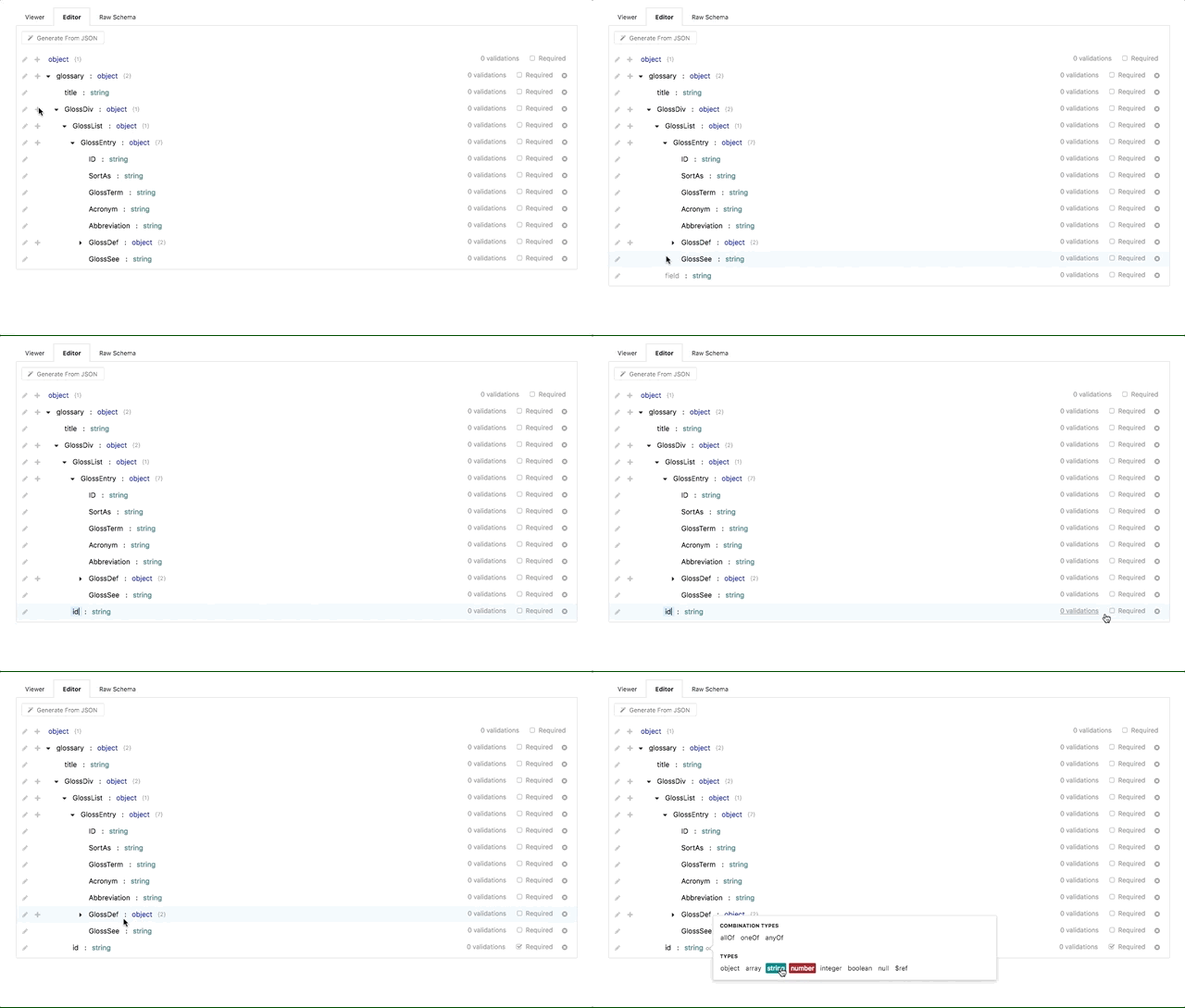
|
||||
|
||||
We created the CRUD builder editor to make data structure creation as simple as
|
||||
possible. You can find the CRUD builder editor under the **Editor** tab under
|
||||
any request, response, or model view.
|
||||
|
||||
To start utilizing the editor:
|
||||
|
||||
* Click the **+** (plus) icon next to the root **object** to start adding fields
|
||||
to the data structure. The plus icon can also be used on nested objects to
|
||||
create a hierarchy of arbitrarily-nested data structures
|
||||
|
||||
* Set the **field name** (or _key_) of a data field by clicking the text label
|
||||
to the left of the newly-created field. Field names can be composed of any
|
||||
alpha-numeric characters, but can only be specified once. You will receive an
|
||||
error if you try to re-use field names multiple times on the same level
|
||||
(though they can be re-used on nested objects)
|
||||
|
||||
* Set the **type** of a field by clicking the _string_ label to the right of
|
||||
the field name. The default type for a newly-created field is 'string',
|
||||
however other types include:
|
||||
|
||||
* objects (for nesting objects)
|
||||
* arrays
|
||||
* numbers
|
||||
* integers
|
||||
* booleans
|
||||
* nulls
|
||||
* [references](/modeling/json-best-practices/reducing-duplication-with-refs)
|
||||
|
||||
Field types can also include _Combination Types_, which include 'allOf',
|
||||
'oneOf', and 'anyOf'. These special types allow for object inheritance from
|
||||
other data structures and models, and discussed in more detail
|
||||
[here](/modeling/json-best-practices/object-inheritance).
|
||||
|
||||
* Optionally, you can set extra validations on the field, for example:
|
||||
|
||||
* **Enumerations** (or _enums_ for short) allow you to restrict the contents
|
||||
of the field to be specific values. For example, if you are creating a
|
||||
'color' field of type string, you may want to restrict the strings used in
|
||||
that field to specific colors (red, blue, green, etc).
|
||||
|
||||
* **Format** allows for validating the field value is of a specific format. A
|
||||
few common format validations include: date, time, date-time, URI, and
|
||||
email.
|
||||
|
||||
In addition to the validations listed above, there are also per-type
|
||||
validations that can be used depending on the type of the field. For example,
|
||||
string validations include setting a minimum/maximum length and regex pattern.
|
||||
For numbers, you can set minimum/maximum values and even validate that the
|
||||
numeric value is a multiple.
|
||||
|
||||
* Optionally, you can specify a field as **required**, which ensures that the
|
||||
field is present in all requests (and an error is thrown otherwise).
|
||||
|
||||
## Generating from JSON
|
||||
|
||||
If you have a pre-existing JSON document that you would like to convert to a
|
||||
Stoplight data structure, the **Generate from JSON** button available towards
|
||||
the top of the CRUD editor allows you to do just that.
|
||||
|
||||
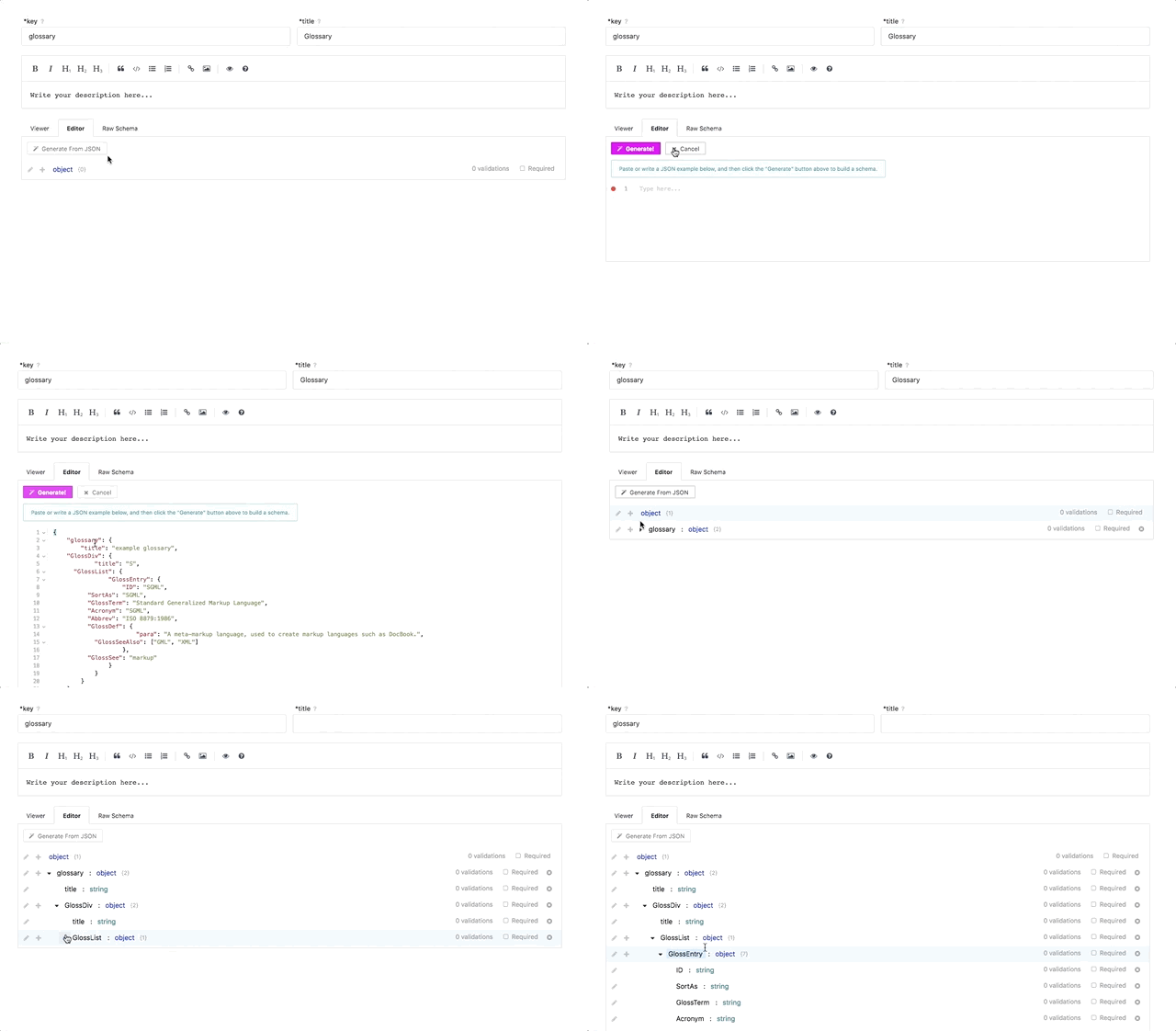
|
||||
|
||||
To start:
|
||||
|
||||
* Click the **Generate from JSON** button, opening a text input
|
||||
|
||||
* Either paste or write the contents of the desired JSON object into the text input
|
||||
|
||||
* Click the **Generate** button
|
||||
|
||||
And that's it! The JSON document will automatically be converted into a
|
||||
Stoplight data structure, able to be included as models, request/response
|
||||
bodies, and shared responses.
|
||||
|
||||
> The result of a **Generate from JSON** can also be edited using the CRUD
|
||||
> editor once it is generated, so you can still modify and add validations
|
||||
> afterwards.
|
||||
|
||||
## Editing the Raw JSON Schema
|
||||
|
||||
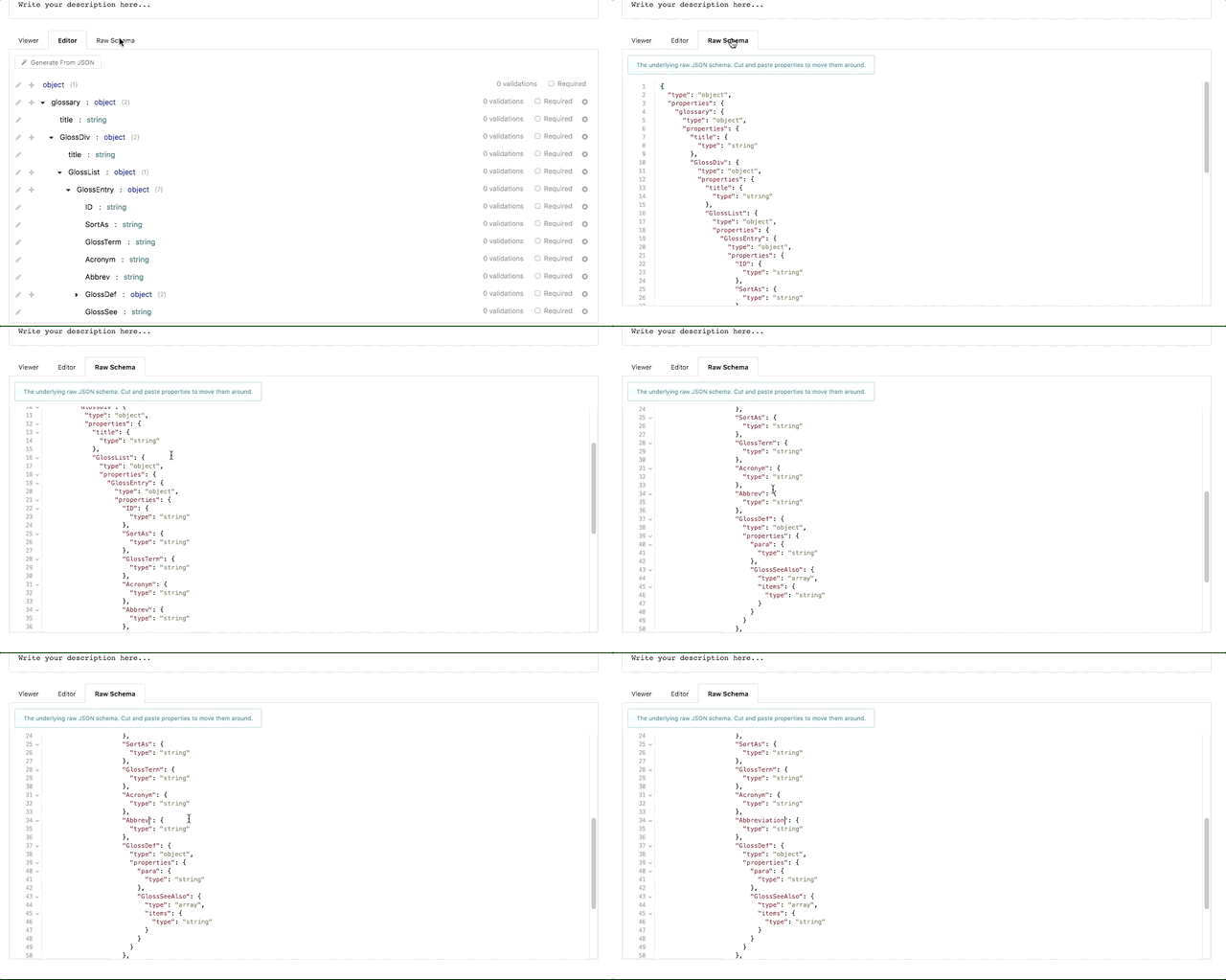
|
||||
|
||||
While not for the faint hearted, you can also edit the raw JSON schema directly
|
||||
if you are familiar with the format, or have a pre-existing JSON schema
|
||||
representation of your data structure.
|
||||
|
||||
To edit the raw JSON schema, click the **Raw Schema** tab next to the **Editor**
|
||||
tab. This will open a text box with the JSON schema of the current object. From
|
||||
there, you can either edit or copy and paste contents directly into the text box
|
||||
to update the data structure.
|
||||
|
||||
---
|
||||
|
||||
**Related**
|
||||
|
||||
* [API Modeling Overview](/modeling/introduction)
|
||||
* [Shared Parameters and Responses Overview](/modeling/modeling-with-openapi/shared-parameters-and-responses)
|
||||
* [References Overview](/modeling/json-best-practices/reducing-duplication-with-refs)
|
||||
* [Object Inheritance](/modeling/json-best-practices/object-inheritance)
|
||||
|
||||
@@ -7,9 +7,10 @@
|
||||
- Similar features can be created as reusable definitions and utilized with references
|
||||
- These definitions can be hosted on the same server as your OAS file or on a different server
|
||||
- You can reference a definition hosted at any location or server
|
||||
- Apart from defining reusable definitions, you can also define reusable responses and parameters. You can store your reusable definitions, responses, and parameters in a common library
|
||||
- Apart from defining reusable definitions, you can also define reusable responses and parameters. You can store your reusable definitions, responses, and parameters in a common library.
|
||||
|
||||
>Key Terms: A definition is a named schema object. A reference is a path to a declaration within an OAS file
|
||||
<!-- theme: info -->
|
||||
>Key Terms: A definition is a named schema object. A reference is a path to a declaration within an OAS file.
|
||||
|
||||
## How to Reference a Definition
|
||||
To invoke a reference to a definition, use the **$ref** keyword. For example:
|
||||
@@ -124,9 +125,5 @@ Bad
|
||||
}
|
||||
]
|
||||
}
|
||||
```
|
||||
---
|
||||
**Related Articles**
|
||||
- [Referencing Another API Spec](/modeling/modeling-with-openapi/referencing-another-api-spec)
|
||||
- [JSON Introduction](/modeling/json-best-practices/introduction)
|
||||
|
||||
|
||||
|
||||
@@ -1,27 +1,27 @@
|
||||
# Generating Schema
|
||||
|
||||
## What
|
||||
- A schema is metadata that defines the structure, properties, and relationships between data. It also defines the rules that must be adhered to and is usually in the form of a document
|
||||
- A structured approach is always recommended for handling and manipulating data
|
||||
- The "$ref" keyword is used to reference a schema
|
||||
- A schema is metadata that defines the structure, properties, and relationships between data. It also defines the rules that must be adhered to and is usually in the form of a document.
|
||||
- A structured approach is always recommended for handling and manipulating data.
|
||||
- The "$ref" keyword is used to reference a schema.
|
||||
|
||||
## Why
|
||||
- A schema definition makes the process of handling data more structured
|
||||
- The process of validation and handling user input errors can be imprioved through the use of schemas
|
||||
- Schemas encourage the 'single source of truth' (single place to update a definition) concept which, among other things, makes it easier to create and maintain endpoints
|
||||
- A schema definition makes the process of handling data more structured.
|
||||
- The process of validation and handling user input errors can be imprioved through the use of schemas.
|
||||
- Schemas encourage the 'single source of truth' (single place to update a definition) concept which, among other things, makes it easier to create and maintain endpoints.
|
||||
|
||||
## Best Practices
|
||||
- It is advisable to always use a schema when you define and implement your API
|
||||
- Use schemas to rapidly extract titles, descriptions, and samples for easy API documentation
|
||||
- It is advisable to always use a schema when you define and implement your API.
|
||||
- Use schemas to rapidly extract titles, descriptions, and samples for easy API documentation.
|
||||
|
||||
## JSON Schema
|
||||
- JSON (Javascript Object Notation) is a popular, human readable data format that is easy to parse at the server or client side
|
||||
- JSON Schema is a standard that contains information about the properties of a JSON object that can be used by an API. It also helps validate the structure of JSON data
|
||||
- JSON (Javascript Object Notation) is a popular, human readable data format that is easy to parse at the server or client side.
|
||||
- JSON Schema is a standard that contains information about the properties of a JSON object that can be used by an API. It also helps validate the structure of JSON data.
|
||||
-The properties include: name, title, type etc.
|
||||
- JSON Schema Specification is divided into three parts:
|
||||
- **JSON Schema Core**: describes the basic foundation of JSON Schema
|
||||
- **JSON Schema Validation**: describes methods that define validation constraints. It also describes a set of keywords that can be used to specify validations
|
||||
- **JSON Hyper-Schema**: an extension of the JSON Schema Specification that defines hyperlink, images, and hypermedia-related keywords
|
||||
- **JSON Schema Validation**: describes methods that define validation constraints. It also describes a set of keywords that can be used to specify validations.
|
||||
- **JSON Hyper-Schema**: an extension of the JSON Schema Specification that defines hyperlink, images, and hypermedia-related keywords.
|
||||
|
||||
## Example
|
||||
Assume you have an API that requires data provided in the format below:
|
||||
|
||||
@@ -60,26 +60,26 @@ A design first approach helps create neat and consistent models. It will take lo
|
||||
|
||||
6. To create a model click on the + sign next to the Model section.
|
||||
|
||||

|
||||

|
||||
|
||||
7. Enter the details for the key, title, and description fields
|
||||
|
||||

|
||||

|
||||
|
||||
8. Click on the Editor Tab to create the object and specify the properties you want in the model (You can also copy and paste the JSON Schema from an endpoint into the Raw Schema section of the model)
|
||||
|
||||

|
||||

|
||||
|
||||

|
||||

|
||||
|
||||
9. Click the Save button to save the changes you have made in the editor
|
||||
10. Select the GET /pets {petid} (or any endpoint) and navigate to Responses→ Editor
|
||||
11. To reference the model in your endpoint, click on the object and select $ref as the array item type. Select the model you created from the drop down list
|
||||
|
||||

|
||||

|
||||
|
||||
12. Select the Viewer section to see the changes you have made
|
||||
|
||||

|
||||

|
||||
|
||||
13. All changes made to the properties of the object in the model are now automatically updated in all endpoints that make a reference to the model
|
||||
|
||||
@@ -1,63 +1,25 @@
|
||||
# Introduction to JSON
|
||||
# Introduction to Objects in API Document Structure
|
||||
|
||||
## What is JSON?
|
||||
- An OpenAPI document is a document that describes an API and conforms to the OpenAPI Specification. These documents can be in YAML or JSON format.
|
||||
- Your OpenAPI document can be a single document or a combination of several associated resources which use the $ref syntax to reference the interrelated resources.
|
||||
|
||||
JSON (short for JavaScript Object Notation) is a syntax used to represent data
|
||||
structures in a simple, easy-to-read textual format. JSON is ubiquitous
|
||||
throughout the computing industry, and has become the de-facto data format of
|
||||
the Web.
|
||||
## Primitive Data Objects Supported in an OpenAPI Document
|
||||
|
||||
If you have never seen JSON before, here is a small demonstration using JSON to
|
||||
describe a (fictional) person:
|
||||
- integer (int32 and int64)
|
||||
- number (float and double)
|
||||
- string
|
||||
- byte
|
||||
- binary
|
||||
- boolean
|
||||
- date
|
||||
- dateTime
|
||||
- password
|
||||
|
||||
```json
|
||||
{
|
||||
"firstName": "Lando",
|
||||
"lastName": "Calrissian",
|
||||
"title": "Baron Administrator",
|
||||
"address": {
|
||||
"streetAddress": "123 Betrayal Dr",
|
||||
"city": "Cloud City",
|
||||
"planet": "Bespin"
|
||||
},
|
||||
"homeworld": "Socorro",
|
||||
"currentLocation": null
|
||||
}
|
||||
```
|
||||
## Additional OpenAPI Objects
|
||||
|
||||
## Why JSON?
|
||||
|
||||
There are many benefits to using JSON, some of which include:
|
||||
|
||||
* It can be used to represent a wide array of objects in a simple and
|
||||
easy-to-read format, making it useful for just about anything
|
||||
|
||||
* It is widely used and supported across web browsers and programming languages,
|
||||
making it very easy to develop for
|
||||
|
||||
* It is easy to read and write by humans (as well as computers), making it a
|
||||
great choice for specifications like [OpenAPI](https://github.com/OAI/OpenAPI-Specification#the-openapi-specification)
|
||||
|
||||
* It is a subset of another syntax called
|
||||
[YAML](https://en.wikipedia.org/wiki/YAML). Documents written in JSON can also
|
||||
be written in YAML, so either format can be used to write OpenAPI specifications
|
||||
|
||||
* It can be used to link files together through [JSON
|
||||
references](/modeling/modeling-with-openapi/referencing-another-api-spec), making it easy to break up large documents
|
||||
into smaller, more focused documents
|
||||
|
||||
Whether you are modeling an API, creating a Prism Collection, or writing
|
||||
documentation in Stoplight, behind the scenes you are actually updating a JSON
|
||||
document.
|
||||
|
||||
> You can see the underlying JSON document of any object being updated in
|
||||
> Stoplight using the editor's **Code** button at the top of the screen.
|
||||
|
||||
---
|
||||
|
||||
**Related Articles**
|
||||
|
||||
* [JSON Overview - Wikipedia](https://en.wikipedia.org/wiki/JSON)
|
||||
* [YAML Overview - Wikipedia](https://en.wikipedia.org/wiki/YAML)
|
||||
* [OpenAPI Specification Format Reference](https://github.com/OAI/OpenAPI-Specification/blob/master/versions/2.0.md#format)
|
||||
* [Referencing Another API Specification](/modeling/modeling-with-openapi/referencing-another-api-spec)
|
||||
- **Info Object**: describes the API's title, description (optional), and version metadata. It also supports other details such as contact information, license, and terms of service.
|
||||
- **Server Object**: identifies the API server and base URL. You can identify a single server or multiple servers and describe them using a description field. All API paths are relative to the URL of the server, for example, "/pets" when fully dilineated, may describe "http://api.hostname.com/pets."
|
||||
- **Paths Object**: outlines relative paths to individual endpoints within your API and the operations or HTTP methods supported by the endpoints. For example, "GET/pets" can be used to return a list of pets.
|
||||
- **Parameter Object**: describes a single operation parameter. Operations can have parameters passed through by several means such as: URL path, query string, cookies, and headers. Parameters can be marked as mandatory or optional, you can also describe the format, data type, and indicate its depreciation status.
|
||||
- **Request body object**: describes body content and media type. It is often used with insert and update operations (POST, PUT, PATCH).
|
||||
- **Response object**: describes the expected response which can be referenced using the $ref syntax or described within the document. It associates an HTTP response code to the expected response. Examples of HTTP status codes incldue the 200-OK or 404-Not Found codes. [Click here for more information on HTTP Response codes](https://en.wikipedia.org/wiki/List_of_HTTP_status_codes).
|
||||
|
||||
@@ -1,33 +1 @@
|
||||
# Modeling Introduction
|
||||
|
||||

|
||||
|
||||
## What is API Design?
|
||||
|
||||
Designing (also known as Modeling) your API involves describing all of the inputs and outputs across the footprint of your entire service. Your API design will answer questions like:
|
||||
|
||||
- What are the different resources and operations available in your API?
|
||||
- How does your API authenticate requests?
|
||||
- What are the different data models associated with your service?
|
||||
- How does your API handle errors?
|
||||
|
||||
## How does it fit into Stoplight?
|
||||
|
||||
The Stoplight design module is where you and your team will maintain the single source of truth that describes the inputs and outputs of your API.
|
||||
|
||||
Once you have your API described in the Stoplight design module, you can:
|
||||
|
||||
- Publish all or part of your API with Hubs
|
||||
- Create API tests from your designs
|
||||
- Send requests to your API to debug it
|
||||
- Create a mock API based on your design
|
||||
- ...and much more
|
||||
|
||||
## Getting Started
|
||||
|
||||
There are a few ways to get started designing your API with the Stoplight design module:
|
||||
|
||||
- Create an API from scratch [Using the CRUD Builder](/modeling/modeling-with-openapi/using-the-crud-builder)
|
||||
- [Reference another API Spec](/modeling/modeling-with-openapi/referencing-another-api-spec)
|
||||
- [Send HTTP Requests](/modeling/modeling-with-openapi/sending-http-requests) to an existing API Spec
|
||||
- [Validate your API Spec](/modeling/modeling-with-openapi/validating-your-api-spec)
|
||||
|
||||
@@ -1,158 +1,38 @@
|
||||
# Object Inheritance
|
||||
# Object Inheritance
|
||||
|
||||
## What
|
||||
## What
|
||||
- A **model** contains common resuable information that can be referenced in your endpoint definitions or other models in your API design.
|
||||
- When a model derives its properties from another model, the event is called **inheritance**.
|
||||
- The model which contains the common set of properties and fields becomes a parent to other models, and it is called the **base type**.
|
||||
- The model which inherits the common set of properties and fields is known as the **derived type**.
|
||||
- If a base type inherits its properties from another model, the derived type automatically inherits the same properties indicating that inheritance is **transitive**.
|
||||
- OpenAPI Specification v2 uses the **allOf** syntax to declare inheritance.
|
||||
- **allOf** obtains a collection of object definitions validated independently but, collectively make up a single object.
|
||||
|
||||
* A **model** contains properties that can be reused and referenced by endpoint
|
||||
definitions, shared objects, and other models. For more information on what
|
||||
models are and how they can be used, please see the API model overview
|
||||
[here](/modeling/modeling-with-openapi/api-models).
|
||||
## Why
|
||||
- Inheritance makes your API design more compact. It helps avoid duplication of common properties and fields.
|
||||
|
||||
* **Inheritance** is when a model derives its properties from another model.
|
||||
## Best Practices
|
||||
|
||||
* When a model inherits properties from another model, the model being inherited from is
|
||||
known as a **base type** (or parent). A model that is inheriting
|
||||
properties from a base type is known as a **derived type** (or child).
|
||||
<!-- theme: info -->
|
||||
> Avoid using contradictory declarations such as declaring properties with the samer name but dissimilar data type in your base model and derived model.
|
||||
|
||||
* When a base type inherits properties from another model, any derived types
|
||||
will also automatically inherit the properties as well. For example, if model
|
||||
C is a derived type of model B, and model B is a derived type of model A, then
|
||||
model C is also a derived type of model A. In mathematics, this is known as
|
||||
the [transitive property](https://en.wikipedia.org/wiki/Transitive_relation).
|
||||
### Example
|
||||
|
||||
* To specify that a model should inherit from a base type, use the **allOf**
|
||||
option (under "Combination Types") when building the model. By specifying
|
||||
allOf and referencing the base type, the model will automatically inherit all
|
||||
of the parent model's properties. A model can also inherit from multiple base
|
||||
types as needed.
|
||||
|
||||
## Why
|
||||
|
||||
* Inheritance makes your API design more compact. It helps avoid duplication of
|
||||
common properties and fields, reducing the complexity of the specification and the chance of errors.
|
||||
|
||||
## Best Practices
|
||||
|
||||
> Avoid using contradictory declarations such as declaring properties with the
|
||||
> same name but dissimilar data type in your base model and derived model.
|
||||
|
||||
### Example
|
||||
|
||||
As an example, imagine you are creating an API that stores and categorizes
|
||||
different types of vehicles. To begin working on the API, you will need a base
|
||||
"car" model with a few attributes that are common across all vehicles. This
|
||||
might look similar to:
|
||||
|
||||
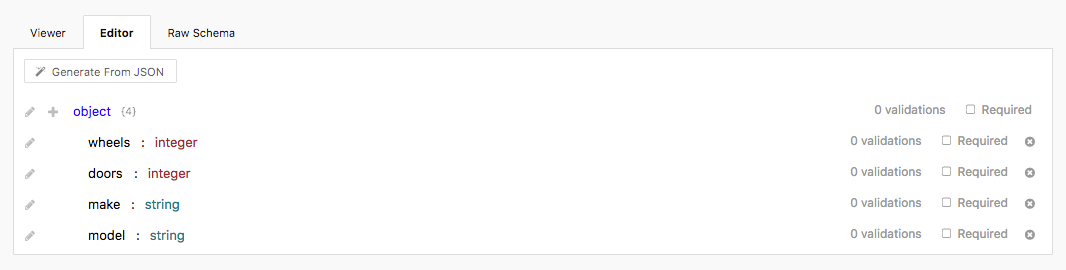
|
||||
|
||||
The JSON schema will be:
|
||||
|
||||
```javascript
|
||||
// the car base type
|
||||
```
|
||||
{
|
||||
"type": "object",
|
||||
"properties": {
|
||||
// number of wheels
|
||||
"wheels": {
|
||||
"type": "integer"
|
||||
},
|
||||
// number of doors
|
||||
"doors": {
|
||||
"type": "integer"
|
||||
},
|
||||
// brand of car
|
||||
"make": {
|
||||
"type": "string"
|
||||
},
|
||||
// model of car
|
||||
"model": {
|
||||
"type": "string"
|
||||
}
|
||||
}
|
||||
Vehicle:
|
||||
type: object
|
||||
properties:
|
||||
brand:
|
||||
type: string
|
||||
Sedan:
|
||||
allOf: # (This keyword combines the Vehicle model and the Sedan model)
|
||||
$ref: '#/definitions/Vehicle'
|
||||
type: object
|
||||
properties:
|
||||
isNew:
|
||||
type: boolean
|
||||
}
|
||||
```
|
||||
|
||||
Now that we have a base type model, we now need a derived type that extends the
|
||||
base type. Since we're dealing with cars, let's create a model that defines a
|
||||
SUV type (or a Sport Utility Vehicle):
|
||||
|
||||
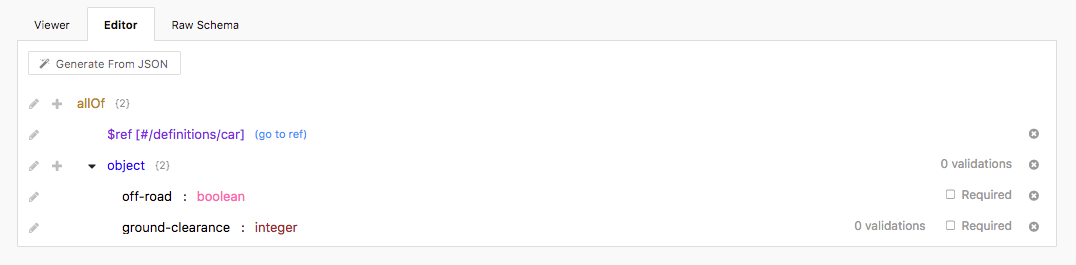
|
||||
|
||||
The JSON schema will be:
|
||||
|
||||
```javascript
|
||||
// the SUV model
|
||||
{
|
||||
"allOf": [
|
||||
// a reference to the car base type
|
||||
{
|
||||
"$ref": "#/definitions/car"
|
||||
},
|
||||
// properties that are only applied to the SUV model
|
||||
{
|
||||
"type": "object",
|
||||
"properties": {
|
||||
// whether the vehicle can go "off road"
|
||||
"off-road": {
|
||||
"type": "boolean"
|
||||
},
|
||||
// the amount of ground clearance
|
||||
"ground-clearance": {
|
||||
"type": "integer"
|
||||
}
|
||||
}
|
||||
}
|
||||
]
|
||||
}
|
||||
```
|
||||
|
||||
As shown above, by wrapping our SUV model inside of an `allOf` block, we are
|
||||
able to include all of the properties that are included in the car base model
|
||||
above.
|
||||
|
||||
When fully de-referenced (the car reference is replaced with the car
|
||||
properties), the derived SUV model will have the following JSON properties:
|
||||
|
||||
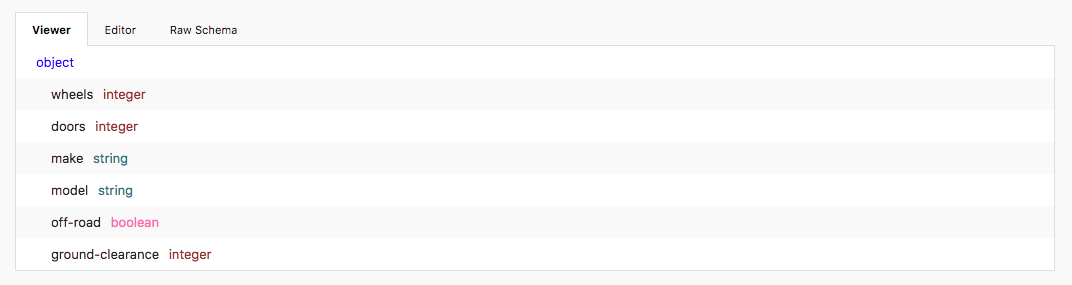
|
||||
|
||||
The JSON schema will be:
|
||||
|
||||
```javascript
|
||||
{
|
||||
"type": "object",
|
||||
"properties": {
|
||||
// number of wheels
|
||||
"wheels": {
|
||||
"type": "integer"
|
||||
},
|
||||
// number of doors
|
||||
"doors": {
|
||||
"type": "integer"
|
||||
},
|
||||
// brand of car
|
||||
"make": {
|
||||
"type": "string"
|
||||
},
|
||||
// model of car
|
||||
"model": {
|
||||
"type": "string"
|
||||
},
|
||||
// whether the vehicle can go "off road"
|
||||
"off-road": {
|
||||
"type": "boolean"
|
||||
},
|
||||
// the amount of ground clearance
|
||||
"ground-clearance": {
|
||||
"type": "integer"
|
||||
}
|
||||
}
|
||||
}
|
||||
```
|
||||
|
||||
---
|
||||
|
||||
**Related Articles**
|
||||
|
||||
* [JSON Introduction](/modeling/json-best-practices/introduction)
|
||||
* [Adding Validations](/modeling/json-best-practices/adding-validations)
|
||||
* [Reducing Duplication with $refs](/modeling/json-best-practices/reducing-duplication-with-refs)
|
||||
* [Generating Schemas](/modeling/json-best-practices/generating-schemas)
|
||||
|
||||
@@ -1,10 +1,11 @@
|
||||
# OpenAPI Validation
|
||||
|
||||

|
||||

|
||||
|
||||
## What
|
||||
OpenAPI validation is the process of verifying the underlying OpenAPI file syntax by making sure it conforms to the [OpenAPI Specification requirements](https://github.com/OAI/OpenAPI-Specification#the-openapi-specification) provided by the [OpenAPI Initiative](https://www.openapis.org/). Stoplight immediately validates any changes done to a spec to ensure they are in the correct format prior to being saved.
|
||||
|
||||
<!-- theme: info -->
|
||||
> Stoplight currently supports the OpenAPI v2 specification. We are working on support for OpenAPI v3, and should have more information in the coming months.
|
||||
|
||||
## Why
|
||||
@@ -17,6 +18,7 @@ OpenAPI validation is the process of verifying the underlying OpenAPI file synta
|
||||
- Assign a default value to optional properties or parameters with missing values. The server will use the default value when a value is missing or not provided
|
||||
- You can use the keyword **ReadOnly** to designate a property that can be sent in a response and should not be sent in a request
|
||||
|
||||
<!-- theme: info -->
|
||||
> Using a default value is not recommended when a property or parameter is mandatory
|
||||
|
||||
- An API can comsume different media types, the accepted media type can be specified using the **consume** keyword at the operational level or root level to define acceptable media types. For example:
|
||||
@@ -29,13 +31,8 @@ consumes:
|
||||
application/json
|
||||
```
|
||||
- An HTTP response containing a user friendly error description is useful when validation fails
|
||||
***
|
||||
|
||||
**Related**
|
||||
|
||||
---
|
||||
**Related Articles**
|
||||
- [Modeling Introduction](/modeling/introduction)
|
||||
- [Using the CRUD Builder](/modeling/modeling-with-openapi/using-the-crud-builder)
|
||||
- [API Operations](/modeling/modeling-with-openapi/api-operations)
|
||||
- [API Models](/modeling/modeling-with-openapi/api-models)
|
||||
- [Security Schemes](/modeling/modeling-with-openapi/security-schemes)
|
||||
|
||||
* [File Validation](../editor/file-validation.md)
|
||||
|
||||
44
articles/modeling/polymorphic-objects.md
Normal file
@@ -0,0 +1,44 @@
|
||||
# Polymorphic Objects
|
||||
|
||||
## What
|
||||
|
||||
- Resources in your API are polymorphic. They can be returned as XML or JSON and can have a flexible amount of fields. You can also have requests and responses in your API design that can be depicted by a number of alternative schemas.
|
||||
- **Polymorphism** is the capacity to present the same interface for differing underlying forms.
|
||||
- The **discriminator** keyword is used to designate the name of the property that decides which schema definition validates the structure of the model.
|
||||
|
||||
## Why
|
||||
- Polymorphism permits combining and extending model definitions.
|
||||
|
||||
## Best Practices
|
||||
|
||||
<!-- theme: warning -->
|
||||
>The discriminator property **must** be a mandatory or required field. When it is used, the value **must** be the name of the schema or any schema that inherits it.
|
||||
|
||||
### Example
|
||||
|
||||
```
|
||||
{
|
||||
definitions:
|
||||
Vehicle:
|
||||
type: object,
|
||||
discriminator: brand
|
||||
properties:
|
||||
model:
|
||||
type: string
|
||||
color:
|
||||
type: string
|
||||
required:
|
||||
model
|
||||
|
||||
Sedan: # Sedan is used as the discriminator value
|
||||
|
||||
allOf:
|
||||
$ref: '#/definitions/Vehicle'
|
||||
type: object
|
||||
properties:
|
||||
dateManufactured:
|
||||
type: date
|
||||
required:
|
||||
dateManufactured
|
||||
}
|
||||
```
|
||||
@@ -1,42 +1 @@
|
||||
# Referencing Another API Specification
|
||||
|
||||

|
||||
|
||||
## What
|
||||
|
||||
Referencing another specification allows for cleaner and more organized code. Some use cases are as follows:
|
||||
|
||||
* Generate API documentaion in Hubs
|
||||
* De-duplicate common structures like responses or shared parameters in Modeling
|
||||
* Test a connected API specification in Scenarios
|
||||
* Setup a mock server for an API in Prism
|
||||
|
||||
## How
|
||||
|
||||
1. Choose the **source**
|
||||
|
||||
* This File
|
||||
|
||||
* This Project
|
||||
|
||||
* Select a **file**
|
||||
|
||||
* Shared/Common
|
||||
|
||||
* External URL
|
||||
|
||||
* Enter a valid **URL** to an existing specification
|
||||
|
||||
2. Select a **target**, if required
|
||||
|
||||
3. Confirm your choice. (Only required if there is a confirm button)
|
||||
|
||||
4. View the referenced specification by clicking the book icon
|
||||
|
||||
---
|
||||
**Related Links**
|
||||
|
||||
* [Reference other Sources](/documentation/referencing-other-data-sources)
|
||||
* [API Models](/modeling/modeling-with-openapi/api-models)
|
||||
* [Shared Parameters and Responses](/modeling/modeling-with-openapi/shared-parameters-and-responses)
|
||||
|
||||
|
||||
@@ -1,92 +1,54 @@
|
||||
# API Security Schemes
|
||||
|
||||
API security schemes protect your API resources by authenticating apps or users
|
||||
that consume your API. There are a number of standard authentication protocols
|
||||
you can pick from, each with their own strengths and weaknesses. To help you get
|
||||
started, the section below outlines some common schemes in use.
|
||||
API security schemes protect your API resources by authenticating apps or users that consume your API. There are a number of standard authentication protocols you can pick from and each has their own strengths and weaknesses. To help you get started, the section below outlines some common schemes in use.
|
||||
|
||||
## Authentication Schemes
|
||||
|
||||
### Basic API Authentication
|
||||
|
||||
* Easy to implement, and supported by nearly all web servers
|
||||
* Entails sending base-64 encoded username and passwords
|
||||
* Usually bundled with standard framework or language library
|
||||
* Should not be used without SSL, or some other data-in-transit encryption mechanism
|
||||
* Can easily be combined with other security methods
|
||||
|
||||
> **Note**: basic authentication is susceptible to hijacks and man-in-the-middle
|
||||
> attacks when no encryption is in use. Due to this limitation, this method of
|
||||
> authentication is only recommended when paired with SSL.
|
||||
- Easy to implement
|
||||
- Entails sending encoded username and password details
|
||||
- Usually bundled with standard framework or language library
|
||||
- Used with HTTPS, TLS or SSL
|
||||
- Can be combined with other security methods
|
||||
- **Note**: this method is susceptible to hijacks and man-in-the-middle attacks
|
||||
|
||||
### OAuth1.0 (Digest Scheme)
|
||||
|
||||
* Popular, tested, secure, signature driven, protocol
|
||||
* Uses cryptographic signature, which is a mix of token secret, nonce, and other request based information
|
||||
* Can be used with or without SSL
|
||||
- Popular, tested, secure, signature driven, protocol
|
||||
- Uses cryptographic signature, which is a mix of token secret, nonce, and other request based information.
|
||||
- Can be used with or without SSL
|
||||
|
||||
### OAuth2 (Bearer Token Scheme)
|
||||
|
||||
* The current OAuth2 specification eliminates need for cryptographic signatures, passwords, and usernames
|
||||
* OAuth2 works with authentication scenarios called flows, these flows include:
|
||||
* Authorization Code flow
|
||||
* Implicit flow
|
||||
* Resource Owner Password flow
|
||||
* Client Credentials flow
|
||||
* The OAuth 2.0 server will distribute access tokens that a client application will use to access protected resources
|
||||
|
||||
> Additional Information on OAuth2.0 can be found [here](https://tools.ietf.org/html/rfc6749).
|
||||
- The current OAuth2 specification eliminates need for cryptographic signatures, passwords, and usernames.
|
||||
- OAuth2 works with authentication scenarios called flows, these flows include:
|
||||
- Authorization Code flow
|
||||
- Implicit flow
|
||||
- Resource Owner Password flow
|
||||
- Client Credentials flow
|
||||
- The OAuth 2.0 server will distribute access tokens that a client application will use to access protected resources.
|
||||
- [Additional Information on OAuth2.0](https://tools.ietf.org/html/rfc6749)
|
||||
|
||||
### OpenID Connect Discovery
|
||||
- OpenID Connect Discovery (OIDC) is based on the OAuth 2.0 protocol.
|
||||
- Uses a sign-in flow that permits user authentication and information access by a client app.
|
||||
- The user information is encoded via a secure JSON Web Token (JWT).
|
||||
- [Additional Information on OpenID Connect Discovery](https://openid.net/specs/openid-connect-discovery-1_0.html)
|
||||
|
||||
* OpenID Connect Discovery (OIDC) is based on the OAuth 2.0 protocol
|
||||
* Uses a sign-in flow that permits user authentication and information access by a client app
|
||||
* The user information is encoded via a secure JSON Web Token (JWT)
|
||||
## Best Practices
|
||||
### Implementing IDs
|
||||
Unique User IDs should be distinctive but not easy to decipher.
|
||||
- Example: using ‘a12bc3’ is weak when compared to an ID that reads ‘09dgf659sjf038eyr3367dhrt34j5’. Avoid using auto increment for your Unique User IDs to reduce the likelihood of a security breach.
|
||||
### Sensitive Information in HTTP Request
|
||||
Ensure that your API will not expose important information such as password, API keys, and security tokens in the URL. For example, this URL is bad because it contains an API key:
|
||||
- /baseurl/<uid>q=?apiKey=2123223223
|
||||
### API Keys
|
||||
Reduce the likelihood of exposing your API keys by keeping them in a file or storage mechanism that is accessible by the owner.
|
||||
- **Note**: API Keys can be duplicated or lost so it is important to use other security measures apart from API keys. Consider encryption to make your API keys more secure.
|
||||
|
||||
### Validation
|
||||
It is beneficial to validate your inputs and access to resources using robust parsers. Parsing requests can help verify the validity of user requests. API designers can perform an implicit input validation to ensure the user inputs data with permitted characters, right syntax and character length. Using regular expressions can also help validate string inputs. If a request exceeds the defined limit, you can return a ‘413 Request Entity Too Large’ response code.
|
||||
|
||||
> Additional Information on OpenID Connect Discovery can be found [here](https://openid.net/specs/openid-connect-discovery-1_0.html)
|
||||
### Audit log
|
||||
Create audit logs before and after security related events. You can also log validation errors to detect patterns or potential attacks.
|
||||
### HTTP Status Codes
|
||||
Use status codes and proper error handling techniques for incoming requests to identify probable security risks.
|
||||
- [Additional Information on HTTP Status and Error Codes](https://en.wikipedia.org/wiki/List_of_HTTP_status_codes)
|
||||
|
||||
## Best Practices
|
||||
|
||||
### Sensitive Information in HTTP Request URLs
|
||||
|
||||
Ensure that your API will not expose important information such as passwords,
|
||||
API keys, and security tokens in the URL. For example, this URL can be
|
||||
considered insecure because it contains an API key as a query parameter:
|
||||
|
||||
```
|
||||
/baseurl/<uid>q=?apiKey=2123223223
|
||||
```
|
||||
|
||||
### API Keys
|
||||
|
||||
Reduce the likelihood of exposing your API keys by keeping them in a file or
|
||||
storage mechanism that is accessible only by the owner.
|
||||
|
||||
> **Note**, API Keys can be duplicated or lost so it is important to use other
|
||||
> security measures apart from API keys. Consider encryption to make your API
|
||||
> keys more secure.
|
||||
|
||||
### Validation
|
||||
|
||||
It is beneficial to validate your inputs and access to resources using robust
|
||||
parsers. Parsing requests can help verify the validity of user requests. API
|
||||
designers can perform an implicit input validation to ensure the user inputs
|
||||
data with permitted characters, right syntax, and character length. Using
|
||||
regular expressions can also help validate string inputs.
|
||||
|
||||
### Audit log
|
||||
|
||||
Create audit logs before and after security related events. You can also log
|
||||
validation errors to detect patterns or potential attacks.
|
||||
|
||||
### HTTP Status Codes
|
||||
|
||||
Use status codes and proper error handling techniques for incoming requests to
|
||||
identify potential security risks.
|
||||
|
||||
---
|
||||
|
||||
**Related**
|
||||
|
||||
* [Additional Information on HTTP Status and Error Codes](https://en.wikipedia.org/wiki/List_of_HTTP_status_codes)
|
||||
* [API Operations](/modeling/modeling-with-openapi/api-operations)
|
||||
|
||||
@@ -1,35 +1 @@
|
||||
# Sending HTTP Requests
|
||||
|
||||

|
||||
|
||||
## What
|
||||
|
||||
Use the HTTP Request Maker to send requests to the endpoints defined in your specification, extend your specification with new endpoints, or send a request to any endpoint.
|
||||
|
||||
## How
|
||||
|
||||
1. Click **HTTP** in the top tool bar located above the editor.
|
||||
2. Select a **method** from the first dropwdown.
|
||||
3. Choose a **path** from the next dropdown, or enter any **valid API endpoint**.
|
||||
4. If the variables tab is present, fill in any required values
|
||||
5. Use the tabbed menu to add headers, query params, request body information, or authentication.
|
||||
6. Click **send** and view the results.
|
||||
|
||||
> #### Bonus
|
||||
>
|
||||
> Click **Extend Spec** to append or alter your specification using the information supplied in the request maker.
|
||||
|
||||
## Additional Notes
|
||||
|
||||
* The Code Generation tab can but used to view your request in another language so it can be sent through other means.
|
||||
|
||||
* If a path or endpoint is selected from your current specification, the tabbed menu will prepopulate with any parameters defined in the spec.
|
||||
|
||||
* To add variable path parameters, wrap the parameter name in the path in curly braces like so `/path/{param}` and then fill in the value in the Variables tab.
|
||||
|
||||
* To use environment variables in your request, enter `{$$.env.variable_name}` as the value and the populated value can be viewed or changed in the variables tab.
|
||||
|
||||
---
|
||||
**Related Articles**
|
||||
|
||||
- [Using Environment Variables](/testing/using-variables/environment)
|
||||
|
||||
@@ -1,193 +1 @@
|
||||
# Shared Parameters and Responses
|
||||
|
||||
While designing API's in Stoplight, it is common to have multiple endpoints
|
||||
share a set of query parameters and API responses. To help reduce extra
|
||||
work (and the chance of introducing errors), it is important to:
|
||||
|
||||
* Identify endpoints with common parameters
|
||||
* Use _shared components_ to reference the same property multiple times instead
|
||||
of rewriting the properties for each individual endpoint.
|
||||
|
||||
Shared components in Stoplight come in two forms:
|
||||
|
||||
* __Parameters__ - These are shared parameters that can be applied to requests
|
||||
across multiple endpoints.
|
||||
|
||||
* __Responses__ - These are shared response objects that can be applied to
|
||||
multiple endpoints.
|
||||
|
||||
## Parameters
|
||||
|
||||
Shared parameters provide a way to use request properties across multiple API
|
||||
endpoints without having to duplicate effort.
|
||||
|
||||

|
||||
|
||||
Shared parameters are supported in the following request property locations:
|
||||
|
||||
* __path__ - The request URL path
|
||||
* __query__ - The request URL query string
|
||||
* __header__ - The request HTTP Header field object
|
||||
* __body__ - The request HTTP message body
|
||||
* __form-data__ - The request HTTP message body in the `multipart/form-data` format
|
||||
|
||||
> For more information the above properties, see the [OpenAPI v2 Specification](https://github.com/OAI/OpenAPI-Specification/blob/master/versions/2.0.md#parameter-object)
|
||||
|
||||
Similar to generic request parameters, restrictions on the parameter values can
|
||||
also be applied based on type, expected default value, minimum/maximum length,
|
||||
and regular expression (regex).
|
||||
|
||||

|
||||
|
||||
To use a shared parameter, navigate to an API endpoint's _Request_ section and
|
||||
create a reference to the shared parameter using the "chain" button as shown in
|
||||
the image above. Once the parameter has been referenced, any updates to the
|
||||
shared parameter will automatically be propagated to every endpoint using that
|
||||
parameter.
|
||||
|
||||

|
||||
|
||||
Like other references in Stoplight, shared parameters can also be shared across
|
||||
files, projects, and other external sources.
|
||||
|
||||
### Shared Parameters Example
|
||||
|
||||
Let's say you are creating an API to serve thousands of cooking recipes. When dealing with large volumes of
|
||||
data, you typically want to avoid sending _all_ data in a request. To help avoid
|
||||
sending more data than is necessary, most applications implement a "paging"
|
||||
feature that allows clients to retrieve a small portion of results (i.e. a single
|
||||
page).
|
||||
|
||||
There are multiple ways to approach a paging feature. For this example, we
|
||||
want to add two query string parameters to every request:
|
||||
|
||||
* `limit` - The number of results to return when viewing a page. For example,
|
||||
setting `limit` to `20` means that, at most, 20 results will be returned in the
|
||||
request.
|
||||
* `offset` - The number of results to skip before returning results. For
|
||||
example, setting an `offset` of `20` means that the API will discard the first
|
||||
20 results.
|
||||
|
||||
By using the two parameters above, a client can efficiently "page" through
|
||||
results, only returning items that are within the requested bounds. To demonstrate, let's use the parameters to display the first page of our recipe
|
||||
results:
|
||||
|
||||
```
|
||||
GET /recipes?limit=20&offset=0
|
||||
```
|
||||
|
||||
Since the `offset` is set to `0`, the API will not discard any results. Paired
|
||||
with a `limit` of `20`, we will only see the first 20 results (1 through 20).
|
||||
|
||||
To view the second page of recipes, we would use:
|
||||
|
||||
```
|
||||
GET /recipes?limit=20&offset=20
|
||||
```
|
||||
|
||||
By setting an `offset` of `20`, the API will discard the first 20 results. Paired
|
||||
again with a `limit` of `20`, we will see the second page of results (21 through
|
||||
40).
|
||||
|
||||
### How
|
||||
Now that we know how we want the components to behave, let's create them in
|
||||
Stoplight. To get started, create a new shared parameter for an OpenAPI file
|
||||
under the "Shared" section of the menu.
|
||||
|
||||

|
||||
|
||||
As shown in the image above, set the properties for each parameter based on our
|
||||
requirements:
|
||||
|
||||
1. Be sure to set the display names for both components properly. In our
|
||||
example, we only have two parameters, however, if there are multiple shared
|
||||
parameters with similar names, you may want to set a more descriptive name
|
||||
(i.e. 'recipe-limit' instead of 'limit').
|
||||
2. Since both components are query string parameters, set the property location
|
||||
for each as 'query'.
|
||||
3. Set the name of the parameter, which is how it will be set in HTTP requests.
|
||||
4. Optional type restrictions can be applied to the values. In our case, since
|
||||
both parameters are integer values, we can use the 'integer' format
|
||||
restriction.
|
||||
5. Setting a default value can be useful if you don't need the client to specify
|
||||
each parameter for every request. For our example, it makes sense to set
|
||||
defaults that will return the first page (limit of 20, offset of 0).
|
||||
|
||||

|
||||
|
||||
Once the shared parameters are created, reference them in any API endpoint under the
|
||||
__Query Parameters__ block of the request section in the editor.
|
||||
|
||||
## Shared Responses
|
||||
|
||||
Shared responses provide a practical way to re-use response objects across multiple API
|
||||
endpoints without having to duplicate effort. Similar to the shared components
|
||||
discussed above, shared responses allow you to reference a single response
|
||||
multiple times without having to recreate each response manually. The added
|
||||
benefit of this approach is that updates to the shared response object are
|
||||
automatically propagated to any endpoint using that object, no extra changes
|
||||
required.
|
||||
|
||||

|
||||
|
||||
Shared responses allow you to configure the following properties:
|
||||
|
||||
* Headers - Customize the HTTP Headers returned in the response
|
||||
* Response body - Customize the HTTP message body contents using the Stoplight
|
||||
modeling tool (or reference a pre-existing model)
|
||||
|
||||
|
||||
> For more information on the above properties, see the OpenAPI v2 Specification
|
||||
[here](https://github.com/OAI/OpenAPI-Specification/blob/master/versions/2.0.md#responseObject)
|
||||
|
||||

|
||||
|
||||
To use a shared response, navigate to an API endpoint's __Response__ section and
|
||||
create a reference to the shared response by choosing the _Type_ of the response
|
||||
as "Reference". Once the Response type is set to "Reference", you can then
|
||||
choose the shared response to use for that endpoint. Shared responses can also
|
||||
be shared across files, projects, and other external sources.
|
||||
|
||||
### Shared Responses Example
|
||||
|
||||
Let's say you have a set of
|
||||
API endpoints that should return the same error response when a failure occurs.
|
||||
Every time an error is returned from the API, you want to make sure the
|
||||
following properties are returned:
|
||||
|
||||
* `error_message` - A descriptive error message about the failure in string format.
|
||||
* `error_code` - A code representing the category of the failure in integer format.
|
||||
* `tracking_id` - A tracking ID that can be used by the caller to follow-up with
|
||||
an administrator for more information (ie, debug an issue with customer
|
||||
support).
|
||||
|
||||
Now that we know what should be returned, let's create a shared response in
|
||||
Stoplight. To get started, create a new shared response for an OpenAPI file
|
||||
under the "Shared" section of the menu.
|
||||
|
||||

|
||||
|
||||
As shown in the image above, set the properties for each portion of the response
|
||||
based on our requirements:
|
||||
|
||||
1. Set the name of the shared response. In our example, we only have one error
|
||||
type, however, if there are multiple error responses with similar names, you
|
||||
may want to set a more descriptive name (ie, 'api-tracking-error' instead of
|
||||
'error').
|
||||
2. A short description of the error response, such as why it is needed and how
|
||||
it is used.
|
||||
3. The contents of the shared response object based on the three required
|
||||
properties above.
|
||||
|
||||

|
||||
|
||||
Once the shared response is created, it can be referenced in any API endpoint by
|
||||
using a _Reference_ type under a response. A shared response can also be used
|
||||
multiple times under the same endpoint.
|
||||
|
||||
***
|
||||
|
||||
**Related**
|
||||
|
||||
* [OpenAPI v2 Parameter Objects Reference](https://github.com/OAI/OpenAPI-Specification/blob/master/versions/2.0.md#parameter-object)
|
||||
* [OpenAPI v2 Response Objects Reference](https://github.com/OAI/OpenAPI-Specification/blob/master/versions/2.0.md#responseObject)
|
||||
|
||||
@@ -1,12 +1,12 @@
|
||||
# Create An Organization
|
||||
|
||||

|
||||

|
||||
|
||||
## What
|
||||
Organizations are great for grouping people, data, and billing together in one convenient location.
|
||||
* Organizations are great for grouping people, data, and billing together in one convenient location
|
||||
|
||||
## Who
|
||||
* Only the Billing **Owner** or Organization **Administrators** can create Organizations
|
||||
* Only the Billing **Owner** or Organization **Administrator** can create Organizations
|
||||
|
||||
## How
|
||||
1. Click on **+ New** to the right of Organizations
|
||||
@@ -16,13 +16,3 @@ Organizations are great for grouping people, data, and billing together in one c
|
||||
4. Add member by email (optional)
|
||||
* Input email accounts to add other members to your organization
|
||||
* You can also do this later
|
||||
|
||||
---
|
||||
**Related Articles**
|
||||
- [Create a Project](/platform/projects/creating-a-project)
|
||||
- [Invite People to Organization](/platform/organizations/invite-people)
|
||||
- [Remove People from Your Organizations](/platform/organizations/remove-members)
|
||||
- [Organization Member Roles and Permissions](/platform/organizations/roles)
|
||||
- [Customize Your Organization](/platform/organizations/customize)
|
||||
- [Transfer Primary Ownership of an Organization](/platform/organizations/transfer-ownership)
|
||||
- [Delete an Organization](/platform/organizations/delete-org)
|
||||
|
||||
@@ -1,33 +1,22 @@
|
||||
# Customize Your Organization
|
||||
|
||||

|
||||

|
||||
|
||||
## What
|
||||
|
||||
Want to modify your Organization? In Stoplight you can modify your Organization's:
|
||||
* Name
|
||||
* Org Path
|
||||
* Add a Description
|
||||
* Add an Org Image
|
||||
* Want to modify your Organization? In Stoplight you can modify your Organization's:
|
||||
* Name
|
||||
* Org Path
|
||||
* Add a Description
|
||||
* Add an Org Image
|
||||
|
||||
## Who
|
||||
* Only an Organization **Owner** or **Administrators** can modify Organizations
|
||||
* Only an Organization **Owner** or **Administrator** can modify Organizations
|
||||
|
||||
## How
|
||||
1. From the homepage, select the **Organization** you would like to modify
|
||||
2. Select the **Settings** tab
|
||||
3. Input a **Name**
|
||||
4. Input a **Path**
|
||||
5. Input a quick sentence about your organization (optional)
|
||||
6. Select an **image** file for your Org (optional)
|
||||
|
||||
---
|
||||
**Related Articles**
|
||||
- [Customize a Team](/platform/organizations/teams/create-team)
|
||||
- [Create an Organization](/platform/organizations/create-org)
|
||||
- [Invite People to Organization](/platform/organizations/invite-people)
|
||||
- [Remove People from Your Organizations](/platform/organizations/remove-members)
|
||||
- [Organization Member Roles and Permissions](/platform/organizations/roles)
|
||||
- [Transfer Primary Ownership of an Organization](/platform/organizations/transfer-ownership)
|
||||
- [Delete an Organization](/platform/organizations/delete-org)
|
||||
5. Input a quick sentence about your organization
|
||||
6. Select an **image** file for your Org
|
||||
|
||||
|
||||
@@ -1,15 +1,11 @@
|
||||
# Delete an Organization
|
||||
|
||||

|
||||

|
||||
|
||||
## What
|
||||
|
||||
Deleting an organization is easy peasy, but once you delete an Org, there is no going back. Please be certain.
|
||||
|
||||
* Deleting an organization is easy peasy, but once you delete an Org, there is no going back. Please be certain.
|
||||
## Who
|
||||
|
||||
Only the Organization’s **Owner** can delete
|
||||
|
||||
* Only the Organization’s **Owner**
|
||||
## How
|
||||
1. From the homepage, select the **Organization** you would like to delete
|
||||
2. Select the **Settings** tab
|
||||
@@ -17,12 +13,3 @@ Only the Organization’s **Owner** can delete
|
||||
4. Click on **Delete this Org**
|
||||
5. Confirm the deletion by clicking okay on the proceeding popup
|
||||
6. Wipe the tears from your eyes and say goodbye
|
||||
|
||||
---
|
||||
**Related Articles**
|
||||
- [Delete a Team](/platform/organizations/teams/delete)
|
||||
- [Remove People from Your Organizations](/platform/organizations/remove-members)
|
||||
- [Organization Member Roles and Permissions](/platform/organizations/roles)
|
||||
- [Customize Your Organization](/platform/organizations/customize)
|
||||
- [Transfer Primary Ownership of an Organization](/platform/organizations/transfer-ownership)
|
||||
|
||||
|
||||
@@ -1,9 +1,9 @@
|
||||
# Invite People to an Organization
|
||||
|
||||

|
||||

|
||||
|
||||
## What
|
||||
Adding people to your Organization is the first step towards collaboration within Stoplight.
|
||||
* Adding people to your Organization is the first step towards collaboration within Stoplight
|
||||
|
||||
## Who
|
||||
* Only an Organization **Owner** or **Administrator** can invite people to an Organization
|
||||
@@ -15,13 +15,3 @@ Adding people to your Organization is the first step towards collaboration withi
|
||||
4. In the popup that appears input email addresses or usernames
|
||||
5. Hit **enter** to add them to your list
|
||||
6. Once completed, click the **Invite** button
|
||||
|
||||
---
|
||||
**Related Articles**
|
||||
- [Invite People & Teams](/platform/projects/invite-people)
|
||||
- [Add People to a Team](/platform/organizations/teams/add-people)
|
||||
- [Create an Organization](/platform/organizations/create-org)
|
||||
- [Remove People from Your Organizations](/platform/organizations/remove-members)
|
||||
- [Organization Member Roles and Permissions](/platform/organizations/roles)
|
||||
- [Customize Your Organization](/platform/organizations/customize)
|
||||
- [Transfer Primary Ownership of an Organization](/platform/organizations/transfer-ownership)
|
||||
|
||||
@@ -1,6 +1,6 @@
|
||||
# Remove People from Your Organization
|
||||
# Remove People From Your Organization
|
||||
|
||||

|
||||

|
||||
|
||||
## What
|
||||
* Removing a person for your organization is as easy as 123...4...5...6
|
||||
@@ -15,12 +15,3 @@
|
||||
4. To the right of the person’s name, click on the **dropdown arrow** to the left of the person’s role
|
||||
5. In the dropdown menu that appears, select **Remove Member**
|
||||
6. Click **Okay** in the popup prompt
|
||||
|
||||
---
|
||||
**Related Articles**
|
||||
- [Remove People from a Team](/platform/organizations/teams/remove-people)
|
||||
- [Invite People to Organization](/platform/organizations/invite-people)
|
||||
- [Organization Member Roles and Permissions](/platform/organizations/roles)
|
||||
- [Customize Your Organization](/platform/organizations/customize)
|
||||
- [Transfer Primary Ownership of an Organization](/platform/organizations/transfer-ownership)
|
||||
|
||||
|
||||
@@ -1,17 +1,17 @@
|
||||
# Organization Member Roles and Permissions
|
||||
|
||||

|
||||

|
||||
|
||||
## What
|
||||
Roles and Permissions for members of Organizations can be managed and modified within Stoplight to control access to the Organization's functions and features.
|
||||
* There are 3 Roles:
|
||||
* **Owner**
|
||||
* Owners can update the org, its connections, and its members
|
||||
* Has access to Billing and Organization Settings
|
||||
* **Administrator**
|
||||
* Admins can update the org, its connections, and its members
|
||||
* **Member**
|
||||
* Members can update the org and its connections. They can view its members
|
||||
* Roles and Permissions for members of Organizations can be managed and modified within Stoplight to control access to the Organization's functions and features
|
||||
* There are 3 Roles:
|
||||
* **Owner**
|
||||
* Owners can update the org, its connections, and its members
|
||||
* Has access to Billing and Organization Settings
|
||||
* **Administrator**
|
||||
* Admins can update the org, its connections, and its members
|
||||
* **Member**
|
||||
* Members can update the org and its connections. They can view its members
|
||||
|
||||
## Who
|
||||
* Only an Organization **Owner** or **Administrator** can modify roles and permissions
|
||||
@@ -21,13 +21,3 @@ Roles and Permissions for members of Organizations can be managed and modified w
|
||||
3. Find the person you would like modify
|
||||
4. To the right of their name click on the **down carrot** button to the left of the person’s role
|
||||
5. In the dropdown menu select the desired role with accompanying permissions
|
||||
|
||||
---
|
||||
**Related Articles**
|
||||
- [Team Member Roles and Permissions](/platform/organizations/teams/roles)
|
||||
- [Change a Project Member's Role](/platform/projects/change-a-members-role)
|
||||
- [Invite People to Organization](/platform/organizations/invite-people)
|
||||
- [Remove People from Your Organizations](/platform/organizations/remove-members)
|
||||
- [Customize Your Organization](/platform/organizations/customize)
|
||||
- [Transfer Primary Ownership of an Organization](/platform/organizations/transfer-ownership)
|
||||
|
||||
|
||||
@@ -1,14 +1,12 @@
|
||||
# Transfer Primary Ownership of Your Organization
|
||||
|
||||

|
||||

|
||||
|
||||
## What
|
||||
You can promote another Member of your Organization to the role of Owner
|
||||
* You can only transfer ownership to a Member of the Organization
|
||||
|
||||
* You can promote another Member of your Organization to the role of Owner
|
||||
* You can only transfer ownership to a Member of the Organization
|
||||
## Who
|
||||
* Only the Organization **Owner** can transfer ownership of an Organization
|
||||
|
||||
## How
|
||||
1. From the homepage select the **Organization** you wish to modify
|
||||
2. Select **People** from the tabs bar
|
||||
@@ -17,12 +15,3 @@ You can promote another Member of your Organization to the role of Owner
|
||||
5. From the dropdown menu that expands, select **Owner**
|
||||
6. You will then be asked to confirm your selection in a popup window
|
||||
7. Click **Ok**
|
||||
|
||||
---
|
||||
**Related Articles**
|
||||
- [Transfer Ownership of a Team](/platform/organizations/teams/transfer-ownership)
|
||||
- [Invite People to Organization](/platform/organizations/invite-people)
|
||||
- [Remove People from Your Organizations](/platform/organizations/remove-members)
|
||||
- [Organization Member Roles and Permissions](/platform/organizations/roles)
|
||||
- [Customize Your Organization](/platform/organizations/customize)
|
||||
|
||||
|
||||
@@ -1,43 +0,0 @@
|
||||
# Technical Writer Playbook
|
||||
|
||||
Documenting an API is crucial to its success but can be extremely time consuming. Here at Stoplight, we believe documentation should be beautiful, clean, and robust while maintaining a streamlined turnaround time. We’ve created a holistic documentation tool, Hubs, to address some of the problems our users were facing including:
|
||||
|
||||
- Documenting Endpoints
|
||||
- Testing Endpoints
|
||||
- Creating Non-Reference Documentation
|
||||
- Managing Content
|
||||
- External and Internal Referencing
|
||||
- Design and Style
|
||||
|
||||
|
||||
## Documenting Endpoints
|
||||
The most key component to API Documentation are its endpoints. To that end, we created a reference builder that allows you to [“power pages”](/documentation/referencing-other-data-sources) with your specification as you see fit. When you power a page or subpage with your specification, the endpoints are automatically documented and styled for legibility and aesthetic design.
|
||||
|
||||
## Testing Endpoints
|
||||
Testing endpoints is a valuable tool for anyone who wants to consume your API. Users want to know that your API functions properly before they commit to using it. To address this problem, we created [“Try it Out,” an HTTP Request Maker](/modeling/modeling-with-openapi/sending-http-requests). Try it Out allows you to send HTTP Requests to your API to test out its endpoints under any number of different conditions. You can customize Try it Out with security schemes, variables, headers, queries, and it even generates code in various programming languages.
|
||||
|
||||
## Creating Non-Reference Documentation
|
||||
Great documentation is more than just API endpoints. Guides, tutorials, and other supplemental information enhance your users experience by providing them with all the information they need to access your API and your product. We broadened Hubs scope to accomodate all product documentation needs. You can easily build out your content within [Blocks](/documentation/blocks), a number of flexible content structures that can house a number of different forms of content including markdown, images, code snippets, and much more.
|
||||
|
||||
## Managing Content
|
||||
Organizing a complex APIs endpoints and supplemental information can be a challenging task. Some specification can have hundreds of endpoints with supplemental information throughout. To assist with organizing content, we created an overview of all your pages, subpages, and their connections called “Table of Contents”. With a bird’s eye view of your content, you can easily organize and manage your content through drag drop functionality.
|
||||
|
||||
## External and Internal Referencing
|
||||
To accomodate a larger variety of writing workflows, we expanded the capabilities of [Powering a Page](/documentation/referencing-other-data-sources) to allow for more files internally and externally to be referenced. You can now easily reference internal or external specifications, and Markdown, YAML, JSON, and Scenario files.
|
||||
|
||||
## Design and Style
|
||||
We wanted to create a new, beautiful, minimalistic, efficient design for less design-oriented individuals while allowing for customization. Hubs was designed to display your documentation in a neat, efficient structure, designed specifically for displaying the real beauty, your API. On the other hand, we didn’t want to stifle the creativity that goes into documentation design so we added in [theming](/documentation/design/theming) and [custom CSS](/documentation/design/custom-css). We also made it easier to add navigation, different kinds of content, and a more robust search.
|
||||
|
||||
---
|
||||
Related Links
|
||||
- [Documentation with Hubs](/documentation/introduction)
|
||||
- [Routing](/documentation/getting-started/routing)
|
||||
- [Headers](/documentation/getting-started/header-footer)
|
||||
- [Pages](/documentation/getting-started/pages)
|
||||
- [Subpages](/documentation/getting-started/subpages)
|
||||
- [Blocks](/documentation/blocks)
|
||||
- [Referencing Other Data Sources](/documentation/referencing-other-data-sources)
|
||||
- [Publishing](/documentation/publishing)
|
||||
- [Theming](/documentation/design/theming)
|
||||
- [Custom CSS](/documentation/design/custom-css)
|
||||
|
||||
0
articles/playbooks/writers.md
Normal file
@@ -1,59 +0,0 @@
|
||||
# Introduction
|
||||
|
||||
Prism is a proxy and API server toolkit that helps you test, mock, validate, and orchestrate your online applications. We rebuilt Prism from the ground up to be performant, powerful, and programmable while still being practical. Prism enables teams to work in parallel and iterate faster with less errors. The Stoplight Platform integrates tightly with Prism to generate test coverage of your API automatically, build tests visually, and create mock and contract servers instantly.
|
||||
|
||||
Prism has first class support for the OpenAPI Specification (aka OAS) and Stoplight Scenarios. OAS is machine readable documentation of your API that Prism can read and understand. Scenarios tell Prism how to orchestrate your API. When you use them together you can easily assert, transform, and validate your API against your OAS. Prism also allows your front-end team to work in tandem with your back-end team. While the back-end team implements your API, your front-end teams can implement against a mock server that can return static examples, dynamic data, or replay actual traffic from your API.
|
||||
|
||||

|
||||
|
||||
## Features
|
||||
|
||||
* Act as a mock server, routing incoming requests to example responses, or dynamically generating examples on the fly
|
||||
* Act as a transformation layer, manipulating incoming requests and outgoing responses
|
||||
* Act as a validation layer, validating incoming requests, and outgoing responses
|
||||
* Contract test your APIs
|
||||
* Extend existing APIs with new endpoints or capabilities
|
||||
* Act as a system-wide proxy, blocking traffic to particular websites or endpoints
|
||||
|
||||
## Conduct vs Serve
|
||||
|
||||
Conduct and Serve are important concepts to understand when using Prism.
|
||||
|
||||
* Conduct is an isolated scenario run. You tell Prism what scenarios you want to run, give it an environment to run against, and Prism will generate a report of the run
|
||||
|
||||
* Serving, on the other hand, is a long running instance of Prism that applies scenarios to HTTP traffic
|
||||
|
||||
### Conduct Use Cases
|
||||
|
||||
1. Debugging your API implementation or specification
|
||||
2. Integrating with your CI/CD Environment: Catch bugs before they get to your actual API Consumers
|
||||
3. Webhooks: Generate your OAS from code, automatically upload it to Stoplight
|
||||
|
||||

|
||||
|
||||
### Serve Use Cases
|
||||
|
||||
1. Mocking back one or more specifications: Useful to help teams work in parallel and simplify testing dependencies.
|
||||
2. Validating live traffic between your client/backend.
|
||||
3. Your API, your workflow, your Prism. Prism is very flexible. You can easily create an instance that will record your API traffic, save it to S3, and then create another instance that will replay that API traffic.
|
||||
|
||||

|
||||
|
||||
### Stoplight Prism Helpers
|
||||
|
||||
The [Prism Helpers](https://next.stoplight.io/stoplight/prism) project is a collection of scenarios, specifications, and Prism instances that illustrate how to use Prism effectively. Please go [here](https://community.stoplight.io) and let us know what you would like to see.
|
||||
|
||||
---
|
||||
|
||||
**Related Articles**
|
||||
|
||||
* [Javascript Runtime](/mocking/javascript-runtime)
|
||||
* [Running Tests In Stoplight](/testing/running-tests/in-stoplight)
|
||||
* [Running Tests in the Terminal](/testing/running-tests/in-the-terminal)
|
||||
* [Running Tests Triggered by URL](/testing/running-tests/triggering-by-url)
|
||||
* [Using Variables Overview](/testing/using-variables/overview)
|
||||
* [$$.env (Environment)](/testing/using-variables/environment)
|
||||
* [$.ctx(Context)](/testing/using-variables/context)
|
||||
* [Sending HTTP Requests](/testing/sending-http-requests/overview)
|
||||
* [Contract Testing](/testing/leveraging-openapi/contract-testing)
|
||||
* [Integrating in Continuous Integration](/testing/continuous-integration/overview)
|
||||
62
articles/prism/overview.md
Normal file
@@ -0,0 +1,62 @@
|
||||
# Prism Introduction
|
||||
|
||||
Prism is a performant, dependency free server, built specifically to work with web APIs.
|
||||
|
||||
### Features
|
||||
- Act as a mock server, routing incoming requests to example repsonses, or dynamically generating examples on the fly.
|
||||
- Act as a transformation layer, manipulating incoming requests and outgoing responses.
|
||||
- Act as a validation layer, validating incoming requests and outgoing responses.
|
||||
- Contract test your APIs, given an OAS(Swagger 2) file.
|
||||
- Log all or a subset of traffic to configurable locations.
|
||||
- Extend existing APIs with new endpoints or capabilites.
|
||||
- Act as a system-wide proxy, blocking traffic to particular websites or endpoints.
|
||||
|
||||
### Simplicity Redefined
|
||||
Run it anywhere. It runs on OS X, Windows, and Linux, with no external dependencies. It is a single, self-contained binary file, that you can easily run from your terminal with a single command.
|
||||
|
||||
## Getting Started
|
||||
|
||||
#### macOS and Linux
|
||||
|
||||
```# Install Prism
|
||||
curl https://raw.githubusercontent.com/stoplightio/prism/master.install.sh | sh
|
||||
```
|
||||
|
||||
#### Windows
|
||||
Download the appropriate binary from [here](https://github.com/stoplightio/prism/releases). Unzip the binary file, then navigate in your terminal to the folder where you extracted Prism.
|
||||
|
||||
### Run a Simple Mock Server
|
||||
Prism understands OAS(Swagger 2), so let's get started by spinning up a quick mock server for the popular Petstore API. To do this, run the following command in your terminal:
|
||||
|
||||
```# os x / linux
|
||||
prism run --mock --list --spec http://petstore.swagger.io/v2/swagger.json
|
||||
|
||||
# windows
|
||||
path/to/prism.exe run --mock --list --spec http://petstore.swagger.io/v2/swagger.json
|
||||
```
|
||||
|
||||
Here, you are using the "run" command to run a server based on the spec file passed in via the --spec argument. The spec location can be the filepath to a file on your computer, or the URL to a publicly hosted file. The --mock argument tells Prism to mock all incoming requests, instead of forwarding them to the API host described in the spec file. The --list argument is a convenience, and tells Prism to print out the endpoints in the spec on startup.
|
||||
|
||||
Prism starts on port 4010 by default - try visiting ```http://localhost:4010/v2/pet/findByStatus``` in your browser. This is one of the endpoints described in the petstore spec you passed in. You'll notice that it returns an error about a required query string parameter "status". This is the automatic request validation at work! The swagger spec specifies that a query string parameter names "status" is required for this endpoint so Prism simulates a 400 response for you. Reload the page with a query string parameter, and you will see the dynamically generated mock response ```http://localhost:4010/v2/pet/findByStatus?status=available```.
|
||||
|
||||
Tada! With a single command you have started a validating, dynamically mocking version of the Swagger petstore API.
|
||||
|
||||
### Run some Contract Tests
|
||||
|
||||
Prism consumes OAS(Swagger 2) files. OAS provides the contract for your API. If your OAS file contains the x-tests extension (generated automatically if you use the Stoplight app to manage your OAS and tests) then you can run tests with Prism.
|
||||
|
||||
Check out [this specification](https://goo.gl/jniYmw). If you scroll past all the regular OAS properties, you will notice a ```x-tests``` extension near the bottom of the file. Inside of that property, we have a few test cases defined. This OAS file, along with its tests, is managed in the Stoplight app (we export our API from within the app to produce this file).
|
||||
|
||||
#### To Run the Contract Tests
|
||||
```
|
||||
# os x / linux
|
||||
prism test --spec https://goo.gl/jniYmw
|
||||
|
||||
# windows
|
||||
path/to/prism.exe test --spec https://goo.gl/jniYmw
|
||||
```
|
||||
|
||||
You should see some nice output to your terminal detailing the tests and assertions that are run. These tests take our OAS contract and apply it to your API. They act as a sort of sync manager.
|
||||
|
||||
<!-- theme: info -->
|
||||
> If a test fails, it means one of two things - your API is broken or, our OAS contract is out of date / incorrect
|
||||
@@ -1,35 +1,30 @@
|
||||
# Change a Project Member's Role
|
||||
|
||||

|
||||

|
||||
|
||||
## What
|
||||
You can invite people to a Project to grant them read or read/write permissions. There are three tiers of read/write permissions:
|
||||
* **Admin Access**: Upper level permissions that allow you to:
|
||||
* Read/Write
|
||||
* Invite and Manage Members and Teams
|
||||
* Manage Project Settings
|
||||
* Delete the project
|
||||
* **Write Access**: Mid-level permissions that allow you to:
|
||||
* Read/Write
|
||||
* **Read Access**: Low-level permissions that allow you to:
|
||||
* Read
|
||||
* You can invite people to a Project to grant them read or read/write permissions
|
||||
* There are three tiers of read/write permissions
|
||||
* **Admin Access**: Upper level permissions that allow you to:
|
||||
* Read/Write
|
||||
* Invite and Manage Members and Teams
|
||||
* Manage Project Settings
|
||||
* Delete the project
|
||||
* **Write Access**: Mid-level permissions that allow you to:
|
||||
* Read/Write
|
||||
* **Read Access**: Low-level permissions that allow you to:
|
||||
* Read
|
||||
|
||||
|
||||
## Who
|
||||
* Only the Organization **Owner** and Organization or Project **Administrators** can modify member roles
|
||||
|
||||
>By deafult, all members of the Organization and the Project will have Read permission
|
||||
## Who
|
||||
* Only the Organization **Owner** and Org and/or Project **Administrators** can modify member roles
|
||||
|
||||
## How
|
||||
1. From the Stoplight homepage select the **Project** you wish to modify
|
||||
2. Click on **Member Access Icon** or **Team Access Icon** in the far left sidebar
|
||||
3. Find the user you wish to modify in the list and select them
|
||||
4. From the **dropdown menu**, select the preferred role
|
||||
|
||||
---
|
||||
**Related Articles**
|
||||
- [Creating a Project](/platform/projects/creating-a-project)
|
||||
- [Invite People & Teams](/platform/projects/invite-people)
|
||||
- [Make Your Project Private/Public](/platform/projects/visibility)
|
||||
- [Organization Member Roles and Permissions](/platform/organizations/roles)
|
||||
- [Team Member Roles and Permissions](/platform/organizations/teams/roles)
|
||||
2. By deafult, all members of the Organization the Project is associated with will have Read permission
|
||||
3. To invite a single member, select the **Member icon** from the far left sidebar
|
||||
* Input their username in the search bar at the top of the Member sidebar
|
||||
* Once located, press enter
|
||||
4. To invite a team, select the **Team icon** from the far left sidebar
|
||||
* Input the Team name in the search bar at the top of the Team sidebar
|
||||
* Once located, press enter
|
||||
|
||||
@@ -1,6 +1,6 @@
|
||||
# Creating a Project
|
||||
|
||||

|
||||

|
||||
|
||||
## What
|
||||
Projects are the workspace of the Stoplight Platform. Projects contain:
|
||||
@@ -12,10 +12,10 @@ Projects are the workspace of the Stoplight Platform. Projects contain:
|
||||
* Mocking (Prism)
|
||||
* Markdown Editor
|
||||
|
||||
>Single Point of Truth: All editors are now contained within a Project
|
||||
<callout>Single Point of Truth All editors are now contained within a Project </>
|
||||
|
||||
## Who
|
||||
Individual users can create Personal Projects. Organizations can create Organization Projects.
|
||||
Individual users can create Personal Projects. Organizations can create Org Projects.
|
||||
|
||||
## How
|
||||
|
||||
@@ -32,10 +32,3 @@ Individual users can create Personal Projects. Organizations can create Organiza
|
||||
4. Input a **Project Description** (optional)
|
||||
5. Select **Public** or **Private**
|
||||
6. Select **Create Project** once complete
|
||||
|
||||
---
|
||||
**Related Articles**
|
||||
- [Invite People & Teams](/platform/projects/invite-people)
|
||||
- [Change a Project Member's Role](/platform/projects/change-a-members-role)
|
||||
- [Make Your Project Private/Public](/platform/projects/visibility)
|
||||
- [Create an Organization](/platform/organizations/create-org)
|
||||
|
||||
@@ -1,61 +0,0 @@
|
||||
# Git Repositories
|
||||
|
||||
## What
|
||||
The Stoplight Platform is built on top of Git. This means that all your projects are Git repositories and that our platform benefits from all the additonal functionality provided by Git. To access the Git funtionality, you will need to clone your Git repository by generating an Access Token.
|
||||
|
||||
> You can also use Access Tokens to access the Stoplight API, authenticate Prism in a continuous integration enviornment, and access the underlying Git repositories for projects. You can make this part of your Git workflow, add it to scripts, or your CI/CD process
|
||||
|
||||
## Who
|
||||
|
||||
If you have write access to a project, you will be able to:
|
||||
* Pull projects via Git
|
||||
* Commit to projects via Git
|
||||
* Push changes to projects via Git
|
||||
|
||||
If you have read access to a project, you will be able to:
|
||||
* Pull your project via Git
|
||||
|
||||
## How to Clone Your Stoplight Git Repository
|
||||
|
||||
1. Select the **Settings** tab on the platform homepage
|
||||
2. Select **Access Tokens** from the left
|
||||
|
||||

|
||||
|
||||
3. Create a token to access projects that your Stoplight account has proper permissions for (These permissions match the ones in the Stoplight UI)
|
||||
|
||||
> You can name your token whatever you want. Once you have created the token, copy it, and only store it in a safe location. Once you close the window, you will not see it again
|
||||
|
||||
3. On your machine, store your access token as an environmental variable (recommended)
|
||||
|
||||
For example, on Mac/Linux:
|
||||
|
||||
```
|
||||
export STOPLIGHT_TOKEN="1234567890"
|
||||
```
|
||||
|
||||
4. You can then `git clone` the repo, replace `{stoplight-username}`, `{username}`, and `{project-name}` with the appropriate information:
|
||||
|
||||
```
|
||||
git clone https://{stoplight-username}:$STOPLIGHT_TOKEN@git.stoplight.io/{username}/{project-name}.git
|
||||
```
|
||||
|
||||
For example:
|
||||
|
||||
```
|
||||
git clone https://taylor:$STOPLIGHT_TOKEN@git.stoplight.io/taylor/test-new.git
|
||||
```
|
||||
|
||||
> If the project is associated with an organization and not a personal project, replace `username` with `organization-name`
|
||||
|
||||
5. Now you can make changes to your files, commit, and push to your master branch. You can see these changes in the Stoplight UI as well as the "History of Changes"
|
||||
|
||||
> Remember: You will only see changes on the master branch in the UI at this time.
|
||||
|
||||
|
||||
---
|
||||
**Related Articles**
|
||||
- [Change a Project Member's Role](/platform/projects/change-a-members-role)
|
||||
- [Make Your Project Private/Public](/platform/projects/visibility)
|
||||
- [Invite People to Organization](/platform/organizations/invite-people)
|
||||
- [Add People to a Team](/platform/organizations/teams/add-people)
|
||||
@@ -1,6 +1,6 @@
|
||||
# Invite People & Teams to a Project
|
||||
|
||||

|
||||

|
||||
|
||||
## What
|
||||
* You can invite people to a Project to grant them read or read/write permissions
|
||||
@@ -14,11 +14,11 @@
|
||||
* Read/Write
|
||||
* **Read Access**: Low-level permissions that allow you to:
|
||||
* Read
|
||||
|
||||
>You can only invite people and Teams to a Project associated with an Organization
|
||||
|
||||
<callout>You can only invite people and Teams to a Project associated with an Organization</>
|
||||
|
||||
## Who
|
||||
* Only the Organization **Owner** and Org and Project **Administrators** have invite privileges
|
||||
* Only the Organization **Owner** and Org and/or Project **Administrators** have invite privileges
|
||||
|
||||
## How
|
||||
1. From your Organization's homepage, select the **Project** you wish to modify
|
||||
@@ -29,11 +29,3 @@
|
||||
4. To invite a team, select the **Team icon** from the far left sidebar
|
||||
* Input the Team name in the search bar at the top of the Team sidebar
|
||||
* Once located, press enter
|
||||
|
||||
---
|
||||
**Related Articles**
|
||||
- [Creating a Project](/platform/projects/creating-a-project)
|
||||
- [Change a Project Member's Role](/platform/projects/change-a-members-role)
|
||||
- [Make Your Project Private/Public](/platform/projects/visibility)
|
||||
- [Invite People to Organization](/platform/organizations/invite-people)
|
||||
- [Add People to a Team](/platform/organizations/teams/add-people)
|
||||
|
||||
@@ -1,27 +1,14 @@
|
||||
# Making Your Project Private & Public
|
||||
## Making Your Project Private & Public
|
||||
|
||||

|
||||

|
||||
|
||||
## What
|
||||
|
||||
You can choose to make your Project Public or Private
|
||||
* **Private**: Only designated collaborators will be able to read it. Additionally, connections from ALL dependent entities outside of this Organization will be removed
|
||||
* **Public**: Anyone can read it
|
||||
|
||||
* You can choose to make your Project Public or Private
|
||||
* **Private**: Only designated collaborators will be able to read it. Additionally, connections from ALL dependent entities outside of this Organization will be removed
|
||||
* **Public**: Anyone can read it
|
||||
## Who
|
||||
|
||||
* Only the Organization **Owner** and Org and Project **Administrator** can modify
|
||||
|
||||
* Only the Organization **Owner** and Org and/or Project **Administrator** can modify
|
||||
## How
|
||||
|
||||
1. Select the **Project** you wish to modify
|
||||
2. Select the **gear icon** on the left hand sidebar
|
||||
3. Under **Danger Zone** Select **Public** or **Private**
|
||||
|
||||
---
|
||||
**Related Articles**
|
||||
- [Creating a Project](/platform/projects/creating-a-project)
|
||||
- [Invite People & Teams](/platform/projects/invite-people)
|
||||
- [Change a Project Member's Role](/platform/projects/change-a-members-role)
|
||||
|
||||
|
||||
|
||||
@@ -1 +0,0 @@
|
||||
|
||||
@@ -1,10 +1,10 @@
|
||||
# Add People to a Team
|
||||
|
||||

|
||||

|
||||
|
||||
## What
|
||||
|
||||
Adding people to a team lets you collaborate on projects while allowing an additional level of control over permissions.
|
||||
* Adding people to a team lets you collaborate on projects while allowing an additional level of control over permissions.
|
||||
|
||||
## Who
|
||||
|
||||
@@ -19,13 +19,3 @@ Adding people to a team lets you collaborate on projects while allowing an addit
|
||||
5. Input the person’s email or Stoplight username in the textarea and press enter
|
||||
* Note: you can add more than one person at a time
|
||||
6. Once completed, click on the **Invite** button
|
||||
|
||||
---
|
||||
**Related Articles**
|
||||
- [Invite People & Teams](/platform/projects/invite-people)
|
||||
- [Invite People to Organization](/platform/organizations/invite-people)
|
||||
- [Create a Team](/platform/organizations/teams/create-team)
|
||||
- [Remove People for a Team](/platform/organizations/teams/remove-people)
|
||||
- [Team Member Roles and Permissions](/platform/organizations/teams/roles)
|
||||
- [Transfer Ownership of a Team](/platform/organizations/teams/transfer-ownership)
|
||||
|
||||
|
||||
@@ -1,10 +1,9 @@
|
||||
# Create a Team
|
||||
|
||||

|
||||

|
||||
|
||||
## What
|
||||
|
||||
Teams makes it easier for Organization Members to collaborate and allows additional control over permissions.
|
||||
* Teams makes it easier for Organization Members to collaborate and allows additional control over permissions
|
||||
|
||||
## Who
|
||||
* Only an Organization **Owner** or **Administrator** can create a Team
|
||||
@@ -20,13 +19,3 @@ Teams makes it easier for Organization Members to collaborate and allows additio
|
||||
* If the invited member does not already have a Stoplight account, an email will be sent with instructions on how to complete the account creation process
|
||||
4. Click **Create Team** once finished
|
||||
|
||||
---
|
||||
**Related Articles**
|
||||
- [Creating a Project](/platform/projects/creating-a-project)
|
||||
- [Create an Organization](/platform/organizations/create-org)
|
||||
- [Add People to a Team](/platform/organizations/teams/add-people)
|
||||
- [Remove People for a Team](/platform/organizations/teams/remove-people)
|
||||
- [Team Member Roles and Permissions](/platform/organizations/teams/roles)
|
||||
- [Customize a Team](/platform/organizations/teams/create-team)
|
||||
- [Transfer Ownership of a Team](/platform/organizations/teams/transfer-ownership)
|
||||
- [Delete a Team](/platform/organizations/teams/delete)
|
||||
|
||||
@@ -1,10 +1,10 @@
|
||||
# Customize a Team
|
||||
|
||||

|
||||

|
||||
|
||||
## What
|
||||
|
||||
You can customize the Team Name, Path, and Team Description.
|
||||
* You can customize the Team Name, Path, and Team Description
|
||||
|
||||
## Who
|
||||
|
||||
@@ -19,9 +19,3 @@ You can customize the Team Name, Path, and Team Description.
|
||||
* Input a new Team Name in the textarea under **Team Name**
|
||||
* Input a new Team URL in the textarea under **Path**
|
||||
* Input a new Team Description in the textarea under **Description**
|
||||
|
||||
---
|
||||
**Related Articles**
|
||||
- [Customize Your Organization](/platform/organizations/customize)
|
||||
- [Create a Team](/platform/organizations/teams/create-team)
|
||||
- [Delete a Team](/platform/organizations/teams/delete)
|
||||
|
||||
@@ -1,22 +1,14 @@
|
||||
# Delete a Team
|
||||
|
||||

|
||||

|
||||
|
||||
## What
|
||||
* Want to disband your team? Here's how:
|
||||
|
||||
## Who
|
||||
* Only the Organization **Owner** or a Team **Owner** or **Administrator** can delete a team
|
||||
|
||||
## How
|
||||
1. Select the **Organization** associated with the team you wish to modify
|
||||
2. Select **Teams** from the tab bar
|
||||
3. Click on the **red X icon** located to the right of the team you wish to delete
|
||||
4. A popup will appear asking if you are sure you want to delete this team
|
||||
5. Click **Ok**
|
||||
|
||||
---
|
||||
**Related Articles**
|
||||
- [Delete an Organization](/platform/organizations/delete-org)
|
||||
- [Transfer Ownership of a Team](/platform/organizations/teams/transfer-ownership)
|
||||
|
||||
|
||||
@@ -1,16 +1,16 @@
|
||||
# Team Member Roles and Permissions
|
||||
|
||||

|
||||

|
||||
|
||||
## What
|
||||
Roles and Permissions for Team members can be managed and modified within Stoplight to control access to the Team’s functions and features.
|
||||
There are 3 Roles:
|
||||
* **Owner**
|
||||
* Owners can update the Team, its connections, and its collaborators. They can also update the team's settings and delete the team.
|
||||
* **Administrator**
|
||||
* Admins can update the Team, its connections, and its collaborators.
|
||||
* **Member**
|
||||
* Members can view and create projects. They can view the Team's members.
|
||||
* Roles and Permissions for Team members can be managed and modified within Stoplight to control access to the Team’s functions and features
|
||||
* There are 3 Roles:
|
||||
* **Owner**
|
||||
* Owners can update the Team, its connections, and its collaborators. They can also update the team's settings and delete the team.
|
||||
* **Administrator**
|
||||
* Admins can update the Team, its connections, and its collaborators.
|
||||
* **Member**
|
||||
* Members can view and create projects. They can view the Team's members.
|
||||
|
||||
## Who
|
||||
* Only the Team **Owner** or **Administrator** can modify Roles and Permissions
|
||||
@@ -22,10 +22,3 @@ There are 3 Roles:
|
||||
4. To the right of the member’s name click on the **down carrot** button to the left of the person’s role
|
||||
5. In the dropdown menu select the desired role with accompanying permissions
|
||||
|
||||
---
|
||||
**Related Articles**
|
||||
- [Change a Project Member's Role](/platform/projects/change-a-members-role)
|
||||
- [Organization Member Roles and Permissions](/platform/organizations/roles)
|
||||
- [Add People to a Team](/platform/organizations/teams/add-people)
|
||||
- [Remove People for a Team](/platform/organizations/teams/remove-people)
|
||||
- [Transfer Ownership of a Team](/platform/organizations/teams/transfer-ownership)
|
||||
|
||||
@@ -1,6 +1,6 @@
|
||||
# Remove People from a Team
|
||||
|
||||

|
||||

|
||||
|
||||
## What
|
||||
|
||||
@@ -20,11 +20,3 @@
|
||||
6. In the dropdown menu select **Remove Member**
|
||||
7. A popup window will ask you to confirm your removal
|
||||
* Click Ok
|
||||
|
||||
---
|
||||
**Related Articles**
|
||||
- [Remove People from Your Organizations](/platform/organizations/remove-members)
|
||||
- [Team Member Roles and Permissions](/platform/organizations/teams/roles)
|
||||
- [Customize a Team](/platform/organizations/teams/create-team)
|
||||
- [Transfer Ownership of a Team](/platform/organizations/teams/transfer-ownership)
|
||||
- [Delete a Team](/platform/organizations/teams/delete)
|
||||
|
||||
@@ -1,13 +1,11 @@
|
||||
# Transfer Primary Ownership of a Team
|
||||
|
||||

|
||||

|
||||
|
||||
## What
|
||||
You can transfer Ownership of a Team to another member of the Team.
|
||||
|
||||
* You can transfer Ownership of a Team to another member of the Team
|
||||
## Who
|
||||
* Only the Team **Owner** can transfer Ownership of a Team
|
||||
|
||||
## How
|
||||
1. From the homepage select the **Organization** that is associated with the Team you wish to modify
|
||||
2. Select **Teams** from the tab bar
|
||||
@@ -16,9 +14,3 @@ You can transfer Ownership of a Team to another member of the Team.
|
||||
5. Click on the **down carrot** to the right of the Member’s name
|
||||
6. Select **Owner** from the dropdown menu
|
||||
7. Click **Ok** in the proceeding popup
|
||||
|
||||
---
|
||||
**Related Articles**
|
||||
- [Transfer Primary Ownership of an Organization](/platform/organizations/transfer-ownership)
|
||||
- [Team Member Roles and Permissions](/platform/organizations/teams/roles)
|
||||
|
||||
|
||||
@@ -1,89 +0,0 @@
|
||||
# Continuous Integration with CircleCI
|
||||
|
||||
Integrating Prism into your Circle CI pipeline is easy. The simplest way to get
|
||||
up and running is by using [Stoplight's Prism Docker
|
||||
image](https://hub.docker.com/r/stoplight/prism/).
|
||||
|
||||
To get started, you will need to reference the Prism Docker image in the
|
||||
`docker` section of either the `build` or `test` sections of your Circle CI
|
||||
configuration file. This file is typically located under the `.circleci`
|
||||
directory in the root of your repository.
|
||||
|
||||
When integrating Prism into a CircleCI pipeline, there are two different
|
||||
approaches:
|
||||
|
||||
* Starting Prism in the background to act as either a mock or
|
||||
contract/validation server
|
||||
* Having Prism conduct a scenario against a running server by running as a
|
||||
dedicated test step
|
||||
|
||||
## Running Prism in the Background
|
||||
|
||||
Below is a sample Circle CI configuration file (version 2) using Prism as a
|
||||
mock or contract/validation server:
|
||||
|
||||
```yaml
|
||||
version: 2
|
||||
jobs:
|
||||
build:
|
||||
docker:
|
||||
# The first image is where your commands will be run,
|
||||
# so be sure that the prism image is not first
|
||||
- image: your-normal-image:your-version
|
||||
# Customize the 'command' to fit your needs.
|
||||
- image: stoplight/prism:latest
|
||||
command: [prism, ...]
|
||||
steps:
|
||||
# Run test suite against http://localhost:4010
|
||||
...
|
||||
```
|
||||
|
||||
Once the Prism container is started, it will automatically start listening on
|
||||
`http://localhost:4010` for any open connections.
|
||||
|
||||
## Running Prism in the Foreground
|
||||
|
||||
Below is a sample Circle CI configuration file (version 2) with
|
||||
Prism conducting a scenario:
|
||||
|
||||
```yaml
|
||||
version: 2
|
||||
jobs:
|
||||
build:
|
||||
docker:
|
||||
- image: your-normal-image:your-version
|
||||
steps:
|
||||
- checkout
|
||||
- run:
|
||||
name: Install prism
|
||||
command: curl https://raw.githubusercontent.com/pytlesk4/stoplight-todos/master/prism.sh | sh
|
||||
- run:
|
||||
name: Start your service
|
||||
command: ...
|
||||
background: yes
|
||||
- run:
|
||||
name: Run scenario
|
||||
command: prism conduct ...
|
||||
...
|
||||
```
|
||||
|
||||
When running `prism conduct` you can:
|
||||
|
||||
* Include the Scenario JSON on your CI server, and pass in its absolute file path
|
||||
* Pass in the absolute URL to the scenario JSON served up via HTTP
|
||||
|
||||
> Don't forget to pass in any required environment values with the --env command
|
||||
> line flag (or you can provide the filepath to a json file with your environment
|
||||
> variables)!
|
||||
|
||||
> Did you know? You can find the full command to run your scenario collection
|
||||
> or individual scenarios in the Stoplight application. Click on the "Home"
|
||||
> button of a scenario under "Trigger This Collection".
|
||||
|
||||
---
|
||||
|
||||
**Related Articles**
|
||||
- [Integrating in Continuous Integration](/testing/continuous-integration/overview)
|
||||
- [Integrating with Jenkins](/testing/continuous-integration/jenkins)
|
||||
- [Integrating with Travis](/testing/continuous-integration/travis)
|
||||
- [Prism Docker Image](https://hub.docker.com/r/stoplight/prism/)
|
||||
@@ -1,89 +0,0 @@
|
||||
# Continuous Integration with Jenkins
|
||||
|
||||
Integrating Prism into your [Jenkins](https://jenkins.io/) pipeline is easy.
|
||||
There are two ways to get started with Jenkins:
|
||||
|
||||
* Running Prism in a pipeline step natively or using Docker
|
||||
* Using the "Stoplight Report" Jenkins Plugin
|
||||
|
||||
## Adding Prism to a Pipeline
|
||||
|
||||
To get started, you will need to either install Prism natively on the Jenkins
|
||||
system, or use the official [Stoplight Prism Docker image](https://hub.docker.com/r/stoplight/prism/).
|
||||
|
||||
When integrating Prism into a Jenkins pipeline, there are two different
|
||||
approaches:
|
||||
|
||||
* Starting Prism in the background to act as either a mock or
|
||||
contract/validation server
|
||||
* Having Prism conduct a scenario against a running server by running as a
|
||||
dedicated test step
|
||||
|
||||
### Running Prism in the Background
|
||||
|
||||
To run Prism in the background, you will need to start Prism prior to kicking
|
||||
off your tests. If running natively, use the command format:
|
||||
|
||||
```sh
|
||||
BUILD_ID=dontKillMe nohup prism mock --spec ... &
|
||||
```
|
||||
|
||||
|
||||
> Please note that the trailing ampersand (`&`) is required
|
||||
|
||||
If running in Docker, use the format:
|
||||
|
||||
```sh
|
||||
docker run -d --rm -p 4010:4010 stoplight/prism:latest mock --spec ...
|
||||
```
|
||||
|
||||
For more information on using Prism as a test server, see [here](/mocking/introduction).
|
||||
|
||||
### Running Prism in the Foreground
|
||||
|
||||
To run Prism in the foreground, you will call Prism like you would any other
|
||||
test step. If running natively, use the command format:
|
||||
|
||||
```sh
|
||||
prism conduct ...
|
||||
```
|
||||
|
||||
If running in Docker, use the format:
|
||||
|
||||
```sh
|
||||
docker run --rm stoplight/prism:latest prism conduct ...
|
||||
```
|
||||
|
||||
When running `prism conduct`, you can:
|
||||
|
||||
* Include the Scenario JSON on your CI server, and pass in its absolute file path
|
||||
* Pass in the absolute URL to the scenario JSON served up via HTTP
|
||||
|
||||
|
||||
> Don't forget to pass in any required environment values with the --env command
|
||||
> line flag (or you can provide the filepath to a json file with your environment
|
||||
> variables)!
|
||||
|
||||
|
||||
> Did you know? You can find the full command to run your scenario collection
|
||||
> or individual scenarios in the Stoplight application. Click on the "Home"
|
||||
> button of a scenario under "Trigger This Collection".
|
||||
|
||||
## Using the Plugin
|
||||
|
||||
Members of the Stoplight community were kind enough to create the [Stoplight
|
||||
Report Plugin](https://github.com/jenkinsci/stoplightio-report-plugin), which is
|
||||
a Jenkins plugin that can be used to run tests with Prism. For more information
|
||||
on the plugin, see [here](https://plugins.jenkins.io/stoplightio-report).
|
||||
|
||||
---
|
||||
|
||||
**Related**
|
||||
|
||||
- [Jenkins Website](https://jenkins.io/)
|
||||
- [Integrating in Continuous Integration](/testing/continuous-integration/overview)
|
||||
- [Integrating with Travis](/testing/continuous-integration/travis)
|
||||
- [Integrating with CircleCI](/testing/continuous-integration/circle-ci)
|
||||
- [Prism Docker Image](https://hub.docker.com/r/stoplight/prism/)
|
||||
- [Stoplight Report Plugin Homepage](https://plugins.jenkins.io/stoplightio-report)
|
||||
- [Stoplight Report Plugin Github](https://github.com/jenkinsci/stoplightio-report-plugin)
|
||||
@@ -1,69 +1 @@
|
||||
# Continuous Integration with Travis CI
|
||||
|
||||
Integrating Prism into your Travis CI pipeline is easy. The simplest way to get
|
||||
up and running is by using [Stoplight's Prism Docker
|
||||
image](https://hub.docker.com/r/stoplight/prism/).
|
||||
|
||||
To get started, you will need to make sure the `docker` service is listed under
|
||||
the `services` section of your `.travis.yml` file.
|
||||
|
||||
When integrating Prism into a Travis CI pipeline, there are two different
|
||||
approaches:
|
||||
|
||||
* Starting Prism in the background to act as either a mock or
|
||||
contract/validation server
|
||||
* Having Prism conduct a scenario against a running server by running as a
|
||||
dedicated test step (i.e. added to the `script` section)
|
||||
|
||||
## Running Prism in the Background
|
||||
|
||||
Below is a sample Travis CI configuration file using Prism as a mock or
|
||||
contract/validation server:
|
||||
|
||||
```yaml
|
||||
services:
|
||||
- docker
|
||||
|
||||
before_install:
|
||||
# start the mock server in the background
|
||||
- docker run -d -p 127.0.0.1:4010:4010 stoplight/prism mock ...
|
||||
```
|
||||
|
||||
Once the Prism container is started, it will automatically start listening on
|
||||
`http://localhost:4010` for any open connections.
|
||||
|
||||
## Running Prism in the Foreground
|
||||
|
||||
Below is a sample Travis CI configuration file with Prism conducting a scenario:
|
||||
|
||||
```yaml
|
||||
services:
|
||||
- docker
|
||||
|
||||
script:
|
||||
- docker run --rm -it stoplight/prism conduct ...
|
||||
```
|
||||
|
||||
When running `prism conduct` you can:
|
||||
|
||||
* Include the Scenario JSON on your CI server, and pass in its absolute file path
|
||||
* Pass in the absolute URL to the scenario JSON served up via HTTP
|
||||
|
||||
|
||||
> Don't forget to pass in any required environment values with the --env command
|
||||
> line flag (or you can provide the filepath to a json file with your environment
|
||||
> variables)!
|
||||
|
||||
|
||||
> Did you know? You can find the full command to run your scenario collection
|
||||
> or individual scenarios in the Stoplight application. Click on the "Home"
|
||||
> button of a scenario under "Trigger This Collection".
|
||||
|
||||
---
|
||||
|
||||
**Related Articles**
|
||||
|
||||
- [Integrating in Continuous Integration](/testing/continuous-integration/overview)
|
||||
- [Integrating with Jenkins](/testing/continuous-integration/jenkins)
|
||||
- [Integrating with CircleCI](/testing/continuous-integration/circle-ci)
|
||||
- [Prism Docker Image](https://hub.docker.com/r/stoplight/prism/)
|
||||
|
||||
@@ -1,92 +1 @@
|
||||
# Continuous Integration
|
||||
|
||||
Continuous Integration (CI) is the practice of continuously merging developer
|
||||
work into a shared repository. By merging work frequently, developers can easily
|
||||
detect conflicts and stay up-to-date with other team members' changes. Since CI
|
||||
allows teams to maintain a high development velocity, testing becomes an even
|
||||
more crucial component to the development process. By constantly testing all
|
||||
changes, developers can verify that they are not breaking existing functionality
|
||||
or introducing new bugs.
|
||||
|
||||
By integrating Prism into your CI process, your development team can be certain
|
||||
that any changes made to a project do not violate an OpenAPI specification. This
|
||||
allows multiple teams with agreed-upon specifications to work independently of
|
||||
one another, while ensuring that any changes meet the specification throughout
|
||||
the lifetime of the project.
|
||||
|
||||
There are a few different approaches available when integrating Prism into a CI
|
||||
testing pipeline:
|
||||
testing with Stoplight [Scenarios](/testing/introduction),
|
||||
testing with a mock server, and
|
||||
contract testing.
|
||||
|
||||
## Testing with Scenarios
|
||||
|
||||
Stoplight [Scenarios](/testing/introduction) allows users to define
|
||||
multiple steps for testing an OpenAPI specification. Scenarios provide a similar
|
||||
function to API's as [functional test
|
||||
cases](https://en.wikipedia.org/wiki/Functional_testing) do in software
|
||||
development. Scenarios run (or "conducted") by Prism can be easily integrated
|
||||
into a CI pipeline for validating a server's implementation of a specification.
|
||||
|
||||
To run a scenario with Prism, use the `conduct` command:
|
||||
|
||||
```bash
|
||||
prism conduct my-scenario.json --spec open-api-spec.json -e "myapikey=abc123"
|
||||
```
|
||||
|
||||
For more information on Scenarios, please see [here](/testing/introduction).
|
||||
|
||||
## Testing with a Mock Server
|
||||
|
||||
Prism's mock server allows Prism to behave like a
|
||||
fully-implemented server for a provided OpenAPI specification. This form of
|
||||
testing is useful for:
|
||||
|
||||
* **Speeding Up Development Time**
|
||||
* Tests can be run locally with nothing more
|
||||
than an API specification. This allows a development team on the client or
|
||||
server side to work independently of one another.
|
||||
* **Validation Testing**
|
||||
* Ensures that a client implementation meets all of the requirements set by an
|
||||
OpenAPI specification.
|
||||
|
||||
To start a mock server with Prism, use the `mock` command:
|
||||
|
||||
```bash
|
||||
prism mock --spec open-api-spec.json
|
||||
```
|
||||
|
||||
For more information on mock testing with Prism, see [Mocking Introduction](/mocking/introduction).
|
||||
|
||||
## Contract Testing
|
||||
|
||||
Contract testing is when Prism acts as a proxy between the client and a target
|
||||
upstream server. When Prism receives a request, it forwards it to the upstream
|
||||
server and validates that the server response conforms to the provided OpenAPI
|
||||
specification. This form of testing is useful for:
|
||||
|
||||
* Verifying a _server_ implementation to ensure all _responses_ meet the
|
||||
appropriate requirements set by an OpenAPI specification
|
||||
* Verifying a _client_ implementation to ensure all _requests_ meet the
|
||||
appropriate requirements set by an OpenAPI specification
|
||||
* Augmenting existing test suites with very little extra work and almost no
|
||||
workflow changes required
|
||||
|
||||
To start a contract/validation server with Prism, use the `validate` command:
|
||||
|
||||
```bash
|
||||
prism validate --spec open-api-spec.json --upstream http://localhost:8080
|
||||
```
|
||||
|
||||
>For more information on contract testing with Prism, see [Mocking Introduction](/mocking/introduction).
|
||||
|
||||
---
|
||||
|
||||
**Related**
|
||||
- [Mocking Introduction](/mocking/introduction)
|
||||
- [Testing Introduction](/testing/introduction)
|
||||
- [Integrating with Jenkins](/testing/continuous-integration/jenkins)
|
||||
- [Integrating with Travis](/testing/continuous-integration/travis)
|
||||
- [Integrating with CircleCI](/testing/continuous-integration/circle-ci)
|
||||
|
||||
|
||||
@@ -1,96 +1,37 @@
|
||||
# Contract Testing
|
||||
|
||||
Scenarios makes it easier than ever to integrate your OpenAPI specification into
|
||||
your testing process. One of the easiest ways to do this is through a testing
|
||||
method called **contract testing**. Contract testing is a simple verification
|
||||
process where Stoplight verifies that the API responses match the "contract"
|
||||
within a connected OpenAPI specification.
|
||||
Scenarios makes it easy to incorporate your OAS / Swagger API specification into your testing process. A few benefits to doing this include:
|
||||
|
||||
Benefits of contract testing include:
|
||||
- **DRY**: Don't re-create test assertions that check for what is already described in your API contract.
|
||||
- **Governance**: Quickly figure out if the API that was created actually conforms to the API design that was initially agreed upon.
|
||||
- **Sync Manager**: Your API spec is the single point of truth that describes your API. From it, you might generate documentation, sdks, mock servers, etc. Incorporating your spec into your tests makes sure that your API spec accurately represents your API over time.
|
||||
|
||||
* **Don't Repeat Yourself**: Don't re-create test assertions that check for what
|
||||
is already described in your API specification. Let your scenario do the heavy
|
||||
lifting, validating that an API implementation matches the OpenAPI
|
||||
specification.
|
||||
<!-- theme: info -->
|
||||
> If you don't have an API specification yet, you can create one using the Stoplight modeling tool!
|
||||
|
||||
* **Governance**: Quickly figure out if an API implementation conforms to the
|
||||
OpenAPI specification that was initially agreed upon. Run a contract test
|
||||
scenario on a schedule to ensure the API never violates the specification.
|
||||
## Connecting The Spec
|
||||
|
||||
* **Single Source of Truth**: Your API specification is the single source of
|
||||
truth that describes your API. From it, you can generate documentation, SDKs,
|
||||
mock servers, and more. Incorporating the specification into your testing
|
||||
pipeline ensures that the spec accurately represents your API implementation
|
||||
over time.
|
||||
The first thing you need to do to get started with contract testing is connect your API spec to the Scenarios Collection.
|
||||
|
||||
> If you don't have an API specification yet, you can create one using the
|
||||
> [Stoplight modeling tool](/modeling/introduction)!
|
||||
|
||||
## Connecting a Spec
|
||||
|
||||

|
||||
|
||||
To get started with contract testing, the first thing you will need to do is
|
||||
generate a scenario from an OpenAPI specification. To get started:
|
||||
|
||||
1. Create a new (or open an existing) **scenario** in the Stoplight editor
|
||||
2. Select **Swagger/OAS Coverage** in the Scenarios menu to the left
|
||||
3. Open the **Contract Test Settings** menu
|
||||
4. Click **Add Spec**, and select an OpenAPI specification to connect
|
||||
|
||||
You are all set! Once the specification has been connected, you can
|
||||
automatically generate a contract testing scenario for your spec using the
|
||||
Coverge Report, as described below.
|
||||
1. Create a new (or open an existing) **Scenario file** in the Stoplight editor
|
||||
2. Select **Swagger/OAS Coverage** in the Scenarios menu to the left
|
||||
3. Open **Contract Test Settings**
|
||||
4. Click **+ Add Spec**
|
||||
5. Select a file from either **This Project** or an **External URL**
|
||||
6. You are all set! You can now test against an API spec.
|
||||
|
||||
## Using the Coverage Report
|
||||
|
||||
The coverage report gives you a quick overview of which parts of the connected
|
||||
specs are covered by test assertions in the current Scenario Collection.
|
||||
The coverage report gives you a quick overview of which parts of the connected specs are covered by test assertions in the current Scenario Collection.
|
||||
|
||||
You can use the coverage report to quickly stub out a new scenario. To start:
|
||||
You can use the coverage report to quickly stub out a new scenario. Just click the status codes in the table matrix for the steps you want to add to your scenario (in order). Once you've added all the steps, click the "Create Scenario" button in the top right. This will create a scenario with as much setup as possible, using the connected spec for data. It will set your request body, set variables in a sensible way, automatically setup contract tests, and more.
|
||||
|
||||
1. Click the **status codes** in the table matrix for the steps you want to add to
|
||||
your scenario.
|
||||
|
||||
|
||||
> Note that the order in which the endpoints are clicked
|
||||
> determines the order in which they will appear in the scenario. For example,
|
||||
> if an API object needs to be created before it can be removed, then you will
|
||||
> want to choose the 'create object' endpoint before the 'delete object'
|
||||
> endpoint.
|
||||
|
||||
2. Once all of the desired endpoints have been selected, click the **Create
|
||||
Scenario** button in the top right to generate the scenario.
|
||||
|
||||
3. You will automatically be navigated to the new scenario, complete with
|
||||
contract test assertions for each selected endpoint.
|
||||
|
||||
> You will likely need to modify the resulting scenario to fit your use case
|
||||
You will likely need to tweak the resulting scenario a little bit, but this process will usually get you most of the way to a complete scenario, with contract test assertions in place!
|
||||
|
||||
## Automatic Contract Test Assertion
|
||||
|
||||

|
||||
After linking your spec to the Scenario Collection, contract test assertions will be automatically added for step assertions.
|
||||
|
||||
After linking your spec to the Scenario Collection, contract test assertions
|
||||
will be automatically added as steps within your scenario.
|
||||
|
||||
When the scenario is generated, Stoplight will look through the API
|
||||
specification for an operation that matches the step's HTTP method and URL. The
|
||||
response code returned from the API is then used to look up the corresponding
|
||||
JSON schema.
|
||||
|
||||
When a contract assertion step is run, the HTTP response structure will be
|
||||
validated against the matched JSON schema from the connected API specification.
|
||||
Any validation errors will automatically be added to the test results.
|
||||
|
||||
---
|
||||
**Related Articles**
|
||||
- [Testing Introduction](/testing/introduction)
|
||||
- [Running Tests In Stoplight](/testing/running-tests/in-stoplight)
|
||||
- [Running Tests in the Terminal](/testing/running-tests/in-the-terminal)
|
||||
- [Running Tests Triggered by URL](/testing/running-tests/triggering-by-url)
|
||||
- [Using Variables Overview](/testing/using-variables/overview)
|
||||
- [$$.env (Environment)](/testing/using-variables/environment)
|
||||
- [$.ctx(Context)](/testing/using-variables/context)
|
||||
- [Sending HTTP Requests](/testing/sending-http-requests/overview)
|
||||
Stoplight will look through your API specification for a operation that matches the step's HTTP method + URL, and use the response status code returned from the API to look up the JSON schema. In the example below, we are testing the 200 response schema in our API spec for the GET /todos/{todoId} endpoint.
|
||||
|
||||
When this step is run, the HTTP response structure will be validated against the matched JSON schema from our API spec, and any errors will be added to the test results.
|
||||
|
||||
@@ -1,42 +1 @@
|
||||
# Testing with Scenarios
|
||||
|
||||

|
||||
|
||||
It has become increasingly important to develop highly flexible, performant, and powerful testing roadmaps to catch bugs faster and rapidly iterate. A thorough test suite is essential for:
|
||||
- Assessing the health of an API
|
||||
- Providing valuable documentation
|
||||
- Driving design and implementation
|
||||
- Managing technical debt
|
||||
|
||||
## Assessing the Health of an API
|
||||
|
||||
APIs require maintenance like any other software. To ensure that your API is functioning properly, a suite of tests should be run periodically to check for weaknesses and errors.
|
||||
|
||||
>Create and [run tests within Stoplight](/testing/running-tests/in-stoplight), [the terminal](/testing/running-tests/in-the-terminal), or [trigger it by URL](/testing/running-tests/triggering-by-url). If you prefer to [use CI](/testing/continuous-integration/overview), Stoplight also provides integrations to [Jenkins](/testing/continuous-integration/jenkins), [CircleCI](/testing/continuous-integration/circle-ci), and [Travis](/testing/continuous-integration/travis).
|
||||
|
||||
## Providing Valuable Documentation & Driving Design
|
||||
|
||||
API tests provide insight into how your API behaves under certain scenarios and can drive design if created early enough in the design process. Test/Behavior-driven development (TDD/BDD) encourages you to think about design requirements before writing any code.
|
||||
|
||||
>Stoplight further promotes this design-first principle by providing [Contract Testing](/testing/leveraging-openapi/contract-testing); an integration between your tests and your OpenAPI Specification. This allows for immediate validation and verification that your API responses match the “Contract” specified in your OpenAPI spec.
|
||||
|
||||
## Managing Technical Debt
|
||||
|
||||
Microservices and serverless architecture have made it easier than ever to iterate quickly. The downside of rapid development is an increase in bugs and technical debt, making projects harder to manage without a proper testing solution. It is critical to have a comprehensive test suite to allow teams to test the API during development.
|
||||
|
||||
>Stoplight makes it easy to create a full suite of tests by providing [Environment](/testing/using-variables/environment) and [Context variables](/testing/using-variables/context), and the ability to reference other scenarios to accelerate test generation and reduce duplication.
|
||||
|
||||
---
|
||||
**Related Articles**
|
||||
- [Running Tests In Stoplight](/testing/running-tests/in-stoplight)
|
||||
- [Running Tests in the Terminal](/testing/running-tests/in-the-terminal)
|
||||
- [Running Tests Triggered by URL](/testing/running-tests/triggering-by-url)
|
||||
- [Using Variables Overview](/testing/using-variables/overview)
|
||||
- [$$.env (Environment)](/testing/using-variables/environment)
|
||||
- [$.ctx(Context)](/testing/using-variables/context)
|
||||
- [Sending HTTP Requests](/testing/sending-http-requests/overview)
|
||||
- [Contract Testing](/testing/leveraging-openapi/contract-testing)
|
||||
- [Integrating in Continuous Integration](/testing/continuous-integration/overview)
|
||||
- [Integrating with Jenkins](/testing/continuous-integration/jenkins)
|
||||
- [Integrating with Travis](/testing/continuous-integration/travis)
|
||||
- [Integrating with CircleCI](/testing/continuous-integration/circle-ci)
|
||||
|
||||
@@ -1 +1,75 @@
|
||||
# Pass Data Between Steps
|
||||
|
||||
Most scenarios will involve more than one step, and oftentimes you will need to share data between steps.
|
||||
|
||||
For example, imagine a simple scenario that tests the CRUD operations on a "todos" model. It might involve 5 steps:
|
||||
|
||||
1. CREATE /todos
|
||||
2. GET /todos/{todoId}
|
||||
3. PUT /todos/{todoId}
|
||||
4. DELETE /todos/{todoId}
|
||||
5. GET /todos/{todoId} (to make sure 404 not found)
|
||||
|
||||
In order for this to work, steps 2-5 need to be able to access the `id` of the newly created todo in step 1. To do this, we'll save the new `id` property in step 1 to the $.ctx object.
|
||||
|
||||
### The $.ctx object
|
||||
|
||||
The $.ctx object makes it easy to store temporary data for use during the course of a single scenario run. By default, the $.ctx object will be empty at the start of every run. Use it to share data between steps.
|
||||
|
||||
### Using the $.ctx object
|
||||
|
||||
To use a ctx variable in your scenario, simply use the {$.ctx.variableName} syntax. For example, if your ctx variable is called `todoId`, and you want to use it in your step's URL, you would do something like this:
|
||||
|
||||
`/todos/{$.ctx.todoId}`
|
||||
|
||||
When the step is run, `{$.ctx.todoId}` will be replaced by whatever $.ctx.todoId has been set to in a previous step.
|
||||
|
||||
You can use variables anywhere in your step, including url, auth, headers, request body, assertions, captures, and scripting.
|
||||
|
||||
To use environments in a before script, after script, or step with type script:
|
||||
|
||||
```js
|
||||
// would print the postId
|
||||
console.log($.ctx.get('todoId');
|
||||
```
|
||||
|
||||
In the screenshot below, we are using a `todoId` ctx variable that is set in a previous step. It is helping us create the URL, and is also used in a test assertion to make sure that the API request responds with the exact id we are requesting.
|
||||
|
||||

|
||||
|
||||
### Setting ctx variables
|
||||
|
||||
#### With Captures
|
||||
|
||||
Save values from your step to your ctx object, for use in subsequent steps.
|
||||
|
||||
To accomplish this, open up the Captures tab of one of your steps and select $.ctx on the lefthand side of the assignment. In the image below we are saving the todoId property of the Create Todo response back to a variable on our ctx called `todoId`. We will use this variable in subsequent steps.
|
||||
|
||||

|
||||
|
||||
#### With Scripting
|
||||
|
||||
When you need more complicated conditional logic or processing, scripting is the way to go. Scripts are plain javascript, and give you access to the $.ctx object. You can achieve the same results as the capture screenshot above as seen in the screenshot below.
|
||||
|
||||

|
||||
|
||||
### When to use ctx variables
|
||||
|
||||
You can think of ctx variables as a temporary state in your scenario. In general, we recommend using them for values that are created during the course of a single scenario that need to be shared with subsequent steps. This includes things like ids, usernames, and randomly generated tokens.
|
||||
|
||||
<!-- theme: warning -->
|
||||
> We do **NOT** recommend using ctx variables for more permanent values that need to persist across scenario runs. For this persisted value use case, we recommend using the $$.env object, which is explained in detail [here](variables-environment.md).
|
||||
|
||||
### Debugging ctx variables
|
||||
|
||||
$.ctx variables can be manually set when running a step. This is useful if you are trying to debug a single step in the middle of a scenario that relies on a ctx value set in a previous step. Instead of running the entire scenario to generate the needed ctx value, you can set it in the UI manually. In the screenshot below, we can set the todoId ctx variable before running the step to debug what would happen with a particular todoId value.
|
||||
|
||||

|
||||
|
||||
---
|
||||
|
||||
**Related**
|
||||
|
||||
* [Variables Overview](variables-overview.md)
|
||||
* [Context Variables](variables-context.md)
|
||||
* [Variables Environment](variables-environment.md)
|
||||
|
||||
@@ -1 +1,29 @@
|
||||
# Scenario References
|
||||
|
||||
References are a special type of step that allow you to include other scenarios in your scenario. This is a very powerful concept that can dramatically reduce the duplication in your scenarios.
|
||||
|
||||
To reference another scenario, add a step to an existing scenario and change it's type from "HTTP/Script" to "REF". This will expose a dropdown that lists all of the scenarios in your collection. Select a value from the dropdown to create the ref to that scenario.
|
||||
|
||||
In the screenshot below, [Todo: Utility CRUD](https://next.stoplight.io/stoplight/hub/blob/master/tests.scenarios.yml?edit=%23%2Fscenarios%2Ftodo-utility) and [User: Utility CRUD](https://next.stoplight.io/stoplight/hub/blob/master/tests.scenarios.yml?edit=%23%2Fscenarios%2Fuser-utility) scenario have one step that refrences [Entity CRUD](https://next.stoplight.io/stoplight/hub/blob/master/tests.scenarios.yml?edit=%23%2Futilities%2Fcrud) from Utilities. Entity CRUD does all the heavy lifting: it CREATES, GETS, UPDATES, DELETES, and repeats GETS (To verify entity was deleted) an entity.
|
||||
|
||||
$.ctx values saved in ref steps **ARE** available in subsequent steps. The ref step in the screenshot below saves a $.ctx.accessToken property (not displayed), that the "Create Org" step then uses.
|
||||
|
||||
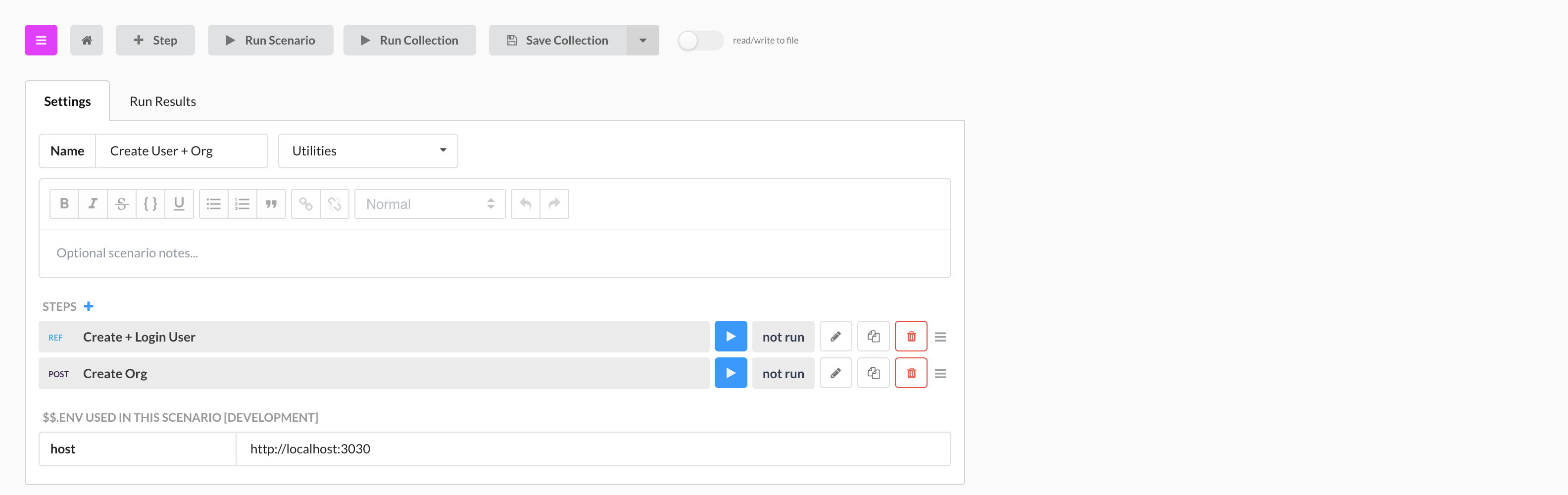
|
||||
_need to update image_
|
||||
|
||||
### Viewing Reference Output
|
||||
|
||||
When a reference is run as part of a scenario, its output will expand so that you can view the results of each step. In the screenshot below, we are looking at the results of the `Todo: Utility CRUD` scenario pictured above.
|
||||
|
||||
Tests and assertions made in a referenced scenario **will** contribute to the overall pass/fail count of the calling scenario.
|
||||
|
||||
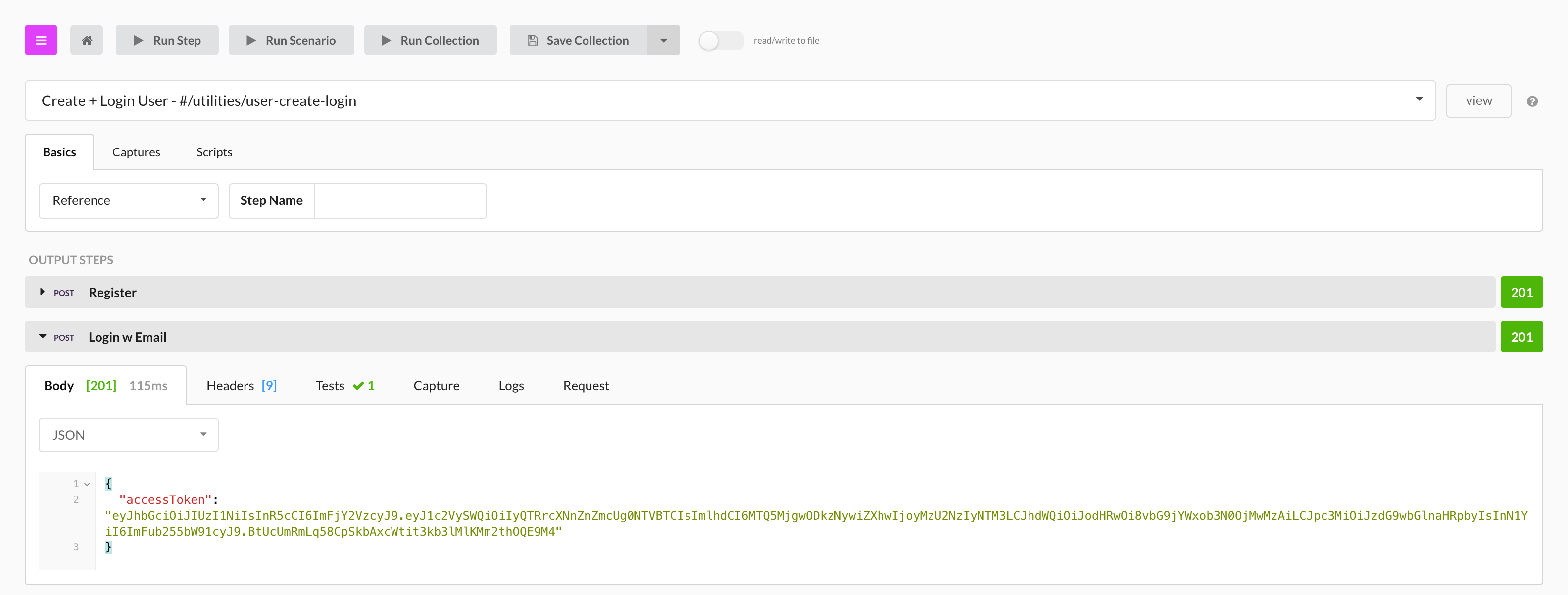
|
||||
_need to update image_
|
||||
|
||||
---
|
||||
|
||||
**Related**
|
||||
|
||||
* [Variables Overview](variables-overview.md)
|
||||
* [Context Variables](variables-context.md)
|
||||
* [Variables Environment](variables-environment.md)
|
||||
|
||||
@@ -1,67 +1 @@
|
||||
# Running Scenarios
|
||||
|
||||
Scenarios allow you to quickly and efficiently test APIs. Scenarios can be
|
||||
run in a variety of different ways, including from the [command-line with
|
||||
Prism](/testing/running-tests/in-the-terminal) or by [URL](/testing/running-tests/triggering-by-url). However, the easiest
|
||||
way is through the Stoplight editor.
|
||||
|
||||
|
||||
> If you haven't created your first scenario yet, please [do so before
|
||||
> continuing](/testing/introduction)
|
||||
|
||||
Scenarios in Stoplight are composed of three different levels:
|
||||
|
||||
* **Steps**: low-level building blocks that compose a scenario.
|
||||
Steps allow you to easily chain individual actions (e.g., performing a
|
||||
web request) together, enabling for more complex testing workflows.
|
||||
|
||||
* **Scenarios**: a series of **steps** that perform a high-level
|
||||
action (e.g., registering a new user).
|
||||
|
||||
* **Collections**: a series of **scenarios** that encapsulate an
|
||||
entire test suite. Collections are the highest-level building blocks for creating
|
||||
a library of API interactions and tests.
|
||||
|
||||
Each level above can be run individually or all together.
|
||||
|
||||
## Running a Step
|
||||
|
||||
Once you have created a scenario **step**, use the **Run Step** button to
|
||||
execute that step. The **Run Step** button is available towards the top of the
|
||||
editor, as shown below.
|
||||
|
||||

|
||||
|
||||
## Running a Scenario
|
||||
|
||||
Once you have added enough steps to a **scenario**, use the **Run Scenario**
|
||||
button to execute that scenario. The **Run Scenario** button is available
|
||||
towards the top of the editor while viewing the scenario configuration/overview,
|
||||
as show below.
|
||||
|
||||

|
||||
|
||||
|
||||
> Scenarios can also be run directly from every step using the **Run Scenario**
|
||||
> button
|
||||
|
||||
## Running a Collection
|
||||
|
||||
Once you have added created enough scenarios to compose a **collection**, use
|
||||
the **Run Collection** button to run the entire collection (including all
|
||||
scenarios and steps). The **Run Collection** button is available towards the top
|
||||
of the editor while viewing the collection home screen, as shown below.
|
||||
|
||||

|
||||
|
||||
|
||||
> Collections can also be run from the scenario and step screens using the **Run
|
||||
> Collection** button
|
||||
|
||||
---
|
||||
|
||||
**Related Articles**
|
||||
- [Testing Introduction](/testing/introduction)
|
||||
- [Running Tests in the Terminal](/testing/running-tests/in-the-terminal)
|
||||
- [Running Tests Triggered by URL](/testing/running-tests/triggering-by-url)
|
||||
|
||||
|
||||
@@ -1,73 +1,80 @@
|
||||
# Running Prism from the Terminal
|
||||
# Running a Scenario from Terminal
|
||||
|
||||
It is very easy to run scenario collections, or individual scenarios, on your own computer, completely outside of the Scenarios app.
|
||||
|
||||
First, install Prism, our command line tool for running scenarios.
|
||||
|
||||
_On macOS or Linux:_
|
||||
|
||||
```bash
|
||||
*On macOs or Linux:*
|
||||
```
|
||||
curl https://raw.githubusercontent.com/stoplightio/prism/2.x/install.sh | sh
|
||||
```
|
||||
|
||||
> When installed through the installation script, Prism will be installed to `/usr/local/bin/prism`
|
||||
|
||||
_On Windows:_
|
||||
|
||||
*On Windows:*
|
||||
```
|
||||
Download from https://github.com/stoplightio/prism/tree/2.x
|
||||
```
|
||||
|
||||
After installing, you should be able to run `prism -h` (or `prism.exe -h` in Windows) from your CLI and see the Prism help text.
|
||||
|
||||
The Scenario app has a convenient display that gives you the exact command required to run the collection or scenario that you are viewing (taking into account your current environment variables). If you have the Scenario editor connected to a local file on your computer, it will use the path to that file, otherwise it will use the Scenario SRN (unique identifier).
|
||||
After installing, you should be able to run `prism -h` (or `prism.exe -h` in Windows) and see some help text.
|
||||
|
||||
The Scenario app has a convenient display that gives you the exact command required to run the collection or scenario that you are viewing, taking into account your current environment variables. If you have the Scenario editor connected to a local file on your computer, it will use the path to that file, otherwise it will use the Scenario SRN (unique identifier).
|
||||
|
||||
<!-- theme: warning -->
|
||||
> Keep in mind that if you are storing your Scenarios on Stoplight's servers, and running them from the command line, you must save them in the Stoplight app before running! This is because Prism will make a call to the Stoplight API to fetch your Scenario JSON, which it will then run from your computer.
|
||||
|
||||
See below for a screenshot of the "Run From Terminal" command generator. The command in this box will update live in response to environment, user, and scenario changes.
|
||||
|
||||

|
||||

|
||||
|
||||
## Running Scenarios
|
||||
## Running Local Files
|
||||
|
||||
To run a local Scenario, you can use the `prism conduct` command. The `conduct`
|
||||
command accepts either a local file path or URL. If you are working with a local
|
||||
Scenario `collection.json` file, you can run the Scenario using the following
|
||||
command:
|
||||
The `prism conduct` command accepts a filepath. So, if you are working with [local scenario collection](#docTextSection:Ap4Z2B7RgbbLFLjJD) .json files, you can run them with something like:
|
||||
|
||||
```bash
|
||||
# Run a local scenario
|
||||
prism conduct /path/to/collection.json
|
||||
|
||||
# Run a remote scenario by URL
|
||||
prism conduct "https://export.stoplight.io/1234/master/main.scenarios.yml"
|
||||
```
|
||||
|
||||
For more information on Scenarios and how they can be used, see [here](/testing/introduction).
|
||||
## Including Specs For Contract Testing
|
||||
|
||||
## Contract Testing
|
||||
|
||||
To use Prism for contract testing (or API validation), you can use the `prism validate` command.
|
||||
The `validate` command takes a `--spec` argument, which is either a file path or URL to an OpenAPI specification file.
|
||||
To run a contract test against the default API URL set in the specification, use the command:
|
||||
If you are using [contract testing](#docTextSection:tFWniZdshJYLLtKms), you will need to include the filepath to the API specification as part of the command. This is what that looks like:
|
||||
|
||||
```bash
|
||||
prism validate --spec /path/to/my/spec.json
|
||||
prism conduct myOrg/scenarios/myScenarios --spec /path/to/my/swagger.json
|
||||
```
|
||||
|
||||
You can also run a contract test against a specific upstream URL with the
|
||||
`--upstream` argument.
|
||||
## Continuous integration
|
||||
|
||||
```bash
|
||||
prism validate --spec /path/to/my/spec.json --upstream http://localhost:8080
|
||||
Most CI products (Circle CI, Travis, Jenkins, Codship, etc) generally function in the same way: setup environment, invoke commands to run tests. With Scenarios + Prism, the process is similar. Install Prism, and then configure the CI process to run the appropriate Prism command. We've included instructions for Circle CI below, but these concepts should loosely apply to other CI products.
|
||||
|
||||
#### Circle CI
|
||||
|
||||
Integrating [Prism](http://stoplight.io/platform/prism) into Circle CI is easy. All you need to do is install Prism and overide the test command.
|
||||
|
||||
To install Prism just add a dependency to your circle config.
|
||||
|
||||
|
||||
``` yaml
|
||||
dependencies:
|
||||
pre:
|
||||
- curl https://raw.githubusercontent.com/stoplightio/prism/2.x/install.sh | sh
|
||||
```
|
||||
|
||||
For more information on contract testing and how it can be used, see [here](/testing/leveraging-openapi/contract-testing).
|
||||
|
||||
---
|
||||
**Related Articles**
|
||||
Then override the default test command for circle in your config.
|
||||
|
||||
- [Testing Introduction](/testing/introduction)
|
||||
- [Contract Testing](/testing/leveraging-openapi/contract-testing)
|
||||
- [Integrating in Continuous Integration](/testing/continuous-integration/overview)
|
||||
|
||||
``` yaml
|
||||
test:
|
||||
override:
|
||||
- prism conduct orgId/scenarios/scenarioId
|
||||
```
|
||||
|
||||
When running `prism conduct` you can:
|
||||
|
||||
- Use the Scenario SRN, as displayed above.
|
||||
- Include the Scenario JSON on your CI server, and pass in its absolute file path
|
||||
- Pass in the absolute URL to the scenario JSON served up via HTTP.
|
||||
|
||||
<!-- theme: warning -->
|
||||
> Don't forget to pass in any required environment values with the --env command line flag (or you can provide the filepath to a json file with your environment variables)!
|
||||
|
||||
For convenience, you can find the full command to run your scenario collection or individual scenario in the Stoplight app.
|
||||
|
||||
@@ -1,118 +1 @@
|
||||
# Triggering Scenarios by URL
|
||||
|
||||
In addition to being able to run tests [through Stoplight](/testing/running-tests/in-stoplight) and [the terminal](/testing/running-tests/in-the-terminal),
|
||||
scenarios can also be run by issuing a HTTP request.
|
||||
|
||||
To trigger a scenario by URL, there are two methods:
|
||||
|
||||
* Issuing a HTTP `GET` request, which runs the collection with the project's default
|
||||
settings and configuration.
|
||||
|
||||
* Issuing a HTTP `POST` request, which runs the collection with variables
|
||||
populated by the request's JSON body. This is necessary if you have passwords
|
||||
or other sensitive pieces of data that are not stored in Stoplight, but are
|
||||
required for running the scenario.
|
||||
|
||||
## Finding the Scenario URL
|
||||
|
||||
Every scenario has a unique URL that can be used to remotely trigger the
|
||||
scenario. To find this URL:
|
||||
|
||||
* Go to the scenario's summary in Stoplight
|
||||
|
||||
* Below the scenario summary is a "Trigger This Collection" section
|
||||
|
||||
* Within this section is a "Trigger by URL" containing the URL unique to this
|
||||
scenario
|
||||
|
||||

|
||||
|
||||
## Triggering Scenarios
|
||||
|
||||
If the scenario is part of a public project and does not require any
|
||||
customization to be run, then it can be triggered by issuing a simple HTTP `GET`
|
||||
request to the scenario's URL, as shown below.
|
||||
|
||||
```bash
|
||||
$ curl 'https://oihdflk5hiyltnnsxelttmnsw4ylsnfxxgltznvwa.prism.stoplight.io/'
|
||||
{
|
||||
"status": "completed",
|
||||
"failCount": 3,
|
||||
"passCount": 6,
|
||||
"time": 555.3748400000001,
|
||||
"env": {
|
||||
...
|
||||
```
|
||||
|
||||
To customize the scenario's variables (i.e., to add passwords and other sensitive
|
||||
information), they can either be included as URL query parameters in the `GET`
|
||||
request, or included within the request body of a `POST` request.
|
||||
|
||||
### Customizing Variables with Query String Parameters
|
||||
|
||||
You can customize the variables included in the scenario at runtime by adding
|
||||
extra [query string parameters](https://en.wikipedia.org/wiki/Query_string) to
|
||||
the URL.
|
||||
|
||||
For example, if you have an `api_token` variable that is required to run your
|
||||
scenario, it can be added to the scenario by attaching the `?api_token=abc123`
|
||||
query string to the URL (where `abc123` is the value of the `api_token`
|
||||
variable).
|
||||
|
||||
### Customizing Variables with a HTTP POST Body
|
||||
|
||||
In addition to adding a query string parameter, scenario variables can also be
|
||||
updated by using a HTTP `POST` request instead of a `GET` request. When using
|
||||
this method, the `POST` body must be composed of JSON with the JSON keys
|
||||
corresponding to the variables within the scenario.
|
||||
|
||||
Similar to the example above, if you have an `api_token` variable that is
|
||||
required to run your scenario, issuing a HTTP `POST` with the following JSON
|
||||
body will inject the variable into the scenario runtime.
|
||||
|
||||
```json
|
||||
{
|
||||
"api_token": "abc123"
|
||||
}
|
||||
```
|
||||
|
||||
To issue a `POST` request from the CLI, you can use the `curl` command. For
|
||||
example:
|
||||
|
||||
```bash
|
||||
$ curl -XPOST \
|
||||
--data-binary '{"api_token":"abc123"}' \
|
||||
'https://oihdflk5hiyltnnsxelttmnsw4ylsnfxxgltznvwa.prism.stoplight.io/'
|
||||
{
|
||||
"status": "completed",
|
||||
"failCount": 3,
|
||||
"passCount": 6,
|
||||
"time": 555.3748400000001,
|
||||
"env": {
|
||||
...
|
||||
```
|
||||
|
||||
### Triggering Scenarios in Private Projects
|
||||
|
||||
Public project scenarios can be triggered directly through the scenario URL with
|
||||
no further action needed. Private projects, however, must have an API token
|
||||
specified so that the request can be authenticated properly. To generate a new
|
||||
API token for your Stoplight acccount, see
|
||||
[here](https://next.stoplight.io/profile/access-tokens).
|
||||
|
||||
Once you have an API token, set it under the `Private-Token` header in order for
|
||||
it to be used to authenticate with the Stoplight API. For example:
|
||||
|
||||
```bash
|
||||
$ curl -H 'Private-Token: H4BTDASDf5sGHMWJSfE32' ...
|
||||
```
|
||||
|
||||
> Be sure to keep all private tokens safe! They can be used to authenticate
|
||||
> requests with any project that your account has access to.
|
||||
|
||||
---
|
||||
|
||||
**Related Articles**
|
||||
- [Running Tests In Stoplight](/testing/running-tests/in-stoplight)
|
||||
- [Running Tests in the Terminal](/testing/running-tests/in-the-terminal)
|
||||
|
||||
|
||||
@@ -1,17 +1,26 @@
|
||||
Stoplight Scenarios is a powerful (but accessible!) tool that takes the pain out of API testing. It is a standalone product, available on [the web](https://scenarios.stoplight.io), and as a [desktop app](https://download-next.stoplight.io).
|
||||
Stoplight Scenarios is a powerful (but accessible!) tool that takes the pain out of API testing. It's available on [the web](https://next.stoplight.io) and as a [desktop app](https://download-next.stoplight.io).
|
||||
|
||||
We generally recommend the desktop app when possible. It works with local servers, behind firewalls, and exchanges information with tools on your computer like Git or your favorite IDE. You can switch seamlessly between the desktop app and the web app.
|
||||
|
||||
We engineered Scenarios from the ground up to be:
|
||||
|
||||
- **Powerful** Easily assert, capture, transform, and validate your API Spec (Swagger) against your actual API. And if that isn’t enough, Prism has a powerful javascript runtime.
|
||||
* **Powerful** Easily assert, capture, transform, and validate your API Spec (OpenAPI) against your actual API. And if that isn’t enough, Prism has a powerful javascript runtime.
|
||||
|
||||
- **Portable** Scenarios are described in plain JSON with a well thought out, robust specification. Use our visual editor to quickly generate and manage this JSON. They can be run from our visual tooling, or completely outside of Stoplight, on your own machines or on your continuous integration server.
|
||||
* **Portable** Scenarios are described in plain JSON with a well thought out, robust specification. Use our visual editor to quickly generate and manage this JSON. Scenarios can be run from our visual tooling, or completely outside of Stoplight, on your own machines, or on your continuous integration server.
|
||||
|
||||
- **Flexible** Your APIs, your tests, your way. Scenarios only test what you want them to. They have no opinion about your architecture (Monolithic vs Microservices), company structure (in house vs distributed), development lifecycle (production vs TDD), and your environment (development vs staging vs production).
|
||||
* **Flexible** Your APIs, your tests, your way. Scenarios only test what you want them to. They have no opinion about your architecture (Monolithic vs Microservices), company structure (in house vs distributed), development lifecycle (production vs TDD), and your environment (development vs staging vs production).
|
||||
|
||||
- **Fast** Time can’t be slowed down, and we can’t give it back to you. Creating tests should be quick, and waiting for you tests to run shouldn’t feel like watching water boil. Scenarios are run concurrently for maximum speed - run hundreds of API requests and test assertions in seconds.
|
||||
* **Fast** Time can’t be slowed down, and we can’t give it back to you. Creating tests should be quick, and waiting for you tests to run shouldn’t feel like watching water boil. Scenarios are run concurrently for maximum speed - run hundreds of API requests and test assertions in seconds.
|
||||
|
||||
### Editor UI Overview
|
||||
|
||||

|
||||

|
||||
|
||||
---
|
||||
|
||||
**Related**
|
||||
|
||||
* [Prism Introduction](../prism/overview.md)
|
||||
* [Leveraging Open API](levergage-openapi.md)
|
||||
* [Continuous Integration](continuous-integration.md)
|
||||
* [Run Scenarios In Stoplight](run-test-stoplight.md)
|
||||
|
||||
@@ -1,116 +1,50 @@
|
||||
# Overview of Testing with HTTP Requests
|
||||
# Overview of Testing with HTTP Requests
|
||||
|
||||
## What are HTTP methods?
|
||||
## What are HTTP methods?
|
||||
|
||||
Hypertext Transfer Protocol (HTTP) is a set of rules that define how information
|
||||
is requested, transmitted, and formatted between a client and a server. HTTP
|
||||
methods (verbs) are used to implement create, read, update, and delete
|
||||
operations on identified resources.
|
||||
- Hypertext Transfer Protocol (HTTP) is a set of rules that define how information is requested, transmitted, and formatted between a client and a server. HTTP methods (verbs) are used to implement create, read, update, and delete operations on identified resources.
|
||||
- HTTP methods are classified as safe, non-safe methods, idempotent or non-idempotent methods. Safe methods do not change the state of a resource. Idempotent methods, if executed severally, deliver consistent outcomes. An example of idempotency is outlined below:
|
||||
|
||||
Each HTTP method can be classified as safe, idempotent, or both.
|
||||
|
||||
### Safe Methods
|
||||
|
||||
Safe methods do not change the state of a resource. Safe methods include:
|
||||
|
||||
* **OPTIONS**
|
||||
* **GET**
|
||||
* **HEAD**
|
||||
|
||||
### Idempotent Methods
|
||||
|
||||
Idempotent methods can be called several times and should expect the same
|
||||
results. Idempotent methods include:
|
||||
|
||||
* **OPTIONS**
|
||||
* **GET**
|
||||
* **HEAD**
|
||||
* **PUT**
|
||||
* **DELETE**
|
||||
|
||||
To demonstrate an idempotent HTTP request:
|
||||
|
||||
* `GET petAge`, where the returned age is 2. Since the result will always return
|
||||
2 when the statement is issued over and over again, this request is
|
||||
idempotent
|
||||
* `POST petAge`, where you are incrementing the age of a pet. Since we are
|
||||
actively incrementing the age, each successive execution will give the pet a
|
||||
different age each time, making this request non-idempotent
|
||||
### Example
|
||||
- petAge = 2 # will always return 2 even when the statement is executed over and over again. This statement is idempotent.
|
||||
- petAge++ # will return different results based on the number of executions. This statement is non-idempotent.
|
||||
|
||||
## Methods
|
||||
- The **GET** method retrieves data and resource representation. It does not change the state of a resource and several executions produce the same results. Thus, it is a safe and idempotent method. When a GET method is successful, it should return a 200 (OK) HTTP status code with the content in the response body and a 404 (NOT FOUND) code if the resource is not available.
|
||||
- The **POST** method creates new resources. The POST method is not safe and is non-idempotent as the execution of similar POST requests will create two different resources with similar details. It is suggested for non-idempotent resource requests.
|
||||
- The **PATCH** method makes partial updates to a resource and it is non-idempotent.
|
||||
- The **PUT** method updates a resource or creates a new resource if it does not exist. It is ideal for the complete update of a resource. The PUT method is idempotent but not safe.
|
||||
- The **DELETE** method deletes a resource. It is idempotent but not safe.
|
||||
|
||||
* The **GET** method retrieves data and resource representation. It does not
|
||||
change the state of a resource and several executions produce the same
|
||||
results. Thus, it is a safe and idempotent method. When a GET method is
|
||||
successful, it should return a 200 (OK) HTTP status code with the content in
|
||||
the response body and a 404 (NOT FOUND) code if the resource is not available
|
||||
### Summary
|
||||
The GET method is the only safe method, as it does not change the state of a resource. GET, PUT, and DELETE methods are idempotent while the POST and PATCH methods are non-idempotent.
|
||||
|
||||
* The **POST** method creates new resources. The POST method is not safe and is
|
||||
non-idempotent as the execution of similar POST requests will create two
|
||||
different resources with similar details. It is suggested for non-idempotent
|
||||
resource requests
|
||||
|
||||
* The **PATCH** method makes partial updates to a resource and it is
|
||||
non-idempotent
|
||||
|
||||
* The **PUT** method updates a resource or creates a new resource if it does not
|
||||
exist. It is ideal for the complete update of a resource. The PUT method is
|
||||
idempotent but not safe
|
||||
|
||||
* The **DELETE** method deletes a resource. It is idempotent, but not safe
|
||||
|
||||
## Testing with HTTP Requests
|
||||
|
||||
Testing using HTTP Requests demonstrates whether or not an API will perform as
|
||||
expected when it is deployed to a production server and integrated with existing
|
||||
platforms.
|
||||
## Testing with HTTP Requests
|
||||
- Testing using HTTP Requests demonstrates whether or not an API will perform as expected when it is deployed to a production server and integrated with existing platforms.
|
||||
|
||||
<!-- theme: info -->
|
||||
> HTTP Request Tests should include checks to the response code, message, and body.
|
||||
|
||||
Apart from verifying the functionality of essential features, HTTP Request Tests
|
||||
**save time and cost**.
|
||||
- Apart from verifying the functionality of essential features, HTTP Request Tests **save time and cost**.
|
||||
|
||||
## Testing with HTTP Requests: Best Practices
|
||||
## Testing with HTTP Requests: Best Practices
|
||||
|
||||
Testing is a critical stage of the API development life cycle and the type of
|
||||
tests executed will depend on the complexity of the API, time, budget, etc. It
|
||||
is vital to conduct robust tests to reveal any inconsistencies or defects in
|
||||
the API before it is shipped to a production server or interfaced with other
|
||||
platforms.
|
||||
|
||||

|
||||
### GET
|
||||
|
||||
* Test the GET method to confirm it returns the correct data
|
||||
* Test a valid GET request to ensure it returns a 200 (OK) status code or 404 (NOT FOUND) if invalid
|
||||
* Ensure you test every endpoint fetching data within your API before deployment to a production server
|
||||
- Test the GET method to confirm it returns the correct data.
|
||||
- Test a valid GET request to ensure it returns a 200 (OK) status code or 404 (NOT FOUND) if invalid
|
||||
- Ensure you test every endpoint fetching data within your API before deployment to a production server.
|
||||
|
||||
### POST
|
||||
|
||||
* Test the POST method to confirm it creates a resource and returns a 200(OK)
|
||||
code and/or 201(CREATED) code if valid. If invalid, look for a 4xx error
|
||||
status code
|
||||
* You can use the GET method to see the outcome of the POST operation
|
||||
- Test the POST method to confirm it creates a resource and returns a 200(OK) code and/or 201(CREATED) code if valid. If invalid, look for a 4xx error status code.
|
||||
- You can use the GET method to see the outcome of the POST operation.
|
||||
|
||||
### PUT & PATCH
|
||||
|
||||
* The PUT and PATCH update methods should be tested to ensure that a 200(OK)
|
||||
status code or 204(NO CONTENT) is returned for a successful transaction. If
|
||||
unsuccessful, look for a 4xx error status code
|
||||
- The PUT and PATCH update methods should be tested to ensure that a 200(OK) status code or 204(NO CONTENT) is returned for a successful transaction. If unsuccessful, look for a 4xx error status code.
|
||||
|
||||
### DELETE
|
||||
- Test the DELETE request to certify it returns a 4xx error code if a DELETE operation is executed against an invalid or non-existent resource.
|
||||
- Test the DELETE request to confirm it returns a 200(OK) for a successful operation.
|
||||
- Tests for the DELETE method **must not** be done with data residing on a production or live data store.
|
||||
|
||||
* Test the DELETE request to certify it returns a 4xx error code if a DELETE
|
||||
operation is executed against an invalid or non-existent resource
|
||||
* Test the DELETE request to confirm it returns a 200(OK) for a successful
|
||||
operation
|
||||
* Tests for the DELETE method **must not** be done with data residing on a
|
||||
production or live data store
|
||||
|
||||
---
|
||||
**Related Articles**
|
||||
- [Testing Introduction](/testing/introduction)
|
||||
- [Running Tests In Stoplight](/testing/running-tests/in-stoplight)
|
||||
- [Running Tests in the Terminal](/testing/running-tests/in-the-terminal)
|
||||
- [Running Tests Triggered by URL](/testing/running-tests/triggering-by-url)
|
||||
|
||||
<!-- theme: info -->
|
||||
> Testing is a critical stage of the API development life cycle and the type of tests executed will depend on the complexity of the API, time, budget, etc. It is vital to conduct robust tests to reveal any inconsistencies or defects in the API before it is shipped to a production server or interfaced with other platforms.
|
||||
|
||||
@@ -1,6 +1,8 @@
|
||||
# Using Context Variables
|
||||
|
||||
Context variables allow you to dynamically store and share data between steps in a scenario. Contrary to environment variables, context variables are _not_ saved once a test has completed. Therefore, context variables are only suitable for temporary data.
|
||||
<!--(FIXME - SHOW WRITING VARIABLE TO CONTEXT IN STEP)-->
|
||||
|
||||
Context variables allow you to dynamically store and share data between steps in a scenario. Contrary to environment variables, context variables are _not_ saved once a test has completed. Therefore, context variables are only suitable for temporary data.
|
||||
|
||||
Context variables are scoped to the scenario, _not_ the collection. This means that two scenarios can both read/write the same context variable `myVar`, and not conflict with each other. Environment variables, on the other hand, are shared amongst all scenarios, and are scoped to the collection.
|
||||
|
||||
@@ -10,9 +12,9 @@ At the start of a test run, the context object is empty. Good examples of data t
|
||||
|
||||
Context variables make it possible to chain related steps together. For example, say we have the following set of actions to perform:
|
||||
|
||||
1. Create User, `POST /users`. Returns a new user object, with an `id` property.
|
||||
2. Get User, `GET /users/{$.ctx.userId}`.
|
||||
3. Delete User, `DELETE /users/{$.ctx.userId}`.
|
||||
1. Create User, `POST /users`. Returns a new user object, with an `id` property.
|
||||
2. Get User, `GET /users/{$.ctx.userId}`.
|
||||
3. Delete User, `DELETE /users/{$.ctx.userId}`.
|
||||
|
||||
Somehow we need to use the `id` property for the user created in step #1 to build the request in steps #2 and #3. This is a great case for context variables, since the data is temporary (the new user's id changes every test run, and is only needed in this single scenario).
|
||||
|
||||
@@ -22,14 +24,17 @@ To accomplish this, we would capture/set the `$.ctx.userId` property to `output.
|
||||
|
||||
### With Captures
|
||||
|
||||
<!--(FIXME - SHOW USING THE CAPTURE MENU IN A SCENARIO STEP)-->
|
||||
|
||||
The capture UI in the step editor makes it easy to set `$.ctx` values. You can use values from the step output or input, including headers, response bodies, etc.
|
||||
|
||||
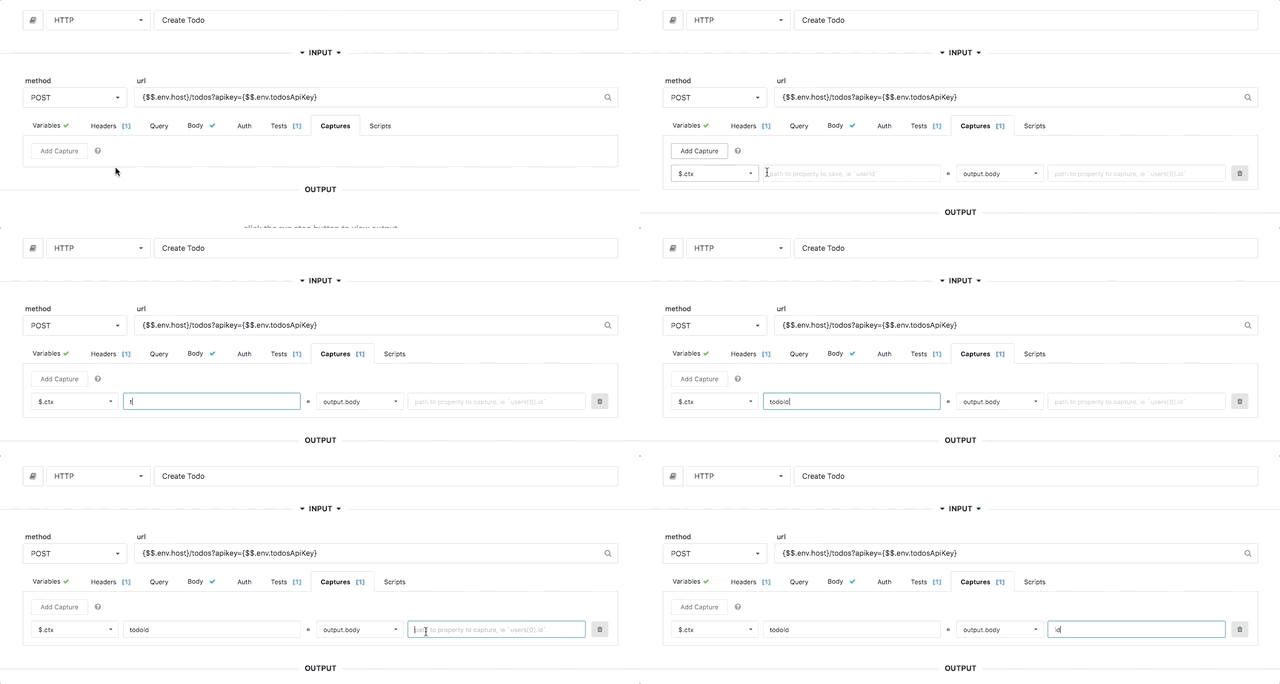
|
||||
|
||||
<!-- theme: info -->
|
||||
> Multiple captures can be applied to the same step, to set multiple `$.ctx` values.
|
||||
|
||||
### With Scripting
|
||||
|
||||
<!--(FIXME - SHOW SCREENSHOT OF SCRIPT IN STEP)-->
|
||||
|
||||
Scripting allows you to use more complicated logic in a scenario step. Scripts
|
||||
are executed either before or after a step request finishes. Scripts are plain
|
||||
Javascript and give you direct access to the scenario context through the global
|
||||
@@ -44,7 +49,7 @@ $.ctx.set('userId', output.body.get('id'));
|
||||
|
||||
Where the `$.ctx.set(x, y)` function adds the data referenced in the second
|
||||
argument (`y`) to the context under the string value of the first argument
|
||||
(`x`).
|
||||
(`x`).
|
||||
|
||||
Here is another example that just sets `myVariable` to the hardcoded value `123`:
|
||||
|
||||
@@ -54,6 +59,8 @@ $.ctx.set('myVariable', 123);
|
||||
|
||||
## Using Context Variables
|
||||
|
||||
<!--(FIXME - SHOW USING A CONTEXT VARIABLE IN A SCENARIO STEP)-->
|
||||
|
||||
To use a context variable in a scenario, use the following syntax:
|
||||
|
||||
```
|
||||
@@ -84,9 +91,11 @@ $.ctx.get('myVariable');
|
||||
Where the braces (`{}`) are absent, and we are using the `get()` method for
|
||||
retrieving the context variable under the `myVariable` key.
|
||||
|
||||
---
|
||||
***
|
||||
|
||||
**Related Articles**
|
||||
**Related**
|
||||
|
||||
* [Using Variables Overview](/testing/using-variables/overview)
|
||||
* [$$.env (Environment)](/testing/using-variables/environment)
|
||||
* [Environment Overview](../editor/environments.md)
|
||||
* [Environment Configuration](../editor/editor-configuration.md)
|
||||
* [Variables Overview](./variables-overview.md)
|
||||
* [Context Variables](./variables-context.md)
|
||||
|
||||
@@ -1,20 +1,20 @@
|
||||
# Using Environment Variables
|
||||
|
||||
<!--(FIXME - SHOW CLICKING THROUGH ENVIRONMENTS IN UI)-->
|
||||
|
||||
> If you have not already done so, we recommend reviewing the
|
||||
> [Environments](/platform/editor-basics/environments) article before continuing.
|
||||
[Environments](../editor/environments.md) article before continuing.
|
||||
|
||||
Environment variables in Stoplight allow you to dynamically retrieve information
|
||||
in a scenario from the active environment. This makes it possible to
|
||||
switch between different environments with ease, having variables automatically
|
||||
populate based on the current environment.
|
||||
|
||||
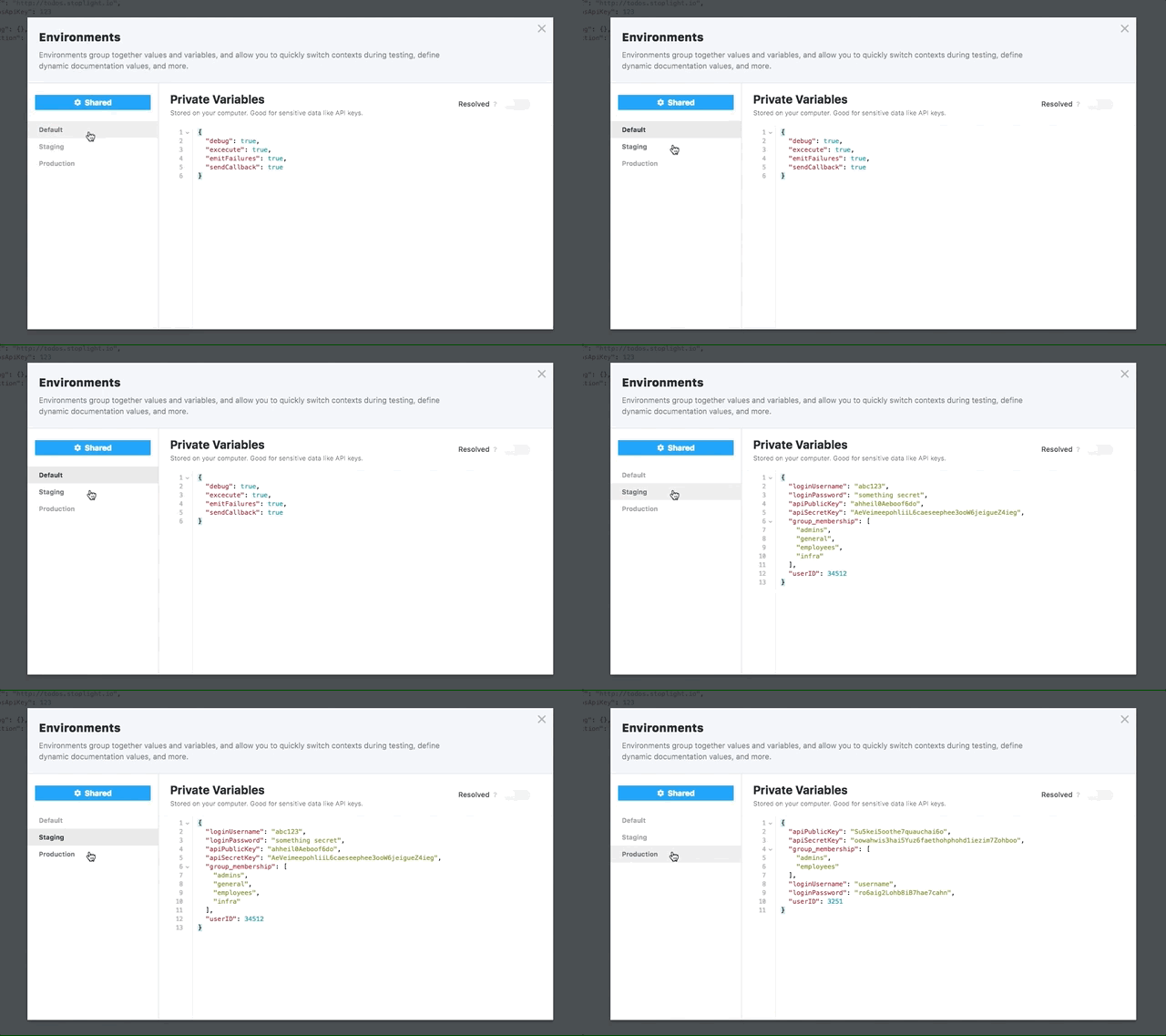
|
||||
|
||||
## Setting Environment Variables
|
||||
|
||||
### With the Editor Configuration
|
||||
|
||||
For information on managing project environments, please review the [environment](/platform/editor-basics/editor-configuration) article.
|
||||
For information on managing project environments, please review the [environment](../editor/environments.md) article.
|
||||
|
||||
### With Captures
|
||||
|
||||
@@ -23,8 +23,8 @@ Captures make it easy to "capture" values from your step request or result, and
|
||||
Say you have a scenario step that sends an HTTP request to authenticate a new user. The response from that request includes an apiKey that you want to use for other requests. You can easily save that apiKey to an environment variable, for later re-use, by adding a capture in the form `$$.env.apiKey = output.body.apiKey`. After running the step, check your current environment variables and note the newly added apiKey!
|
||||
|
||||
> Environment variables set via captures are only added to the user's private
|
||||
> variables, and are not sent to Stoplight. See the [Environment
|
||||
> section](/platform/editor-basics/environments) for more information.
|
||||
variables, and are not sent to Stoplight. See the [Environment
|
||||
section](../editor/environments.md) for more information.
|
||||
|
||||
### With Scripting
|
||||
|
||||
@@ -45,11 +45,13 @@ argument (`y`) to the environment under the string value of the first argument
|
||||
(`x`).
|
||||
|
||||
> Environment variables set via script are only added to the user's private
|
||||
> variables, and are not sent to Stoplight. See the [Environment
|
||||
> section](/platform/editor-basics/environments) for more information.
|
||||
variables, and are not sent to Stoplight. See the [Environment
|
||||
section](../editor/environments.md) for more information.
|
||||
|
||||
## Using Environment Variables
|
||||
|
||||
<!--(FIXME - SHOW USING A VARIABLE IN A SCENARIO STEP)-->
|
||||
|
||||
Use an environment variable in a scenario with the following syntax:
|
||||
|
||||
```
|
||||
@@ -81,11 +83,11 @@ $$.env.get('myVariable');
|
||||
Where the braces (`{}`) are absent, and we are using the `get()` method for
|
||||
retrieving the environment variable under the `myVariable` key.
|
||||
|
||||
---
|
||||
***
|
||||
|
||||
**Related Articles**
|
||||
**Related**
|
||||
|
||||
* [Editor Configuration](/platform/editor-basics/editor-configuration)
|
||||
* [Environments](/platform/editor-basics/environments)
|
||||
* [Using Variables Overview](/testing/using-variables/overview)
|
||||
* [$.ctx(Context)](/testing/using-variables/context)
|
||||
* [Environment Overview](../editor/environments.md)
|
||||
* [Environment Configuration](../editor/editor-configuration.md)
|
||||
* [Variables Overview](./variables-overview.md)
|
||||
* [Context Variables](./variables-context.md)
|
||||
|
||||
@@ -3,7 +3,7 @@
|
||||
Variables in Stoplight provide a powerful and intuitive way to dynamically set,
|
||||
update, and retrieve information at any step in a Scenario.
|
||||
|
||||
Variables are stored in an [environment](/platform/editor-basics/environments). You can define one or more environments,
|
||||
Variables are stored in an [environment](../editor/environments.md). You can define one or more environments,
|
||||
each with their own variables. This makes it easy to quickly swap out sets of
|
||||
variables during testing.
|
||||
|
||||
@@ -18,12 +18,13 @@ so that the host can quickly be changed to test multiple server locations (devel
|
||||
|
||||
There are two scopes for variables, which affect how and when they can be used.
|
||||
|
||||
* __Environment Variables__ - Environment variables are scoped to the project, and are shared amongst all steps in your test run. They are persisted between test runs, and are great for data that does not change often (hostnames, ports, etc). See [here](/testing/using-variables/environment) for more information on how to use environment variables.
|
||||
* __Environment Variables__ - Environment variables are scoped to the project, and are shared amongst all steps in your test run. They are persisted between test runs, and are great for data that does not change often (hostnames, ports, etc). See [here](./variables-environment.md) for more information on how to use environment variables.
|
||||
|
||||
* __Context Variables__ - Context variables are scoped to the scenario, and are reset on every test run. They are useful to persist test and application state between scenario steps. Context variables are great for temporary information that is only relevant to the current test run. For example, you might store a newly created `userId` returned in your first step, to be used in the second step. This `userId` changes on every test run, which makes it a good context variable candidate. See [here](/testing/using-variables/context) for more information on how to use context variables.
|
||||
* __Context Variables__ - Context variables are scoped to the scenario, and are reset on every test run. They are useful to persist test and application state between scenario steps. Context variables are great for temporary information that is only relevant to the current test run. For example, you might store a newly created `userId` returned in your first step, to be used in the second step. This `userId` changes on every test run, which makes it a good context variable candidate. See [here](./variables-context.md) for more information on how to use context variables.
|
||||
|
||||
***
|
||||
|
||||
**Related Articles**
|
||||
- [$$.env (Environment)](/testing/using-variables/environment)
|
||||
- [$.ctx(Context)](/testing/using-variables/context)
|
||||
**Related**
|
||||
|
||||
* [Environment Variables](./variables-environment.md)
|
||||
* [Context Variables](./variables-context.md)
|
||||
|
||||

|
Before Width: | Height: | Size: 871 KiB After Width: | Height: | Size: 22 MiB |

|
Before Width: | Height: | Size: 1.1 MiB After Width: | Height: | Size: 2.8 MiB |

|
Before Width: | Height: | Size: 337 KiB |

|
Before Width: | Height: | Size: 847 KiB |
BIN
assets/gifs/create-pages.gif
Normal file

|
After Width: | Height: | Size: 22 MiB |
BIN
assets/gifs/create-subpages.gif
Normal file

|
After Width: | Height: | Size: 20 MiB |

|
Before Width: | Height: | Size: 1.2 MiB |

|
Before Width: | Height: | Size: 564 KiB |